grpc_health_probe for Kubernetes gRPC health checks
A command-line tool to perform health-checks for gRPC applications in Kubernetes and elsewhere
At a glance
- What is it?
- grpc_health_probe checks whether a gRPC service reports SERVING through the gRPC Health Checking Protocol, then maps the result to a command exit code. It remains useful for Kubernetes exec probes, TLS, metadata, and environments without native gRPC probes.
- Who is it for?
- Adopt grpc_health_probe when the application implements gRPC Health Checking Protocol v1 and the deployment needs exec probes, custom metadata, TLS controls, or non-Kubernetes checks. Do not add it when native Kubernetes gRPC probes already cover the requirement or the server does not implement the health service.
- Can I use it commercially?
- Yes. Apache-2.0 is a permissive licence: you can use, modify and sell software built on it, as long as you keep its copyright and licence notices.
- Is it still maintained?
- Yes. The repository last received commits 1 day ago.
- What is it written in?
- Mainly Go, according to GitHub's language statistics.
Answers come from the project's GitHub data, last synced on November 7, 2026, and from our analysis. They are not legal advice.
Star history
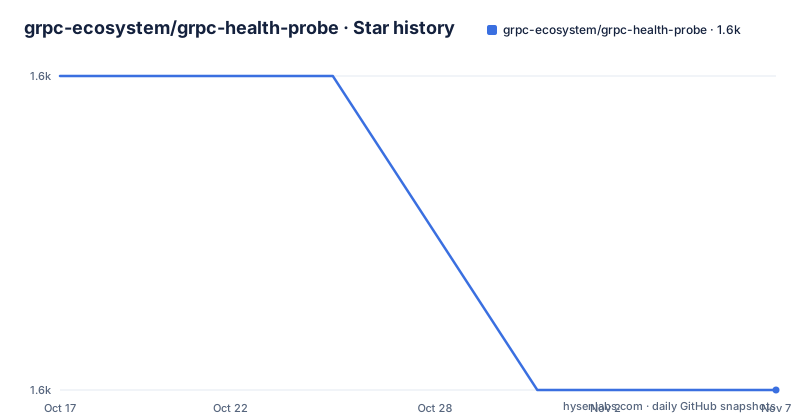
- grpc-ecosystem/grpc-health-probe1,570 ★ · -1
| Repository | 2026-10-17 | 2026-11-07 |
|---|---|---|
| grpc-ecosystem/grpc-health-probe | 1.6k | 1.6k |
-1 Stars in the last 21 days, measured from the daily GitHub snapshot. Compare with other projects
Editorial analysis
Why grpc_health_probe still has a role in Kubernetes
grpc_health_probe solves a precise problem: determining whether a running gRPC application reports itself as healthy according to the gRPC Health Checking Protocol. Its primary audience is operators running gRPC services in Kubernetes, especially teams that use exec probes. It can also serve as a command-line health check outside Kubernetes.
The README presents an important adoption boundary. Kubernetes now has generally available built-in gRPC health checking. A cluster that supports this feature can define a gRPC probe directly in a Pod specification, so adding a separate utility may create unnecessary image and configuration work. grpc_health_probe remains relevant for older Kubernetes versions, non-Kubernetes environments, or configurations requiring features outside the native probe, including custom metadata, TLS settings, and finer timeout tuning.
The utility does not infer application health from an arbitrary gRPC method. The target application must register the Health service and implement rpc Check so that it can return SERVING. A network listener or successful TCP connection is therefore not enough to make this tool useful. Applications built with gRPC libraries in Go, Java, Python, C#, or Ruby may have helper packages for this protocol, but the server still has to enable and configure them.
The Check RPC and process exit contract
The documented health-check path is the unary RPC `/grpc.health.v1.Health/Check`. grpc_health_probe sends that request and examines the health status returned by the service. A response of SERVING causes the process to exit successfully. A failure to connect, a timeout, or a status other than SERVING results in a non-zero exit code. This contract makes the command suitable for a Kubernetes exec probe because kubelet evaluates the process exit status.
By default, the empty service name is requested. The `-service` flag selects a named service, while the protocol convention uses the empty string for overall server health. This distinction matters in applications that expose several independently reported services or resources. An empty-service probe reports server health without checking a particular named service.
The flags also expose metadata and request controls. `-rpc-header` sends metadata in the RPC context, `-user-agent` changes the request user-agent, and `-gzip` enables the request compressor and response decompressor. These options allow the health request to resemble an authenticated or configured client more closely. The README does not describe response payload formats, retries, or automatic service discovery, so the health RPC and its exit status remain the core contract.
Installing grpc_health_probe and checking the first service
The README recommends selecting a version-stamped binary from the Releases page. That approach avoids requiring a Go toolchain in the environment where the probe is installed. The source installation route is documented as not recommended, but it is short and also provides a direct first use.
With `git` and `go` installed, install the module at its latest published version:
go install github.com/grpc-ecosystem/grpc-health-probe@latestAccording to the README, this compiles the binary into `$GOPATH/bin`, or `$HOME/go/bin` if that is the applicable location. Add the resulting directory to `PATH` if the shell does not already find `grpc_health_probe`.
For a server listening on port 5000 and reporting overall SERVING health, run:
grpc_health_probe -addr=localhost:5000The documented successful output is:
healthy: SERVINGA connection failure produces a message and a non-zero status. Connection establishment and the health RPC have separate limits, which can be set with `-connect-timeout` and `-rpc-timeout`. The README does not publish a complete exit-code table in the displayed documentation, even though it says nonzero statuses are documented elsewhere. Operators should not rely on a particular numeric code beyond the documented example until consulting the corresponding release documentation.
Packaging the probe for a Kubernetes exec probe
The README recommends bundling a statically compiled grpc_health_probe into the server container and invoking it through Kubernetes exec probes. The repository Dockerfile builds a static binary with `CGO_ENABLED=0`, copies it to `/bin/grpc_health_probe`, and sets that binary as the image entrypoint. Applications building their own image can instead follow the release-download or release-image pattern documented by the project.
The release example pins `GRPC_HEALTH_PROBE_VERSION=v0.4.38`, selects the target platform with `TARGETOS` and `TARGETARCH`, and installs the resulting binary at `/bin/grpc_health_probe`:
ARG TARGETOS TARGETARCH
RUN GRPC_HEALTH_PROBE_VERSION=v0.4.38 && \
    wget -qO/bin/grpc_health_probe https://github.com/grpc-ecosystem/grpc-health-probe/releases/download/${GRPC_HEALTH_PROBE_VERSION}/grpc_health_probe-${TARGETOS}-${TARGETARCH} && \
    chmod +x /bin/grpc_health_probe
That snippet is an example pinned to v0.4.38, not a statement that this is the newest release. The release list includes v0.4.59, v0.4.58, and v0.4.57. A production image should select a reviewed release deliberately rather than silently copying the example version.
A Kubernetes manifest can then use the binary for both readiness and liveness:
spec:
  containers:
  - name: server
    image: "[YOUR-DOCKER-IMAGE]"
    ports:
    - containerPort: 5000
    readinessProbe:
      exec:
        command: ["/bin/grpc_health_probe", "-addr=:5000"]
      initialDelaySeconds: 5
    livenessProbe:
      exec:
        command: ["/bin/grpc_health_probe", "-addr=:5000"]
      initialDelaySeconds: 10
Readiness and liveness are separate deployment decisions. The README recommends exec probes for this use, but it does not prescribe thresholds beyond the example, so failure counts, periods, and timeout settings must fit the application.
TLS, custom metadata, and SPIFFE configuration
Health probes often cross the same security boundary as ordinary clients, and grpc_health_probe includes controls for that path. `-tls` enables TLS, `-tls-ca-cert` replaces the system roots with a supplied CA file, and `-tls-server-name` overrides the hostname used for certificate verification. For mutual TLS, `-tls-client-cert` and `-tls-client-key` supply the client identity.
`-tls-no-verify` disables server certificate verification. The README labels this option INSECURE. It is available for compatibility with specific deployment conditions, but it removes an important TLS check and should not be treated as equivalent to verified TLS.
Servers that require SPIFFE credentials can use `-spiffe` together with the `SPIFFE_ENDPOINT_SOCKET` environment variable. The option retrieves TLS credentials through the SPIFFE Workload API. This path is appropriate only when the workload environment supplies the corresponding endpoint socket.
An application may also require authorization metadata. The `-rpc-header` option sends metadata with the Check request. The README gives the option name and its purpose but does not show a complete metadata syntax, so no key or value can be prescribed from the documented text. This is a real limitation for teams needing authorization headers: they must consult the command help or implementation before constructing the invocation.
Native Kubernetes probes and the practical alternatives
The clearest alternative is Kubernetes native gRPC health checking. It checks the same gRPC health protocol without adding grpc_health_probe to the application image and without invoking a process through exec. The README says this capability is generally available and points users to Kubernetes documentation for defining a gRPC liveness probe. This is the simpler choice for a supported cluster when no extra TLS, metadata, or timeout behavior is required.
Another approach is to add a separate probe image or container, although the README specifically describes bundling the static binary into the application image and does not document the lifecycle or failure semantics of a sidecar probe. Treating that arrangement as supported would go beyond the README.
For SPIFFE-protected services, grpc_health_probe differs from a basic address check because `-spiffe` retrieves workload credentials through the SPIFFE Workload API. The README does not claim that native Kubernetes gRPC probes provide that application-level TLS workflow. The distinction is about supported mechanics, not an assertion that one is always safer.
The choice should follow deployment requirements. Use native gRPC probes where the cluster supports them and the request needs no documented grpc_health_probe feature. Use grpc_health_probe where exec behavior, custom metadata, certificate controls, timeout separation, or SPIFFE credential retrieval is required.
Release cadence, Go requirements, and upgrade boundaries
The repository is not archived. Its last push was on 2026-10-11. The release list shows v0.4.59 on 2026-10-09, v0.4.58 on 2026-10-08, and v0.4.57 on 2026-09-05. These dates establish the documented release cadence, but the README does not publish a long-term support policy.
The module declares `go 1.26.0` and `toolchain go1.27.2`. The repository Dockerfile uses `golang:1.27` for its build stage. A source build therefore has a newer Go requirement than an old Go installation may satisfy. The repository also depends on gRPC v1.84.0 and go-spiffe v2.8.2 in `go.mod`, so an image rebuild can pull dependency and toolchain changes even when the application itself has not changed.
Upgrade cost is limited for a CLI embedded as a version-stamped binary, because the application need not import the Go package. It is more relevant to the build pipeline: maintainers must review the selected binary version, refresh the Go builder when needed, and confirm that TLS, metadata, or SPIFFE options still match the deployment. The README does not document a compatibility matrix, so release age and version differences should not be treated as a formal support guarantee.
The project uses the Apache-2.0 license. The LICENSE file and Apache License terms govern copying, modification, and distribution of the project. This identifies the stated licensing model, not legal advice about a particular image, binary, or deployment.
Editorial conclusion
Adopt grpc_health_probe when the application implements gRPC Health Checking Protocol v1 and the deployment needs exec probes, custom metadata, TLS controls, or non-Kubernetes checks. Do not add it when native Kubernetes gRPC probes already cover the requirement or the server does not implement the health service. Verify service registration, the status returned by Check, probe timing, and certificate configuration first. For a new Kubernetes deployment, the best default is the native gRPC probe unless one of those boundaries applies.
Frequently asked questions
Does grpc_health_probe require Kubernetes?
No. Kubernetes is its primary documented use case, but the executable can query any reachable service that implements the gRPC Health Checking Protocol.
What must a gRPC server implement for grpc_health_probe to work?
It must register the gRPC Health service, implement the v1 Check RPC, and return the relevant service status. grpc_health_probe treats SERVING as success.
When should I use native Kubernetes gRPC probes instead of grpc_health_probe?
Use the native Kubernetes feature when the cluster supports it and the deployment does not need advanced settings such as custom metadata, TLS client options, finer timeout tuning, or SPIFFE credential retrieval.
Official sources
Add this badge to your README
If you maintain this project, the badge below links readers to this analysis and shows its maintenance status from the daily GitHub snapshot. Paste the markdown into your README; add ?metric=license or ?metric=stars to the image URL for a different field.

[](https://hysenlabs.com/projects/grpc-ecosystem-grpc-health-probe)Star history chart for your README
[](https://hysenlabs.com/projects/grpc-ecosystem-grpc-health-probe)Was this useful?