gTile: grid-based tiling for Gnome and the Gnome 45 rewrite
A window tiling extension for Gnome.
At a glance
- What is it?
- gTile is a Gnome Shell extension that adds grid based window tiling with mouse, keyboard and preset driven placement, aimed at multi-monitor setups. It was rewritten for Gnome 45, releases are numbered V69 through V71 rather than semver, and a theme change still requires disabling and re-enabling the extension.
- Who is it for?
- Adopt gTile if you run Gnome on several monitors and want tiling without leaving the desktop environment, and if you are willing to read PR 341 before the first Gnome 45 upgrade. Do not adopt it as a tiling manager for a stock single-screen session, where a minimal keybinding setup already covers the need, and do not script theme changes expecting them to apply live.
- Can I use it commercially?
- Check first. The repository uses a licence we do not classify automatically, so read its LICENSE file before any commercial use.
- Is it still maintained?
- Yes. The repository last received commits 30 days ago.
- What is it written in?
- Mainly TypeScript, according to GitHub's language statistics.
Answers come from the project's GitHub data, last synced on November 7, 2026, and from our analysis. They are not legal advice.
Star history
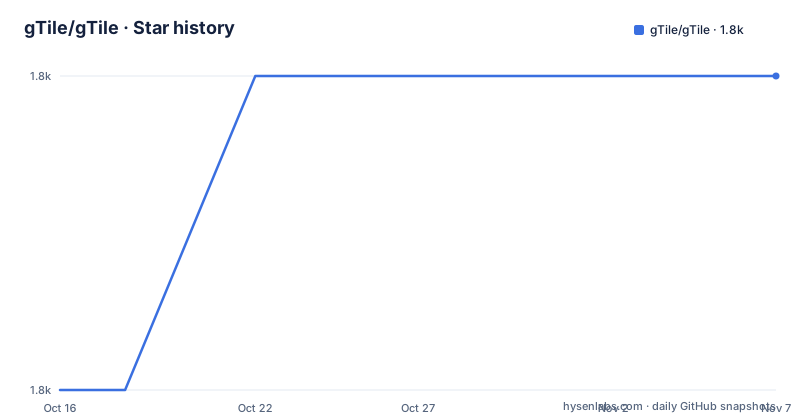
- gTile/gTile1,789 ★ · +1
| Repository | 2026-10-16 | 2026-11-07 |
|---|---|---|
| gTile/gTile | 1.8k | 1.8k |
1 Stars in the last 22 days, measured from the daily GitHub snapshot. Compare with other projects
Editorial analysis
The V71 rewrite is the headline, and PR 341 is the changelog
The README's first substantive line is a warning: the Gnome 45 version of gTile has undergone a rewrite, and anyone hitting a regression should check PR 341 for a summary of the breaking changes.
That tells you how this project versions itself. The releases are V69 on 2026-04-10, V70 on 2026-05-09 and V71 on 2026-10-08, which is a sequential extension build counter rather than a semantic version line. package.json does carry version 1.0.0 and licence GPL-2.0-or-later, but that is the package metadata, not the release scheme a user sees.
A rewrite plus a manual breaking-change document is the pattern to watch with GNOME Shell extensions in general. GNOME bumps its own shell API with each release, and an extension that talks to shell internals has to move with it. The last push was on 2026-10-08, the same day as V71, so the repository is being worked on.
The other thing the README is explicit about is origin: the idea and first implementation came from vibou with help from multiple contributors, and gTile is now community supported.
Three ways to install, and only one of them needs a shell restart you remember
The preferred installation route is through the GNOME Extensions website.
For an offline or pinned install, download the distributable archive from the releases page and hand it to gnome-extensions:
wget https://github.com/gTile/gTile/releases/download/VERSION/gtile.dist.tgz

# The `-f` flag will perform an upgrade, if necessary.
gnome-extensions install -f ~/Downloads/gtile.dist.tgz

# The changes only become effective once the shell session was restarted.
# In case the extension was installed for the first time it must be enabled afterwards.
gnome-extensions enable gTile@vibou
Three details there are easy to get wrong. The -f flag is what turns an install into an upgrade. The changes need a shell session restart before they take effect, not just the install command. And on a first install the extension still has to be enabled, which the command does.
Building from source needs a working git and npm:
git clone https://github.com/gTile/gTile.git
cd gTile
npm ci
npm run build:dist
npm run install:extension
Then the same enable command. The build chain is TypeScript compiling with tsconfig.prod.json into dist/, then a tar step, then gnome-extensions install with -f. The package is declared as an ES module with module entry dist/extension.js, and the developer dependencies are the GObject introspection type packages for gnome-shell, gtk-4.0, glib-2.0 and the Clutter and Meta 18 versions, with ava and typescript for the build.
The UUID is gTile@vibou, inherited from the original author, and is used by commands such as enable and prefs.
The overlay is a corner picker, and the keyboard path is faster
gTile works through a graphical overlay or entirely by keyboard. The overlay opens from the toolbar icon or with Super plus Enter by default, and appears at the cursor position, so the corner you want is under the pointer already.
The mouse path is two clicks: one corner coordinate, then the opposite corner, and the window resizes after the second. The keyboard path uses arrow keys for the first corner and Shift-arrow for the second, Space to change the grid scheme, Enter to apply and Escape to cancel. A third path uses configured presets, where the window resizes but the overlay stays open for further adjustments, unless you enable the Basic setting Auto close on keyboard shortcut.
There is an auto-close toggle button in the overlay, and that choice applies after the change is made, not before.
For keyboard-only use the README describes three grid selector groups: Super+Alt for a 2x2 grid, Super+Control for 2x3, and Super+Shift for 3x3. Each combines with a keypad digit to give the placement, so Super+Alt+KP_5 centres a window and Super+Alt+KP_9 takes the top right quarter.
Preset syntax is a mini language with inheritance rules
Resize presets are defined in the preferences window on the Resize Presets tab, and one shortcut can carry several presets that cycle on repeated presses.
The format is a grid size followed by a top-left and bottom-right coordinate pair. Grid size is written as XxY, columns by rows, the same notation as the grid schemes in the General tab. The documented example 3x3 1:1 1:1, 2:2 2:2 puts a window in the top left corner on the first press and dead centre on the second.
The inheritance rules are the part that trips people up. The grid size can be omitted entirely, in which case the preset uses whatever grid the user has set in the interface or through a keyboard shortcut. If the first preset specifies a grid size, later ones can omit it and inherit that size, so in the example above the second placement runs on the 3x3 grid chosen by the first. And a grid defined inside a preset does not have to match the grid sizes in the General tab.
The upshot is that a preset file is order dependent, and the first entry decides the grid for everything after it.
Autotiling, autogrow and the spacing that will not apply itself
The README's table of contents lists features beyond manual placement: AutoTiling, Autogrow, and Window Spacing and Insets. These are the parts that change how windows behave without you asking, and they are configured from the same preferences dialog, which you open through the GNOME Extensions app or with:
gnome-extensions prefs gTile@vibouMost settings are applied either immediately or after you toggle the gTile overlay. That qualifier matters more than it sounds, because it means a preference change can appear not to have worked until you reopen the overlay.
There is one documented exception, and it is the one that produces support questions. When you change the theme, the extension has to be disabled and then enabled again before the new theme takes effect. There is no automatic handling and no preference that changes this.
The THEMING.md file at the repository root covers that area, and the extension is designed for multi-monitor setups, which is where the spacing and inset settings matter most.
What a rewrite costs, and where this stops
GNOME Shell extensions sit outside the shell's supported API surface in the general case, and this one is written in TypeScript against gnome-shell type definitions at the alpha 50 line with Clutter and Meta 18 packages. That is a tight coupling to internals, and it is why a GNOME major release can require a rewrite rather than a small fix.
The practical consequences are visible in the README itself: a named PR for breaking changes, release numbers that track extension builds rather than a compatibility promise, and a requirement to restart the shell after every install.
There is also a licence detail to resolve. The README says the project is licensed under GPL v2+, and package.json declares GPL-2.0-or-later, which agree. But GitHub's own classification of the licence field lists it as a custom licence it cannot categorise, with terms in the LICENSE file at the root. Read that file before redistributing a packaged build.
The comparison is with i3 and with tiling built into other desktops. gTile provides tiling within GNOME, but a GNOME major release may require users to reinstall the extension.
Editorial conclusion
Adopt gTile if you run Gnome on several monitors and want tiling without leaving the desktop environment, and if you are willing to read PR 341 before the first Gnome 45 upgrade. Do not adopt it as a tiling manager for a stock single-screen session, where a minimal keybinding setup already covers the need, and do not script theme changes expecting them to apply live. Before upgrading across the Gnome 45 rewrite, read PR 341 for the list of breaking changes, then reinstall from the release archive and run gnome-extensions enable gTile@vibou, since the extension only takes effect after a shell restart.
Frequently asked questions
How do I install gTile from a release archive?
Download gtile.dist.tgz from the GitHub releases page, then run gnome-extensions install -f on it, restart your shell session and enable the extension with gnome-extensions enable gTile@vibou. The -f flag performs an upgrade if one is already installed.
What changed in the Gnome 45 version of gTile?
The Gnome 45 version is a rewrite. The README directs anyone hitting a regression to PR 341 for a summary of the breaking changes, and asks for a new issue if the regression is not documented there.
What are the default keyboard shortcuts in gTile?
Super+Alt selects a 2x2 grid, Super+Control a 2x3 grid and Super+Shift a 3x3 grid. Each combines with a keypad digit, so Super+Alt+KP_5 centres a window and Super+Alt+KP_9 takes the top right quarter.
How do I open the gTile preferences?
Use the GNOME Extensions app, or run gnome-extensions prefs gTile@vibou in a terminal. Most settings apply immediately or after you toggle the overlay, but a theme change requires disabling and re-enabling the extension.
How do I build gTile from source?
Clone the repository, cd into it, then run npm ci, npm run build:dist and npm run install:extension. You need a working git and npm, and you still have to enable gTile@vibou after restarting the shell.
Official sources
Add this badge to your README
If you maintain this project, the badge below links readers to this analysis and shows its maintenance status from the daily GitHub snapshot. Paste the markdown into your README; add ?metric=license or ?metric=stars to the image URL for a different field.

[](https://hysenlabs.com/projects/gtile-gtile)Star history chart for your README
[](https://hysenlabs.com/projects/gtile-gtile)Was this useful?