halfzebra/create-elm-app: Zero-Configuration Elm Scaffolding
🍃 Create Elm apps with zero configuration
At a glance
- What is it?
- halfzebra/create-elm-app is a JavaScript CLI that generates an Elm application with a development server, production build pipeline, tests, and optional eject support. It suits developers who want a ready-made Webpack setup without starting from configuration files.
- Who is it for?
- Adopt create-elm-app when you want a conventional Elm application with JavaScript, CSS, ports, development reloads, HMR, and a production build already assembled. Do not choose it as a fixed abstraction if you need to control every build dependency immediately, because the intended escape hatch is `elm-app eject`.
- Can I use it commercially?
- Yes. MIT is a permissive licence: you can use, modify and sell software built on it, as long as you keep its copyright and licence notices.
- Is it still maintained?
- Yes. The repository last received commits 7 days ago.
- What is it written in?
- Mainly JavaScript, according to GitHub's language statistics.
Answers come from the project's GitHub data, last synced on October 23, 2026, and from our analysis. They are not legal advice.
Star history
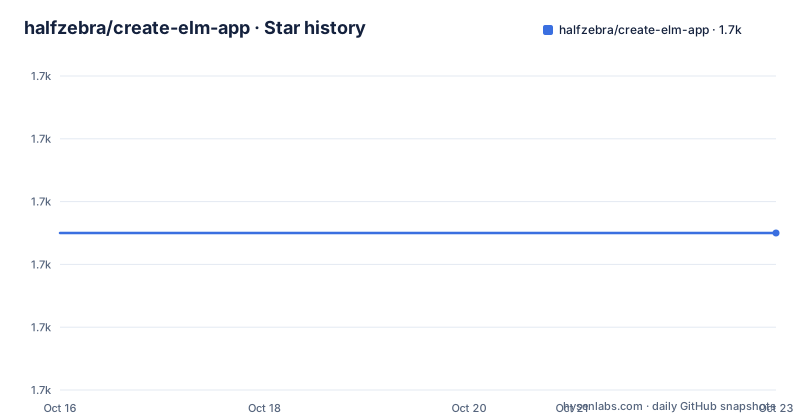
- halfzebra/create-elm-app1,675 ★ · +0
| Repository | 2026-10-16 | 2026-10-23 |
|---|---|---|
| halfzebra/create-elm-app | 1.7k | 1.7k |
0 Stars in the last 7 days, measured from the daily GitHub snapshot. Compare with other projects
Editorial analysis
The Elm project setup problem create-elm-app addresses
create-elm-app targets developers who want to create an Elm application without assembling a build system by hand. Elm provides the compiler and language tooling, but the README identifies gaps in the standard command-line workflows for applications that combine Elm with JavaScript and CSS. It specifically points to limited JavaScript and CSS support in `elm-make`, a limitation of `elm-reactor` for applications relying on ports, and the absence of Hot Module Replacement in that workflow.
The project packages those missing application concerns into two command-line programs. `create-elm-app` creates the project directory and starter files, while `elm-app` runs development or production commands inside the generated application. The generated layout includes `elm.json`, `public`, `src`, and `tests`, with initial files such as `src/Main.elm`, `src/index.js`, `src/main.css`, and `tests/Tests.elm`. That structure is useful for teams who want a conventional starting point rather than an empty directory.
The “zero configuration” promise means that the common development and production setup is already selected by the tool. It does not mean that every application has no configuration. A project that needs unusual loaders, custom Webpack behavior, or a different deployment layout will still need to adapt or eject the generated setup. The phrase is most accurate for the default Elm, JavaScript, CSS, test, and asset pipeline rather than for arbitrary front-end architectures.
How the generated Elm and Webpack pipeline is arranged
Based on the README and repository layout, create-elm-app acts as a thin layer over several underlying tools rather than implementing a complete compiler or server itself. The documented toolchain includes Elm, Webpack, `webpack-dev-server`, `html-webpack-plugin`, `style-loader`, Babel with ES6 support, Autoprefixer, and `elm-test`. The `package.json` also lists Elm-specific Webpack loaders, including `elm-webpack-loader` and `elm-hot-webpack-loader`, plus file and CSS loaders.
The application data flow starts with Elm source such as `src/Main.elm` and JavaScript source such as `src/index.js`. Webpack processes those modules together, while CSS is handled through the configured CSS and PostCSS-related packages. Assets in `public`, including `index.html`, `favicon.ico`, `logo.svg`, and `manifest.json`, are incorporated by the surrounding build configuration. The generated project therefore includes both compiled application code and static assets, rather than producing only an `.elm` module bundle.
The development path is `elm-app start`. The README states that this runs the application in development mode, serves it at `http://localhost:3000`, and reloads the page after edits. It also says that build errors and lint warnings appear in the console and browser window. The production path is `elm-app build`, which writes output to `build`, bundles the Elm application, optimizes the result, minifies files, and includes hashes in generated filenames.
HMR is supported according to the README, but its practical value depends on which files are changed. The documentation says that the development server supports HMR, yet it does not explain the exact module boundaries or HMR behavior for Elm, JavaScript, and CSS. That distinction matters if an application depends on stateful browser behavior.
Installing create-elm-app and creating the first project
The README gives a global installation path and requires Node 8 or newer. The quickstart uses `create-elm-app` to generate a directory named `my-app`, then changes into that directory and starts the development command. Install the package globally with npm as follows:
npm install create-elm-app -gThe README also documents Yarn as an alternative:
yarn global add create-elm-appFor Linux, the documentation specifically shows a superuser npm installation:
sudo npm install create-elm-app -gAfter installation, create the starter project:
create-elm-app my-app
cd my-app/
At this point, the directory should contain the project structure described in the README, including `elm.json`, `public`, `src`, and `tests`. Start the development server:
elm-app startOpen `http://localhost:3000` in a browser. The README says the page should reload after edits and that build errors and lint warnings should be visible in the console and browser window. This is the first useful verification point because it checks both the generated files and the local Webpack development path before application code is expanded.
The production command is separate:
elm-app buildThe documentation says the result is placed in the `build` directory, with minified output and hashes in filenames. The README does not specify a deployment server or a deployment provider, so the output directory should be checked with the hosting process used by the application.
What the generated project changes, and what it leaves open
The starter template includes a minimal but complete application surface. `src/Main.elm` is the Elm entry point, while `src/index.js` provides a JavaScript entry point. `src/main.css` handles styling, `src/serviceWorker.js` provides service-worker source, and `tests/Tests.elm` provides a test file. The project also contains `elm.json`, which is the Elm application configuration file, and a `public` directory for static assets.
That mix is the central design choice. This is not a pure Elm compilation wrapper. It is intended for applications that need a JavaScript integration layer, styles, browser assets, and ports. The README specifically mentions ports in its explanation of why it exists, so projects that need Elm and JavaScript communication have a more relevant starting point than a minimal `elm-make` example would provide.
The default is still opinionated. The `public` location, entry filenames, CSS processing approach, lint reporting, and Webpack plugin set are determined by the template. The README says tools are subject to change and describes the implementation as a thin layer over community projects. That makes the generated project convenient for a standard shape, but it also means dependency behavior is inherited from a larger toolchain rather than exposed as a small, stable interface.
The repository contains `config`, `scripts`, `template`, `bin`, and test-related files in addition to the README. That layout supports the claim that the project generates and operates a template rather than only printing a list of starter files. The README does not document a template upgrade command, so it would be unsafe to assume that an existing generated project can automatically move to a newer Create Elm App template.
Ejecting the default setup when Webpack control becomes necessary
The project acknowledges that a default setup cannot cover every application. Its documented escape hatch is `elm-app eject`, followed by customization of the resulting build process. The README says that configuration and build dependencies are moved into the project, allowing a team to continue from the generated setup without keeping the abstraction in place.
This is a meaningful distinction from a generator that only copies source files. Create Elm App is initially a one-command project generator, but the documentation presents it as a temporary development convenience that can become a normal Webpack configuration. Ejection therefore changes the maintenance model. A team that ejects must track the moved configuration and dependencies directly in the application repository.
The README does not document a formal configuration schema for customizing the build, nor does it give a complete example of changing loaders, asset paths, proxy behavior, or deployment settings. It also does not document a rollback path after ejection. Those omissions do not make ejection unusable, but they do mean the project is best evaluated by teams willing to inspect the generated files and own the resulting configuration.
This design is preferable to hiding every customization behind commands, but it introduces a decision point. Projects with standard requirements can stay with the generated commands. Projects with unusual asset pipelines, custom server behavior, or organization-specific build rules should compare the time required to customize the ejected setup with the time required to start from an existing Webpack starter instead.
Limitations and the point where create-elm-app is the wrong tool
The clearest limitation is that “zero configuration” hides a large dependency chain. The README names Elm, Webpack, `webpack-dev-server`, Babel, PostCSS-related packages, loaders, and other community tools. The `package.json` also pins many JavaScript dependencies, while the Elm packages use `latest-0.19.1` selectors. This is useful for a ready-made setup, but it creates several places where compatibility can change outside the apparent surface of the CLI.
The listed releases are also much older than the repository's most recent push. The documented versions are `v5.22.0` from 2020-12-11, `v5.21.0` from 2020-11-27, and `v5.20.0` from 2020-11-27, while the repository's last push was on 2026-10-15. The README does not describe a current release cadence or a compatibility matrix for Node, Elm, Webpack, and modern browsers. A new project should therefore verify the generated template against the runtime and deployment environment instead of relying only on the “zero configuration” description.
The tool is also a poor fit for an application that does not need a JavaScript-and-CSS application wrapper. A library, compiler-oriented project, or highly specialized build may need a different configuration from the beginning. Likewise, a team that requires a supported upgrade path from old generated projects may find the documentation insufficient because no migration or rollback procedure is given.
The README lists `elm-webpack-starter` and `elm-live` as alternatives. Create Elm App emphasizes project creation, curated defaults, and the option to eject later. Teams should choose based on whether they want generated application structure or direct control over a smaller build setup.
License, maintenance, and the cost of operating the template
The project is released under the MIT license. That permits use, modification, and redistribution under the license's conditions, but this review does not provide legal advice. Anyone incorporating the generated files or ejected configuration into a product should review the license text and the licenses of transitive dependencies separately.
The repository is not archived, and the last push was on 2026-10-15. Those facts establish repository activity at that date, but they do not by themselves prove that the generated toolchain remains compatible with current Node, Elm, or browser releases. The listed releases are from 2020, so maintenance assessment should separate recent repository changes from release freshness. The README does not document a support policy, a compatibility matrix, or a formal deprecation schedule.
The operational cost is highest after ejection. Before that point, the team can use the documented `start` and `build` commands. After ejection, the project owns the exposed Webpack configuration and build dependencies, which means upgrades, security reviews, and troubleshooting become application responsibilities. For an application that will evolve over many releases, that ownership is the main upgrade cost to account for.
There is also no documented command for updating an already generated project to a newer template. The presence of a `template` directory in the repository confirms that templates exist, but the README does not say how to reconcile them with an existing `my-app`. Checking that missing migration path is one of the most concrete adoption checks for a long-lived project.
Editorial conclusion
Adopt create-elm-app when you want a conventional Elm application with JavaScript, CSS, ports, development reloads, HMR, and a production build already assembled. Do not choose it as a fixed abstraction if you need to control every build dependency immediately, because the intended escape hatch is `elm-app eject`. Verify the current generated files, the installed package version, the production output, and the behavior of your required JavaScript and CSS integrations before adopting it for a maintained application. The repository's last push was on 2026-10-15, while the documented releases listed here are from 2020, so current toolchain compatibility deserves direct checking.
Frequently asked questions
How do I install create-elm-app and start an Elm project?
Install it globally with `npm install create-elm-app -g` or `yarn global add create-elm-app`, then run `create-elm-app my-app`, enter the directory, and run `elm-app start`. The development app is served at `http://localhost:3000`.
Does create-elm-app support JavaScript, CSS, and Hot Module Replacement?
Yes. The README describes a setup for Elm applications that combine JavaScript and CSS, and it states that the development server supports HMR. It also documents the `src/index.js` and `src/main.css` files in the generated project.
How do I customize or escape the default create-elm-app configuration?
Run `elm-app eject`. The README says that this moves the configuration and build dependencies into the project, allowing the setup to be customized as a regular Webpack process.
How does create-elm-app produce a production build?
Run `elm-app build`. According to the README, the command creates an optimized production bundle in the `build` folder, minifies the output, and includes hashes in filenames.
What are the main alternatives to create-elm-app?
The README lists `parcel`, `elm-webpack-starter`, `spades`, `elm-live`, `elm-app-boilerplate`, `elm-hot-loader-starter`, `generator-elm`, and `elm-boil`. Among these, `elm-webpack-starter` is the closest direct comparison because it also centers on a Webpack-based Elm setup, while create-elm-app adds a project-generation command and an eject workflow.
Official sources
Add this badge to your README
If you maintain this project, the badge below links readers to this analysis and shows its maintenance status from the daily GitHub snapshot. Paste the markdown into your README; add ?metric=license or ?metric=stars to the image URL for a different field.

[](https://hysenlabs.com/projects/halfzebra-create-elm-app)Star history chart for your README
[](https://hysenlabs.com/projects/halfzebra-create-elm-app)Was this useful?