cron-parser: TypeScript Cron Parsing with Timezone and Iterator Support
Typescript library for parsing crontab instructions
At a glance
- What is it?
- cron-parser is a TypeScript library for parsing and manipulating crontab expressions. It supports standard fields, predefined schedules, timezone-aware dates, DST handling, random values, and forward or backward iteration.
- Who is it for?
- Adopt cron-parser when a Node.js or TypeScript application needs to validate cron syntax and calculate scheduled dates without implementing cron field logic itself. Do not choose it when a persistent scheduler, job runner, or distributed execution service is required, because the repository documents parsing and iteration rather than job execution.
- Can I use it commercially?
- Yes. MIT is a permissive licence: you can use, modify and sell software built on it, as long as you keep its copyright and licence notices.
- Is it still maintained?
- Yes. The repository last received commits 1 day ago.
- What is it written in?
- Mainly TypeScript, according to GitHub's language statistics.
Answers come from the project's GitHub data, last synced on October 23, 2026, and from our analysis. They are not legal advice.
Star history
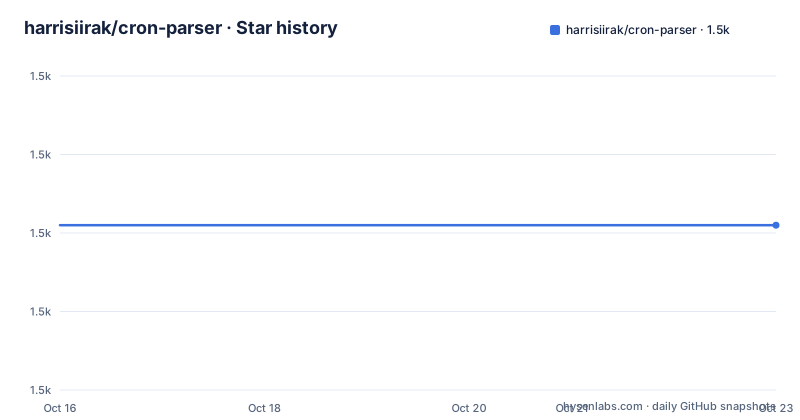
- harrisiirak/cron-parser1,501 ★ · +0
| Repository | 2026-10-16 | 2026-10-23 |
|---|---|---|
| harrisiirak/cron-parser | 1.5k | 1.5k |
0 Stars in the last 7 days, measured from the daily GitHub snapshot. Compare with other projects
Editorial analysis
What cron-parser solves for scheduled application logic
cron-parser handles the conversion between a cron expression and JavaScript Date values. It is aimed at developers who need to work with crontab instructions inside Node.js or TypeScript applications, including applications that calculate the next or previous occurrence of a schedule. The library does not describe itself as a scheduler or a job runner. Its scope is parsing, validation, date calculation, and iteration.
The library supports the familiar six-field cron layout, with an optional seconds field. The README shows the fields as second, minute, hour, day of month, month, and day of week. It also accepts named months such as JAN through DEC and named weekdays such as SUN through SAT. In the weekday field, both 0 and 7 represent Sunday.
Several predefined expressions cover common schedules, including @daily, @weekly, @hourly, @minutely, @secondly, @weekdays, and @weekends. That makes the library useful when an application accepts a scheduling rule but does not want to manually translate common names into field values. It is less suitable as a complete scheduling service because the documented API returns dates rather than registering or launching jobs.
How cron parsing and iteration are structured
The public API is exposed through CronExpressionParser. Calling parse creates an interval from a cron string. The returned interval can produce the next date with next(), retrieve several dates with take(3), or move backward with prev(). The README's basic example therefore uses the same parsed interval for both forward and backward navigation.
The expression fields are parsed into separate schedules for seconds, minutes, hours, days, months, and weekdays. Values can be wildcarded with * or ?, grouped with commas, expressed as ranges with hyphens, or selected with steps such as */5. The special L character selects the last day of a month or week. The # character selects an occurrence such as the first Monday of a month. The H character introduces a randomized value, and hashSeed can supply a seed for that feature.
Date inputs may be Date objects, strings, or numbers. Supported string formats include ISO8601, HTTP and RFC2822, and SQL. The tz option accepts a timezone name such as Europe/London. The README states that timezone support and DST handling are included, so applications should treat timezone behavior as part of the contract to verify rather than assuming local time.
The interval API is useful when a service needs to calculate due dates itself, but it does not persist schedules or recover work after a process stops. That distinction matters for developers comparing cron-parser with a scheduler.
Installing cron-parser and parsing the first schedule
The project documents Node.js 18 or later and TypeScript 5 or later as requirements. Install the package from npm:
npm install cron-parserA first parse can be kept small. The following example uses the documented five-field expression */2 * * * * and prints the next date, three following dates, and the previous date:
import { CronExpressionParser } from 'cron-parser';

const interval = CronExpressionParser.parse('*/2 * * * *');
console.log('Next:', interval.next().toString());
console.log('Next 3:', interval.take(3).map((date) => date.toString()));
console.log('Previous:', interval.prev().toString());
The reader should see Date objects represented by their string forms. The exact dates depend on the current time because currentDate defaults to the current local time in UTC. Code that needs reproducible results should pass an explicit currentDate, as shown below.
For TypeScript projects, the package declares its compiled entry point at dist/index.js and its type declarations at dist/types/index.d.ts. The repository also contains build, lint, test, and documentation scripts. Those scripts are available for project development, while the README's basic consumption path is the npm installation followed by importing CronExpressionParser.
Controlling current dates, ranges, timezones, and validation
The options object gives the parser an explicit reference point and optional boundaries. currentDate sets the date from which iteration starts. When it is omitted but startDate is present, the README states that startDate is used automatically as currentDate. endDate sets an iteration range endpoint.
The following documented configuration parses a midnight schedule relative to a fixed UTC date, limits the range, and applies Europe/London as the timezone:
import { CronExpressionParser } from 'cron-parser';

const options = {
  currentDate: '2023-01-01T00:00:00Z',
  endDate: '2024-01-01T00:00:00Z',
  tz: 'Europe/London',
};

const interval = CronExpressionParser.parse('0 0 * * *', options);
console.log('Next:', interval.next().toString());
The README also documents automatic clamping when currentDate falls outside the range defined by startDate and endDate. strict enables strict mode validation. These options are relevant for input validation, bounded scheduling queries, and deterministic tests.
Timezone handling requires particular attention. A schedule defined in local wall-clock time can produce different UTC instants across timezones, and DST changes can affect the sequence of returned dates. The documentation confirms timezone and DST support, but the cleaned README does not give a complete table of transition behavior. Projects should therefore test the exact timezone and date range they intend to support.
Parsing limits and DST-sensitive schedules
The clearest limitation is the separation between parsing and execution. cron-parser calculates occurrences, but the repository does not document job persistence, retry policy, concurrency control, process supervision, or execution guarantees. An application can use the library to decide that a date is due, yet it still needs its own worker, queue, or scheduler to perform the work.
The cron syntax also has boundaries. Day-of-month and day-of-week fields are both present, and cron implementations can differ in how they combine those fields. The README lists accepted special characters but does not provide a complete statement of every interaction between day-of-month and day-of-week. Developers should not infer behavior solely from ordinary cron conventions. They should validate representative expressions with the parser and inspect the returned dates.
The H randomized value is another deliberate trade-off. It can spread selected values within the documented field range, while hashSeed provides a seed for repeatable results. That is useful for distributing schedules, but it means the resulting date sequence may differ from a conventional fixed cron expression. A system requiring exact, auditable schedules should use ordinary numeric fields unless randomized selection is intentional.
Maintenance, releases, and licensing
The repository is not archived, and the last push was on 2026-10-11. Recent releases include v5.10.2 on 2026-10-09, v5.10.1 on 2026-09-12, and v5.10.0 on 2026-08-14. This release history indicates recent project activity around the current version, while upgrade cost still depends on changes in parser behavior, TypeScript declarations, Node.js requirements, and the timezone implementation.
The package is published under the MIT license. The repository includes a LICENSE file, and the README identifies cron-parser as an MIT-licensed library. The license permits use under its terms, but an adopting organization should read the actual LICENSE file and review its obligations rather than treating this article as legal advice.
The package depends on luxon, and its package metadata declares the package as CommonJS with compiled output in dist. The repository includes source under src, tests under tests, and package-lock.json. That structure is useful for teams that need to inspect implementation details or validate type declarations before adopting a particular release.
cron-parser compared with a persistent job runner
cron-parser and a persistent cron runner solve different parts of scheduling. cron-parser operates at expression and date level. It parses a rule, validates fields through its API, and returns scheduled Date values through an interval. It can also work with timezone and DST settings and can navigate backward as well as forward.
A persistent job runner typically owns the operational layer. It stores schedules, wakes a process when an occurrence is due, invokes application code, records results, and defines what happens after failures. The cron-parser repository does not document those capabilities. That makes it possible to use cron-parser inside a larger runner, but it also means adopting it alone does not create a production scheduling service.
For a small application that only needs to preview dates, cron-parser is a focused alternative to maintaining a custom cron parser. For a distributed platform with durable jobs and execution monitoring, look for a runner that supplies those mechanisms separately. The first verification should be whether the requirement is date calculation or durable job execution.
Editorial conclusion
Adopt cron-parser when a Node.js or TypeScript application needs to validate cron syntax and calculate scheduled dates without implementing cron field logic itself. Do not choose it when a persistent scheduler, job runner, or distributed execution service is required, because the repository documents parsing and iteration rather than job execution. Verify first that your expression syntax and timezone requirements fit the documented fields, then check the generated dates against daylight-saving transitions and any startDate or endDate limits.
Frequently asked questions
How do I install cron-parser in a TypeScript project?
Install it with `npm install cron-parser`. The README lists Node.js 18 or later and TypeScript 5 or later as requirements, and the package includes TypeScript declaration files.
How do I get the next and previous dates from a cron expression?
Call `CronExpressionParser.parse()` with the expression, then use `interval.next()` for the next date and `interval.prev()` for the previous date. Use `interval.take(3)` to retrieve three dates.
Does cron-parser support timezones and DST?
Yes. The README lists timezone support, DST handling, and the `tz` option, with `Europe/London` given as an example. It does not provide a complete transition-by-transition behavior table, so timezone-specific dates should be verified.
Official sources
Add this badge to your README
If you maintain this project, the badge below links readers to this analysis and shows its maintenance status from the daily GitHub snapshot. Paste the markdown into your README; add ?metric=license or ?metric=stars to the image URL for a different field.

[](https://hysenlabs.com/projects/harrisiirak-cron-parser)Star history chart for your README
[](https://hysenlabs.com/projects/harrisiirak-cron-parser)Was this useful?