HarryStevens/geometric: geometry in plain JavaScript arrays, with TypeScript types on the side
A JavaScript library for doing geometry.
At a glance
- What is it?
- Geometric.js is a small MIT licensed library for points, lines, polygons and angles, where a point is an `[x, y]` array, a line is an array of two points and a polygon is an array of points, with named functions doing the work and TypeScript declarations generated from the same source. It ships as ESM, CommonJS and a minified CDN build.
- Who is it for?
- Adopt geometric if you need a handful of geometry operations in a browser or Node.js application and you do not want a class hierarchy or a dependency with a large API surface, since the whole model is two element arrays and named functions, and the type declarations come for free.
- Can I use it commercially?
- Yes. MIT is a permissive licence: you can use, modify and sell software built on it, as long as you keep its copyright and licence notices.
- Is it still maintained?
- Yes. The repository last received commits 141 days ago.
- What is it written in?
- Mainly JavaScript, according to GitHub's language statistics.
Answers come from the project's GitHub data, last synced on November 7, 2026, and from our analysis. They are not legal advice.
Star history
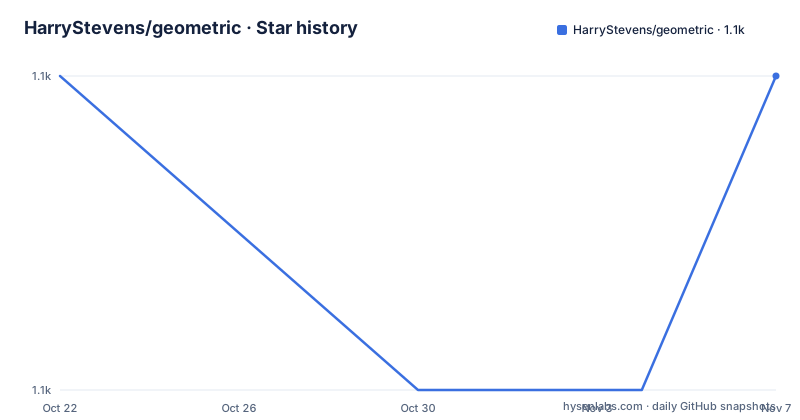
- HarryStevens/geometric1,105 ★ · +0
| Repository | 2026-10-22 | 2026-11-07 |
|---|---|---|
| HarryStevens/geometric | 1.1k | 1.1k |
0 Stars in the last 16 days, measured from the daily GitHub snapshot. Compare with other projects
Editorial analysis
The data model is two element arrays
Geometric.js is a JavaScript library for working with points, lines, polygons and angles, and its central decision is what a geometry value is.
A point is an `[x, y]` array. A line is an array of two points. A polygon is an array of points. There are no custom classes to instantiate and no special data structures to learn, and the values you pass in are the same values you can serialize, inspect and draw to SVG or Canvas.
That last point is the real argument for the design. In a library that hands you `Point` objects, converting between the library's representation and yours is a routine source of friction, and it is friction that shows up in the rendering layer, where the geometry has to become numbers anyway. With plain arrays, the thing you compute with is the thing you draw.
The cost is that the type is carried by convention rather than by the compiler. Nothing stops you passing a polygon where a line is expected, and the library will not catch it at the type level, because the runtime value is just an array. That is a deliberate trade and the documentation states it plainly.
Named functions instead of methods
The operations are free functions with descriptive names, and the README shows the shape of the API in a single block.
import { pointTranslate, lineRotate, polygonScale } from "geometric";

const point = [0, 0];
const line = [
  [0, 0],
  [10, 10],
];
const polygon = [
  [0, 0],
  [10, 0],
  [10, 10],
  [0, 10],
];

const translated = pointTranslate(point, 90, 10);
const rotated = lineRotate(line, 90);
const scaled = polygonScale(polygon, 2);
The naming convention is legible: the geometry type comes first, then the operation. `pointTranslate` translates a point, `lineRotate` rotates a line, `polygonScale` scales a polygon. You can guess most of the API surface from the names of the three you have seen, which is a good property for a library you are reading for the first time.
The install is a normal npm package, and the import style is a namespace import if you want the whole surface:
npm install geometric -Simport * as geometric from "geometric";The library works in modern browsers and in Node.js, and it includes TypeScript declarations for editor autocomplete and type checking, so the type experience does not require a TypeScript rewrite of your own code.
One package, four ways to load it
The `package.json` is where the packaging decisions are visible, and for a small library they are the interesting part.
The package is ESM first, with `"type": "module"`. The `main` entry points at a CommonJS build, `module` at the ES module build, `unpkg` and `jsdelivr` at a minified build, and `types` at the generated declaration file. The `exports` map ties those together for modern resolvers:
"exports": {
  ".": {
    "types": "./build/index.d.ts",
    "import": "./build/geometric.js",
    "require": "./build/geometric.cjs",
    "default": "./build/geometric.js"
  }
}
So a bundler gets the ES module, a CommonJS require gets the CJS build, TypeScript gets the declarations, and a script tag from a CDN gets the minified file. The published files are the `build/` directory and the logo, which is a small footprint and a fast install.
There is one more piece of configuration worth noting. The `pnpm` block pins two transitive dependencies, `js-yaml` at 4.2.0 and `serialize-javascript` at 7.0.5, as overrides. Overrides like that exist to force a version that fixes an advisory or a break in a transitive dependency, and reading them tells you the maintainer tracks the dependency tree rather than ignoring it. The package manager is pinned as well, `[email protected]`, which is what makes the lockfile authoritative for anyone reproducing the build.
The build generates the API as well as the code
The build is four steps behind one script, and one of them is not about compiling.
`build:js` runs Rollup, `build:types` runs the TypeScript compiler against `tsconfig.build.json`, and `build:api` runs `node scripts/generate-api.js` to produce `build/api.generated.js`. The `build` script chains a clean, then those three, in that order. There is also a `generate:api` script without the output flag, and the API reference on the documentation site is driven by the same generator.
That is a tidy arrangement. The documentation is generated from the same source of truth as the code, so the API reference cannot drift out of date the way a hand written list does, and a contributor who adds a function and its type gets the documentation entry without doing anything else.
The rest of the tooling is conventional and current. ESLint 9 with a flat config file and `--max-warnings=0` in the lint script, Prettier 3 for formatting with a separate check mode, and Mocha 11 for the runtime tests. Releases are handled by `semantic-release`, with the changelog, git, GitHub and npm plugins in the dev dependencies, so the version number and the changelog entry are derived from the commit messages rather than typed by hand.
The test command builds the package first
The development section is short, and the order in the test script is the interesting part.
pnpm install
pnpm test
The `test` script is `pnpm run build && pnpm run test:runtime && pnpm run test:types`, and the documentation states that the test suite builds the package, runs runtime tests and checks the TypeScript declarations. The runtime tests are Mocha over `test/**/*-test.js`, and the type tests run the compiler in no-emit mode over the test project's tsconfig.
So a contributor is never testing a stale build. The same command that runs the tests also produces the artefacts that a user would install, which removes a category of bug where the published package behaves differently from the source tree, and the type tests catch the failure mode that a JavaScript library with hand written declarations is prone to, where the declarations and the implementation drift apart.
The repository layout supports that workflow, with `src/` for the source, `test/` for the tests, `scripts/` for the API generator, `build/` for the output, and separate `tsconfig.json` and `tsconfig.build.json` files so the build configuration can differ from the development one.
Where this library is the wrong answer
The first wrong case is anything that needs more than transforms. The library is a set of named functions for points, lines, polygons and angles, and there is no indication in the documentation of polygon boolean operations, spatial indexing, spatial queries or coordinate system handling. A library that offers intersection, containment tests, clipping and projection is a different kind of dependency, and if that is what you need, this is not a stepping stone to it.
The second wrong case is a team that wants the type system to do the work. The whole design trades type safety for flexibility, since a point and a polygon are the same runtime type. A codebase where a geometry is passed between many layers, and where a mistake in the shape of the value would be caught by a compiler in a class based design, will find that the protection has to be hand written.
The third is a codebase that has already standardised on a geometry library with the same purpose. Adding a second one for a handful of transforms is duplication, and the churn of a small library maintained by one person is a factor to weigh against that.
What you get in exchange is worth stating as well. The API surface is small enough to read in a minute, the data flows straight into a canvas or an SVG, the package installs in milliseconds, and nothing about your own code has to change shape to accommodate the library. For interactive graphics work, charts, editors and small visualisations, that is a good deal.
On maintenance, the releases are frequent and the last push was on 2026-06-19, with v3.0.7 on 2026-06-14, v3.0.8 on 2026-06-17 and v3.0.9 on 2026-06-19. Semantic versioning and semantic-release mean the patch numbers are honest, and the `CHANGELOG.md` in the repository is generated to match. The licence is MIT, so there is nothing to negotiate.
Editorial conclusion
Adopt geometric if you need a handful of geometry operations in a browser or Node.js application and you do not want a class hierarchy or a dependency with a large API surface, since the whole model is two element arrays and named functions, and the type declarations come for free. Do not adopt it if you need polygon boolean operations, spatial indexing, coordinate system projection or anything with a spatial data structure, because a library of named transforms is not a geometry engine. Verify first that the functions you need exist, since the API is generated from scripts/generate-api.js and documented on the project site, and that the version you install matches the Node and browser targets you build for, since the package is ESM first with a CommonJS fallback.
Frequently asked questions
How do I install and import geometric?
Install it with `npm install geometric -S` and import either the whole surface with `import * as geometric from "geometric"` or individual functions such as `import { pointTranslate, lineRotate, polygonScale } from "geometric"`. The package is ESM first with a CommonJS fallback and a minified CDN build.
How are points, lines and polygons represented in geometric?
A point is an `[x, y]` array, a line is an array of two points, and a polygon is an array of points. There are no custom classes, and the README notes that the values are the same ones you can serialize, inspect and draw to SVG or Canvas.
Does geometric ship TypeScript types?
Yes. The package includes TypeScript declarations for editor autocomplete and type checking, generated into `build/index.d.ts`, and the test suite includes a type check step that compiles the test project with no emit, so the declarations are verified against the implementation.
How do I run the tests for geometric?
Run `pnpm install` and then `pnpm test`. The test script first runs the full build, then the runtime tests with Mocha, then the TypeScript declaration checks, so the tests always run against a freshly built package.
Official sources
Add this badge to your README
If you maintain this project, the badge below links readers to this analysis and shows its maintenance status from the daily GitHub snapshot. Paste the markdown into your README; add ?metric=license or ?metric=stars to the image URL for a different field.

[](https://hysenlabs.com/projects/harrystevens-geometric)Star history chart for your README
[](https://hysenlabs.com/projects/harrystevens-geometric)Was this useful?