herbstluftwm: A Manual Tiling Window Manager Where Tags Replace Workspaces
A manual tiling window manager for X11
At a glance
- What is it?
- herbstluftwm tiles windows on X11 under manual control, with a layout of frames and subframes, tags that can be created and removed at runtime and one tag shown per monitor. Its configuration is a script that talks to the window manager over IPC, and it is licensed under a simplified BSD licence.
- Who is it for?
- herbstluftwm fits an X11 user who wants tiling without an automatic layout, who wants tags that can be created and destroyed while running rather than a fixed set of workspaces, and who is willing to configure the window manager with a script. It is a poor fit for a Wayland session, since this is an X11 window manager, and a poor fit if you want a configuration file format with validation rather than a program that runs at startup.
- Can I use it commercially?
- Check first. The repository uses a licence we do not classify automatically, so read its LICENSE file before any commercial use.
- Is it still maintained?
- Yes. The repository last received commits 35 days ago.
- What is it written in?
- Mainly C++, according to GitHub's language statistics.
Answers come from the project's GitHub data, last synced on November 7, 2026, and from our analysis. They are not legal advice.
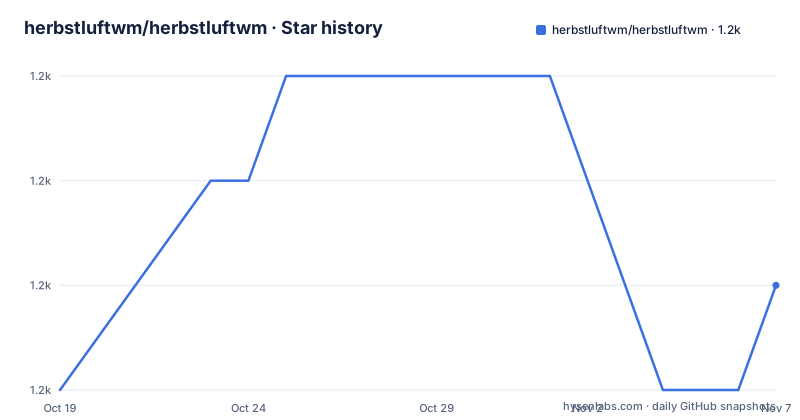
Star history
- herbstluftwm/herbstluftwm1,168 ★ · +1
| Repository | 2026-10-19 | 2026-11-07 |
|---|---|---|
| herbstluftwm/herbstluftwm | 1.2k | 1.2k |
1 Stars in the last 19 days, measured from the daily GitHub snapshot. Compare with other projects
Editorial analysis
A Tiling Window Manager You Drive by Hand
herbstluftwm is a manual tiling window manager for X, written in C++. The word manual is the whole pitch: the window manager does not decide where your windows go, you do, and it keeps the layout you asked for.
The feature list in the README is short and it is structured around four ideas.
The layout is based on splitting frames into subframes, which can be split again or filled with windows. The README compares this to i3 and musca, which places herbstluftwm in the family of window managers where a frame is a rectangle of screen that can hold either a window or more frames, and where you split a frame to make room.
Tags, which the README calls workspaces or virtual desktops among other things, can be added and removed at runtime, and each tag contains its own layout. That last clause is the important one: switching back to a tag brings back the arrangement you left, per tag rather than per monitor.
Exactly one tag is viewed on each monitor, and the tags are monitor independent, which the README compares to xmonad. So the tag set is global, and each monitor shows one of them, and you can move a tag to a different monitor or show different tags on different monitors without the layout following the monitor.
The Configuration Is a Program, Not a File
The third structural idea is how it is configured. It is configured at runtime via IPC calls from herbstclient, and the configuration file is just a script which is run on startup. The README compares that to wmii and musca.
The practical difference from a declarative config is that there is no fixed set of keys to learn. Your configuration is a script in your language of choice, and at startup it makes IPC calls to the running window manager to set keybindings, create frames, and set up the tags, and then it ends. After that, the running window manager is changed by further IPC calls, which is how a script that binds a key can also change the layout.
That design has consequences worth weighing. There is no configuration file format with a schema, so a mistake in your script is a runtime failure rather than a parse error, and the script has to be re-run to apply. In exchange, the configuration can compute, read files, ask questions and generate keybindings in a loop, which is what makes a single script able to drive an entire layout.
The client is part of the project. The repository has an ipc-client/ directory, and herbstclient is the tool that carries those calls, whether they come from your startup script or from a key binding you bound to a command.
Building It and Running the Test Suite
The README points at the INSTALL file for the details of building from source, and the root Makefile is a thin wrapper around CMake rather than a build system in its own right. It reads the version from the VERSION file, creates a build directory, runs cmake in it, and then the build continues there:
all: $(BUILDDIR)
	cd $(BUILDDIR) && $(MAKE)
	@echo The compilation result can be found in $(BUILDDIR)/
The test side is more interesting than the build side. The Makefile has a smoke-test target and a long-test target, and both run the tests through tox, with the difference expressed as a marker expression rather than a separate command. The smoke test excludes the tests marked exclude_from_coverage, and the long test runs exactly those.
.PHONY: smoke-test
smoke-test: all $(BUILDDIR)/doc/hlwm-doc.json
	$(MAKE) tox EXTRA_TOX_ARGS="-m 'not exclude_from_coverage'"
The test target runs both. The tox.ini at the root and the python/ directory hold the harness, and the fact that a C++ window manager is tested through a Python tool with pytest style markers is a deliberate choice that lets the same suite drive the window manager through its IPC interface.
There is also a check target, which combines a check-using-std script, flake8 and the tests, and a doc/hlwm-doc.json artifact that the test targets depend on, so the documentation data is generated as part of the test run.
The Documentation Is Part of the Project
The project ships its own documentation infrastructure, and the README points at it as the first place to go.
The homepage is herbstluftwm.org, and the README singles out the tutorial at herbstluftwm.org/tutorial.html, saying it is where the first steps are covered and that it is also available as the man page herbstluftwm-tutorial once herbstluftwm is installed on your system. So the tutorial exists in two forms, one on the web and one in the manual pages, which is the right call for something whose users are reading it on a machine they are configuring.
The repository carries the rest of the documentation infrastructure as well. There is a doc/ directory and a Doxyfile for the source documentation, a www/ directory that holds the website sources, and a doc/hlwm-doc.json file that the test targets depend on, which suggests the documentation content is kept in a structured form rather than only in asciidoc.
Three more files at the root matter for anyone following the project over time. NEWS is the change log, MIGRATION is the guide for users upgrading between versions, and HACKING is the contributor documentation. AUTHORS lists the people involved.
The README itself is written in asciidoc, README.asciidoc, and the file ends with a vim modeline comment, which is a small sign of the tools the project expects its contributors to use.
Licence, Versioning and Community
The licence is stated in the README as the Simplified BSD License, with a link to the LICENSE file at the root of the repository. The repository metadata on the platform records the licence as a custom one that cannot be classified, which happens when the licence text is a modified BSD variant rather than the standard SPDX form, so the LICENSE file is the document that governs.
Versioning is handled in the repository rather than on the platform. There is a VERSION file at the root, the Makefile reads it into a variable, and the project publishes no GitHub releases. So the source tree carries the version, and a distribution package is built from it. For a window manager installed from a distribution repository, that arrangement is normal, and for anyone tracking the git repository, the commit history is the version history.
The community channel is IRC, and the README invites you to join the #herbstluftwm channel on irc.libera.chat. For a project of this age and size, an IRC channel rather than a forum or a chat app is a deliberate choice, and it tells you something about who the users are.
The project is not archived and the last push was on 2026-10-04, so the code is still receiving work even though the release tags are not cut on the platform.
Where It Fits and Where It Does Not
The boundaries are easy to state, and they are the reason to choose this window manager over another tiling one.
It is an X11 window manager. On a Wayland session it is not the tool for the job, and the repository topics and the code make that clear, since the whole design is built on the X11 model of clients, frames and tags.
It is manual, and that is a preference rather than a limitation, but it does mean every window placement is an action you take. An automatic tiling manager that reorders as windows open and close suits a different working style, and the README's own comparisons, to i3 and musca for the layout model, to xmonad for tag handling and to wmii and musca for the script configuration, place it in that lineage rather than against it.
Where it is genuinely distinctive is the runtime mutability of tags and the combination with per-monitor views. Being able to add a tag when a new project appears, and remove it when the work is done, without editing a configuration file and restarting anything, is a workflow that static workspace lists do not offer.
The cost of that mutability is that the configuration is code, so the learning curve is a programming curve rather than a settings curve, and the reference material you need is the tutorial, the man pages and the wiki rather than a single configuration cheat sheet. The community channel is where that learning happens.
Editorial conclusion
herbstluftwm fits an X11 user who wants tiling without an automatic layout, who wants tags that can be created and destroyed while running rather than a fixed set of workspaces, and who is willing to configure the window manager with a script. It is a poor fit for a Wayland session, since this is an X11 window manager, and a poor fit if you want a configuration file format with validation rather than a program that runs at startup. Before building it, read the INSTALL file for the dependencies, and expect a C++ codebase with a Python test harness driven through tox. The project is licensed under the Simplified BSD Licence, publishes no GitHub releases and versions through the VERSION file, with the last push on 2026-10-04.
Frequently asked questions
What makes herbstluftwm different from other tiling window managers?
The layout is built from frames split into subframes, tags can be added and removed at runtime with each tag holding its own layout, exactly one tag is shown per monitor with the tags themselves monitor independent, and the configuration is a script that makes IPC calls rather than a declarative file.
How is herbstluftwm configured?
It is configured at runtime via IPC calls from herbstclient, and the configuration file is just a script which is run on startup, which the README compares to wmii and musca. Your script can set keybindings and change the layout while the window manager is running.
How do I build herbstluftwm from source?
The README points at the INSTALL file for the dependencies. The root Makefile wraps CMake, creating a build directory and running cmake in it, and the compilation result is found in the build directory. The tests are run through tox, with a smoke-test target and a long-test target.
What licence is herbstluftwm under?
The README states that it is licensed under the Simplified BSD License, with the text in the LICENSE file at the root of the repository. The version is held in a VERSION file at the root, and the project publishes no GitHub releases.
Where can I read the herbstluftwm tutorial?
The README points to the tutorial at herbstluftwm.org/tutorial.html, and it is also available as the man page herbstluftwm-tutorial once herbstluftwm is installed on your system. The project also has an IRC channel, #herbstluftwm on irc.libera.chat.
Official sources
Add this badge to your README
If you maintain this project, the badge below links readers to this analysis and shows its maintenance status from the daily GitHub snapshot. Paste the markdown into your README; add ?metric=license or ?metric=stars to the image URL for a different field.

[](https://hysenlabs.com/projects/herbstluftwm-herbstluftwm)Star history chart for your README
[](https://hysenlabs.com/projects/herbstluftwm-herbstluftwm)Was this useful?