PlexConnect for Apple TV 2 and Apple TV 3
Plex @ aTV - think different...
At a glance
- What is it?
- PlexConnect adapts a local Plex Media Server to the XML interface used by Apple TV 2 and Apple TV 3, using DNS redirection for older Apple TV models. It is a legacy Python 2 project best suited to reproducing or maintaining an existing setup.
- Who is it for?
- Adopt PlexConnect only if you operate Apple TV 2 or Apple TV 3, can run Python 2.7.18 on a separate host, and are prepared to maintain the required DNS, certificate, and XML integration. Do not choose it without verifying compatibility with your devices and server.
- Can I use it commercially?
- Check first. The repository uses a licence we do not classify automatically, so read its LICENSE file before any commercial use.
- Is it still maintained?
- Yes. The repository last received commits 130 days ago.
- What is it written in?
- Mainly Python, according to GitHub's language statistics.
Answers come from the project's GitHub data, last synced on October 23, 2026, and from our analysis. They are not legal advice.
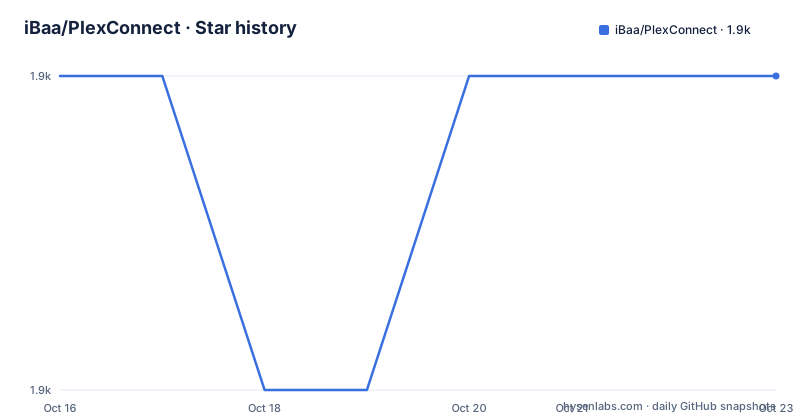
Star history
- iBaa/PlexConnect1,908 ★ · +0
| Repository | 2026-10-16 | 2026-10-23 |
|---|---|---|
| iBaa/PlexConnect | 1.9k | 1.9k |
0 Stars in the last 7 days, measured from the daily GitHub snapshot. Compare with other projects
Editorial analysis
Why PlexConnect targets obsolete Apple TV models
PlexConnect targets Apple TV 2 and Apple TV 3 as Plex clients. Its goal is narrower than building a general media application. It reuses an Apple TV application, redirects requests toward a Plex Media Server, and converts the response into XML that the Apple TV can display.
That boundary matters for adoption. The README says development started in 2013 and finished in 2015 when Apple TV 4 was announced. PlexConnect is therefore not presented as a current cross-device Plex client. It is a compatibility layer for older hardware and an older Apple TV protocol.
The intended user is someone with a jailbroken Apple TV or with another computer on the local network that can serve the redirected requests. The device owner must also be able to change Apple TV DNS settings and install an HTTPS certificate. PlexConnect is a poor choice for someone seeking supported client software for recent Apple TV models, because the documented mechanism is tied to Apple TV 2 and Apple TV 3 rather than tvOS.
PlexConnect's DNS interception and XML request flow
The main script starts two server processes, DNS and web serving. `PlexConnect.py` invokes `DNSServer.py` and `WebServer.py`, according to the repository's file descriptions. `PlexAPI.py` contains the Plex Media Server and MyPlex connector functions, while `XMLConverter.py` translates Plex responses into XML accepted by the Apple TV interface.
The request path depends on Apple TV DNS traffic. According to the README, `DNSServer.py` intercepts queries for `trailers.apple.com`, routes them into PlexConnect, and forwards other queries to the original DNS server. This redirection allows the application already present on the device to become the entry point for Plex content.
After interception, `WebServer.py` supplies files from the `assets` directory, forwards directory requests to Plex Media Server, and returns Apple TV-compatible XML. Media and thumbnail URLs remain connected to Plex Media Server, which means the Apple TV accesses the server's media URLs directly. PlexConnect is therefore a translator and traffic intermediary, not a separate media catalog or a replacement playback engine.
Support code handles settings, localization, subtitles, and background images. `Settings.py` creates `Settings.cfg` on first run. `ATVSettings.py` stores device-specific choices in `ATVSettings.cfg`, including view modes and transcoder options. `Subtitle.py` converts subtitles to JSON for the project's renderer, while `PILBackgrounds.py` modifies and caches fanart images.
Installing PlexConnect with Python 2.7.18
The documented requirement is Python 2.6.x with known limitations, although Python 2.7.18 is recommended. Clone the repository and keep its updates under Git control:
git clone https://github.com/iBaa/PlexConnect.git
cd PlexConnect
git pull
These commands place the project in `PlexConnect` and update an existing checkout with `git pull`. The README also permits downloading the repository ZIP and extracting it to a local directory when Git is unavailable.
Installation is not finished after cloning. The next documented step is to create an HTTPS/SSL certificate, put it in `assets/certificate/`, and install that certificate on the Apple TV. The README links to the project's Wiki installation guide but does not provide the certificate-generation command in this section. Avoid substituting an invented `openssl` command, since certificate details can affect device trust and installation success.
The repository is not archived, and the last push was on 2026-06-15. That fact does not erase the older operating requirements. The release history shown in the repository lists V0.7.5 from March 2023 after V0.7.4 and V0.7.3 from June 2021.
Starting PlexConnect and redirecting Apple TV DNS
Start the main script from the repository directory:
sudo ./PlexConnect.pyThe README says root privileges are used, although the privileges required can depend on the operating system. It also gives these alternatives:
python PlexConnect.pyThis form is appropriate when the current environment associates Python with the required Python 2 installation. The repository does not provide a separate dependency-installation step in the README, so there is no documented package command to add here.
Next, set the Apple TV's DNS address to the computer running PlexConnect. The local `DNSServer.py` handles requests to `trailers.apple.com`, while `WebServer.py` serves the associated content and XML. The README directs the user to launch the Trailer App after the process is running. A first successful configuration should therefore produce Apple TV interface content through the redirected application instead of the normal Trailer App experience. The README does not document a health-check endpoint, log location, or rollback command, so operators must consult the linked Wiki for troubleshooting.
Certificate, DNS, and Python 2 deployment constraints
PlexConnect has several constraints that rule it out as a casual package installation. First, it needs a host that Python 2.7.18 can run. Second, the Apple TV must trust the certificate placed in `assets/certificate/`. Third, its DNS address must point to the machine executing PlexConnect. A correct application launch cannot compensate for a device that still uses ordinary DNS or does not trust the certificate.
The host can be a separate device, preferably near the server according to the README, which is the intended route for an Apple TV without a jailbreak. A jailbroken Apple TV can run PlexConnect directly, and the README calls that the preferred option. These are materially different deployments. The separate-host approach adds a network component that must remain reachable and correctly configured. The on-device approach requires a compatible jailbreak environment, but the README does not list supported jailbreak versions.
`PlexConnect_WinService.py`, `PlexConnect_daemon.bash`, `PlexConnect_daemon.py`, and `plexconnect.service` indicate additional service-related entry points in the repository. The README does not document how to configure or enable them, so their presence alone is not enough to prescribe a production service setup. The supported first-use path in the README remains launching `PlexConnect.py`, changing Apple TV DNS, and opening the Trailer App.
PlexConnect alternatives and the modern Apple TV boundary
PlexConnect can reuse an available Apple TV application and redirect its requests. That approach is architecturally different: the device runs a purpose-built Plex client rather than resolving redirected Apple TV requests through PlexConnect's DNS and web servers. It does not require PlexConnect to translate Plex Media Server output into the older Apple TV XML scheme.
Another option is to stop using Apple TV 2 or Apple TV 3 and use a different device. This trades old equipment for a simpler client architecture, while PlexConnect is limited to the models and protocol generation for which it was designed.
For an existing Apple TV 2 or Apple TV 3, the direct alternative is difficult to assess from the available documentation because the README names no maintained replacement with equivalent interception behavior. A conventional Plex client may not satisfy the same old-device requirement. The practical comparison is therefore between owning dedicated integration code for legacy hardware and replacing or supplementing that hardware. PlexConnect is most defensible when the old device must remain in service and the operator accepts responsibility for its Python, DNS, certificate, and XML layers.
License terms and ongoing compatibility work for PlexConnect
The repository metadata classifies the license as a custom license that GitHub cannot classify and points to `License.txt`. The README separately states that the software is open-sourced under the MIT Licence and refers to `license.txt` for the full text. Because the filenames differ in case and the repository metadata does not reproduce the license file, users should inspect `License.txt` before redistribution or commercial reuse. This is a repository consistency issue, not a claim that the software lacks permission to run.
The README says the software is provided as is and may or may not work as expected. It also requests donations when code is reused. The custom-license classification, the README's MIT statement, and the actual license file should be reconciled by the project owner if the repository is used beyond a personal deployment.
Maintenance signals are mixed. The repository is not archived and the last push was on 2026-06-15, but the documented releases are dated 2023, 2021, and 2021. The README also says development finished in 2015. Users should not interpret the recent push as a declaration of ongoing feature development. Upgrade cost includes keeping Python 2 available, reviewing certificate changes, checking DNS behavior, and validating Plex XML conversion after Plex Media Server or Apple TV firmware changes. The README does not document a migration path away from Python 2.
Editorial conclusion
Adopt PlexConnect only if you operate Apple TV 2 or Apple TV 3, can run Python 2.7.18 on a separate host, and are prepared to maintain the required DNS, certificate, and XML integration. Do not choose it without verifying compatibility with your devices and server. Verify compatibility with Plex Media Server, Apple TV firmware, and the current contents of `License.txt` before deploying it.
Frequently asked questions
What Apple TV models does PlexConnect support?
PlexConnect is documented for Apple TV 2 and Apple TV 3. The README says development ended when Apple TV 4 was announced.
Does PlexConnect require a jailbroken Apple TV?
No. A jailbreak is the preferred installation route, but the README also describes running PlexConnect on a separate device and pointing the Apple TV's DNS address to that device.
What Python version does PlexConnect require?
The README recommends Python 2.7.18. It also mentions Python 2.6.x with minor issues, including limitations in ElementTree tag indexing.
Official sources
Add this badge to your README
If you maintain this project, the badge below links readers to this analysis and shows its maintenance status from the daily GitHub snapshot. Paste the markdown into your README; add ?metric=license or ?metric=stars to the image URL for a different field.

[](https://hysenlabs.com/projects/ibaa-plexconnect)Star history chart for your README
[](https://hysenlabs.com/projects/ibaa-plexconnect)Was this useful?