ioscreator/ioscreator: A Swift Tutorial Code Archive With a Narrow Window
GitHub describes it as Tutorials from ioscreator.com. The repository metadata lists Swift as its primary language. The metadata lists the MIT license. This article stays within the project description and details documented in the GitHub repository README.
At a glance
- What is it?
- This repository holds the source code for tutorials published on ioscreator.com, spanning SwiftUI and UIKit examples from iOS 13 through iOS 15. It is a reference archive, not a maintained library, and its value depends on how well the code matches your target iOS version.
- Who is it for?
- Adopt this repository if you are learning SwiftUI or UIKit by reading tutorials and want the exact source code that accompanies a specific ioscreator.com article. It is also useful as a quick reference for a single API, such as SwiftUIScrollViewReader or SwiftUILazyGrid.
- Can I use it commercially?
- Yes. MIT is a permissive licence: you can use, modify and sell software built on it, as long as you keep its copyright and licence notices.
- Is it still maintained?
- Probably not. The repository last received commits 62 months ago, on September 14, 2021.
- What is it written in?
- Mainly Swift, according to GitHub's language statistics.
Answers come from the project's GitHub data, last synced on October 22, 2026, and from our analysis. They are not legal advice.
Star history
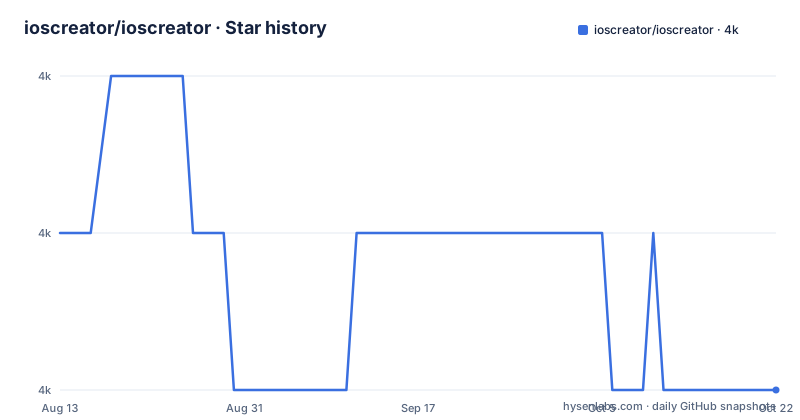
- ioscreator/ioscreator4,000 ★ · -1
| Repository | 2026-08-13 | 2026-10-22 |
|---|---|---|
| ioscreator/ioscreator | 4k | 4k |
-1 Stars in the last 70 days, measured from the daily GitHub snapshot. Compare with other projects
Editorial analysis
What This Archive Actually Contains
The repository is a flat collection of Xcode projects, each named after a tutorial on ioscreator.com. The README is essentially an index that groups these projects by iOS version: iOS 15, iOS 14, and iOS 13. Each entry links to the corresponding tutorial page. The projects cover a wide range of SwiftUI topics, including stack views, search bars, pull-to-refresh, lazy grids, custom view modifiers, and gesture recognizers. There are also UIKit examples, such as sending mail, drawing circles, animating Auto Layout constraints, and using split view controllers. This is not a single codebase or a framework. It is a set of independent sample projects, each meant to demonstrate one or two specific APIs. The primary language is Swift, and the license is MIT, which means you can reuse the code with attribution, though the license does not obligate the maintainer to keep the examples current.
How the Projects Are Organized and What That Means for You
The directory structure is not documented in the README beyond the index. Based on the naming convention, each tutorial has its own folder, and the folder name matches the project name in the index. For example, SwiftUIStackViewTutorial, SwiftUISearchBarTutorial, and IOSAddRowsTableViewTutorial are separate Xcode projects. There is no shared workspace, no common build configuration, and no instructions for opening multiple projects together. You must open each project individually in Xcode. The organization by iOS version is helpful: if you are targeting iOS 14, you can look at the iOS 14 section and find examples like SwiftUIMapTypeTutorial or SwiftUIDisclosureGroupTutorial. However, the index does not specify the minimum deployment target for each project, nor does it state which Xcode version was used. That means you may need to adjust the deployment target or Swift version manually when you open an older project in a newer Xcode.
Getting the Code and Running a Tutorial Project
The README does not include clone or build instructions, but the standard Git workflow applies. Clone the repository with git clone https://github.com/ioscreator/ioscreator.git, then navigate into a project folder, such as SwiftUIStackViewTutorial. Open the .xcodeproj file in Xcode, select a simulator or a device, and run. Because each project is self-contained, you do not need to install any dependencies. The code uses only the iOS SDK and SwiftUI or UIKit frameworks. For a typical tutorial example, you will see a ContentView.swift or a ViewController.swift file with the core logic. The README points to the tutorial webpage for a detailed description, so the repository itself is not a standalone learning resource. You need the accompanying article to understand the code. This is a deliberate choice: the repository is a supplement, not a primary source.
The Main Limitation: Age and Lack of Maintenance
The README was last updated on September 14, 2021. The repository has no recent releases listed, and the default branch is master, which is an older convention. The code targets iOS 13, 14, and 15. As of 2025, Apple has moved several major versions ahead, and SwiftUI APIs have changed. Some examples, such as SwiftUIPreviewOrientationTutorial, may rely on APIs that have been deprecated or renamed. The repository is not archived, but the lack of recent pushes and the absence of release tags suggest that maintenance is sporadic at best. This is not necessarily a flaw for a tutorial archive, but it is a real constraint. If you copy an example into a new project, you should expect to fix build errors related to API changes. The repository does not include any compatibility notes or a changelog, so you have no way to know which examples still compile without trying them.
Where This Repository Fits and What It Is Not
This is the wrong tool if you need a reusable SwiftUI component library. The projects are not packaged as Swift packages or CocoaPods pods. They are standalone Xcode projects, and the code is written for demonstration, not for production. The right alternative for reusable components is a library like SwiftUIX or a collection of sample code from Apple's developer site. Apple's samples are updated with each SDK and are designed to show current best practices. The ioscreator repository, in contrast, offers a snapshot of SwiftUI as it existed in 2020 and 2021. That snapshot can be valuable for learning how a specific API works, especially if you are maintaining an older app. For example, the iOS 13 section includes SwiftUIDatePickerTutorial and SwiftUIFormsTutorial, which are useful if you are supporting older iOS versions. But if you are starting a new project, you are better off with Apple's current documentation and sample code.
Licence and Reuse Considerations
The repository is under the MIT license. That means you can copy the code, modify it, and use it in your own projects, including commercial ones, as long as you include the original copyright notice and license text. The MIT license does not require you to share your changes, and it does not provide any warranty. The code is provided as-is, and the maintainer is not liable for any issues. For a tutorial archive, this is a permissive and practical choice. However, the license does not cover the tutorial articles on ioscreator.com. The articles themselves are separate content, and their copyright status is not stated in the repository. If you want to use the text or images from the website, you need to check the site's terms separately. The code, on the other hand, is freely reusable. One practical implication: you can take a single project, such as SwiftUICustomSwipeActionsTutorial, and adapt it for your own app without needing to ask for permission, as long as you keep the license notice.
What to Verify Before You Rely on Any Example
Because the repository has no build status badge, no CI configuration, and no release notes, you cannot assume that any example compiles out of the box. The first step is to open the project in Xcode and try to build. If you get deprecation warnings, check the iOS deployment target and the Swift language version in the build settings. Some examples, such as SwiftUILazyGridTutorial, may require iOS 14 or later, so you need to set the deployment target accordingly. For projects in the iOS 13 section, like SwiftUIContextMenuTutorial, you should verify that the context menu API still behaves as shown. The README does not provide a list of tested devices or simulators, so you should test on a simulator that matches the deployment target. If you are using a recent Xcode version, you may need to update the project format or the recommended settings. This is normal for old sample code, but it adds time to the process.
Editorial conclusion
Adopt this repository if you are learning SwiftUI or UIKit by reading tutorials and want the exact source code that accompanies a specific ioscreator.com article. It is also useful as a quick reference for a single API, such as SwiftUIScrollViewReader or SwiftUILazyGrid. Do not use it as a dependency in a production app: the code is tutorial material, not a packaged library, and it has no releases, no dependency manager support, and no active maintenance visible from the repository metadata. Before relying on any example, verify that it still compiles with your current Xcode version, since the README was last updated in September 2021 and the code targets iOS 13, 14, and 15, which are now several major versions behind. Check each project's build settings and Swift version, because the repository provides no central build instructions or compatibility notes. If you need a maintained collection of SwiftUI examples, look to Apple's own sample code or a framework-specific repository that tracks the latest SDK.
Frequently asked questions
what is in the ioscreator repository
It holds the source code for the iOS tutorials published at ioscreator.com, with one self contained project folder per lesson and no shared build at the root. The readme is an index grouped by iOS version, running from iOS 13 up to iOS 15.
how do I use the ioscreator SwiftUI tutorials
The readme is only a list of links, so the lesson itself is on ioscreator.com and the matching code is in the folder named in the repository. The index groups entries by iOS version and the folder name tells you whether the lesson uses SwiftUI or UIKit.
is the ioscreator repository still being updated
The readme states that it was last updated on 09-14-2021, and the last commit to the default branch is dated 14 September 2021. The repository is not archived and there are no GitHub releases, and the index stops at iOS 15.
Official sources
Add this badge to your README
If you maintain this project, the badge below links readers to this analysis and shows its maintenance status from the daily GitHub snapshot. Paste the markdown into your README; add ?metric=license or ?metric=stars to the image URL for a different field.

[](https://hysenlabs.com/projects/ioscreator-ioscreator)Star history chart for your README
[](https://hysenlabs.com/projects/ioscreator-ioscreator)