Anubis collects subdomains from eight sources and one public database
Subdomain enumeration tool
At a glance
- What is it?
- Anubis is a Python subdomain enumeration and information gathering tool that queries HackerTarget, VirusTotal, Pkey, NetCraft, certificate transparency logs and Google, then optionally adds Shodan host data and Nmap service scans. The release history is old, the package is still marked alpha, and the default workflow pushes results to a public repository.
- Who is it for?
- Adopt Anubis for a quick passive view of a domain's exposed subdomains during an authorised assessment, especially when you want the certificate transparency, historical and search engine sources combined in one pass. Do not adopt it as a long lived pipeline component, since the package is classified as alpha and the last tagged release is from 2022.
- Can I use it commercially?
- Yes. MIT is a permissive licence: you can use, modify and sell software built on it, as long as you keep its copyright and licence notices.
- Is it still maintained?
- Yes. The repository last received commits 13 days ago.
- What is it written in?
- Mainly Python, according to GitHub's language statistics.
Answers come from the project's GitHub data, last synced on November 6, 2026, and from our analysis. They are not legal advice.
Star history
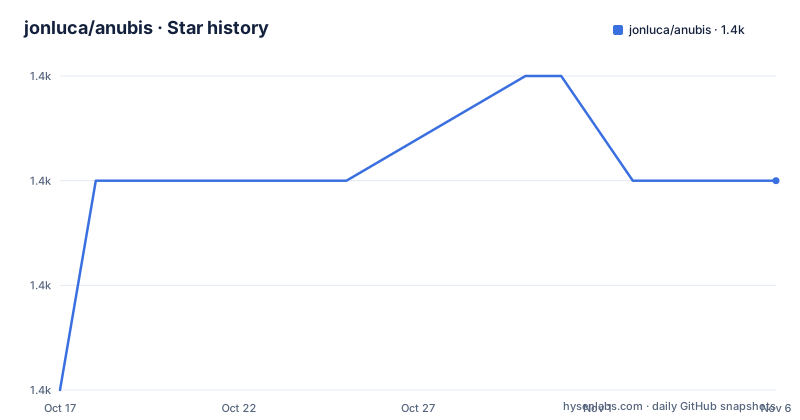
- jonluca/anubis1,383 ★ · +2
| Repository | 2026-10-17 | 2026-11-06 |
|---|---|---|
| jonluca/anubis | 1.4k | 1.4k |
2 Stars in the last 20 days, measured from the daily GitHub snapshot. Compare with other projects
Editorial analysis
One tool in front of eight different data sources
Anubis is a subdomain enumeration and information gathering tool that collates data from a variety of sources, and the list is the whole point of it.
The sources named in the readme are HackerTarget, x509 certs, VirusTotal, Google, Pkey, Shodan, Spyse, and NetCraft. The output of a run shows the same set in the order it is queried, with Searching Subject Alt Names for the certificate data, Searching HackerTarget, Searching VirusTotal, Searching Pkey.in, Searching NetCraft.com, Searching crt.sh for the certificate transparency log, and Searching Anubis-DB.
That is the design: no single source finds everything. A certificate transparency log finds hosts that were issued a certificate, a historical DNS source finds hosts that used to resolve, a search engine finds hosts that are linked from somewhere, and an intelligence service may have seen the host itself. The union is more complete than any of them, and the cost is that you are querying a lot of third parties about a target.
The tool is written in Python, MIT licensed, and the last push to the repository was on 2026-10-18, so the code is still being worked on even though the release history is old.
The command line is a wrapper around those queries
The usage screen is a docopt interface, which is the skeleton of the whole tool.
anubis (-t TARGET | -f FILE) [-o FILENAME]  [-bdinoprsSv] [-w SCAN] [-q NUM]
anubis -h
anubis (--version | -V)
A target is either given directly with -t, comma separated with no spaces if there are several, or read from a file with -f, one domain per line. Output goes to a file with -o. The -S flag makes the tool print only subdomains, one per line, which is the mode you want when the output is going into another tool.
The interesting flags are the enrichment ones. -i shows additional information about the host from Shodan and requires an API key, which you pass by prefixing the command with the key in the environment. -p outputs the resolved IPs for each subdomain along with a full list of unique IPs. -s runs an SSL scan and outputs cipher and chain information. -n performs an Nmap service or script scan, and -w overwrites the default Nmap scan arguments, which are -nPn -sV -sC, so you can change it with -F -T5 or point it at a specific set of ports. -q overrides the number of queue workers, ten by default and a hundred at most, which is how the parallel queries are bounded.
And -r searches recursively over all subdomains, and -d sends the results to Anubis-DB.
Installing it, and what you need besides Python
The prerequisites are short, and one of them is optional.
Nmap is needed if you want to run port scans and certain certificate scans. If you are running Linux, the following are also required.
sudo apt-get install python3-pip python3-dev libssl-dev libffi-devThe installation itself is one command, and the note is that Python 3.10 or newer is required.
pip3 install anubis-netsecThe package name on PyPI is anubis-netsec, which is worth noting because it is not the same as the repository name. The install from source is a clone followed by the requirements and the package itself, and the readme attaches a warning to that route: Anubis is still in beta.
git clone https://github.com/jonluca/Anubis.git
cd Anubis
pip3 install  -r requirements.txt
pip3 install .
The dependency list in requirements.txt is short and describes the tool's shape. shodan for the host information, censys for the certificate and host data, dnspython for the DNS work including the DNSSEC enumeration, python_nmap pinned at 0.7.1 for the Nmap integration, docopt for the command line, and requests.
There is also a Dockerfile, based on python:3.14-slim, that installs the build dependencies and the package and then sets the entrypoint to the anubis command.
What a run looks like, and where root comes in
The readme shows the output of a run against reddit.com, and the progress lines are the tool's source list made visible.
Searching for subdomains for 151.101.65.140 (reddit.com)

Testing for zone transfers
Searching for Subject Alt Names
Searching HackerTarget
Searching VirusTotal
Searching Pkey.in
Searching NetCraft.com
Searching crt.sh
Searching Anubis-DB
Found 193 subdomains
Testing for zone transfers comes first, before any third party is queried, which is the right order. A successful AXFR gives you the entire zone authoritatively and locally, and it is the cheapest way to enumerate a domain when the server allows it.
Then the run reports how long it took, and in the simple case it also sends to AnubisDB.
The advanced example adds the parts that need more than a network connection.
Searching Shodan.io for additional information
Server Location: San Francisco, US - 94107
ISP  or Hosting Company: Fastly
To run a DNSSEC subdomain enumeration, Anubis must be run as root
Starting Nmap Scan
So there are three privilege levels in one tool. The passive queries need nothing. The Nmap scan may need raw sockets, which means root. And the DNSSEC subdomain enumeration needs to be run as root as well, and the tool tells you so at the moment it matters rather than failing silently.
That last behaviour is worth crediting. A tool that tells you it needs root, in the middle of its output, saves a lot of confusion.
AnubisDB is a public repository, and that changes the privacy picture
Anubis has a sister project, AnubisDB, which serves as a centralized repository of subdomains, and it is queried as one of the sources. In the run output it appears as Searching Anubis-DB, and there is a -d flag to send your results to it.
The practical effect is that a routine run of the tool, as shown in the readme's own example, both reads from a public database of other people's findings and writes your own findings into it. The results you push are the subdomains you found for a target, associated with that target, in a repository anyone can read.
That is a deliberate design, and it is the design that makes the tool more useful over time, because every scan improves the shared database. It is also a disclosure decision that belongs to whoever is running the scan, and the readme's simplest example sends results without any extra flag.
For an assessment of your own infrastructure, feeding your own subdomains into a public repository is a reasonable trade. For an assessment of somebody else's, decide before you press enter, because your results leave your machine for a shared repository.
The tool also pulls host metadata from Shodan, which means you are asking a third party about a target and, with -i, about a specific IP address.
Alpha software with a release history that stopped in 2022
The release list is the fact to weigh before you depend on this.
The most recent release is 1.1.3, published on 2022-01-09, and its title is Fix DNSSEC and Nmap scans. Before that come 0.9.2 from 2018-12-29, Reintroduce SSLyze and scanning, and 0.9 from 2018-06-19, Updated SSLyze, fixed new Crypto build issues related to outdated dependencies.
So the last four years of commits are not in a tagged release, and the two most recent tags are a bug fix and a reintroduction of a feature. The package metadata still says Development Status:: 3 - Alpha, and the Python classifiers list 3.10 through 3.14, which is a sign that somebody has kept the metadata current even though the releases have not.
The last push on 2026-10-18 says the repository is not dead. It may be that the recent work is on the Docker image, the Python version support or the dependency pins rather than on new enumeration sources, but the readme does not say.
The rest of the project is conventional. The tests run under pytest, and the setup file defines a custom run tests command that invokes py.test with coverage over the anubis package and a term-missing report. The CLI skeleton comes from the Skele-CLI boilerplate, and the repository carries a Dockerfile, a MANIFEST.in, a setup.cfg, a Code of Conduct, a contributing guide, an issue template and both a Travis configuration and a CircleCI directory, which is a sign of the project's age.
Editorial conclusion
Adopt Anubis for a quick passive view of a domain's exposed subdomains during an authorised assessment, especially when you want the certificate transparency, historical and search engine sources combined in one pass. Do not adopt it as a long lived pipeline component, since the package is classified as alpha and the last tagged release is from 2022. Verify first which sources you are willing to query, since some need API keys, that you understand where your results are sent, and that you have the privileges the DNSSEC enumeration needs, because that part of the run requires root.
Frequently asked questions
What is Anubis?
It is a subdomain enumeration and information gathering tool that collates data from a variety of sources, including HackerTarget, x509 certs, VirusTotal, Google, Pkey, Shodan, Spyse and NetCraft, and writes the combined result to the terminal or to a file.
How do I install Anubis?
Python 3.10 or newer is required. Install it with pip3 install anubis-netsec, or clone the repository and run pip3 install -r requirements.txt followed by pip3 install ., and install Nmap if you want port scans and certain certificate scans.
What does the -d flag do in Anubis?
It sends the results to Anubis-DB, the sister project that serves as a centralized repository of subdomains. The tool also queries Anubis-DB as one of its sources, so a run both reads from and writes to that shared database.
Why does Anubis need to run as root for some scans?
The DNSSEC subdomain enumeration has to be run as root, and the tool says so in its output when it reaches that step. The Nmap scan may also need raw sockets, so a run with -n can need root as well.
How do I use the Shodan data in Anubis?
The -i flag shows additional information about the host from Shodan and requires an API key, which you supply by prefixing the command with the key in the environment. The -p flag outputs the resolved IPs for each subdomain and a list of unique IPs.
Is Anubis still maintained?
The repository is not archived and the last push was on 2026-10-18, but the last tagged release is 1.1.3 from 2022-01-09 and the package is classified as Development Status 3 - Alpha, so the work since that release is not in a published version.
Official sources
Add this badge to your README
If you maintain this project, the badge below links readers to this analysis and shows its maintenance status from the daily GitHub snapshot. Paste the markdown into your README; add ?metric=license or ?metric=stars to the image URL for a different field.

[](https://hysenlabs.com/projects/jonluca-anubis)Star history chart for your README
[](https://hysenlabs.com/projects/jonluca-anubis)Was this useful?