MinimumAudioPlugin: The smallest Unity native audio plugin you can copy
Minimum implementation of a native audio plugin for Unity
At a glance
- What is it?
- Keijiro's MinimumAudioPlugin is a stripped-down C++ example that shows the bare minimum needed to get a Unity native audio plugin recognized and running. It is a teaching artifact, not a production library, and its value is in the filename convention and the DSP callback skeleton.
- Who is it for?
- Adopt this if you are a Unity developer or audio programmer who needs a starting point for writing a native audio plugin and wants to see the smallest possible working example. Do not adopt it if you need a full-featured audio effect, multi-channel support, or production-ready code; the README explicitly points you to the official examples repository for deeper topics.
- Can I use it commercially?
- Not without permission. GitHub finds no licence file in the repository, and without a licence all rights are reserved by default: you may read the code but not reuse it. Check the README, or ask the authors, before using it.
- Is it still maintained?
- Probably not. The repository last received commits 110 months ago, on September 13, 2017.
- What is it written in?
- Mainly C++, according to GitHub's language statistics.
Answers come from the project's GitHub data, last synced on October 22, 2026, and from our analysis. They are not legal advice.
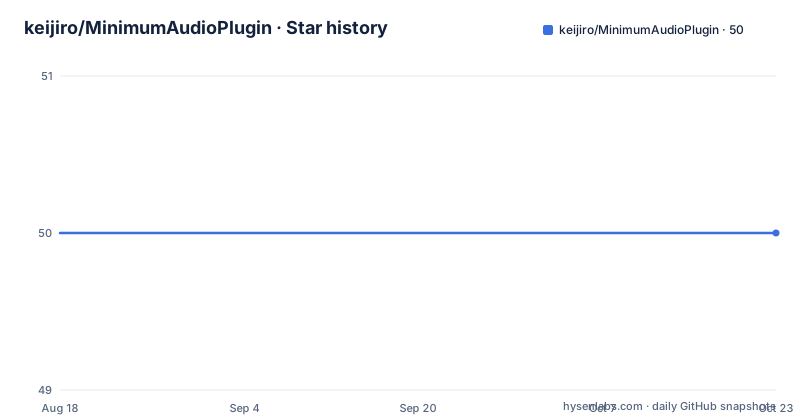
Star history
- keijiro/MinimumAudioPlugin50 ★ · +0
| Repository | 2026-08-18 | 2026-10-22 |
|---|---|---|
| keijiro/MinimumAudioPlugin | 50 | 50 |
0 Stars in the last 65 days, measured from the daily GitHub snapshot. Compare with other projects
Editorial analysis
What this example actually solves
Unity's native audio plugin system lets you write DSP code in C++ and run it inside the AudioMixer. The official documentation describes the interfaces, but a newcomer often trips on the first step: getting Unity to even see the plugin. MinimumAudioPlugin solves that single problem. It gives you a compilable C++ project that generates a sine wave and sends it to the destination port, which is the minimal proof that the plugin loading chain works. The target audience is not someone who wants a finished audio effect; it is someone who wants to understand the entry points and the naming rule before writing their own plugin. The README says it plainly: this is an example to grasp the basic idea, not a deep dive. If you already know how to write a Unity native plugin and just need a reference for a specific callback, you will find this too thin.
The mechanism: a sine wave and a callback
The repository contains a C++ implementation that does two things: it generates a sine wave signal and it sends that signal to the destination port. Based on the description, the plugin implements the standard Unity native audio plugin interface, which includes functions like UnityAudioEffectCreate, UnityAudioEffectProcess, and UnityAudioEffectRelease, though the exact function names are not listed in the material. The data flow is simple: Unity calls the plugin's processing callback with a buffer, the plugin fills that buffer with a sine wave, and Unity mixes the result into the audio stream. There is no input handling, no parameters, no state beyond a phase counter. That is the point. The entire plugin is a skeleton you can read in one sitting. The README does not include the source code in the text, so I cannot confirm the exact implementation details, but the described behaviour matches the typical minimal plugin pattern.
Getting it running: build and the audioplugin prefix
The README gives one concrete instruction for getting the plugin to appear in Unity. You must prefix the DLL filename with 'audioplugin', case-insensitive. So your built file should be named something like audiopluginSine.dll or AudioPluginSine.dll, not Sine.dll. The README quotes Unity's convention: the system detects the prefix and adds the plugin to a list that is automatically loaded at start. If you build the project and the plugin does not show up in the audio effect drop-down list, the first thing to check is the filename. The repository does not include a build script or a Unity project, so you need to compile the C++ code yourself, likely with Visual Studio on Windows or Xcode on macOS, and then place the resulting DLL in your Unity project's Assets folder. The README does not mention platform-specific steps, so you will need to consult Unity's manual for the exact build settings.
The common pitfall: naming is the whole game
The single most useful piece of information in this repository is the naming convention. If you skip it, you will spend hours wondering why your plugin is invisible. The README highlights this as the one common pitfall. Unity's audio plugin loader scans for DLLs with the prefix, and without it, the plugin is silently ignored. This is a failure mode that is easy to hit and hard to diagnose because Unity gives no error message. The example exists to show you that the naming rule is not optional. However, the README does not mention other pitfalls, such as calling convention mismatches or missing platform-specific exports. If you are on a 64-bit system and you build a 32-bit DLL, that will also cause failures, but this repository does not address that. So treat the naming rule as necessary but not sufficient.
Limitations: where this is the wrong tool
This plugin does nothing except generate a sine wave. It has no user-controllable parameters, no input processing, no stereo handling, and no error handling. If you need to process an existing audio signal, you will have to rewrite the processing callback entirely. If you need a filter, a delay, or a spatializer, this example gives you no guidance beyond the basic structure. The README explicitly says it does not deep dive into further topics and points to the official examples repository on BitBucket for more detailed examples. So for any real audio plugin project, this is a starting point, not a template. Another limitation is that the repository has no release binaries, so you must have a C++ build environment set up. If you are not comfortable compiling native code, this example will not help you directly.
The alternative: Unity's official native audio plugin examples
The README itself names the alternative: the official examples repository on BitBucket, at bitbucket.org/Unity-Technologies/nativeaudioplugins. That repository contains multiple plugins with full implementations, including effects with parameters, spatializers, and platform-specific code. The difference in approach is significant. MinimumAudioPlugin is a single, minimal file that shows the bare skeleton, while the official examples show real-world patterns like parameter handling, channel count negotiation, and platform-specific exports. If you are learning, the official examples are the better resource because they cover the edge cases. If you are debugging a 'plugin not showing up' issue, the minimal example is faster to read. The official repository is maintained by Unity Technologies, so it stays current with API changes, whereas keijiro's example may lag behind Unity versions. The two are complementary, but the official one is the deeper resource.
Maintenance and license implications
The repository is not archived, but the last push date is unknown and there are no recent releases. This suggests it is a stable, finished example that receives little or no maintenance. That is fine for a teaching artifact, but it means the code may not reflect changes in Unity's native audio plugin API. The license is public domain, specifically the Unlicense, according to the README. This means you can copy, modify, and distribute the code without attribution or restriction. You do not need to worry about licensing fees or copyleft obligations when using this example as a base. However, the license applies to this repository's code, not to Unity itself or to any code you write based on it. If you extend the plugin, your code is your own. The lack of maintenance is a minor concern because the core interface has been stable for years, but you should verify that the plugin still loads in your Unity version before relying on it.
Editorial conclusion
Adopt this if you are a Unity developer or audio programmer who needs a starting point for writing a native audio plugin and wants to see the smallest possible working example. Do not adopt it if you need a full-featured audio effect, multi-channel support, or production-ready code; the README explicitly points you to the official examples repository for deeper topics. Before using it, verify that your build output is named with the 'audioplugin' prefix, case-insensitive, and test that Unity's audio effect drop-down list shows your plugin after a fresh editor restart. This repository is a skeleton, not a solution, and its public domain license means you can copy it freely, but you must supply the actual DSP logic yourself.
Frequently asked questions
What does the MinimumAudioPlugin example actually output?
It generates and sends a sine wave signal to the destination port. That is the whole of its described behavior, and the README presents it as an example for grasping the basic idea of a Unity native audio plugin rather than as a usable effect.
Why is my Unity native audio plugin missing from the audio effect list?
The convention is to prefix the plugin DLL with audioplugin, case insensitively, so the system detects it and adds it to the list loaded automatically at start. The README says that if you cannot find your plugin in the audio effect drop-down, check whether the filename follows that convention.
Where can I find deeper native audio plugin examples for Unity?
Two places are linked from the README: Unity's own manual page for the native audio plugin API on its documentation site, and the official examples repository hosted on BitBucket. This example deliberately does not go into further topics.
What licence is MinimumAudioPlugin under, and is it still updated?
The README states public domain and links the Unlicense, and no licence file appears in the repository. There are no GitHub releases and the last commit was September 13, 2017, with C++ recorded as the primary language and master as the default branch.
Official sources
Add this badge to your README
If you maintain this project, the badge below links readers to this analysis and shows its maintenance status from the daily GitHub snapshot. Paste the markdown into your README; add ?metric=license or ?metric=stars to the image URL for a different field.

[](https://hysenlabs.com/projects/keijiro-minimumaudioplugin)Star history chart for your README
[](https://hysenlabs.com/projects/keijiro-minimumaudioplugin)