Laravel Form Builder for reusable, validated forms
Laravel Form builder for version 5+!
At a glance
- What is it?
- Laravel Form Builder gives Laravel 5 applications reusable PHP form classes, centralized field definitions, validation rules, and controller-side form handling. It is most suitable when a team wants form markup and behavior to live outside Blade templates, although its setup is tied to an older Laravel generation.
- Who is it for?
- Laravel developers should adopt this package when they want reusable form classes, declarative fields, and validation in the same abstraction. It is less suitable for an application that cannot accept the README's Laravel 5 setup, a separate Bootstrap 4 integration package, or the added dependency on `laravelcollective/html`.
- Can I use it commercially?
- Yes. MIT is a permissive licence: you can use, modify and sell software built on it, as long as you keep its copyright and licence notices.
- Is it still maintained?
- Yes. The repository last received commits 80 days ago.
- What is it written in?
- Mainly PHP, according to GitHub's language statistics.
Answers come from the project's GitHub data, last synced on November 7, 2026, and from our analysis. They are not legal advice.
Star history
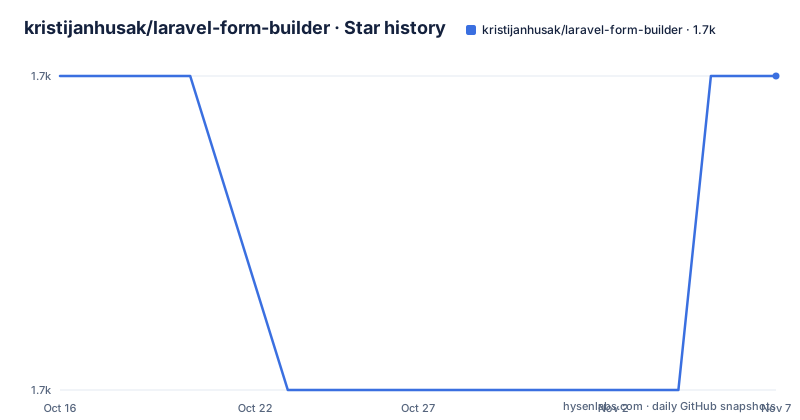
- kristijanhusak/laravel-form-builder1,713 ★ · +0
| Repository | 2026-10-16 | 2026-11-07 |
|---|---|---|
| kristijanhusak/laravel-form-builder | 1.7k | 1.7k |
0 Stars in the last 22 days, measured from the daily GitHub snapshot. Compare with other projects
Editorial analysis
Why laravel-form-builder moves forms out of templates
This package addresses a specific Laravel application problem: forms tend to become difficult to reuse when their markup, field definitions, and validation settings are scattered across views. Instead of assembling every form directly in Blade, the package represents it as a PHP class extending `Kris\LaravelFormBuilder\Form`. A controller asks for that class through `FormBuilder`, and the resulting object owns the field collection and validation flow.
The audience is Laravel 5 developers who want repeated forms, such as create and update screens, to share one definition. The README says the design is inspired by Symfony's form builder. It also says forms are intended to be easy to modify and reuse. The practical benefit is not merely shorter views. Field types and rules are declared in one class, while the controller decides how a request is submitted, which route receives it, and what happens after validation.
The package defaults to Bootstrap 3 rendering. Bootstrap 4 is not selected through the main package. The README directs users to `laravel-form-builder-bs4` for that presentation layer. This separation makes the compatibility decision explicit: adopting the form abstraction does not automatically mean that its output matches the CSS framework already used by the host application.
This approach is most useful when a project has several related forms or needs consistent validation definitions. It is a worse fit when a form is small, exists in only one view, and does not benefit from a dedicated class. In that situation, adding a form object, service provider, facade, and generation command can outweigh the small amount of duplicated Blade markup.
The form class, FormBuilder, and validation data flow
The central mechanism is a form class with a `buildForm()` method. Each call to `add()` supplies a field name, a `Field` type, and an options array. In the README's song example, `name` is a text field with `required|min:5`, `lyrics` is a textarea with `max:5000`, and `publish` is a checkbox. Rules therefore sit beside the field definition rather than in a separate request class or view.
A controller receives `FormBuilder` through dependency injection and calls `create()` with a form class. For a rendering endpoint, it supplies options including `method` and `url`, then passes the object to a view. For submission handling, it creates the same class and calls `isValid()`. If validation fails, `getErrors()` supplies the errors for `withErrors()`, while `withInput()` preserves submitted input for the redirect. A valid form exposes field values through `getFieldValues()`.
This creates a clear path from request input, through declared fields and validation rules, to either errors or values suitable for application logic. The README also shows `redirectIfNotValid()` for a more compact save flow. That method supports a common pattern in which invalid input is redirected before a model is created or updated.
The package does not remove the need for a view. The controller returns `$form` to `song.create`, but the README excerpt does not show the exact Blade rendering syntax. That omission matters during evaluation because field layout, labels, wrappers, and error presentation still need to be confirmed against the linked documentation and generated output.
Composer and service provider installation for Laravel 5
The documented installation path starts with Composer. This adds `kris/laravel-form-builder` to a Laravel 5 project:
composer require kris/laravel-form-builderThe README also documents manual dependency management. In that case, add the package to `composer.json` under `require`:
{
    "require": {
        "kris/laravel-form-builder": "1.*"
    }
}
After changing dependencies manually, run:
composer installLaravel applications using the documented configuration file should register the service provider:
'providers' => [
    // ...
    Kris\LaravelFormBuilder\FormBuilderServiceProvider::class
]
The README also documents registering the facade:
'aliases' => [
    // ...
    'FormBuilder' => Kris\LaravelFormBuilder\Facades\FormBuilder::class
]
These are Laravel 5 configuration instructions. The README does not document a separate modern Laravel installation procedure, nor does it state the supported PHP range. That makes direct dependency resolution the first compatibility check for an existing project. The package is distributed under the MIT license, which is recorded in the repository metadata and README.
Generating SongForm and rendering the first form
The quickest first use is the Artisan generator. It can create `app/Forms/SongForm.php` with three fields in one command:
php artisan make:form Forms/SongForm --fields="name:text, lyrics:textarea, publish:checkbox"The generated class places field construction in `buildForm()`:
class SongForm extends Form
{
    public function buildForm()
    {
        $this
            ->add('name', Field::TEXT, [
                'rules' => 'required|min:5'
            ])
            ->add('lyrics', Field::TEXTAREA, [
                'rules' => 'max:5000'
            ])
            ->add('publish', Field::CHECKBOX);
    }
}
If a class should start without fields, the README allows the `--fields` parameter to be omitted:
php artisan make:form Forms/PostFormThe resulting class still contains `buildForm()` with a comment where fields can be added. This is useful for a form whose structure will be composed later, although it does not save any work until fields are declared.
After generation, the next required step is controller integration and view rendering. The README supplies the controller portion but not the Blade output, so a reader following only that excerpt can create and validate a form but cannot confirm how to print it in a view. The linked external documentation is the source to consult for that step.
Handling invalid input and persisting validated fields
The submission flow uses the same `SongForm` class, but it does not have to repeat rendering options such as `method` or `url`. The documented controller pattern checks `isValid()` explicitly:
public function store(FormBuilder $formBuilder)
{
    $form = $formBuilder->create(\App\Forms\SongForm::class);

    if (!$form->isValid()) {
        return redirect()->back()->withErrors($form->getErrors())->withInput();
    }

    // Do saving and other things...
}
This gives the application control over the invalid branch. Errors are passed to the session, submitted input is retained, and the response redirects back. For a shorter path, the README also shows:
$form = $formBuilder->create(\App\Forms\SongForm::class);
$form->redirectIfNotValid();

SongForm::create($form->getFieldValues());
That example assumes every form field corresponds to a property accepted by the model. The README separately shows filtering request data when only selected properties should be filled and saved. It also shows model updates using the form's validated field values. These alternatives matter because package convenience should not determine which application properties are written.
The README does not define model binding behavior in detail, nor does it explain how file uploads, nested fields, custom layouts, or complex transformations are handled. The changelog contains value-binding migration details, including renaming `default_value` to `value` when upgrading from `1.5.*` or earlier. Projects carrying old field configuration should review that change before upgrading.
Compatibility limits, alternatives, and maintenance cost
The largest limitation is stated plainly by the README: this is the Laravel 5 version of the package. Its installation instructions modify `config/app.php`, a configuration location associated with that Laravel generation. The README does not establish compatibility with current Laravel releases, so a new application outside that target should not assume the package installs or runs without checking its dependency constraints in `composer.json`.
Rendering is another boundary. Bootstrap 3 is the default, while Bootstrap 4 requires the separate `laravel-form-builder-bs4` project. An application already standardized on another presentation approach may prefer Laravel's native form facilities or direct Blade markup. Those alternatives take a different approach: instead of representing a form as a reusable PHP object with declared fields and rules, they keep construction in views and may handle validation through Laravel's other mechanisms. The README does not claim that this package eliminates request classes, model logic, or view work.
Maintenance history gives a mixed adoption signal. The repository is not archived, and the last push was on 2026-08-19. Release `1.55.0` was also published on 2026-08-19, after `1.54.0` from 2025-04-15. That recent project activity does not resolve the Laravel 5 compatibility question, but it indicates the repository is not frozen at an abandoned release.
The upgrade cost depends on existing form classes and custom fields. Core examples may require little change, while applications using customized rendering or older field options can require review of the changelog. The MIT license covers use, modification, distribution, and sublicensing under its conditions, while package dependencies and organizational policies require separate review.
Editorial conclusion
Laravel developers should adopt this package when they want reusable form classes, declarative fields, and validation in the same abstraction. It is less suitable for an application that cannot accept the README's Laravel 5 setup, a separate Bootstrap 4 integration package, or the added dependency on `laravelcollective/html`. Before adoption, verify that `kris/laravel-form-builder` resolves against the application's Laravel and PHP versions, then check the field types, model binding, and Bootstrap markup required by its forms.
Frequently asked questions
Which Laravel version does kristijanhusak/laravel-form-builder support?
The repository describes itself as a form builder for Laravel 5 and documents registration in `config/app.php`. The README does not state support for later Laravel major versions.
How do I install and generate a form with kristijanhusak/laravel-form-builder?
Install it with `composer require kris/laravel-form-builder`, register the documented service provider and facade, then run `php artisan make:form` with an optional `--fields` list. The generator writes the form class under `app/Forms`.
Does kristijanhusak/laravel-form-builder support Bootstrap 4?
The README says Bootstrap 3 is supported by default. For Bootstrap 4, it directs users to the separate `laravel-form-builder-bs4` package.
How does laravel-form-builder handle validation and saved values?
Rules are declared on fields in `buildForm()`. During submission, the controller can check `isValid()`, redirect with `getErrors()`, or call `redirectIfNotValid()`, then use `getFieldValues()` for the form's field data.
Official sources
Add this badge to your README
If you maintain this project, the badge below links readers to this analysis and shows its maintenance status from the daily GitHub snapshot. Paste the markdown into your README; add ?metric=license or ?metric=stars to the image URL for a different field.

[](https://hysenlabs.com/projects/kristijanhusak-laravel-form-builder)Star history chart for your README
[](https://hysenlabs.com/projects/kristijanhusak-laravel-form-builder)Was this useful?