jQuery Smooth Scroll Setup and Usage
Automatically make same-page links scroll smoothly
At a glance
- What is it?
- jQuery Smooth Scroll adds animated scrolling to same-page links and provides a lower-level API for scrolling elements or relative positions. It suits existing jQuery pages that need configurable link behavior, but its jQuery dependency and animation-based approach limit its use in new non-jQuery projects.
- Who is it for?
- Adopt this plugin when maintaining a jQuery page that needs animated navigation, selector-based exclusions, custom easing, or programmatic scrolling within a container. Do not choose it for a site without jQuery, for motion-sensitive users without an alternative interaction, or for history handling beyond the separate `hashchange` implementation.
- Can I use it commercially?
- Yes. MIT is a permissive licence: you can use, modify and sell software built on it, as long as you keep its copyright and licence notices.
- Is it still maintained?
- Yes. The repository last received commits 4 days ago.
- What is it written in?
- Mainly JavaScript, according to GitHub's language statistics.
Answers come from the project's GitHub data, last synced on November 7, 2026, and from our analysis. They are not legal advice.
Star history
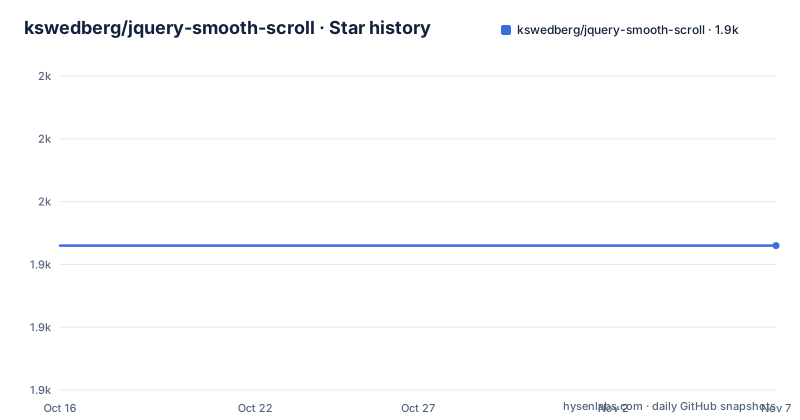
- kswedberg/jquery-smooth-scroll1,943 ★ · +0
| Repository | 2026-10-16 | 2026-11-07 |
|---|---|---|
| kswedberg/jquery-smooth-scroll | 1.9k | 1.9k |
0 Stars in the last 22 days, measured from the daily GitHub snapshot. Compare with other projects
Editorial analysis
Where $.fn.smoothScroll Fits in a jQuery Page
jQuery Smooth Scroll addresses one narrow but common interaction: a link points to another location in the current document, and the page should animate toward that location instead of jumping immediately. The intended audience is not general JavaScript developers looking for an arbitrary scrolling system. It is developers maintaining pages that already use jQuery and want same-page links to gain animation with a small plugin API.
The main entry point is `$.fn.smoothScroll`, which is attached to jQuery selections. A page can apply it to every anchor, restrict it to anchors inside a container, or exclude links by selector. The plugin prevents the default click action by default, derives scrolling behavior from the link, and starts an animation. That makes it more than a CSS visual effect tied to one page, although the repository does not claim to replace CSS properties such as `scroll-behavior: smooth`.
The project also serves programmatic scrolling needs through `$.smoothScroll`. Unlike the jQuery plugin method, it does not bind an interaction automatically. Developers must invoke it from a click handler or another event. This separation is useful: automatic link enhancement and an explicit scroll command have different failure and accessibility concerns, so keeping them separate makes their roles clearer.
The scope is still modest. The plugin animates scroll positions, resolves targets, applies options and supplies scrolling helpers. It does not manage navigation state, modify page content or provide a complete router. The README also makes hash-based back-button behavior the developer's responsibility through a separate `hashchange` listener, rather than something included automatically in every setup.
Selector Filtering, Offsets, and Callback Timing
Applying the plugin to every anchor is easy, but selective behavior is where its configuration becomes operationally meaningful. A developer can limit automatic handling to a region with `$('#container a').smoothScroll();`. Links can be left alone when they match `exclude` selectors or reside inside elements matched by `excludeWithin`.
The defaults establish a page-oriented behavior: vertical movement, a speed of `400`, jQuery's `swing` easing, no target override, no automatic focus and no event delegation. The `offset` option changes the final stopping point, which matters for fixed headers or other interface elements. The README gives `-100` as the value for a back-to-top control, indicating that a negative offset places the stopping position before the element's normal top position.
Callbacks occur at defined points. `beforeScroll` runs before animation begins, while `afterScroll` runs after completion. Their documented `this` values also differ: `beforeScroll` refers to the element or elements being scrolled, and `afterScroll` refers to the triggering element. Code that assumes the same element is available in both callbacks would contradict the documented contract.
Delegation is available through `delegateSelector`, and `preventDefault` can be changed when a page needs default link behavior preserved. The defaults favor automatic interception, but that choice should be checked against links that open new documents, call application handlers or need browser-native behavior. The plugin method also offers `exclude` and `excludeWithin` arrays, making it possible to reserve certain links for other scripts rather than trying to undo animation afterward.
Programmatic and Container Scrolling in $.smoothScroll
The `$.smoothScroll` utility covers cases that should not start from an anchor click. Its first argument can be a document position, a relative string, or an options object. A second numeric or relative-string argument can override `scrollTarget`, which gives callers a compact way to redirect an existing configuration.
Relative movement was introduced in version 2.1. Values such as `"+=100px"` and `"-=50px"` move relative to the current position instead of naming an element. This is useful for controls that advance or reverse a fixed amount. Absolute positions, relative strings and selectors are therefore part of one API, but they represent different targeting models and should not be treated as interchangeable in application code.
Container scrolling requires `scrollElement`. The README warns callers not to pass `document.body` or `$('body')` alone, and it expresses similar doubt about using `document.documentElement` alone. Instead, the default `scrollElement` is `null`, which causes the plugin to call `$('html, body').firstScrollable()`. That helper examines candidates and selects the first scrollable element.
The public `$.fn.scrollable` and `$.fn.firstScrollable` methods expose that selection logic. `scrollable` can return zero, one or multiple elements, while `firstScrollable` returns zero or one. On compatible browsers, the methods use `document.scrollingElement` when the selector is `html`, `body` or `html, body`. This browser-dependent branch matters for pages with unusual CSS because the chosen scroll container determines where `.animate()` can actually move the viewport.
Installing jquery-smooth-scroll and Enabling Anchor Scrolling
Install the package from a project directory. The repository identifies version `2.2.0` in `package.json` and documents npm installation:
npm install jquery-smooth-scrollThis adds the package to the project. The package entry points to `jquery.smooth-scroll.js`, but the module import assumes that `window.jQuery` already exists when the import executes. Applications using an ES module therefore need to load jQuery first.
After that ordering is correct, initialize the plugin against the links it should handle:
import jquery-smooth-scroll;

$('a').smoothScroll();
The call enables automatic handling for all selected anchors. A production page may need a narrower selector, but the first real use should preserve the documented default and confirm that same-page links reach their targets before adding exclusions or offsets.
The README also supports installation through a CDN script or by copying a repository file into an application file. Its CDN example includes a version-specific minified URL. The repository also contains `jquery.smooth-scroll.js` and `jquery.smooth-scroll.min.js`, making file-based inclusion possible. For a package-based build, importing by the documented package name is the clearer route because it avoids manually keeping a remote script URL synchronized with application code.
Adding Offsets, Easing, and Scroll Completion Work
A back-to-top control is a concrete first configuration because it demonstrates a non-default stopping point. The README supplies this exact call:
$('.backtotop').smoothScroll({offset: -100});This applies smooth scrolling to matching elements and changes the target position by `-100`. The README does not state that the selector must contain an anchor, but using the option on unrelated controls would not match the plugin's documented same-page-link method.
Custom easing requires another plugin or another easing implementation, because jQuery provides only `swing` and `linear` according to the README. This is a dependency boundary worth noticing. The plugin delegates animation timing and easing to the jQuery animation mechanism rather than shipping a collection of named easing curves.
Applications that need work after the animation can register `afterScroll`. The documented example uses an alert, although an alert is rarely appropriate outside a demonstration:
$('a').smoothScroll({
  afterScroll: function() { alert('we made it!'); }
});
The callback can instead update interface state or perform another application action. It should not be used as a substitute for validation that the target exists before initiating scrolling, because the README does not define a missing-target failure behavior.
Constraints Against Native CSS and Manual jQuery Animation
The clearest alternative is native browser scrolling, including the CSS behavior demonstrated by `demo/scroll-behavior-smooth.html`. A CSS-based approach moves scrolling control into the browser's existing navigation and style mechanisms. It requires no jQuery plugin for simple same-page links, although the repository does not compare animation APIs, browser support, interruption behavior or callback timing, so the plugin's relative performance and accessibility are not established here.
Another alternative is to call jQuery's animation API directly. A project that needs only `.animate({scrollTop: someNumber}, someSpeed)` can calculate its own target and avoid `$.fn.smoothScroll`. The plugin's value then comes from link interception, selector exclusions, target resolution, offsets, callbacks and scrollable-container selection rather than animation alone.
There are cases where this plugin is the wrong tool. It requires jQuery 1.7 or later for version 2.0 and later, so a modern page without jQuery should not add both dependencies for one navigation effect. Its `afterScroll` callback is tied to completion of an animation, not general destination arrival, which matters if users interrupt or replace scrolling behavior.
The README does not document cancellation, focus management beyond the `autoFocus` option, automatic reduced-motion handling, missing-target errors or a complete back-button policy. These omissions do not make the plugin unusable, but they do mean those concerns remain explicit application responsibilities.
The repository is not archived and its last push was on 2026-09-22, but it has no GitHub releases. `package.json` reports version `2.2.0`; there is no release-based upgrade track documented in the repository information. The repository documentation does not describe a release-based upgrade track, so consumers should compare package versions and API compatibility directly. The MIT license governs copying, modification and distribution under its stated conditions.
Editorial conclusion
Adopt this plugin when maintaining a jQuery page that needs animated navigation, selector-based exclusions, custom easing, or programmatic scrolling within a container. Do not choose it for a site without jQuery, for motion-sensitive users without an alternative interaction, or for history handling beyond the separate `hashchange` implementation. Verify first that the page exposes `window.jQuery` before module import, that every intended target exists, and that reduced-motion behavior is handled elsewhere because the README does not document an automatic reduced-motion option. For this version, the MIT license permits reuse and modification under its terms, while the absence of GitHub releases means upgrade planning must be handled outside the repository's release history.
Frequently asked questions
How do I install and initialize jquery-smooth-scroll?
Run `npm install jquery-smooth-scroll`, make `window.jQuery` available before importing the module, and call `$(selector).smoothScroll()`. Version 2.0 and later requires jQuery 1.7 or greater.
Can jquery-smooth-scroll scroll inside a container instead of the page?
Yes. Use `$.smoothScroll` with a jQuery element in the `scrollElement` option. The README warns against using `document.body` or `$('body')` alone for this option.
Does jquery-smooth-scroll automatically add browser history support?
No. The README instructs developers to add back-button support with a `hashchange` event listener. It also points to demo files for `hashchange` and history-management approaches.
Official sources
Add this badge to your README
If you maintain this project, the badge below links readers to this analysis and shows its maintenance status from the daily GitHub snapshot. Paste the markdown into your README; add ?metric=license or ?metric=stars to the image URL for a different field.

[](https://hysenlabs.com/projects/kswedberg-jquery-smooth-scroll)Star history chart for your README
[](https://hysenlabs.com/projects/kswedberg-jquery-smooth-scroll)Was this useful?