Laravel Sail: Dockerized Local Development Without Manual Service Setup
Docker files for running a basic Laravel application.
At a glance
- What is it?
- Laravel Sail packages container definitions and a small CLI for running a basic Laravel application locally with Docker. It suits developers who want a documented local stack on macOS, Windows with WSL2, or Linux, but it is an abstraction over Docker rather than a production platform.
- Who is it for?
- Adopt Laravel Sail when developing a basic Laravel application locally and the team wants its service definitions and CLI managed through the project. Do not treat it as a substitute for explicit container orchestration, application deployment, or services outside the documented local scope.
- Can I use it commercially?
- Yes. MIT is a permissive licence: you can use, modify and sell software built on it, as long as you keep its copyright and licence notices.
- Is it still maintained?
- Yes. The repository last received commits 8 days ago.
- What is it written in?
- Mainly Shell, according to GitHub's language statistics.
Answers come from the project's GitHub data, last synced on October 23, 2026, and from our analysis. They are not legal advice.
Star history
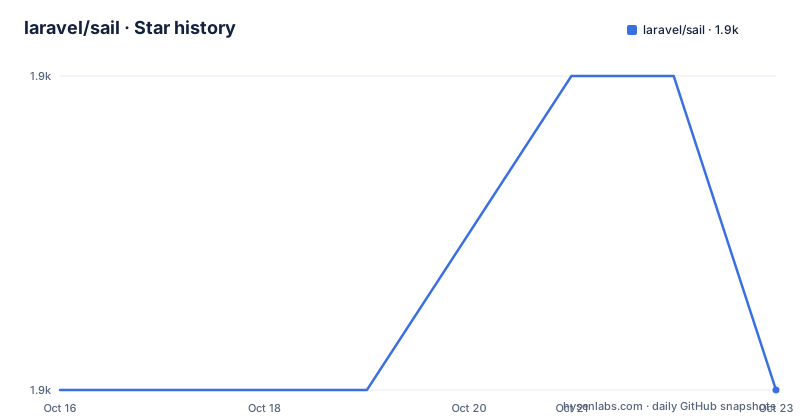
- laravel/sail1,922 ★ · +0
| Repository | 2026-10-16 | 2026-10-23 |
|---|---|---|
| laravel/sail | 1.9k | 1.9k |
0 Stars in the last 7 days, measured from the daily GitHub snapshot. Compare with other projects
Editorial analysis
What Laravel Sail Solves for Laravel Developers
Laravel Sail addresses the local dependency problem faced by developers who need several containerized services while working on a Laravel application. Instead of installing application services individually on the host, the project supplies Docker files and a simple CLI around a Docker-powered development setup. Its intended audience is Laravel developers who understand the application framework but may not have previous Docker experience.
The repository describes compatibility with macOS, Linux, and Windows when Windows development runs through WSL2. Apart from Docker, the README states that no additional software or libraries must be installed locally before using Sail. That is a narrower claim than saying a computer needs no setup. Docker itself remains the required foundation, and Windows has the additional documented condition of WSL2.
Sail is intended for local development, not for presenting itself as a production deployment system. The repository description calls it "Docker files for running a basic Laravel application," while the README characterizes the experience as a local development environment. That boundary matters for adoption decisions. Teams looking for a portable application runtime can find the generated container definitions relevant, but teams seeking a complete hosting control plane should not infer that this repository supplies one.
The project also presents a familiar Laravel-specific entry point. The application is still Laravel, Sail manages the surrounding Docker environment, and the documentation points users to the official Laravel documentation for operating instructions. This makes Sail more approachable than requiring developers to assemble every Dockerfile and service definition independently, although developers still need Docker available on their systems.
Sail's Repository Structure and Container Mechanism
Based on the repository layout, Sail is more than a shell script with a small collection of examples. The top level contains `bin/`, `runtimes/`, `src/`, `stubs/`, and `database/`. These directories indicate that the project contains command-line code, runtime-specific container resources, source files, generated starter files, and database-related assets. The README does not document the contents or execution path of each file in detail, so the exact runtime assembly cannot be confirmed from the repository information.
The documented operating model is Docker powered. Sail's CLI provides the user-facing mechanism for starting work with the Laravel application without requiring prior Docker experience. In practical terms, the project acts as a project-specific layer between a developer and Docker, while the repository's Docker-related resources supply definitions for the application environment. It would be inaccurate to claim that Sail replaces Docker, since the README explicitly lists Docker as the required prerequisite.
The name and repository layout suggest that Sail packages several container configurations rather than one universal container. The `runtimes/` and `database/` directories point to distinct runtime and database concerns. However, the README does not list supported services, ports, environment variables, health checks, volume mappings, or startup order. Those details are not documented here and should not be inferred simply from directory names.
This design creates a useful boundary for local work. Laravel developers can keep service configuration close to the application, while Sail supplies a command-oriented interface around Docker. The trade-off is dependence on Sail's abstraction: teams still need to understand Docker when troubleshooting container startup, networking, storage, or image behavior, even if the initial CLI lowers the barrier to getting started.
Supported Local Platforms and the WSL2 Boundary
Laravel Sail explicitly names three local platform paths: macOS, Linux, and Windows with WSL2. The WSL2 qualifier is significant. The README does not claim support for native Windows Docker operation without WSL2, so a Windows developer should verify that their local setup includes WSL2 before treating Sail as compatible.
The platform statement is about local development. It does not say that generated containers have identical host behavior on every operating system, nor does it document differences in file performance, resource limits, permission handling, or networking. Those are common Docker concerns, but this project information does not provide project-specific results for them. A team with heterogeneous workstation requirements should therefore validate the documented platform path on each host configuration rather than assuming parity.
Sail's requirement that Docker be the only separately installed prerequisite simplifies onboarding relative to installing individual services on the host. It does not remove the need for a working Docker installation, sufficient local resources, or access to the images and services required by the application. The README also does not state whether Sail can operate without internet access after required images and dependencies are available locally, so offline development is outside what can be confirmed.
For organizations standardizing development environments, Sail's Laravel-specific packaging can reduce the number of locally managed installations. For organizations with strict workstation controls or unusual virtualization requirements, Docker plus WSL2 still form part of the acceptance criteria. The supported platform list is useful, but it is not a complete workstation compatibility test matrix.
Getting Started with Sail Through the Official Laravel Documentation
The repository README does not include installation commands, so this article does not invent a CLI invocation, Composer command, Docker command, port, or configuration key. The README directs users to the official Laravel Sail documentation at `https://laravel.com/docs/sail`. That documentation is the correct place to obtain the commands matching the Laravel version in use.
A first use should begin by confirming that the host falls within the platform paths stated in the README: macOS, Linux, or Windows using WSL2. Docker must already be available. The next step is to follow the Sail installation procedure in the linked Laravel documentation, then use the documented Sail command to start or interact with the application environment. The reader should compare the generated project files with the stub or configuration changes described by that documentation, because the repository excerpt does not identify exact filenames or keys.
After startup, the real validation point is not merely whether a command returns successfully. A developer should verify access to the basic Laravel application and confirm that every service required by that application is represented. The repository contains `database/`, but the README does not enumerate database engines or claim that every Laravel project needs a particular one. Service choices therefore belong to the project-specific documentation and generated configuration, not to this general README.
There are no code blocks in this tutorial because no exact commands or configuration examples appear in the available repository text. Copying an invented flag would be worse than leaving setup to the linked documentation. This limitation also means that the expected startup output, startup time, image pull behavior, and shutdown sequence cannot be documented here.
Where Sail Is the Wrong Tool
The clearest limitation is the gap between local development convenience and infrastructure ownership. Sail provides Docker files for running a basic Laravel application locally, but the README does not describe production orchestration, deployment pipelines, autoscaling, secret distribution, health monitoring, backups, or rollback. If an application requires those capabilities, another layer must supply them.
Sail is also the wrong choice when avoiding Docker is a requirement. Its value depends on Docker being present and available. Installing PHP, databases, queues, caches, or other services directly on a host may offer more control for some legacy workflows, although that approach is not described by this repository and should not be presented as Sail's supported alternative.
The project may also be a poor fit for teams that need arbitrary container behavior without Laravel-specific generation. Sail is aimed at Laravel developers and packages a local environment for a basic Laravel application. A team with an established container platform, strict image policy, or custom service mesh may still use concepts from Sail, but the README gives no evidence that Sail coordinates with such an external platform.
Troubleshooting is another boundary. The CLI is described as simple and suitable for people without previous Docker experience, yet container failures can involve image availability, configuration, storage, networking, or host support. The README does not document diagnostics or recovery procedures. A team that expects Laravel-specific commands to explain every Docker failure may find the abstraction thinner than expected.
Maintenance, Releases, and MIT License Implications
The repository is not archived, and its last push was on 2026-10-15. That is recent activity, so maintenance claims do not need to rely on an old repository status. The release record also shows activity across several recent points: `v1.69.0` on 2026-10-13, `v1.68.0` on 2026-09-22, and `v1.67.0` on 2026-08-18. These dates indicate continued release work, but the README does not define a support window or compatibility policy for individual versions.
The default branch is `1.x`, which is relevant when comparing documentation with repository content. Users should confirm that instructions and generated files match the Sail version integrated into their Laravel application. The repository information does not state how upgrades migrate existing configurations, whether generated files receive automatic changes, or what rollback procedure to use. No upgrade command should be inferred from the release list.
Sail is licensed under the MIT License through the repository's `LICENSE.md` file. That permissive license permits use, modification, distribution, and sublicensing subject to its conditions. Teams still need to account for the licenses of Docker images and application dependencies separately. Sail's MIT license does not replace those checks, and this is a technical inventory requirement rather than legal advice.
The visible `CHANGELOG.md` and contributing guide indicate that the repository includes release and contribution information. However, the README does not summarize upgrade procedures or support commitments. The practical cost of staying current includes checking generated configuration changes and validating the local environment after an upgrade.
Sail Compared with Manually Assembled Laravel Docker Files
The closest alternative described by the README is the absence of a ready-made Sail setup: assembling Docker files and local service configuration directly for Laravel. The README also identifies Vessel by Chris Fidao as an inspiration and source from which Sail was derived. Vessel is linked as the prior project, but the README does not provide enough detail to claim a precise feature-by-feature comparison.
The difference in approach is packaging. Sail is tailored to Laravel and presents a simple CLI for starting local development. A manually assembled environment gives a team direct control over Docker files, service definitions, and host configuration, but the team must construct and maintain that environment itself. That control can be valuable where Sail's abstraction conflicts with an existing container standard. It also creates more project-specific setup work.
Sail is therefore the stronger starting point when a developer wants a Laravel-oriented local environment and accepts the configuration choices packaged by the project. Manual Docker files are the more direct starting point when the team already has a documented image baseline or needs to own every container definition. Neither option is documented here as a production orchestration platform.
The comparison also exposes a maintenance choice. Sail can reduce repeated local setup decisions, but users must account for changes between Sail releases. A manually managed configuration may remain stable by design, although its maintenance burden belongs to the application team. The decision is not simply Docker versus no Docker, since both approaches use Docker in this context.
Editorial conclusion
Adopt Laravel Sail when developing a basic Laravel application locally and the team wants its service definitions and CLI managed through the project. Do not treat it as a substitute for explicit container orchestration, application deployment, or services outside the documented local scope. Before adoption, verify that Docker is available on each developer machine, that Windows developers use WSL2, and that the service choices exposed by the generated configuration match the application. For this purpose, the repository's Docker files, documented support for three operating-system paths, and MIT licensing make Sail a direct fit for local Laravel development rather than a separate deployment architecture.
Frequently asked questions
What operating systems does Laravel Sail support?
The README states that Laravel Sail is compatible with macOS, Linux, and Windows when using WSL2. It does not claim native Windows support outside the WSL2 path.
Do I need to install local services before using Laravel Sail?
The README says that, apart from Docker, no other software or libraries must be installed locally before using Sail. Docker remains required.
Do I need previous Docker experience to use Laravel Sail?
The README describes Sail's CLI as simple and says developers can begin building without previous Docker experience. Deep troubleshooting may still require Docker knowledge, which the README does not cover.
Official sources
Add this badge to your README
If you maintain this project, the badge below links readers to this analysis and shows its maintenance status from the daily GitHub snapshot. Paste the markdown into your README; add ?metric=license or ?metric=stars to the image URL for a different field.

[](https://hysenlabs.com/projects/laravel-sail)Star history chart for your README
[](https://hysenlabs.com/projects/laravel-sail)Was this useful?