react-native-picker-select: A Cross-Platform React Native Select Component
🔽 A Picker component for React Native which emulates the native <select> interfaces for iOS and Android
At a glance
- What is it?
- react-native-picker-select gives React Native applications a select-style control for iOS and Android, with different native rendering defaults and support for custom trigger content. It suits developers who need a compact picker without building separate dropdown presentation code.
- Who is it for?
- Adopt it for React Native forms that need a select-style field and can accept the component's iOS and Android rendering differences. Do not choose it when a controlled iOS value must remain stable while users edit the picker, because the README warns against using `value` for that case.
- Can I use it commercially?
- Yes. MIT is a permissive licence: you can use, modify and sell software built on it, as long as you keep its copyright and licence notices.
- Is it still maintained?
- Yes. The repository last received commits 95 days ago.
- What is it written in?
- Mainly JavaScript, according to GitHub's language statistics.
Answers come from the project's GitHub data, last synced on October 23, 2026, and from our analysis. They are not legal advice.
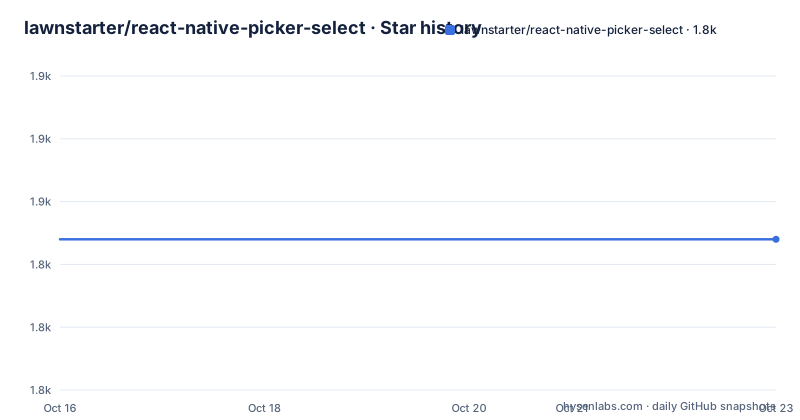
Star history
- lawnstarter/react-native-picker-select1,844 ★ · +0
| Repository | 2026-10-16 | 2026-10-23 |
|---|---|---|
| lawnstarter/react-native-picker-select | 1.8k | 1.8k |
0 Stars in the last 7 days, measured from the daily GitHub snapshot. Compare with other projects
Editorial analysis
Why react-native-picker-select Exists in React Native Forms
react-native-picker-select addresses the lack of a consistent select-like control in React Native applications. The repository description says it emulates native `<select>` interfaces for iOS and Android, giving mobile forms a familiar way to present a fixed list of choices. It is intended for developers building screens that need a dropdown or picker, especially when the application already uses React Native components but needs to coordinate appearance across both platforms.
The component is a wrapper rather than a standalone picker implementation. Its `package.json` declares `@react-native-picker/picker` as both a peer dependency and a development dependency, while the README states that the project depends on that package. This matters for adoption because the picker is not installed and configured in isolation. The host application must install the native picker dependency and run the platform setup appropriate for its React Native or Expo environment.
The project also supports more than a plain list of strings. Each item requires `label` and `value`, while optional fields include `key`, `color`, `testID`, and `inputLabel`. Values can use any data type, so the component can represent identifiers, numbers, or application-specific values as long as the application can compare and pass them correctly. This makes the package more useful than a display-only list, although the README does not describe search, multi-select, grouping, or asynchronous option loading.
Platform-Specific Rendering Inside the Picker
The central implementation choice is different rendering for the two mobile platforms. On iOS, the default presentation wraps an unstyled `TextInput`. Styles can be passed down to customize that input so it can match the surrounding form. On Android, the default is the native `Picker` component from `@react-native-picker/picker`. Setting `useNativeAndroidPickerStyle` to `false` switches Android to the unstyled `TextInput` presentation as well.
This split gives applications a platform-consistent interaction model without forcing every project to use the same visual trigger. The README also says that an alternative child element can be supplied. In that case, the child is wrapped in a touchable area. That mechanism is useful when the application needs a custom label, compact summary, or another React Native view in place of the default picker trigger.
The data flow is driven by two required props. `items` supplies the option definitions, and `onValueChange` receives the selected `value` and its `index`. The README states that `value` attempts to find a matching item by checking each item's `value` property. If no match is found, it falls back to the first item. The component therefore has both an interaction callback and a selection input, but the documentation attaches an important warning to controlled behavior on iOS. It advises using `itemKey` instead of `value` when users are allowed to modify the selection from inside the picker.
Installing the Package and Adding the First Picker
The README gives separate installation paths for standard React Native projects and Expo projects. Install `react-native-picker-select` first, then install `@react-native-picker/picker`. Standard React Native projects also run `npx pod-install` according to the documented setup. For Expo, the documented command is `expo install @react-native-picker/picker`.
Install the package and its picker dependency:
npm install react-native-picker-select

# React Native users
npm install @react-native-picker/picker
npx pod-install

# Expo
expo install @react-native-picker/picker
The README's basic example creates a component with three items and sends the selected value to `onValueChange`:
import RNPickerSelect from 'react-native-picker-select';

export const Dropdown = () => {
  return (
    <RNPickerSelect
      onValueChange={(value) => console.log(value)}
      items={[
        { label: 'Football', value: 'football' },
        { label: 'Baseball', value: 'baseball' },
        { label: 'Hockey', value: 'hockey' },
      ]}
    />
  );
};
In this example, selecting an item invokes the callback with the selected value and its index. The README links to an Expo Snack for additional examples. It does not specify a separate initialization step for the component beyond installing the package and its peer dependency.
Items, Placeholders, and Controlled Value Constraints
The `items` prop is the component's main configuration surface. Each object must contain `label` and `value`. A `key` defaults to the label when it is not supplied, and `inputLabel` can replace the label shown in the `TextInput`. Optional `color` and `testID` fields can support visual configuration and automated test targeting. The README explicitly states that `value` can be any data type, so applications are not restricted to string identifiers.
The `placeholder` prop has a default label of `Select an item...` and a default value of `null`. Passing an empty object disables the placeholder entirely. That behavior is useful for forms where an empty initial state should not appear, although the README does not explain how disabled placeholders interact with every platform picker.
Selection matching is deliberately simple. The component looks for an item whose `value` matches the supplied `value`, then displays that item. A missing match defaults to the first item. This fallback is worth checking when options are loaded asynchronously or when the selected value has been removed. The documentation does not describe an explicit empty-state policy for a missing match.
The iOS warning is the main limitation in the visible prop documentation. If an application uses `value` while allowing the user to change the selection inside the `Picker`, the README says not to use that attribute on iOS and instead points to `itemKey`. The README does not fully define `itemKey` syntax or explain the complete reconciliation model, so an application with a controlled iOS picker should inspect the package's type declarations and implementation before relying on it.
Where react-native-picker-select Is the Wrong Choice
This package is not a general-purpose form builder. It presents one picker at a time, and the README documents a single `items` array rather than grouped sections, multiple selections, or a searchable list. Applications that need to filter thousands of options, select several values, or load nested choices would need another design.
The default presentation also differs by platform. iOS starts with an unstyled `TextInput`, while Android starts with the native picker. A team expecting one identical visual control across both platforms must either accept those defaults, set `useNativeAndroidPickerStyle` to `false`, or provide a custom child. The README does not claim that the resulting native interaction is identical. It documents the rendering difference instead.
There is another boundary around controlled selection. The documented warning against using `value` on iOS when users can modify the selection means that a form with complex external state, especially one that changes the selected option after each edit, needs careful validation. The package does not document a complete rollback mechanism, persistence strategy, or error recovery path in the README. The repository's `index.d.ts` is listed as a published file, so TypeScript users can consult that declaration file for available prop definitions, but its contents are not reproduced in the README.
Comparison with Direct @react-native-picker/picker Usage
The closest documented alternative is using `@react-native-picker/picker` directly. That package supplies the native picker component, while `react-native-picker-select` adds a higher-level API shaped like a select control. The wrapper supplies the familiar `items`, `label`, `value`, `placeholder`, and `onValueChange` model, and it can present an unstyled `TextInput` or a custom child on top of the picker.
Direct use is the better fit when an application already has a form abstraction around the native picker or needs lower-level control over the underlying picker implementation. The wrapper is more convenient when the goal is to keep option objects and callback semantics consistent across iOS and Android. The trade-off is that the wrapper introduces its own platform defaults and the controlled-value warning documented above.
Other libraries are not named or described in the repository documentation, so a feature-by-feature comparison with a different React Native select package cannot be verified from the README. The practical distinction is architectural: this project offers a normalized select-style component, whereas direct picker usage keeps the application closer to the platform component.
Maintenance, Releases, and MIT Licensing
The repository is not archived. Its last push was on 2026-07-20. The latest listed release is `v9.3.1`, dated 2024-08-12, with `v9.3.0` and `v9.2.0` also listed as recent releases. The repository contains `CHANGELOG.md`, `CONTRIBUTING.md`, release configuration files, and a GitHub Actions build workflow, but the README does not describe a long-term support policy or compatibility matrix beyond its versioning table.
The version table gives concrete platform boundaries. Version `8.0.0` and later uses `@react-native-picker/picker`, requires React Native `0.60` or above, and calls for Expo SDK `38` or above when using Expo. Version `3.0.0` and later requires React `v16.3` or above. These are useful upgrade checks for applications that may still be using an older native picker dependency.
The package metadata identifies the license as MIT. That permits use and modification under the license's terms, but applications still need to review the repository's `LICENSE` file and comply with its notice and disclaimer requirements. The package also declares `fast-deep-equal` as a runtime dependency, while the picker itself is a peer dependency, so dependency management should account for both package categories.
Editorial conclusion
Adopt it for React Native forms that need a select-style field and can accept the component's iOS and Android rendering differences. Do not choose it when a controlled iOS value must remain stable while users edit the picker, because the README warns against using `value` for that case. First verify the `items` data shape, the iOS `itemKey` behavior, and the installation of `@react-native-picker/picker` in the target app.
Frequently asked questions
How do I install react-native-picker-select in a React Native project?
Install `react-native-picker-select` and `@react-native-picker/picker`, then run `npx pod-install` as shown in the README. The documentation also provides `expo install @react-native-picker/picker` for Expo projects.
What props does react-native-picker-select require?
The README marks `onValueChange` and `items` as required. Each item needs `label` and `value`, while `key`, `color`, `testID`, and `inputLabel` are optional.
Can I use the same picker style on iOS and Android?
The default renderers differ: iOS uses an unstyled `TextInput`, while Android uses the native `Picker`. Setting `useNativeAndroidPickerStyle` to `false` makes Android use the unstyled `TextInput`, or you can supply a custom child element.
When should I use `itemKey` instead of `value` on iOS?
The README warns not to use the `value` attribute on iOS when the user is allowed to modify the selection from inside the `Picker`. It directs those cases to `itemKey`, although the README does not fully document that prop.
Does react-native-picker-select support search or multiple selection?
The README does not document search, grouped options, or multiple selection. It documents a single `items` array and an `onValueChange` callback that receives the selected value and index.
Official sources
Add this badge to your README
If you maintain this project, the badge below links readers to this analysis and shows its maintenance status from the daily GitHub snapshot. Paste the markdown into your README; add ?metric=license or ?metric=stars to the image URL for a different field.

[](https://hysenlabs.com/projects/lawnstarter-react-native-picker-select)Star history chart for your README
[](https://hysenlabs.com/projects/lawnstarter-react-native-picker-select)Was this useful?