headless: a Ruby interface to Xvfb for screenshots and screencasts
Create a virtual X screen from Ruby, record videos and take screenshots.
At a glance
- What is it?
- The headless gem lets a Ruby program start a virtual X display, drive a browser in it with Selenium, and capture screenshots or video of the result, which is what turns a failing integration test into something you can watch. It works on Linux and macOS with XQuartz, and its most valuable documentation is the troubleshooting section.
- Who is it for?
- The headless gem is worth reaching for if your failing integration tests need to be seen rather than described, because a screencast of the failure is a far better bug report than a stack trace. It is the wrong choice if you need to run on a machine without Xvfb, and the readme is explicit that it will not hide most applications on macOS.
- Can I use it commercially?
- Yes. MIT is a permissive licence: you can use, modify and sell software built on it, as long as you keep its copyright and licence notices.
- Is it still maintained?
- Yes. The repository last received commits 39 days ago.
- What is it written in?
- Mainly Ruby, according to GitHub's language statistics.
Answers come from the project's GitHub data, last synced on November 7, 2026, and from our analysis. They are not legal advice.
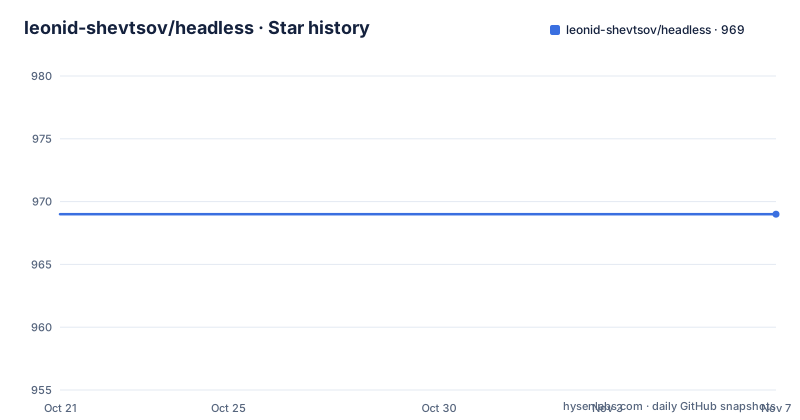
Star history
- leonid-shevtsov/headless969 ★ · +0
| Repository | 2026-10-21 | 2026-11-07 |
|---|---|---|
| leonid-shevtsov/headless | 969 | 969 |
0 Stars in the last 17 days, measured from the daily GitHub snapshot. Compare with other projects
Editorial analysis
Why a Ruby wrapper around Xvfb exists
Headless is the Ruby interface for Xvfb, and it allows you to create a headless display straight from Ruby code while hiding the low-level action. The motivation the author gives is precise. He created it so he could run Selenium tests in Cucumber without any shell scripting, and he points out that you can go headless only when you run tests against Selenium, so the display is created for the cases that need a real X server and skipped for the rest. The library also captures images and video from the virtual framebuffer, so you can record screenshots and screencasts of your failing integration specs, which is the feature that turns a test failure into something a colleague can watch. Other uses the readme suggests are PDF generation with wkhtmltopdf and plain screenshotting. The gem is MIT licensed, the documentation is on rubydoc, and the project accepts donations through a coffee link.
Block mode for a quick script, object mode for a suite
There are two ways to drive it, and the difference is whether you want the display managed for you or managed by you. Block mode wraps your code in a block, and the display exists for the duration:
require 'rubygems'
require 'headless'
require 'selenium-webdriver'

Headless.ly do
  driver = Selenium::WebDriver.for :firefox
  driver.navigate.to 'http://google.com'
  puts driver.title
end
Object mode gives you the instance, so you decide when it starts and when it goes away, which is what you need when something else has to happen between those two points:
headless = Headless.new
headless.start

driver = Selenium::WebDriver.for :firefox
driver.navigate.to 'http://google.com'
puts driver.title

headless.destroy
The installation is two commands on Debian or Ubuntu, the Xvfb package and the gem itself:
sudo apt-get install xvfb
gem install headless
The README carries one warning in bold that is worth internalising before you plan a macOS workflow, because headless will not hide most applications on macOS, and the project links a detailed explanation in its issue tracker for the reason.
Cucumber, wkhtmltopdf and the display number that collides
The Cucumber integration is a before and after hook in the environment file, and the readme notes that running Cucumber headless is now as simple as that:
if Capybara.current_driver == :selenium
  require 'headless'

  headless = Headless.new
  headless.start
end
The condition matters, because headless is only for the Selenium driver. The more interesting recipe is the interaction with wkhtmltopdf. When wkhtmltopdf is using headless and Cucumber is running a block of code that starts its own headless session, the readme warns you to override the default display of Cucumber so the browser keeps focus, and it gives the symptom, Connection refused, connect(2) with an Errno::ECONNREFUSED, and points out that this may be the cause. The default display is 99, so the fix is to use a different number:
headless = Headless.new(:display => '100')
headless.start
The same caveat applies to any other program that may use headless at the same time as Cucumber is running, which is a reminder that the display number is a shared resource on the machine.
Parallel test runs: spawn once, reuse, reap
Running acceptance tests in parallel needs care, because every test process that starts its own display will eventually want the same one. The readme's advice is to spawn Headless before forking and then reuse that instance with destroy_at_exit set to false. You can go further and reuse one instance across separate scripts by specifying the same display number and reuse set to true, and the four scripts it shows make the lifecycle obvious:
# spawn_headless.rb
Headless.new(display: 100, destroy_at_exit: false).start

# test_suite_that_could_be_ran_multiple_times.rb
Headless.new(display: 100, reuse: true, destroy_at_exit: false).start

# reap_headless.rb
headless = Headless.new(display: 100, reuse: true)
headless.destroy

# kill_headless_without_waiting.rb
headless = Headless.new
headless.destroy_without_sync
The three options each control one thing. The display number is the X server identity, so two instances with different numbers are two servers. Reuse tells the gem to attach to an existing server rather than start a new one. And destroy_at_exit false stops the instance from being torn down when the process ends, which is what makes the fork and reuse pattern work. The readme also points at an alternative approach, an implementation by a third party that creates a new virtual display for every parallel test process, for teams that would rather not coordinate a shared one.
Video with ffmpeg, screenshots with import or xwd
Video capture is handled by ffmpeg, installed on Debian or Ubuntu with the ffmpeg package and on OS X with brew, and you can capture continuously or capture individual scenarios. The typical pattern keeps the video only for failures, which is the whole point of recording a failing test:
Before do
  headless.video.start_capture
end

After do |scenario|
  if scenario.failed?
    headless.video.stop_and_save("/tmp/#{BUILD_ID}/#{scenario.name.split.join("_")}.mov")
  else
    headless.video.stop_and_discard
  end
end
The video options hash is passed when the instance is created and covers the codec, the frame rate, the explicit ffmpeg path for when the binary cannot be discovered on the system PATH, the pid file path, the temporary file path, the log file path and an array of extra ffmpeg options. Screenshots are simpler, a call to take_screenshot with a file path and an options hash whose using key selects imagemagick or xwd. The readme explains the trade-off well: import captures a screenshot and saves it in the format of the specified file, which is convenient but not too fast because it has to do the encoding synchronously, while xwd captures very fast and stores the file in its own format, which you then convert with netpbm utilities such as xwdtopnm piped into pnmtopng. The packages needed are imagemagick for import, X11-apps for xwd, and netpbm if you want the conversion.
The X11 socket problem, and where the gem stands
The troubleshooting section is the most useful part of the documentation, and it starts with the error you will hit first. If /tmp/.X11-unix is missing, Xvfb will not start, and the directory cannot be created automatically because it must be owned by the root user, which is why you will never see the error when running as root, for example in a Docker container. On macOS the directory is created when you run XQuartz.app, but since /tmp is cleared on reboot you need to open XQuartz again after a restart before running Xvfb, and you do not need to leave it running. The manual fix on either system is three commands, a mkdir, a chmod to 1777 and a chown to root, and the readme warns that you may need to run them after every reboot too. The second problem is rarer: if the display socket is taken but the lock file is missing, an X server is holding that display number, and the readme asks you to stop the process manually with pkill Xvfb and open an issue. On the state of the project, the single tagged release is v2.0.0 from 2015, described as the tested release, while the last push was on 2026-09-30 and the repository carries a GitHub Actions test workflow, a changelog and a spec directory, so the code is maintained even though the versioning has not moved in a decade.
Editorial conclusion
The headless gem is worth reaching for if your failing integration tests need to be seen rather than described, because a screencast of the failure is a far better bug report than a stack trace. It is the wrong choice if you need to run on a machine without Xvfb, and the readme is explicit that it will not hide most applications on macOS. Before you build a pipeline on it, read the troubleshooting section, because the X11 socket and display number collisions described there are the failure modes you will hit, and check the changelog, since the last tagged release is from 2015 even though the code has been changed more recently.
Frequently asked questions
What is the headless Ruby gem?
It is a Ruby interface to Xvfb that creates a headless display from Ruby code, hiding the low-level action, and captures images and video from the virtual framebuffer. It was created to run Selenium tests in Cucumber without shell scripting, and can also be used for PDF generation with wkhtmltopdf and for screenshotting.
How do I install the headless gem?
On Debian or Ubuntu install Xvfb and then the gem, with sudo apt-get install xvfb and gem install headless. ffmpeg is needed for video capture and imagemagick or X11-apps for screenshots.
Why do I get a Connection refused error when using wkhtmltopdf with headless?
Because wkhtmltopdf and Cucumber may be using the same default display, and the browser loses focus. Override the display number used by Cucumber to something other than 99, for example Headless.new(:display => '100').
How do I take a screenshot with the headless gem?
Call headless.take_screenshot with a file path and an options hash whose using key selects imagemagick or xwd. ImageMagick is the default and encodes synchronously, while xwd is much faster but stores its own format, which you can convert with netpbm tools such as xwdtopnm and pnmtopng.
What does the /tmp/.X11-unix error mean?
Xvfb requires that directory to exist and it must be owned by the root user, so it cannot be created automatically. Create it manually with mkdir, chmod 1777 and chown root, and on macOS open XQuartz.app after a reboot because /tmp is cleared on restart.
Official sources
Add this badge to your README
If you maintain this project, the badge below links readers to this analysis and shows its maintenance status from the daily GitHub snapshot. Paste the markdown into your README; add ?metric=license or ?metric=stars to the image URL for a different field.

[](https://hysenlabs.com/projects/leonid-shevtsov-headless)Star history chart for your README
[](https://hysenlabs.com/projects/leonid-shevtsov-headless)Was this useful?