lmittmann/tint: colorized slog logging in Go
🌈 slog.Handler that writes tinted (colorized) logs
At a glance
- What is it?
- lmittmann/tint is a zero-dependency Go slog.Handler for readable, colorized terminal logs. It fits applications that need `slog` with adjustable colors, timestamps, levels, and attributes.
- Who is it for?
- Go developers should consider lmittmann/tint for local, terminal-facing applications using slog, especially when readable colors and attribute customization matter without another logging dependency. It is less suitable as the sole choice for production output that must remain plain, machine-readable, or portable across environments.
- Can I use it commercially?
- Yes. MIT is a permissive licence: you can use, modify and sell software built on it, as long as you keep its copyright and licence notices.
- Is it still maintained?
- Yes. The repository last received commits 21 days ago.
- What is it written in?
- Mainly Go, according to GitHub's language statistics.
Answers come from the project's GitHub data, last synced on October 23, 2026, and from our analysis. They are not legal advice.
Star history
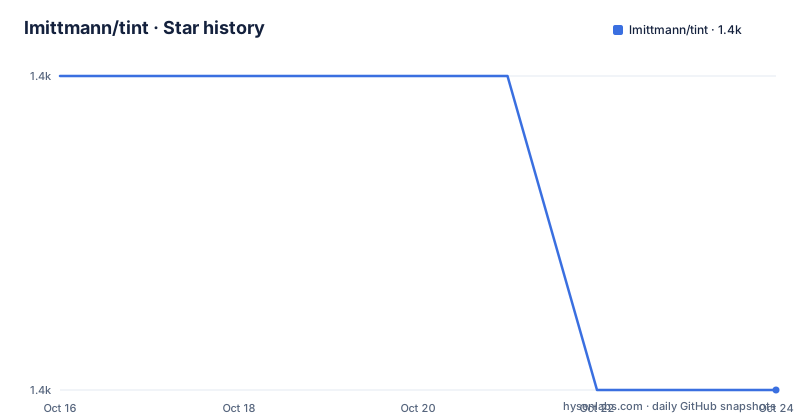
- lmittmann/tint1,363 ★ · -1
| Repository | 2026-10-16 | 2026-10-23 |
|---|---|---|
| lmittmann/tint | 1.4k | 1.4k |
-1 Stars in the last 7 days, measured from the daily GitHub snapshot. Compare with other projects
Editorial analysis
Why tint fits Go's slog pipeline
lmittmann/tint solves a narrow but common problem for Go developers: how to use the standard library's `log/slog` package while retaining a human-readable, colorized console output format. Its target users are Go applications and services that use `slog.Logger`, especially command-line tools, development builds, and other programs whose logs are inspected directly in a terminal. The package is a `slog.Handler`, so it plugs into the standard logging interface rather than replacing `slog` or introducing a separate logging model.
The README describes the output as inspired by `zerolog.ConsoleWriter` and `slog.TextHandler`. That places tint between machine-oriented structured logging and a developer-friendly terminal presentation. It does not change the underlying use of `slog.Logger`: applications still create records, assign levels, and attach attributes through the standard API. The handler decides how those records are rendered and colorized when written to an `io.Writer`.
The package has no external dependencies according to the README, and its `go.mod` requires Go 1.21. That makes it a small addition to a Go module. The boundary is equally clear. The documented purpose is output formatting. The README does not describe JSON output, log shipping, sampling, asynchronous writing, or integration with a logging aggregation service. For those requirements, another handler or a more complete logging stack would be a more direct fit.
The handler construction and record-rendering path
The primary API is `tint.NewTextHandler`. A typical application passes an `io.Writer`, such as `os.Stderr`, and an optional `*tint.Options` value. The resulting handler is supplied to `slog.New`, which means tint receives the same record and attribute data that another `slog.Handler` would receive. The README identifies `Options` as a drop-in replacement for `slog.HandlerOptions`, with tint-specific controls such as `NoColor`.
The documented customization path is `ReplaceAttr`. It is called for each non-group attribute before the attribute is logged. A callback can return the original attribute, return an empty `slog.Attr` to suppress it, or return a replacement. The README uses this hook to rename selected levels, remove timestamps, and apply a color to errors. This is more targeted than rewriting every log statement at the call site. It also lets the handler apply presentation rules centrally.
Colors are enabled by default. The `NoColor` option turns them off explicitly. For automatic behavior, the README suggests using `go-isatty` to inspect the writer with `isatty.IsTerminal(w.Fd())`. The resulting expression sets `NoColor` when the destination is not a terminal. On Windows, the README suggests `go-colorable` and wrapping the writer with `colorable.NewColorable(w)`. The README does not document a built-in terminal detection layer or a Windows-specific setup command, so those integrations remain explicit application choices.
Installing tint and creating the first logger
The README gives the following installation command. It adds the module to the current Go module, after which a program can import `github.com/lmittmann/tint` and use `slog` from the standard library. The module declares `go 1.21`, so the project requires a compatible Go toolchain.
go get github.com/lmittmann/tintA first logger can write to `os.Stderr` and use the default options. The handler is created with `tint.NewTextHandler`, then wrapped in `slog.New`. The README uses the variable name `logger`, so this is the documented minimal construction:
w := os.Stderr

logger := slog.New(tint.NewTextHandler(w, nil))
To make the logger the default for the process, the README passes a handler through `slog.SetDefault`, with a debug threshold and a non-default time format. A real application would then call `logger.Debug`, `logger.Info`, or another `slog` method with attributes.
slog.SetDefault(slog.New(
	tint.NewTextHandler(w, &tint.Options{
		Level:      slog.LevelDebug,
		TimeFormat: time.Kitchen,
	}),
))
The handler writes its tinted records to `w`. The repository does not include a separate executable example, so the first use is an application-level logger setup rather than a command supplied by tint.
Custom levels, timestamps, and error coloring
The most flexible documented feature is `ReplaceAttr`, which lets an application change individual attributes without replacing the handler. The README gives three concrete cases. The first defines a custom `TRACE` level four units below `slog.LevelDebug`, lowers the handler's accepted level to that value, and replaces qualifying level attributes with a `tint.Attr` colored at ANSI code 13. This works because `Options.Level` controls the minimum level and the callback controls the rendered level name.
The second case returns an empty attribute for the top-level `slog.TimeKey`. Since `slog.Attr{}` is returned, the timestamp is omitted. The callback checks `len(groups) == 0`, so it does not remove nested attributes with the same key.
The third case examines attributes whose value has `slog.KindAny`, checks whether the value implements `error`, and wraps matching attributes with `tint.Attr(9, a)`. According to the README example, errors are written in red through tint's styling mechanism. These examples show that tint provides presentation hooks, but the README does not specify a separate semantic tagging API beyond `ReplaceAttr` and `tint.Attr`.
const LevelTrace = slog.LevelDebug - 4

logger := slog.New(tint.NewTextHandler(w, &tint.Options{
	Level: LevelTrace,
	ReplaceAttr: func(groups []string, a slog.Attr) slog.Attr {
		if a.Key == slog.LevelKey && len(groups) == 0 {
			level, ok := a.Value.Any().(slog.Level)
			if ok && level <= LevelTrace {
				return tint.Attr(13, slog.String(a.Key, "TRC"))
			}
		}
		return a
	},
}))
For applications that must avoid ANSI styling, set `NoColor: true` through `Options`. The README does not document automatic fallback based on environment variables, log files, or production configuration profiles.
Terminal detection and Windows output constraints
Tint's default color behavior creates an operational constraint when application output is redirected. A terminal is likely to interpret ANSI escape sequences, while a file, pipe, or service log may not. The README does not say that tint detects the writer type automatically. Instead, it demonstrates composing tint with `go-isatty` and setting `NoColor` from the writer's file descriptor:
w := os.Stderr
logger := slog.New(
	tint.NewTextHandler(w, &tint.Options{
		NoColor: !isatty.IsTerminal(w.Fd()),
	}),
)
This arrangement makes the decision when the handler is constructed. If an application can change output destinations during its lifetime, the README does not document dynamic reconfiguration, so a single handler configuration may not cover that case.
Windows has a separate presentation concern. The README points to `go-colorable` and shows wrapping `os.Stderr` before passing it to tint:
w := os.Stderr
logger := slog.New(
	tint.NewTextHandler(colorable.NewColorable(w), nil),
)
The README calls this optional color support for Windows. It does not state that tint performs Windows console color conversion by itself. The package also does not document configurable themes, per-level palettes, or selectable output encodings. Applications requiring those features would have to manage the relevant styling or use another handler.
Because color is enabled by default, the first integration decision is whether `w` is an interactive terminal and whether the surrounding platform or writer already handles ANSI output correctly.
Maintenance, module requirements, and upgrade boundaries
The repository's `go.mod` declares the module path `github.com/lmittmann/tint` and the Go version requirement `go 1.21`. That is the clearest adoption constraint documented by the project. The README calls tint zero-dependency, which limits dependency expansion inside the package, although applications using `go-isatty` or `go-colorable` would add those packages themselves.
The repository is not archived, and the last push was on 2026-10-02. The release list includes `v1.2.1` on 2026-10-02, `v1.2.0` on 2026-07-12, and `v1.1.3` on 2026-02-02. Those dates record recent changes, but they do not establish compatibility guarantees, future release cadence, or migration cost between versions. The README does not provide an upgrade policy, changelog, deprecation schedule, or migration instructions.
The MIT license permits reuse under its terms, but the repository does not provide legal interpretation or details about an organization's compliance process. The package is also unsuitable as the sole logging output format when downstream systems require stable plain text or structured machine parsing. The README does not claim that tinted output replaces a JSON logging pipeline. Its documented purpose is human-facing terminal rendering.
Where tint differs from JSON or structured handlers
A useful alternative for many Go services is the standard `slog.NewJSONHandler`, which writes JSON records for ingestion by log processors. The difference is the target of the output: tint emphasizes readable terminal presentation with color, while a JSON handler emphasizes structured, machine-readable records. The README explicitly compares tint's format with `slog.TextHandler`, but it does not document JSON output as a tint feature.
Another alternative is retaining `slog.TextHandler` without tint. That avoids ANSI styling and tint's extra presentation behavior, but it does not provide tint's colorized console treatment or documented `Options.NoColor` switch. `zerolog.ConsoleWriter` is cited as an inspiration, although the README does not document direct interoperability or migration steps.
The practical choice depends on who reads the logs. Tint is a stronger candidate when a developer or operator reads records in a terminal and visual grouping matters. A JSON or plain text handler is the safer choice when records cross machine boundaries, feed an index, or need consistent parsing outside the terminal. The README does not compare throughput, memory use, or failure behavior, so those dimensions cannot be used as adoption evidence from the project documentation.
Editorial conclusion
Go developers should consider lmittmann/tint for local, terminal-facing applications using slog, especially when readable colors and attribute customization matter without another logging dependency. It is less suitable as the sole choice for production output that must remain plain, machine-readable, or portable across environments. Verify first that Go 1.21 or later is available, confirm whether the destination supports ANSI colors, and inspect the intended `Options` configuration before adoption. The project is not archived, and its last push was on 2026-10-02.
Frequently asked questions
How do I install lmittmann/tint?
Run `go get github.com/lmittmann/tint` in the Go module where you want to use it. The repository's `go.mod` declares `go 1.21`, so use a compatible Go toolchain.
How do I create a colorized logger with lmittmann/tint?
Pass a writer and optional `tint.Options` to `tint.NewTextHandler`, then pass the handler to `slog.New`. Colors are enabled by default; set `NoColor: true` when color output is not wanted.
How can lmittmann/tint select color behavior from terminal support?
The README suggests using `go-isatty` and setting `NoColor` from `isatty.IsTerminal(w.Fd())`. It also suggests `go-colorable` for color support on Windows. These are application-side integrations, not documented built-in dependencies.
Official sources
Add this badge to your README
If you maintain this project, the badge below links readers to this analysis and shows its maintenance status from the daily GitHub snapshot. Paste the markdown into your README; add ?metric=license or ?metric=stars to the image URL for a different field.

[](https://hysenlabs.com/projects/lmittmann-tint)Star history chart for your README
[](https://hysenlabs.com/projects/lmittmann-tint)Was this useful?