postcss-modules: CSS Modules in PostCSS and Node ESM
PostCSS plugin to use CSS Modules everywhere
At a glance
- What is it?
- postcss-modules transforms local class names, resolves `composes`, and exports a class-name token map for JavaScript. It suits projects already using PostCSS, plus ESM applications that need CSS class lookup without a bundler, but its loader does not emit stylesheet files.
- Who is it for?
- Adopt postcss-modules when CSS class composition and JavaScript token lookup are required in an existing PostCSS pipeline. Do not choose its standalone loader when you need emitted CSS, CommonJS `require`, hot replacement, or watch mode.
- Can I use it commercially?
- Yes. MIT is a permissive licence: you can use, modify and sell software built on it, as long as you keep its copyright and licence notices.
- Is it still maintained?
- Yes. The repository last received commits 120 days ago.
- What is it written in?
- Mainly JavaScript, according to GitHub's language statistics.
Answers come from the project's GitHub data, last synced on November 7, 2026, and from our analysis. They are not legal advice.
Star history
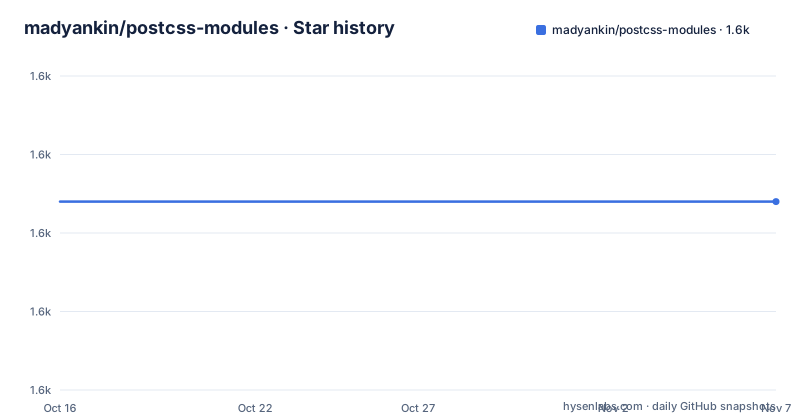
- madyankin/postcss-modules1,624 ★ · +0
| Repository | 2026-10-16 | 2026-11-07 |
|---|---|---|
| madyankin/postcss-modules | 1.6k | 1.6k |
0 Stars in the last 22 days, measured from the daily GitHub snapshot. Compare with other projects
Editorial analysis
Why postcss-modules fits a controlled CSS build
postcss-modules solves the collision problem created by writing local component styles. Instead of sending `.title` to the browser unchanged, it rewrites local selectors into generated names and returns a map from the original names to their scoped values. That map lets JavaScript select the same class that appears in the transformed stylesheet.
The primary audience is JavaScript developers who already build CSS through PostCSS. It is also relevant to ESM applications that need to import a `.css` file for its class tokens without configuring a bundler. The project explicitly targets use beyond client-side component builds, including SSR entrypoints, Node scripts, and Jest or Vitest running in Node mode.
This is not a general CSS minifier, framework, or complete CSS build system. It focuses on local scoping, composition, global selectors, and exported class names. The package requires PostCSS `^8.0.0` as a peer dependency, so it is not a standalone replacement for PostCSS. Its package entry points also require Node `>=20.6`, which matters even when the main transformation is invoked as a PostCSS plugin.
The default assumption is that classes are local. Global behavior has to be requested through `scopeBehaviour`, restricted with `globalModulePaths`, or exposed through the token map through `exportGlobals`. That policy makes the plugin useful for mixed stylesheets, but it also means an incorrectly classified selector can produce a token export or scoped selector that the application did not intend.
Scoping, composition, and the exported token map
The plugin operates through PostCSS, so the input is ordinary CSS processed by a plugin chain. For a local `.article` rule, the README shows output such as `._article_xkpkl_10`. A selector declared with `:global`, such as `:global .page`, remains global. This separation lets one file contain component-local names and deliberate global hooks.
Composition is handled through `composes`. In the documented example, `styles.css` declares `composes: title from "./mixins.css"`. The transformed export for `title` contains two generated names: one for the local rule and one for the composed rule from `mixins.css`. The CSS output likewise contains the rules associated with both generated names. This means the JavaScript map represents the effective composed class, rather than only the declaration in the importing file.
Source lookup is part of the transformation, not an incidental naming detail. The README says the standalone loader uses the same `FileSystemLoader` as the PostCSS plugin to resolve sibling files. The package dependencies include modules for extracting imports, local-by-default classification, scoping, and values, while `generic-names` and `string-hash` support generated names. These entries indicate a processing chain rather than a single regex replacement, although the repository documentation does not expose every internal stage.
The generated-name format can be replaced. A `generateScopedName` callback can inspect the class name, filename, and CSS source to construct a value. An interpolated string such as `[name]__[local]___[hash:base64:5]` delegates formatting to the naming mechanism, while `hashPrefix` supplies an additional custom input. Changing this format can affect generated CSS and every JSON artifact, so established builds should treat naming configuration as part of their output contract.
Node ESM loader setup and first CSS import
The README does not document an installation command, so it does not provide a package-manager step to copy here. It does document how to register the included `postcss-modules/loader` customization hook. The command requires the package to be available in the application and a Node version supported by the project.
Register the loader with `--import`. The intercepted `.css` import becomes a default-exported token map, so the first real use consists of starting `app.mjs` and reading a transformed class value:
node --import postcss-modules/loader app.mjsIn this example, `button.css` must contain a local class named `primary`. The value printed by this Node example is the token generated for that class rather than the literal string `primary`:
import styles from "./button.css";

console.log(styles.primary);
Composition works through the same import mechanism without extra loader configuration. A declaration such as `composes: foo from "./other.css"` is resolved through `FileSystemLoader`.
Configuration discovery has a defined priority order. `process.env.POSTCSS_MODULES_CONFIG` points to a configuration file first, followed by `postcss-modules.config.js`, `.cjs`, or `.mjs` in `process.cwd()`. The nearest `package.json` can contain a `"postcss-modules"` key. If none is found, the loader uses empty defaults. This ordering supports per-environment overrides, but it also means two installations with different working directories or environment variables can intentionally produce different class maps.
Configuration files for naming and loader discovery
A standalone configuration file is the clearest option when naming must remain consistent outside the bundler integration. This example selects a generated-name pattern and requests camel-case token keys:
module.exports = {
	generateScopedName: "[name]__[local]___[hash:base64:5]",
	localsConvention: "camelCaseOnly",
};
The same settings can live under the project key in `package.json`. This is useful when the application already centralizes package-level configuration:
{
	"postcss-modules": {
		"generateScopedName": "[name]__[local]___[hash:base64:5]"
	}
}
For environment-specific behavior, the documented variable is an absolute path or a path relative to the current working directory. The following example points the loader at `./config/css-modules.cjs`:
POSTCSS_MODULES_CONFIG=./config/css-modules.cjs node --import postcss-modules/loader app.mjsTypeScript needs one additional declaration because the compiler otherwise has no module shape for a default import from `.css`:
declare module "*.css" {
	const tokens: { readonly [key: string]: string };
	export default tokens;
}
That declaration describes a lookup object, not imported stylesheet content. It allows code such as `styles.primary`, but the README does not say that TypeScript transforms the CSS file or loads its rules.
Jest and Vitest worker coverage
The loader can be attached to Jest or Vitest through `NODE_OPTIONS`, which lets tests import CSS modules through ESM. The documented commands are:
NODE_OPTIONS="--import postcss-modules/loader" jest
NODE_OPTIONS="--import postcss-modules/loader" vitest
The README also allows the hook to be placed in a setup file. Since the customization hook is registered at process startup, this can keep the application and test environment on the same loading path. The documentation states that the loader runs once per worker and that spawned Jest worker pools inherit the hook.
That worker behavior is helpful for parallel test suites, but it does not turn the project into a test environment for browser CSS assertions. The hook returns token data only. A test that needs to inspect emitted CSS must use a bundler or invoke the PostCSS plugin directly and capture the processed result. The documentation also states that the underlying transform is asynchronous, which is the stated reason the hook is ESM only.
CommonJS callers are excluded. `require("./x.css")` is unsupported, so package consumers using `require` for application modules cannot assume this subpath will behave like a conventional `require.extensions` hook. The documented choices are a `.mjs` entrypoint or `"type": "module"` in `package.json`.
Token-only loading versus a bundler CSS Modules path
The clearest alternative is to let a bundler own both sides of CSS Modules processing. The README lists webpack with `css-loader` configured using `{ modules: true }`, Vite's built-in handling for files named `*.module.css`, `esbuild-css-modules-plugin`, and `rollup-plugin-postcss` with `modules: true`. In those paths, the bundler integration invokes postcss-modules or its building blocks and can coordinate JavaScript imports with stylesheet emission.
The standalone `postcss-modules/loader` is deliberately narrower. It transforms an imported CSS file and exposes the class-name map, but it does not emit transformed CSS. That makes it appropriate when another part of the system already injects CSS and the immediate need is deterministic token lookup in an ESM process. It is the wrong choice when the same operation must produce a stylesheet file or loadable stylesheet text for SSR.
It also has no HMR and no watch mode. A development application that depends on rebuilding CSS after edits needs a bundler or another build watcher. This difference matters more than the API resemblance between a bundler's CSS import and the loader's default export. One path is a complete bundler integration, while the other is a Node customization hook with a token-only result.
Output control, compatibility, and maintenance boundaries
By default, a JSON file containing exported classes is placed next to the corresponding CSS. Applications that need another output contract can provide a `getJSON` callback receiving `cssFileName`, `json`, and `outputFileName`. The callback may return a `Promise`, which allows asynchronous export handling. The README's example writes into a `./build` directory, but it references `fs` without defining it in the shown snippet, so that example is incomplete as copied.
The package uses the MIT license. That permits use, modification, distribution, and private reuse under the license's conditions, but this review does not provide legal advice. The repository's `LICENSE` and `package.json` are the relevant project files for obligations such as retaining notices.
The repository is not archived, and its last push was on 2026-07-10. That is a current activity fact, not evidence that every integration remains stable. The repository has no GitHub releases, so there is no release entry to inspect for upgrade notes. The package version is `9.0.1`, while the README does not describe a formal migration guide. Upgrade planning must account for PostCSS compatibility, Node `>=20.6`, and any changed loader options rather than relying on GitHub release history.
Development commands are defined in the `Makefile`, including `make test`, `make build`, and `make pack`. The default Docker execution uses `node:22`, and `USE_DOCKER` can be set to `0`. These commands belong mainly to maintaining or packaging the repository, not to consuming the plugin in an application.
Editorial conclusion
Adopt postcss-modules when CSS class composition and JavaScript token lookup are required in an existing PostCSS pipeline. Do not choose its standalone loader when you need emitted CSS, CommonJS `require`, hot replacement, or watch mode. Verify first whether your Node version is at least 20.6 and whether a bundler already owns CSS Modules processing.
Frequently asked questions
How do I import CSS Modules in Node without a bundler using postcss-modules?
Register the `postcss-modules/loader` customization hook with `node --import postcss-modules/loader app.mjs`, then default-import the `.css` file. The import exposes a class-name token map, but it does not emit transformed CSS.
Can postcss-modules resolve `composes` from another CSS file?
Yes. The documentation shows `composes: title from "./mixins.css"`, and the Node loader uses the same `FileSystemLoader` as the PostCSS plugin to resolve imported source files.
Does the postcss-modules Node loader support CommonJS and emitted CSS?
No. It is ESM only and does not support `require("./x.css")`. It returns tokens only, so a pipeline that also needs stylesheet output must use a bundler or call the PostCSS plugin directly to capture the result.
Official sources
Add this badge to your README
If you maintain this project, the badge below links readers to this analysis and shows its maintenance status from the daily GitHub snapshot. Paste the markdown into your README; add ?metric=license or ?metric=stars to the image URL for a different field.

[](https://hysenlabs.com/projects/madyankin-postcss-modules)Star history chart for your README
[](https://hysenlabs.com/projects/madyankin-postcss-modules)Was this useful?