electron-log: Practical Logging for Electron, Node.js, and NW.js
Simple logging module Electron/Node.js/NW.js application. No dependencies. No complicated configuration.
At a glance
- What is it?
- electron-log is a dependency-free JavaScript logging module for Electron, Node.js, and NW.js applications. It combines console output, file logging, renderer IPC, remote delivery, and small extension points, while requiring Electron 13+ or Node.js 14+ for v5.
- Who is it for?
- Adopt electron-log when an Electron or Node.js application needs a small local logger with predictable files and optional renderer forwarding. Do not choose it for centralized log analysis, compliance retention, or operations requiring a managed ingestion service without first confirming that the remote transport and its operational requirements meet the application's needs.
- Can I use it commercially?
- Yes. MIT is a permissive licence: you can use, modify and sell software built on it, as long as you keep its copyright and licence notices.
- Is it still maintained?
- Yes. The repository last received commits 26 days ago.
- What is it written in?
- Mainly JavaScript, according to GitHub's language statistics.
Answers come from the project's GitHub data, last synced on October 23, 2026, and from our analysis. They are not legal advice.
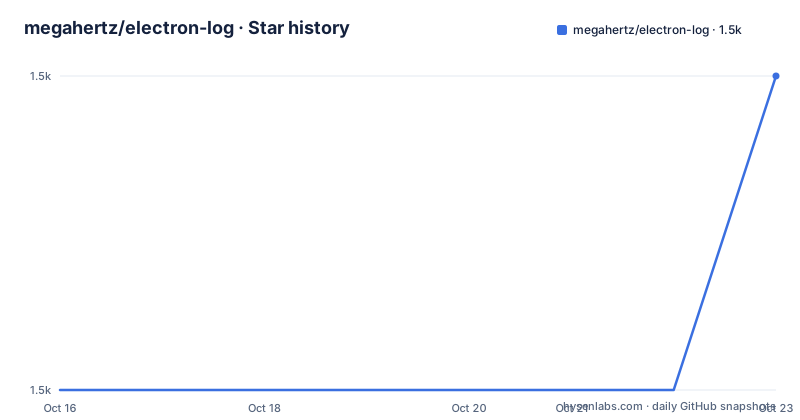
Star history
- megahertz/electron-log1,476 ★ · +1
| Repository | 2026-10-16 | 2026-10-23 |
|---|---|---|
| megahertz/electron-log | 1.5k | 1.5k |
1 Stars in the last 7 days, measured from the daily GitHub snapshot. Compare with other projects
Editorial analysis
What electron-log solves across Electron processes
electron-log addresses the practical problem of collecting useful application messages from several JavaScript runtime contexts. Electron applications commonly execute code in the main process, renderer processes, preload scripts, and utility processes. Each context has different access to the console, filesystem, and Electron IPC, so calling the platform console alone does not create one consistent record. Node.js and NW.js applications also need logging without an Electron-specific application shell.
The module is aimed at developers who want application diagnostics in local files and consoles without adding a logging framework or transitive dependencies. Its default behavior enables both the console transport and the file transport. Messages therefore appear in the relevant console and are written to a platform-specific log file, including `main.log`. The file transport is documented as a main-process transport, while renderer messages require an initialization or forwarding arrangement when they need to reach the filesystem.
The package description calls it a "Simple logging module Electron/Node.js/NW.js application," and `package.json` identifies JavaScript as the implementation. Version 5.4.4 requires Node.js `>= 14`, while the README narrows the runtime requirement to Electron 13+ or Node.js 14+. Older installations are directed to electron-log v4, which the README says supports Node.js 0.10+ and almost any Electron build.
The transport model and default log destinations
A transport is a function that receives a `LogMessage` and performs some work with it. electron-log uses that small interface to separate message formatting and output destinations from the application calls that create messages. The default active transports are `console` and `file`.
The console transport prints to the application console in the main process or to DevTools in a renderer process. The file transport writes log messages to a file. According to the README, the default paths are `~/.config/{app name}/logs/main.log` on Linux, `~/Library/Logs/{app name}/logs/main.log` on macOS, and `%USERPROFILE%\AppData\Roaming\{app name}\logs\main.log` on Windows. The path can be replaced through `resolvePathFn`, which is useful when an application already has a platform-specific application-data abstraction.
The supported levels are `error`, `warn`, `info`, `verbose`, `debug`, and `silly`. Both default transports have the `silly` level in the documented examples. A transport can be disabled by assigning `false` to its `level`. This is a coarse switch rather than a destination replacement: to change filtering without disabling output, assign a level such as `info` or `warn`.
The remote transport is available in the main process and sends a JSON POST request containing a `LogMessage` to a configured URL. It is disabled by default. This provides an outbound path, but the README does not document batching, retry behavior, delivery guarantees, authentication, or a hosted service, so those behaviors must not be assumed.
Installing electron-log and making the first main-process call
The README documents installation through npm. Version 5 requires Electron 13+ or Node.js 14+, so check the runtime before installing. The package has no runtime dependencies according to the repository description, but its development dependencies are separate and are not needed for a normal application install.
Install the package with:
npm install electron-logFor an Electron main process, import the main entry point, initialize the logger for renderer availability, and write a message:
import log from 'electron-log/main';

log.initialize();

log.info('Log from the main process');
`log.initialize()` is the documented setup step for making the logger available in a renderer process. The `log.info` call should produce console output and, under the default configuration, a file entry at the default `main.log` location. The exact path depends on the application name and operating system.
For a renderer that is bundled, use the renderer entry point:
import log from 'electron-log/renderer';
log.info('Log from the renderer process');
Without a bundler, the README says the renderer can use the global variable `__electronLog`, which contains logging functions such as `info` and `warn`. The renderer entry point can also be used in a preload script. The separate `electron-log/preload` entry point is only a bridge between main and renderer processes, so importing it does not provide a logger.
Handling renderer, utility, and custom output
Renderer logging has an architectural boundary. The renderer transport sends data to the main process through IPC. The main process then writes the data to the console and filesystem. The IPC transport is enabled by default in development, but the README states that it is disabled in a production build unless its `level` is set. A production application that depends on renderer logs reaching disk must therefore account for this setting rather than assuming the development behavior carries over.
Utility processes are different again. The README states that logs from `utilityProcess` are not sent to the main process automatically. The project directs users to `docs/utility.md` for forwarding instructions. This is a meaningful limitation for applications that treat main, renderer, and utility processes as one logging pipeline.
The module also offers several targeted facilities. `log.errorHandler.startCatching(options?)` can log unhandled errors and rejected promises. `log.eventLogger.startLogging(options?)` can record selected Electron and WebContents events, including certificate errors, process crashes, failed loads, preload errors, and plugin crashes. Hooks run on each transport call, and custom transports use the function shape `(msg: LogMessage) => void`. These extension points allow application-specific behavior without changing the core logging calls, although the documented examples do not specify a complete persistence or monitoring policy.
Multiple instances, scopes, and console replacement
electron-log supports scoped loggers for attaching context to messages without changing the call sites of the underlying logger. The README shows creating a scope with `log.scope('user')`, then calling `userLog.info('message with user scope')`. The visible output includes the scope, which can help separate messages associated with different domains.
Multiple logger instances are also supported. The main-process example creates an instance with `log.create({ logId: 'anotherInstance' })`. The documentation warns that each instance must be configured separately, including its file path. This is useful when an application needs separate files, levels, or destinations, but it also means that configuration cannot be assumed to propagate from the default logger.
For code that currently calls the standard console, the package allows direct replacement of `console.log` with `log.log`. Other console methods can be assigned from `log.functions` using `Object.assign`. This approach affects application-wide behavior, so it should be applied deliberately during application startup rather than in a module that may load before logging configuration is complete.
The module supports console formatting and colors through `transports.console.format` and `useStyles`. The documented default console formats differ between main and renderer contexts. File format defaults to a timestamped message with a level marker. These controls are small, but they affect whether logs remain readable during incident analysis.
Limits, alternatives, and maintenance cost
electron-log is deliberately local and lightweight. It does not, based on the README, provide a documented dashboard, query interface, retention policy, index, alert system, or built-in log aggregation service. The remote transport is a single JSON POST mechanism, not a documented managed backend. If an application requires searchable centralized logs, delivery guarantees, or operator-facing alerts, a logging service or platform will need to handle those concerns outside the basic package.
A useful alternative is the platform's own logging stack, such as direct `console` output or a Node.js logging library. Direct console logging has fewer moving parts but produces no built-in local file destination here. A dedicated Node.js logger may offer more transport and formatting choices, but this project explicitly avoids dependencies and keeps configuration compact. The right comparison is therefore not simply feature count. It is whether the application needs electron-log's process-aware Electron entry points and file defaults more than it needs a broader logging ecosystem.
The repository is not archived, and its last push was on 2026-09-27. That is recent enough to avoid the repository's stale-maintenance warning, but the repository has no GitHub releases. Upgrading therefore requires checking `CHANGELOG.md` and `docs/migration.md`, especially when moving from v2, v3, or v4. The MIT license permits use and modification under its terms, including distribution and sublicensing subject to the license conditions. The repository also includes `Dockerfile`, linting, type-checking, unit tests, and end-to-end test scripts, but its declared runtime dependency remains none.
Editorial conclusion
Adopt electron-log when an Electron or Node.js application needs a small local logger with predictable files and optional renderer forwarding. Do not choose it for centralized log analysis, compliance retention, or operations requiring a managed ingestion service without first confirming that the remote transport and its operational requirements meet the application's needs. Verify runtime compatibility, destination paths, IPC initialization, transport levels, and the upgrade path from any earlier electron-log version.
Frequently asked questions
What runtimes does electron-log v5 support?
The README requires Electron 13+ or Node.js 14+ for v5. The `package.json` declares Node.js `>= 14`.
Where does electron-log write files by default?
It writes to `~/.config/{app name}/logs/main.log` on Linux, `~/Library/Logs/{app name}/logs/main.log` on macOS, and `%USERPROFILE%\AppData\Roaming\{app name}\logs\main.log` on Windows.
How do I disable electron-log's file output?
Set the file transport level to `false`: `log.transports.file.level = false;`. The same mechanism can disable the console transport.
Are utility process logs sent to the main process automatically?
No. The README states that logs from `utilityProcess` are not sent to the main process automatically and points to `docs/utility.md` for forwarding instructions.
Official sources
Add this badge to your README
If you maintain this project, the badge below links readers to this analysis and shows its maintenance status from the daily GitHub snapshot. Paste the markdown into your README; add ?metric=license or ?metric=stars to the image URL for a different field.

[](https://hysenlabs.com/projects/megahertz-electron-log)Star history chart for your README
[](https://hysenlabs.com/projects/megahertz-electron-log)Was this useful?