Advanced REST Client: Electron App Setup and Development
Advanced REST Client - Desktop application
At a glance
- What is it?
- Advanced REST Client is a desktop REST client distributed through GitHub releases and developed as an Electron application. Its installer path is documented clearly, while source development requires Node dependencies and a dated contributor workflow.
- Who is it for?
- Engineers who want an installable desktop REST client can evaluate the latest published build, while contributors should use the branch named by the README and verify Electron compatibility before investing in upgrades. Check the actual LICENSE file first because its classification conflicts with the package metadata, and confirm that the release assets still match the target operating system.
- Can I use it commercially?
- Check first. The repository uses a licence we do not classify automatically, so read its LICENSE file before any commercial use.
- Is it still maintained?
- Yes. The repository last received commits 21 days ago.
- What is it written in?
- Mainly JavaScript, according to GitHub's language statistics.
Answers come from the project's GitHub data, last synced on October 23, 2026, and from our analysis. They are not legal advice.
Star history
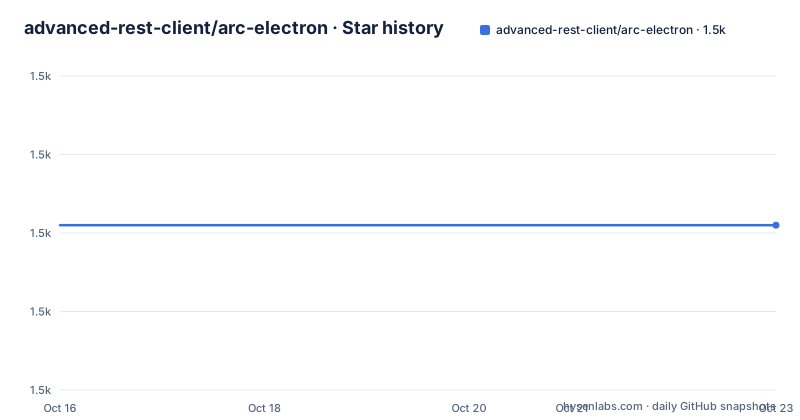
- advanced-rest-client/arc-electron1,471 ★ · +0
| Repository | 2026-10-16 | 2026-10-23 |
|---|---|---|
| advanced-rest-client/arc-electron | 1.5k | 1.5k |
0 Stars in the last 7 days, measured from the daily GitHub snapshot. Compare with other projects
Editorial analysis
What Advanced REST Client Desktop Covers
Advanced REST Client, or ARC, is an Electron desktop application for working with web and API requests. Its purpose is narrower than that of a general-purpose browser or a server-side HTTP library. The repository presents ARC as the desktop client, while the linked documentation site and project plan cover its wider product documentation and planning process. That positioning makes it most relevant to developers, API practitioners, and engineers who want a dedicated graphical client rather than issuing HTTP calls from source code.
The repository is not archived, and its last push was on 2026-10-02. However, repository activity and release cadence tell different stories. The listed stable releases end at v17.0.9 from 2022-03-02, preceded by v17.0.8 from 2022-02-08. Neither the README nor the release list explains the gap between the latest listed release and the later repository push, so it would be unsafe to infer that a newer installer is available. The releases page, rather than the default branch alone, is the documented source for installable binaries.
The project also accepts feature requests and issue reports, and the README links to an open project plan. Those links indicate an open planning process, but they do not promise that every proposed item will be implemented. For adoption decisions, the binary assets, operating-system coverage, and current documentation matter more than the existence of contribution channels.
Electron Packaging and Repository Boundaries
The application identity is explicit in `package.json`. The package is named `advanced-rest-client`, its version is `17.0.9`, and its description identifies it as the Advanced REST Client desktop application. The start script invokes Electron against the repository root with `--dev`, developer tools, local workspace paths, and separate settings, state, and theme files. This shows that the development command is configured for a persistent local workspace rather than a disposable one-command demo.
The repository layout separates application code under `src/`, resources under `appresources/` and `assets/`, build configuration under `build/`, documentation under `docs/`, development support under `dev-api/`, services under `services/`, and tests under `test/`. TypeScript and JavaScript project configuration is represented by `tsconfig.json`, `types.d.ts`, and `commitlint.config.js`, even though the repository's primary language is listed as JavaScript. The README separately points contributors to an architecture guide, but that guide's contents are not present in the repository listing, so finer process boundaries should be checked there.
The scripts also expose updater and proxy variants. `start:updater` omits the app-update skip option while retaining other development paths. `start:proxy` supplies an explicit proxy address and `--proxy-all`; `start:proxy:system` instead uses `--proxy-system-settings`. Those are concrete developer scenarios, but they are not installation instructions for end users. A contributor should not assume that a normal `npm start` process reflects production updater behavior.
Installing ARC From Release Assets
The README directs end users to the GitHub releases page. The documented process is to find the latest stable release, expand its `Assets`, choose the installer for the target system, and run it. Windows uses `arc-setup.exe`. macOS uses a disk image whose version is represented by `arc-x.x.x.dmg`. Linux users are told to select the distribution matching their system.
On Windows, download the asset and run the executable when the operating system asks for confirmation. On macOS, open the downloaded disk image and follow the installer presented by the system. On Linux, the README does not name formats or dependencies, so package type, required libraries, and installation permissions cannot be assumed. The README also warns that an account with upgraded privileges may be requested during installation. That warning is operational, not a claim that ARC always requires administrator access.
The documented installation is binary based. It does not instruct users to clone the repository, install Node packages, or run an npm script. It also does not document silent installation, unattended deployment, checksum verification, enterprise distribution, or rollback. Teams considering broad deployment should verify those details against the actual release artifacts before relying on an automated rollout.
Running the Electron Application From Source
The contributor path begins by cloning the repository and checking out `redesign2020`, even though the repository's default branch is listed as `master`. This mismatch is important. The commands are exact repository instructions, but a contributor must make sure that the named branch exists and still represents the intended development line before changing code.
Clone the project from the repository URL:
git clone https://github.com/advanced-rest-client/arc-electron.gitThe README then says to switch to its documented contributor branch:
git checkout redesign2020Install the dependencies recorded in `package.json` and `package-lock.json`:
npm installAfter installation, start the Electron application with the repository's development script:
npm startThe start command opens developer tools and routes workspace data to paths under `~/arc-dev/`. It also skips application and theme updates during development. The README does not give a follow-up procedure for composing and sending a first API request, so a newcomer should first confirm that the Electron window opens and that the expected local workspace directories are used. Treating `npm start` as a complete first-request tutorial would go beyond the documentation.
Proxy, Updater, and Local Development Modes
The package scripts reveal several situations that a single `npm start` command does not cover. For local API development, the repository provides `start:api`, which runs `node dev-api/api.js`. For an explicit proxy, `start:proxy` hard-codes `--proxy=192.168.86.249:8118` and applies `--proxy-all`. That address belongs to the repository configuration and may not represent the reader's network.
The package script provides no documented command for changing that proxy address. Editing the script would be a repository change rather than a documented user-facing option, so it should not be presented as supported configuration without consulting project documentation. For system proxy behavior, the available command uses `--proxy-system-settings` together with `--proxy-all`. This is a different mechanism because it asks the application to use system settings instead of naming a network endpoint in the script.
Updater testing is exposed through `start:updater`. Unlike `start`, this script does not include `--skip-app-update`, although it retains `--skip-themes-update` and the local data paths. The README does not explain the updater's backend, release-channel rules, signing behavior, or failure recovery. Likewise, there is no documented procedure for restoring an earlier application version. This makes upgrade testing difficult to assess without external project documentation.
Licence and Upgrade Constraints in ARC
Licence information requires careful reading. `package.json` declares `"license": "Apache-2.0"`, while GitHub classifies the repository licence as a custom licence that cannot be classified and directs readers to `LICENSE.md`. Those files do not support an unqualified statement that the entire project is governed by Apache-2.0. Engineers who intend to redistribute the application or incorporate its code should read `LICENSE.md`, repository notices, and any relevant dependency licences directly. This is a licensing review point, not legal advice.
The documented version is `17.0.9`, matching the latest listed stable release from 2022-03-02. The repository itself received a later push on 2026-10-02, but the release list does not show a corresponding newer package. A branch update can therefore change source without producing an installable desktop release. Upgrade planning should distinguish between checking out newer source, installing a published binary, and confirming compatibility with the local Electron toolchain.
The README and the visible `package.json` excerpt do not state a supported Node version range, operating-system support matrix, dependency upgrade policy, migration procedure, or release rollback process. Those omissions matter for production adoption. The safest first step is to inspect the release page for assets, read `LICENSE.md`, and verify the documented development branch before modifying an existing ARC installation.
Editorial conclusion
Engineers who want an installable desktop REST client can evaluate the latest published build, while contributors should use the branch named by the README and verify Electron compatibility before investing in upgrades. Check the actual LICENSE file first because its classification conflicts with the package metadata, and confirm that the release assets still match the target operating system. For this repository, the clearest adoption boundary is its binary distribution and documented desktop workflow, not an undocumented development setup beyond the listed scripts.
Frequently asked questions
How do I install Advanced REST Client on Windows?
Open the GitHub releases page, select the latest stable release, expand `Assets`, and download `arc-setup.exe`. The README says to run the installer by clicking it.
How do I run Advanced REST Client from source?
The README documents cloning the repository, checking out `redesign2020`, running `npm install`, and then running `npm start`.
Can I undo an Advanced REST Client upgrade?
The README does not document rollback. It directs users to download the latest stable release and provides no procedure for restoring a previous version.
Official sources
Add this badge to your README
If you maintain this project, the badge below links readers to this analysis and shows its maintenance status from the daily GitHub snapshot. Paste the markdown into your README; add ?metric=license or ?metric=stars to the image URL for a different field.

[](https://hysenlabs.com/projects/advanced-rest-client-arc-electron)Star history chart for your README
[](https://hysenlabs.com/projects/advanced-rest-client-arc-electron)Was this useful?