mfussenegger/nvim-jdtls for Neovim Java workflows
MIRROR of: https://codeberg.org/mfussenegger/nvim-jdtls
At a glance
- What is it?
- nvim-jdtls extends Neovim's built-in Language Server Protocol support for eclipse.jdt.ls with Java refactoring, code actions, debugging, tests, and project commands. It suits experienced Neovim and Java users who prefer configuration as code, but it requires separate language-server setup and deliberate workspace management.
- Who is it for?
- Adopt nvim-jdtls if you already use Neovim for Java and want eclipse.jdt.ls through editable Lua configuration, with its extra commands and refactoring helpers justifying the setup burden. Do not choose it if a guided GUI workflow is your priority.
- Can I use it commercially?
- Yes, with conditions. GPL-3.0 is a copyleft licence: if you distribute software that includes it, you must release that software's source code under the same licence. Running it internally without distributing it does not trigger that obligation.
- Is it still maintained?
- Yes. The repository last received commits 172 days ago.
- What is it written in?
- Mainly Lua, according to GitHub's language statistics.
Answers come from the project's GitHub data, last synced on November 7, 2026, and from our analysis. They are not legal advice.
Star history
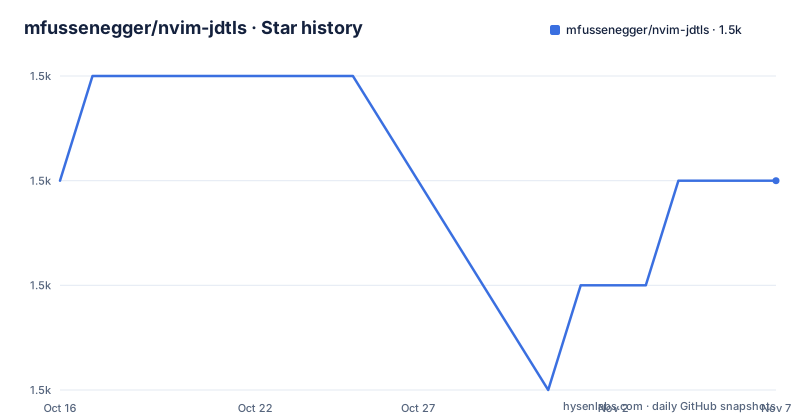
- mfussenegger/nvim-jdtls1,498 ★ · +0
| Repository | 2026-10-16 | 2026-11-07 |
|---|---|---|
| mfussenegger/nvim-jdtls | 1.5k | 1.5k |
0 Stars in the last 22 days, measured from the daily GitHub snapshot. Compare with other projects
Editorial analysis
What nvim-jdtls adds to Neovim Java editing
nvim-jdtls is an extension layer for Neovim's built-in Language Server Protocol support, specifically for eclipse.jdt.ls. Its intended audience has experience with Neovim, Java, and either Maven or Gradle. The project favors configuration as code over graphical setup, and its README explicitly says that ease of use is not the main priority. It is not a complete Java IDE or a replacement for Maven or Gradle.
The division of responsibility is direct. Neovim provides the editor and LSP client, eclipse.jdt.ls provides Java language intelligence, and nvim-jdtls adds Lua functions and commands. Standard operations documented under `:help lsp` remain available because the plugin extends Neovim's existing LSP support rather than creating a separate client.
The additions include `organize_imports`, local-variable and constant extraction, method extraction, class-file opening, and a `javap` command for showing bytecode for the current file. The documented code actions cover constructor generation, `toString`, `hashCode`, `equals`, delegate generation, package and method moves, and signature refactoring. These operations are reached through the plugin's Lua module, so users normally need mappings or commands for the functions they want to invoke.
Project-related commands include `extended_symbols` for a symbol selection that includes base-class symbols and `jshell` for opening jshell with the project classpath. A `jol` command can display memory usage for the current file, but the README states that `jol_path` must be set. Debugger support depends on nvim-dap, while optional vscode-java-test extensions add test generation and navigation through the `jdtls.tests` module.
Neovim, eclipse.jdt.ls, and workspace startup
nvim-jdtls does not install eclipse.jdt.ls. The README directs users to the language server's own installation instructions. When Neovim launches the documented `jdtls` script, that executable must be available in `$PATH`, Python 3.9 must be installed, and eclipse.jdt.ls itself requires Java 21. The server can work with project JDK versions of 8 or later, but those runtimes must be declared through the `runtimes` setting.
The README describes two configuration paths. The first uses Neovim's current LSP configuration interface and is appropriate when the default settings are sufficient. The second places configuration in `~/.config/nvim/ftplugin/java.lua`. That file runs whenever a `FileType` event occurs, including when a `.java` file is opened or when the filetype is explicitly set.
The ftplugin path defines the server command, root directory, Java settings, and initialization options before calling `require('jdtls').start_or_attach(config)`. Its root detection uses `vim.fs.root(0, {'gradlew', '.git', 'mvnw'})`. This requires a recognizable project marker. A standalone Java source directory without one of those markers may not be identified as the intended project root.
The initialization options include a `bundles` table. The README says additional eclipse.jdt.ls plugins, including java-debug, require their bundles to be added there. nvim-jdtls can pass these integration options, but it does not automatically resolve every language-server plugin mentioned by the project.
Installing nvim-jdtls and enabling the first client
Install the plugin from the Codeberg repository into Neovim's start package directory with the documented command:
git clone https://codeberg.org/mfussenegger/nvim-jdtls.git ~/.config/nvim/pack/plugins/start/nvim-jdtlsAfter the command completes, Neovim can load the plugin from the `pack/plugins/start` directory. The README also supports plugin managers, including these declarations:
Plug 'mfussenegger/nvim-jdtls'use 'mfussenegger/nvim-jdtls'The first form is for vim-plug and the second is for packer.nvim. They are alternatives to the `git clone` command. None of these commands installs eclipse.jdt.ls, so its own installation instructions remain a separate requirement.
For a minimal configuration through Neovim's LSP interface, add this to `init.lua`:
vim.lsp.enable("jdtls")This approach requires `jdtls` to be available in `$PATH`. To customize Java settings, the README gives this structure:
vim.lsp.config("jdtls", {
  settings = {
    java = {
    }
  },
})
vim.lsp.enable("jdtls")
The empty `java` table is configuration structure, not a specific language-server option. For a first real use, open a Java file inside a project that Neovim can identify and use a standard `:help lsp` command. The README does not define a separate server-status command, so successful language-server behavior and the plugin functions are the relevant checks.
Controlling jdtls data and root detection
eclipse.jdt.ls stores project index data through the `-data` option. According to the README, omitting that option places the data in a subfolder under the system temporary directory, with its name derived from the current working directory. If the operating system removes that directory during shutdown or boot, eclipse.jdt.ls must index the projects again after the next restart.
A persistent workspace location can retain index data across those restarts. The README builds a project-specific directory name from the current working directory and inserts it into the server command:
local project_name = vim.fn.fnamemodify(vim.fn.getcwd(), ':p:h:t')
local workspace_dir = '/path/to/workspace-root/' .. project_name
Those lines only compute `workspace_dir`. They are not a complete server configuration. The resulting value still needs to be passed to eclipse.jdt.ls as the argument following `-data` in the command table. The README does not define a project-specific locking policy, workspace migration command, or automatic cleanup behavior for these directories.
Root detection is separate from data storage. The ftplugin example searches for `gradlew`, `.git`, or `mvnw`, while the workspace example derives a name from the working directory. Projects with several nested modules or nonstandard checkout layouts should therefore be checked carefully. The README does not document a multi-root configuration procedure.
Mapping refactoring, tests, and project commands
The extra capabilities are exposed through `require('jdtls')`. The README gives an `organize_imports` mapping that invokes the module through a Neovim command:
nnoremap <A-o> <Cmd>lua require'jdtls'.organize_imports()<CR>This mapping connects `<A-o>` to the import organizer. Other documented Lua functions include `extract_variable`, `extract_variable_all`, `extract_constant`, and `extract_method`. The repository does not assign every extension a default key, so users need to decide which functions should be mapped and avoid conflicts with their own Neovim configuration.
Optional test operations are also module calls rather than automatic background behavior. Test generation uses `require("jdtls.tests").generate()`, and navigation between tests and subjects uses `require("jdtls.tests").goto_subjects()`. These functions rely on the optional vscode-java-test extensions. If those extensions are absent or not configured, the plugin's broader Java functionality does not disappear, but the documented test helpers are unavailable.
The `javap` command is another direct project command for inspecting bytecode. The `jshell` command opens jshell with the classpath already set for the project. The `jol` command has a stricter requirement because `jol_path` must be configured. Debug integration depends on nvim-dap, and additional language-server bundles may be needed. These explicit dependencies are a defining characteristic of the plugin.
Setup limits and maintenance for nvim-jdtls
The main limitation is the amount of integration work left to the user. nvim-jdtls assumes the user can install and launch eclipse.jdt.ls, make `jdtls` available on the path when required, configure the project root, declare Java runtimes, and manage the index data directory. Maven and Gradle remain the responsibility of the Java project. The README's recommendation to use the latest stable Neovim also means that Neovim's LSP configuration API is relevant when upgrading the editor.
Some advertised functions depend on more than this repository. `jol` requires `jol_path`, debugger support depends on nvim-dap, and the test helpers depend on optional vscode-java-test extensions. Additional eclipse.jdt.ls plugins, including java-debug, require bundle entries in `init_options`. Installing nvim-jdtls alone therefore does not activate every feature in its extension list.
The repository is not archived, and the last push was on 2026-05-20. Its listed releases are 0.2.0 from 2022-12-22 and 0.1.0 from 2022-06-30. The README does not define a release schedule or a compatibility policy for future Neovim and eclipse.jdt.ls releases. Upgrade cost comes from checking startup configuration, Lua commands, language-server requirements, initialization options, and retained workspace directories.
The repository identifies GPL-3.0 as its license. That fact matters when reviewing distribution or integration requirements, although this review does not provide legal advice. The README also does not document rollback instructions for plugin or workspace-data upgrades.
nvim-jdtls compared with GUI-oriented Java tools
The README lists coc-java, Visual Studio Code, IntelliJ IDEA, and Eclipse as alternatives for users who prioritize ease of use over configuration simplicity. The concrete difference is workflow ownership. nvim-jdtls keeps Java editing inside Neovim and exposes language-server behavior through Lua configuration, mappings, Neovim commands, and optional external integrations. The user assembles and maintains those connections.
The README does not provide a feature-by-feature comparison between nvim-jdtls and those tools. It would therefore be inaccurate to assume that another editor automatically provides the same `extended_symbols`, `javap`, `jol`, `jshell`, extraction, or test commands. nvim-jdtls is most relevant to a user who already understands Neovim and values keeping that editing environment for Java.
The project does not replace the language server. Neovim cannot provide eclipse.jdt.ls Java features through this plugin unless eclipse.jdt.ls is installed and started. It also does not replace Maven or Gradle. This narrower composition makes the plugin easy to explain at a structural level, but it moves setup work into the user's Lua configuration and command mappings.
Editorial conclusion
Adopt nvim-jdtls if you already use Neovim for Java and want eclipse.jdt.ls through editable Lua configuration, with its extra commands and refactoring helpers justifying the setup burden. Do not choose it if a guided GUI workflow is your priority. Verify first that Neovim, Java 21, the optional Python 3.9 requirement, the project root markers, and the configured eclipse.jdt.ls data directory match your environment.
Frequently asked questions
How do I install nvim-jdtls for Neovim?
Clone the repository into `~/.config/nvim/pack/plugins/start/nvim-jdtls`, or use the documented `Plug 'mfussenegger/nvim-jdtls'` or `use 'mfussenegger/nvim-jdtls'` declaration. Install eclipse.jdt.ls separately using its installation instructions.
What requirements does nvim-jdtls have?
The README specifies Neovim 0.6.0 or newer, with the latest stable version recommended. The `jdtls` script requires Python 3.9, eclipse.jdt.ls requires Java 21, and supported project runtimes must be configured through `runtimes`.
Can nvim-jdtls organize imports and extract Java methods?
Yes. The Lua module provides `organize_imports`, `extract_variable`, `extract_variable_all`, `extract_constant`, and `extract_method`. Users can call these functions through mappings or Lua commands while continuing to use Neovim's standard LSP operations.
Official sources
Add this badge to your README
If you maintain this project, the badge below links readers to this analysis and shows its maintenance status from the daily GitHub snapshot. Paste the markdown into your README; add ?metric=license or ?metric=stars to the image URL for a different field.

[](https://hysenlabs.com/projects/mfussenegger-nvim-jdtls)Star history chart for your README
[](https://hysenlabs.com/projects/mfussenegger-nvim-jdtls)Was this useful?