browserless: Headless Chrome Automation with Puppeteer
The headless Chrome/Chromium driver on top of Puppeteer. Take screenshots, generate PDFs, extract text and HTML with a production-ready API.
At a glance
- What is it?
- browserless is a JavaScript layer over Puppeteer for screenshots, PDFs, text, and HTML extraction through a reusable API. It suits Node.js applications that want higher-level browser tasks without giving up direct Puppeteer access.
- Who is it for?
- browserless is a good fit for Node.js developers already using Puppeteer who want reusable contexts, higher-level page tasks, retries, and a terminal interface. It is a poor choice for infrastructure-free operation, documented zero-downtime upgrades, or teams that need a standalone browser service protocol.
- Can I use it commercially?
- Yes. MIT is a permissive licence: you can use, modify and sell software built on it, as long as you keep its copyright and licence notices.
- Is it still maintained?
- Yes. The repository received new commits within the last day.
- What is it written in?
- Mainly JavaScript, according to GitHub's language statistics.
Answers come from the project's GitHub data, last synced on October 23, 2026, and from our analysis. They are not legal advice.
Star history
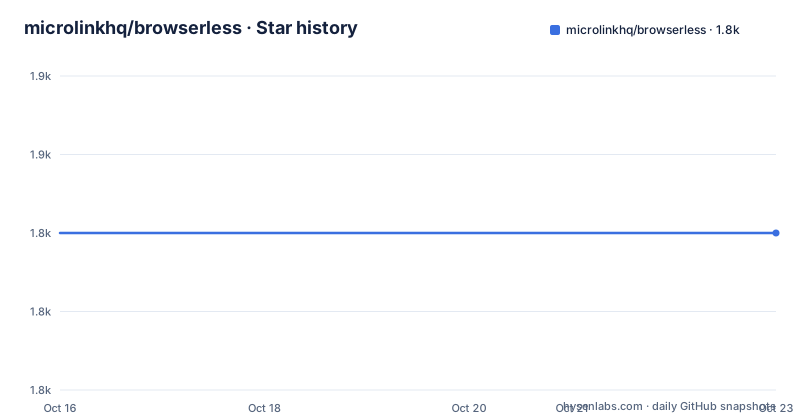
- microlinkhq/browserless1,840 ★ · +0
| Repository | 2026-10-16 | 2026-10-23 |
|---|---|---|
| microlinkhq/browserless | 1.8k | 1.8k |
0 Stars in the last 7 days, measured from the daily GitHub snapshot. Compare with other projects
Editorial analysis
Why browserless sits above Puppeteer
browserless addresses a specific gap between launching Chrome through Puppeteer and repeatedly performing common page tasks. Puppeteer remains the underlying automation layer, while browserless supplies a factory, context lifecycle methods, convenience operations for screenshots, PDFs, text, and HTML, plus automatic retry and error handling. It also documents an ad blocker for unnecessary requests and integrations for Google Lighthouse, AI, custom functions, and screencasts.
The intended users are JavaScript and Node.js developers who already depend on Puppeteer or can adopt it alongside browserless. This is not an independent browser implementation. Its documentation explicitly requires Puppeteer, and the constructor accepts `puppeteer.launch` options. That boundary matters: a team adopting browserless also accepts the browser download, Chromium executable, runtime compatibility, and operational responsibilities associated with Puppeteer.
The core trade-off is convenience without isolation from Puppeteer. Developers do not have to rewrite their automation around an unrelated service API. At the same time, browserless is still a Node.js package managing a local headless Chrome process, not a hosted browser endpoint.
One browser process with repeatable context lifecycles
The README describes a factory pattern with explicit lifecycle calls. `createBrowser()` creates the browser-level object, `browser.createContext()` creates an isolated browser context for a task, and `browserless.destroyContext()` releases that context. Calling `browser.close()` shuts down the underlying browser process.
Based on the documented example, Browserless uses one browser process while allowing multiple contexts to be created and destroyed within it. The README compares contexts to browser tabs and states that cookies and caches are limited to their respective contexts. This makes the package suitable for workloads where separate tasks should not automatically share stored state, provided the process has enough resources for the contexts it creates.
The lifecycle is also an error-handling concern. A task that creates a context but fails before `destroyContext()` can retain resources until the caller or process handles them. The README does not provide a specific `try/finally` pattern in the shown example, so applications should account for cleanup on both success and failure. The browser itself remains open until `browser.close()` is called, which is useful for sequential work but makes explicit shutdown important in short-lived commands, tests, and serverless-style handlers.
Installing browserless and Puppeteer for a screenshot task
The documented npm installation adds both packages because browserless runs on top of Puppeteer:
npm install browserless puppeteer --saveThis creates a dependency on Puppeteer. The README also says that `puppeteer-core` can be chosen instead, depending on the use case. It does not provide the corresponding installation or browser-launch configuration in the installation section, so that path should be evaluated using the project's later documentation rather than inferred here.
The shortest complete example creates a factory and context, captures a screenshot for an iPhone 6 device, prints it through `term-img`, destroys the context, and closes the browser. The README lists `term-img` as a dependency of this example, but does not include it in the initial installation command, so a reader must account for that package separately if copying the example literally:
A reader should see a screenshot buffer passed to `term-img`. The page target and terminal rendering can still fail because browser automation depends on network access, Chromium availability, target-page behavior, and a terminal environment that supports the image output.
Browser options versus per-context retry controls
Browser-level settings are supplied when the factory is initialized. The README shows `timeout` and `lossyDeviceName`, with the latter allowing a margin of error when setting a device name. It also documents `defaultDevice`, whose default is `'Macbook Pro 13'`. A desktop device sets the viewport, while the platform token in the user agent follows the host operating system.
Context-level behavior can include a retry count. The documented call is:
const browserless = await browser.createContext({ retry: 2 })This distinction separates process configuration from task configuration. The browser factory configures how Chrome starts, while a context can carry options for the operation that follows. The constructor also accepts `puppeteer.launch` options, which allows browserless to coexist with Puppeteer configuration rather than replacing it.
The exact retry semantics are not explained in the README section. It does not define which errors count as retryable, how long the library waits between attempts, or whether retries apply uniformly to every high-level method. Automatic retry and error handling are listed as highlights, but `retry: 2` alone is not enough to infer idempotency rules. Developers automating state-changing pages should establish whether repeated attempts can duplicate actions.
Output methods and direct Puppeteer escape routes
The built-in methods cover several common browser outputs: `.html(url, options)`, `.text(url, options)`, `.pdf(url, options)`, and `.screenshot(url, options)`. The README says these methods are compatible with the corresponding Puppeteer APIs. Device emulation can also affect rendering, as the tutorial demonstrates with `device: 'iPhone 6'`.
browserless is not limited to those four operations. Its documented surface includes `.evaluate(fn, gotoOpts)`, `.goto(page, options)`, `.context()`, `.withPage(fn, [options])`, and `.page([name])`. That API matters when extraction or rendering is insufficient. A developer can work with a Puppeteer page when application-specific selectors, cookies, form interaction, or other page-level operations are required.
This hybrid design is its main advantage over a narrow output wrapper. browserless can reduce repetitive setup for common jobs while preserving a path into Puppeteer. It is less appropriate when every operation needs fine-grained Puppeteer control, because the added package may create more abstraction than the application needs. In that case, launching Puppeteer directly is the more direct architecture.
Operational limits and maintenance exposure
The repository is not archived, and the last push was on 2026-10-14. Releases `v14.0.23`, `v14.0.24`, and `v14.0.25` were published on 2026-10-13 and 2026-10-14. These facts indicate recent repository and release activity, but they do not establish compatibility with every Puppeteer or Node.js combination.
The README does not state a Node.js support matrix, Chromium pinning policy, migration procedure for major versions, or rollback process. It also does not promise that browser updates are zero downtime. Upgrade planning therefore has to account for browserless releases, Puppeteer releases, and the Chrome or Chromium binary installed for the selected deployment. A change in one of those layers may affect page interactions, rendering, or executable availability.
Resource consumption is another boundary. A single process can host multiple contexts, but the README says the number supported depends on available resources. Headless Chrome work also adds memory pressure and process shutdown responsibilities to the host. The library does not remove the need to size the runtime, monitor failed page operations, or ensure context cleanup.
The project uses the MIT license. The repository identifies that permissive license, which generally makes code reuse less restrictive than copyleft licensing, but this review does not interpret license obligations or provide legal advice. Organizations should check the repository's `LICENSE.md` and their own compliance requirements.
Local driver compared with Microlink and plain Puppeteer
There are two relevant alternatives. Plain Puppeteer is the closest architectural choice. It launches and controls Chrome directly, exposes page and browser primitives, and requires no browserless layer. Choose it when the application already has its own context management, output helpers, retry policy, and terminal tooling, or when every job requires direct Puppeteer access. browserless is more useful when those common operations and defaults should be supplied by a reusable package.
The second alternative is the managed Microlink API described in the README. The project says that service covers browserless use cases while automatically handling proxy rotation, paywalls, bot detection, restricted platforms, and on-demand scaling. That is a different responsibility model. browserless asks the developer to manage the browser package and local Chromium process, while Microlink shifts remote browsing infrastructure to a hosted API. The trade-off is local control against infrastructure management and a pay-as-you-go hosted service.
The managed option should not be inferred to reproduce every low-level Puppeteer workflow simply because it covers the listed browserless use cases. The README does not provide protocol parity, customization limits, or pricing details beyond a link to Microlink's pricing page.
Editorial conclusion
browserless is a good fit for Node.js developers already using Puppeteer who want reusable contexts, higher-level page tasks, retries, and a terminal interface. It is a poor choice for infrastructure-free operation, documented zero-downtime upgrades, or teams that need a standalone browser service protocol. Before adoption, verify Puppeteer and Chromium compatibility in the target runtime, confirm that each required page operation works with your Puppeteer version, and review the lifecycle of `createContext`, `destroyContext`, and `browser.close()`.
Frequently asked questions
What packages are required to use browserless with Puppeteer?
The documented installation command adds `browserless` and `puppeteer`. The README also permits `puppeteer-core` depending on the use case.
How do browserless browser contexts work?
One browser process can host multiple contexts. Each context limits its cookies and caches independently, and callers can create and destroy contexts for separate tasks.
Does browserless include a command-line interface?
Yes, but the CLI is provided by the separate `@browserless/cli` package. Its documented global installation command is shown in the README.
Official sources
Add this badge to your README
If you maintain this project, the badge below links readers to this analysis and shows its maintenance status from the daily GitHub snapshot. Paste the markdown into your README; add ?metric=license or ?metric=stars to the image URL for a different field.

[](https://hysenlabs.com/projects/microlinkhq-browserless)Star history chart for your README
[](https://hysenlabs.com/projects/microlinkhq-browserless)Was this useful?