Flask-HTTPAuth puts Basic, Digest and Token authentication behind one decorator
Simple extension that provides Basic, Digest and Token HTTP authentication for Flask routes
At a glance
- What is it?
- Flask-HTTPAuth is an MIT licensed Flask extension from Miguel Grinberg that adds HTTP authentication to routes, with a single dependency on Flask itself, separate decorators for Basic, Digest and Token schemes, and examples for role-based and multi-scheme access. The current version is 4.8.2.dev0 with 4.8.1 released in March 2026, and the project is developed on a self-hosted Forgejo instance rather than on GitHub.
- Who is it for?
- Flask-HTTPAuth fits a Flask service that needs machine-to-machine HTTP authentication, an API consumed by devices or scripts, or a quick way to put a password on an internal tool without building a session layer. It does not fit a browser-facing application where users log in and stay logged in, since HTTP authentication re-asks the client on every request.
- Can I use it commercially?
- Yes. MIT is a permissive licence: you can use, modify and sell software built on it, as long as you keep its copyright and licence notices.
- Is it still maintained?
- Yes. The repository last received commits 70 days ago.
- What is it written in?
- Mainly Python, according to GitHub's language statistics.
Answers come from the project's GitHub data, last synced on November 7, 2026, and from our analysis. They are not legal advice.
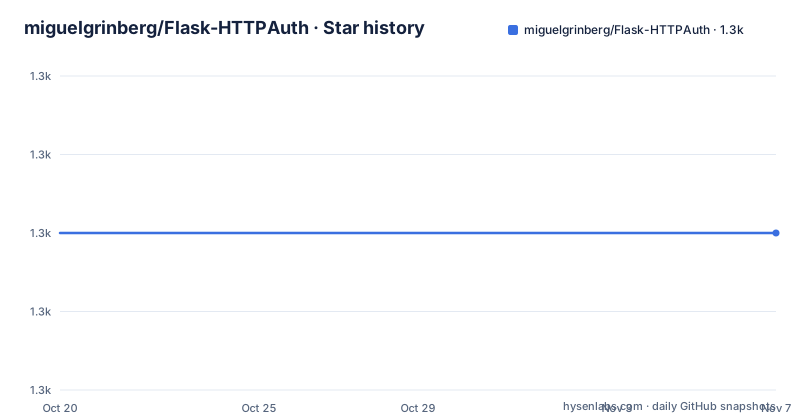
Star history
- miguelgrinberg/Flask-HTTPAuth1,290 ★ · +0
| Repository | 2026-10-20 | 2026-11-07 |
|---|---|---|
| miguelgrinberg/Flask-HTTPAuth | 1.3k | 1.3k |
0 Stars in the last 18 days, measured from the daily GitHub snapshot. Compare with other projects
Editorial analysis
One decorator, three schemes, and a callback that decides
Flask-HTTPAuth is described as a simple extension that provides Basic, Digest and Token HTTP authentication for Flask routes, and the design is deliberately thin.
The installation is one command.
pip install Flask-HTTPAuthThe dependency list in pyproject.toml is a single entry, flask, and the only optional extras are tox for development and furo and sphinx for building the documentation. There is no cryptography library, no user store, no session backend and no ORM. That is the whole point of the package: it handles the HTTP side of authentication, and the application decides what a valid credential is.
The mechanism is a decorator plus a callback. You instantiate one of the auth classes, HTTPBasicAuth, HTTPDigestAuth or a token variant, register a callback on it that answers the question what is a valid credential, and then protect routes with login_required.
What the callback returns is the identity. In the Basic example the callback returns the username on success and implicitly nothing on failure, and the route then reads the current user back out of the auth object. In the Digest example the callback is a get_password function that returns the stored password or None, and the route reads auth.username(). So the extension handles parsing the Authorization header, running the challenge and response dance, and formatting the error, while your callback handles the lookup and the comparison.
That split is what makes the package useful and also what makes it small. There is no opinion about how users are stored, and no opinion about how they are registered, which is exactly what you want from a library that sits under a dozen different applications.
Basic authentication is one callback and a hashed comparison
The Basic example in the README is the shortest useful program in the package, and it is worth reading in full because it shows the shape of every other scheme.
from flask import Flask
from flask_httpauth import HTTPBasicAuth
from werkzeug.security import generate_password_hash, check_password_hash

app = Flask(__name__)
auth = HTTPBasicAuth()

users = {
    "john": generate_password_hash("hello"),
    "susan": generate_password_hash("bye")
}

@auth.verify_password
def verify_password(username, password):
    if username in users and \
            check_password_hash(users.get(username), password):
        return username

@app.route('/')
@auth.login_required
def index():
    return "Hello, %s!" % auth.current_user()

if __name__ == '__main__':
    app.run()
Three things are happening. The users dictionary holds password hashes rather than passwords, using the hashing helpers from Werkzeug, which ships with Flask. The verify_password callback looks the user up, checks the hash, and returns the username on success. The route is protected by auth.login_required and reads the identity back with auth.current_user().
The password hashing is the part to take seriously, and the README points at the documentation for more complex examples that involve password hashing and custom verification callbacks. The example here already does the right thing by storing hashes, but the pattern to copy is the callback signature: it takes a username and a password and returns the user identity or nothing.
The limitation of Basic authentication is in the protocol, not the library. Credentials travel in a base64 header on every request, so the scheme is only safe over TLS, and the browser caches the credentials and resends them. For an API consumed by a script or a device, that is often exactly what you want, because it means no session store and no login page.
Digest authentication trades a shared secret for a challenge
The Digest example differs in two visible ways, and both of them are about the credential exchange rather than the lookup.
from flask import Flask
from flask_httpauth import HTTPDigestAuth

app = Flask(__name__)
app.config['SECRET_KEY'] = 'secret key here'
auth = HTTPDigestAuth()

users = {
    "john": "hello",
    "susan": "bye"
}

@auth.get_password
def get_pw(username):
    if username in users:
        return users.get(username)
    return None

@app.route('/')
@auth.login_required
def index():
    return "Hello, %s!" % auth.username()
The callback is get_password rather than verify_password, and it returns the password itself for a known user. The extension does the hashing work, because the Digest scheme requires the server to compute a response hash over the challenge, the nonce and the client's hash, and the server needs the cleartext or a hashable secret to do that.
The other difference is the SECRET_KEY. The Digest scheme needs a server-side secret to compute the challenge response, and the example sets it directly in the application config.
Note that the example stores plain passwords in the users dictionary, which is fine for a demo and not fine for a real application, and the Digest scheme has a well-known weakness: it is designed to avoid sending the password, but a simple password can be recovered from a captured exchange offline, so the strength of the password matters more than with a scheme that never exposes a hash.
For an evaluation, the practical question is why you would choose Digest over Basic at all. Digest authentication does not replace TLS: without HTTPS, request and response contents remain exposed, and replay and password-guessing risks depend on implementation and nonce handling. Use TLS and select an authentication scheme appropriate to the client and security requirements.
Token auth, role checks and one route with several schemes
The examples/ directory in the repository is the clearest documentation of the rest of the API, and it contains five complete programs: basic_auth.py, digest_auth.py, multi_auth.py, roles_auth.py and token_auth.py.
The token variant is the one most deployments end up using, because it is the scheme that suits a machine client. The token is carried in the request, the application looks it up, and the identity comes back from a lookup rather than from a password comparison, which means the token store can be a database table, a cache or a signed value depending on how much you want to build.
The roles example is the other important one, and it shows how authorisation is layered on top of authentication. The route is protected, and the callback that decides whether a credential is valid also decides what the user is allowed to be, so a role check and a login check live in the same place rather than in two separate decorators that can be forgotten independently.
The multi_auth example covers the case where one endpoint accepts more than one scheme. That is a real requirement in migration scenarios, where an old client still sends Basic and a new one sends a token, and you want both to work during the transition rather than maintaining two endpoints.
The structure of all of them is the same, and that consistency is the design: an auth object, one callback that answers the credential question, and login_required on the routes. The difference between the schemes is what the callback is asked and what the client puts on the wire, not how the route is written.
The one thing every scheme shares is that the client must re-authenticate. There is no session and no cookie, so a browser user is prompted again when the credentials are not cached, and an API client must send the credential on every request.
The dependency list is one line, and the MicroMind classifier is a hint
The pyproject.toml is worth reading for what it does not contain. The dependencies array holds one entry, flask, and there is no transitive weight to audit beyond Flask itself, which is a pleasant property for a package that goes into the authentication path of an application.
The build configuration is equally plain. The build backend is setuptools with setuptools at 61.2 or above, the package directory is a src/ layout, and the module is exposed as a single top-level module, flask_httpauth, listed in py-modules with the package directory mapped to src. The optional extras are tox for the test environment and furo with sphinx for the docs, which is the standard pairing for a Read the Docs project.
One classifier deserves attention. Alongside Environment:: Web Environment, Intended Audience:: Developers and the MIT licence identifier, the list includes Programming Language:: Python:: Implementation:: MicroPython. MicroPython is the stripped-down Python for microcontrollers, though the package still lists Flask as its only required dependency.
The documentation infrastructure matches. There is a.readthedocs.yaml for the docs build, a docs/ directory, a tox.ini for running the test matrix, a tests/ directory, and a MANIFEST.in. The project also keeps an examples/ directory with the five working programs, and an AUTHORS file, a CONTRIBUTING.md, a CODE_OF_CONDUCT.md and a SECURITY.md.
The security policy file is the piece to read if you are adopting this into a service, since it says where to report an authentication bypass, and the CHANGES.md linked as the Change Log is where to look before upgrading.
Development happens on Forgejo, not on GitHub
The resource links in the README point somewhere unusual, and anyone following them should know why.
The git link, the Change Log link and the tests badge all point at code.miguelgrinberg.com, the author's own Forgejo instance, and the repository carries a.forgejo/ directory for that server's configuration. The GitHub repository exists, but the working repository and the continuous integration runs are on the self-hosted instance. There is a.travis.yml at the root as well, a leftover from the earlier era of hosted CI.
That is a choice with consequences for a dependency. A project hosted on a Git forge that a maintainer runs themselves has no third party able to delete it, which is exactly the property some people want from a small authentication library. It also means the availability of the CI depends on one person's infrastructure.
The release history is consistent with a mature, slow-moving project. The recent releases are v4.8.1 on 2026-03-28, v4.8.0 and v4.7.0 both on 2023-08-21, and the version in pyproject.toml is 4.8.2.dev0, which is the development marker for the next patch release. The 4.x line has been stable for a long time, which is a reasonable thing for an authentication extension to be.
The last push to the repository was on 2026-08-29, so the work is current even though the version numbers move slowly. The project is also funded through GitHub Sponsors, Patreon, Buy Me a Coffee, thanks.dev and PayPal, and the README makes the funding request explicitly rather than hiding it.
The alternative is Flask's own session login, and the difference is who holds the credential
The realistic alternative inside Flask is to use the framework's own session support, with a login route, a login_required decorator of your own and a user table. Every Flask application in the world has some version of that, and for a browser-facing application it is usually the right answer.
The difference in approach is where the credential lives and when it is presented. In a session-based login, the browser sends a session cookie after authentication. Flask's default session stores signed session data in the cookie; server-side session storage is an optional application choice. In HTTP authentication, the client holds the credential and presents it on every request, and the server keeps no session state for it at all.
That difference produces two distinct behaviours. Session login is comfortable for a person in a browser and awkward for a script, a device or a service calling your API, because the caller has to obtain a cookie and manage it. HTTP authentication is the reverse: it is exactly as simple as sending a header, and it is unpleasant for a browser user, who is prompted again whenever the browser does not cache the credentials.
There is a third option that a lot of teams end up with, which is a token scheme issued by the application, and that is what the token_auth.py example is for. It gives up the browser cache and the session store, and in exchange the token can carry a scope and can be revoked server-side, while password credentials can also be revoked or rotated through the application's account system.
So the choice is not security level so much as fit. Basic or Digest when the client is a machine and the network is protected by TLS. Token when you need revocation or scoping. Session login when a human is the user. Flask-HTTPAuth is a good answer for the first two, and it is honest about not being the third.
Editorial conclusion
Flask-HTTPAuth fits a Flask service that needs machine-to-machine HTTP authentication, an API consumed by devices or scripts, or a quick way to put a password on an internal tool without building a session layer. It does not fit a browser-facing application where users log in and stay logged in, since HTTP authentication re-asks the client on every request. Before adopting it, decide which scheme you need, since Basic needs transport security and Digest has its own quirks, and check the examples/ directory, where basic_auth.py, digest_auth.py, token_auth.py, multi_auth.py and roles_auth.py each show a complete pattern.
Frequently asked questions
How do I install Flask-HTTPAuth?
Run pip install Flask-HTTPAuth. The package depends on Flask and nothing else, with optional extras for tox in development and furo and sphinx for building the documentation, and the source is a single module, flask_httpauth, in a src/ layout.
How do I protect a Flask route with HTTP authentication?
Create an auth object, for example HTTPBasicAuth, register a callback on it such as verify_password or get_password, and apply the login_required decorator to the route. The callback returns the username on success and the route reads the identity with auth.current_user() or auth.username().
What is the difference between Basic and Digest authentication in Flask-HTTPAuth?
The callback differs: Basic uses verify_password, which is given a username and a password and returns the username on success, while Digest uses get_password, which returns the stored password for a known user because the extension needs it to compute the challenge response. Digest also requires a SECRET_KEY in the application config, as the README example shows.
Does Flask-HTTPAuth support role-based access and multiple schemes on one route?
Yes. The repository's examples directory includes roles_auth.py, which shows how the callback decides both whether a credential is valid and what the user is allowed to be, and multi_auth.py, which shows a route that accepts more than one authentication scheme, which is useful when old and new clients coexist.
Where is Flask-HTTPAuth developed and what is its current version?
The working repository and the CI runs are on the author's own Forgejo instance at code.miguelgrinberg.com, with the GitHub repository also present. The recent releases are v4.8.1 from 2026-03-28, v4.8.0 and v4.7.0 from 2023-08-21, and the development version in pyproject.toml is 4.8.2.dev0.
Official sources
Add this badge to your README
If you maintain this project, the badge below links readers to this analysis and shows its maintenance status from the daily GitHub snapshot. Paste the markdown into your README; add ?metric=license or ?metric=stars to the image URL for a different field.

[](https://hysenlabs.com/projects/miguelgrinberg-flask-httpauth)Star history chart for your README
[](https://hysenlabs.com/projects/miguelgrinberg-flask-httpauth)Was this useful?