node-notifier for Native Desktop Notifications from Node.js
A Node.js module for sending notifications on native Mac, Windows and Linux (or Growl as fallback)
At a glance
- What is it?
- node-notifier is a Node.js module for sending desktop notifications through macOS Notification Center, Windows Toasts or balloons, Linux notify-send, and Growl as a fallback. Its platform-specific behavior and option differences require attention when designing an application notification flow.
- Who is it for?
- Adopt node-notifier when a Node.js application needs native desktop notifications across the documented platforms, but verify Node.js version support, platform prerequisites, notification permissions, and option compatibility first. It is a poor fit for environments without a desktop notification service, for projects that require identical behavior on every platform, or for applications that need reliable interaction callbacks on unsupported backends.
- Can I use it commercially?
- Yes. MIT is a permissive licence: you can use, modify and sell software built on it, as long as you keep its copyright and licence notices.
- Is it still maintained?
- Yes. The repository last received commits 13 days ago.
- What is it written in?
- Mainly JavaScript, according to GitHub's language statistics.
Answers come from the project's GitHub data, last synced on October 23, 2026, and from our analysis. They are not legal advice.
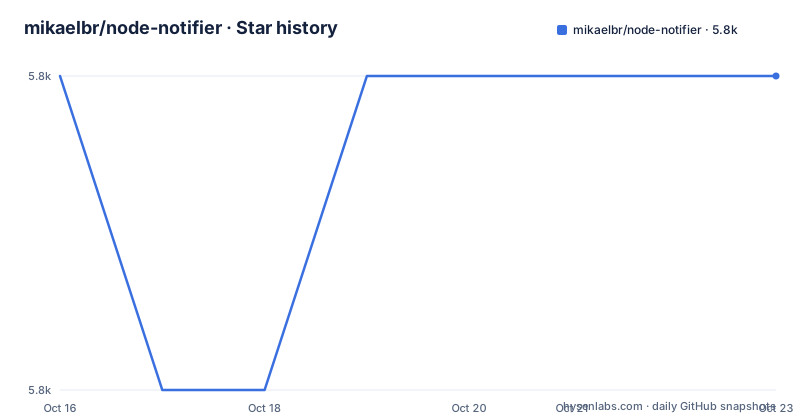
Star history
- mikaelbr/node-notifier5,846 ★ · +0
| Repository | 2026-10-16 | 2026-10-23 |
|---|---|---|
| mikaelbr/node-notifier | 5.8k | 5.8k |
0 Stars in the last 7 days, measured from the daily GitHub snapshot. Compare with other projects
Editorial analysis
Why node-notifier Exists Across Desktop Platforms
node-notifier addresses a practical gap between server-side Node.js code and operating-system notification facilities. A build script, background job, or desktop application often needs to tell the user that an operation finished without opening a browser tab or writing only to a terminal. The module provides one JavaScript interface for native notification mechanisms on macOS, Windows, and Linux, with Growl available as a fallback.
The default notifier selects an implementation for the current platform. On macOS it uses Notification Center through the bundled terminal-notifier. On Windows 8 and newer it uses Toasts, while older Windows systems use taskbar balloons. On Linux it calls notify-send. The module also documents Electron compatibility, although the README does not provide a separate Electron setup procedure here.
This package is aimed at developers who need a small Node.js integration rather than a complete notification service. It does not define a remote push system, persistence layer, user subscription model, or server-side delivery guarantee. It sends notifications from the process running the JavaScript code to the local desktop environment. The README also separates the reusable library from node-notifier-cli, which is presented as a separate project for command-line use.
The Platform Selection Path and Supported Backends
The default import hides platform selection, while named exports let an application choose a backend directly. The README identifies five relevant classes: NotificationCenter for macOS, WindowsToaster for Windows 8 and newer, WindowsBalloon for older Windows, NotifySend for Linux, and Growl for the fallback path. The repository includes DECISION_FLOW.md, but the README does not reproduce every branch of that decision process.
The backends are not interchangeable. NotificationCenter wraps the bundled terminal-notifier 3.0.0 universal binary for Intel and Apple silicon. WindowsToaster uses SnoreToast. WindowsBalloon uses notifu. NotifySend delegates to the Linux notify-send executable, which requires the libnotify-bin package on Debian or Ubuntu. Growl must already be running in environments where it is selected.
The package metadata describes itself as ES modules only. The package exports the root entry point, wildcard notifier paths, and package.json. This makes direct backend imports possible without relying on undocumented internal files, while unsupported options are ignored by the default notifier according to the README.
Installing node-notifier and Sending a First Notification
The README gives one installation command. The declared runtime requirement is Node.js 22.22+, 24.15+, or 26+. Because package.json declares ES modules, normal application code uses an import. CommonJS loading through require('node-notifier') is also documented as working through Node's require(esm) support.
Install the package in the project where the notification code will run:
npm install node-notifierAfter installation, send a simple message with the default platform selector:
import notifier from 'node-notifier';

notifier.notify('Message');
On a supported desktop, this invokes the native mechanism selected for the current platform. macOS may request notification permission the first time a notification is sent. Linux requires notify-send to be installed, and other supported environments require Growl to be running.
The first example in the README also demonstrates a richer object. The title and message are the core content, while icon, sound, and actions are interpreted differently by each backend. A callback receives error, response, and metadata values. The event interface exposes click and timeout events, but those events should not be assumed to fire for every notification. The README specifically says that macOS notifications without actions or a reply call the callback immediately and emit no click or timeout events.
Actions, Callbacks, and Process Lifetime
Interactive notifications introduce the largest behavioral differences between platforms. macOS supports action buttons and reply fields through NotificationCenter. Its timeout option controls how many seconds the notification waits for an action or reply, while wait is a shorthand for a five-second timeout. Only notifications containing actions or a reply wait for the user. When they do wait, the process remains alive until the interaction, timeout, or a call to notifier.clearAll().
Windows Toasts always wait for the user according to the README. The wait and timeout options do not control their display duration. Instead, duration accepts 'short', which is approximately seven seconds and is the default, or 'long', which is approximately twenty-five seconds. After that period, the toast remains in the Action Center. Choosing an action emits an event named after the lower-cased action label, so consumers need to account for dynamic event names.
The default options include actions on the general example, and the Linux backend accepts actions when notify-send 0.7.10 or newer is present. macOS metadata can distinguish contentsClicked, actionClicked, replied, closed, and timeout. This is useful for application state transitions, but it also means notification code needs to handle the case where the desktop environment does not provide the requested interaction model.
Platform Constraints for Icons, Sounds, and Timing
The option surface is platform-specific rather than uniform. On macOS, the icon option is not supported because Notification Center displays the sending application's icon. The documentation points developers who need a custom macOS icon toward building terminal-notifier with a custom icon and setting customPath. macOS notifications also support contentImage, open, grouping, sounds, actions, reply, timeout, and wait.
Windows Toaster accepts a PNG icon, but the README sets explicit limits: a maximum of 1024 by 1024 pixels and 200 KB. It supports appID, duration, installation-related options, application launch after node-notifier stops listening, and removal by notification ID. Without appID, the toast is shown as SnoreToast, so application identity should be configured deliberately when branding matters.
Windows Balloon has a smaller option set, including time in milliseconds and type values such as info, warn, and error. NotifySend uses timeout in seconds and can set transient, app-name, and urgency values. The README excerpt documents urgency values beginning with low and normal, but truncates the remaining values, so this article does not infer the rest.
Setting an option does not guarantee identical presentation. Unsupported options are ignored by the default notifier. Applications should therefore treat platform support as part of their notification contract rather than presenting one universal schema to users.
Failure Modes, Fallbacks, and Operational Boundaries
The most immediate failure on Linux is a missing notify-send executable. The README identifies libnotify-bin as the Debian and Ubuntu package, so a server or minimal container image without it cannot rely on NotifySend. A headless Linux system may also lack the desktop notification service even when notify-send is installed. Neither the README nor package.json defines behavior for a headless session, so those environments should not be treated as supported desktop notification targets.
On macOS, permission can prevent or alter notification delivery until the user grants access. The documentation says permission is requested the first time a notification is sent, but it does not describe automatic permission recovery. On Windows, the README directs users with missing toasts to check whether banners are enabled in Settings, under System, then Notifications. That is a user or system configuration issue, not necessarily a JavaScript error.
Fallback behavior is controlled by withFallback in the platform-specific examples. NotificationCenter can use Growl on macOS versions below 10.14, and WindowsToaster can fall back to balloons on versions below Windows 8. Growl itself must be running. This gives the package a path for some older environments, but it does not create a notification channel where no supported desktop mechanism exists.
There is also a version-specific Windows caveat. On 32-bit Windows, the bundled SnoreToast is 0.7.0. The README states that duration is ignored and clicks with a custom appID are not reported on that backend. A newer SnoreToast can be supplied through customPath when those behaviors are required.
MIT Licensing and Upgrade Surface
The package is released under the MIT License, as recorded in package.json and the repository's LICENSE entry. The visible documentation does not provide legal interpretation of that license. For engineering purposes, the license identifies the package's stated licensing basis, while applications still need to review dependencies and bundled components separately if their own distribution requirements demand that level of review.
The repository's last push was on 2026-10-09, and the repository is not archived. That indicates recent repository activity in the repository facts, but it is not a statement about release cadence or compatibility guarantees. The README shows no GitHub releases, and package.json lists version 11.0.0. Consumers should therefore treat package.json, the lockfile, and the changelog as the concrete sources for upgrade behavior.
Upgrading can involve more than JavaScript code. The default Node.js engine range is narrow and includes Node.js 26 and later. Platform binaries are bundled for macOS, while Linux depends on notify-send and Windows uses SnoreToast or notifu. Changes in operating systems, notification permissions, Node.js module loading, or native executables can affect behavior even when the JavaScript API remains similar. The lack of GitHub releases means there is no documented release schedule in the README.
Editorial conclusion
Adopt node-notifier when a Node.js application needs native desktop notifications across the documented platforms, but verify Node.js version support, platform prerequisites, notification permissions, and option compatibility first. It is a poor fit for environments without a desktop notification service, for projects that require identical behavior on every platform, or for applications that need reliable interaction callbacks on unsupported backends. The first practical check is the target operating system's notification settings and the selected notifier's documented support for actions, icons, timing, and removal.
Frequently asked questions
How do I install and use node-notifier in a Node.js project?
Install it with `npm install node-notifier`, then import the default notifier and call `notifier.notify('Message')`. The package requires Node.js 22.22+, 24.15+, or 26+ according to the README.
Does node-notifier support Linux?
Yes, through the `NotifySend` backend, which calls `notify-send`. On Debian and Ubuntu, the README identifies `libnotify-bin` as the required package.
Can node-notifier show notification action buttons?
The README documents actions for macOS, Windows Toasts, and Linux when the relevant backend supports them. macOS also supports replies, while Windows action choices emit events named after the lower-cased action label.
Official sources
Add this badge to your README
If you maintain this project, the badge below links readers to this analysis and shows its maintenance status from the daily GitHub snapshot. Paste the markdown into your README; add ?metric=license or ?metric=stars to the image URL for a different field.

[](https://hysenlabs.com/projects/mikaelbr-node-notifier)Star history chart for your README
[](https://hysenlabs.com/projects/mikaelbr-node-notifier)Was this useful?