MochiWeb: Building a Lightweight Erlang HTTP Server
MochiWeb is an Erlang library for building lightweight HTTP servers.
At a glance
- What is it?
- MochiWeb is an Erlang library for developers who want to create small HTTP services with Erlang OTP, Git, make and Rebar. It offers a generated example and specialized directories for HTTPS, WebSockets, keep-alive and HMAC, but its custom licence and thin operational documentation require inspection before adoption.
- Who is it for?
- Developers already working with Erlang/OTP should consider MochiWeb when a compact HTTP server library and a generated example are useful starting points. Projects requiring documented production configuration, a standard software licence or commercial support should first inspect `LICENSE`, `rebar.config` and the generated application structure.
- Can I use it commercially?
- Check first. The repository uses a licence we do not classify automatically, so read its LICENSE file before any commercial use.
- Is it still maintained?
- Yes. The repository last received commits 68 days ago.
- What is it written in?
- Mainly Erlang, according to GitHub's language statistics.
Answers come from the project's GitHub data, last synced on October 23, 2026, and from our analysis. They are not legal advice.
Star history
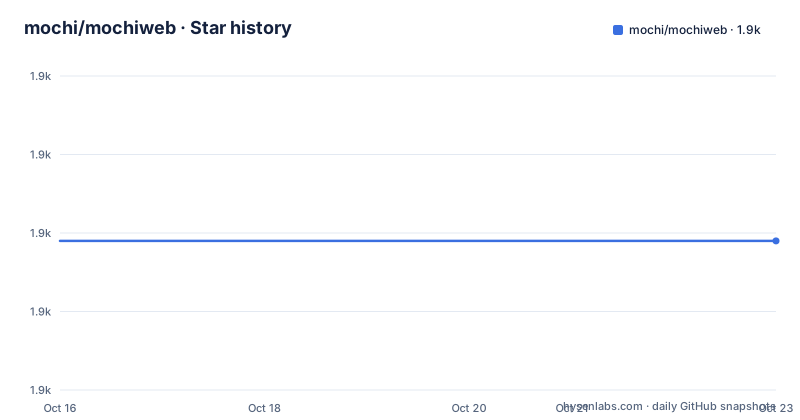
- mochi/mochiweb1,889 ★ · +0
| Repository | 2026-10-16 | 2026-10-23 |
|---|---|---|
| mochi/mochiweb | 1.9k | 1.9k |
0 Stars in the last 7 days, measured from the daily GitHub snapshot. Compare with other projects
Editorial analysis
MochiWeb's HTTP Server Use Case
MochiWeb addresses a narrow Erlang development task: providing a library through which an application can build an HTTP server without becoming a complete application platform. It is aimed at engineers who already have Erlang OTP installed and are comfortable working through Git, make and Rebar. The README describes MochiWeb as a lightweight HTTP server library rather than a full web framework. That distinction matters because the documented starting point creates and starts an example project, but it does not establish that MochiWeb supplies deployment, routing, monitoring or policy configuration by itself.
The repository layout supports that library-oriented scope. Source code is separated into `src/`, reusable declarations are placed under `include/`, examples have their own directory, and tests reside under `test/`. The top-level `rebar.config` also connects the project to the Erlang build ecosystem. Based on that layout, MochiWeb appears intended to be used as source inside Erlang applications, with the examples serving as concrete references rather than a separate command-line service. The README does not describe a hosted service, a binary installer or a project generator with a broader set of application conventions.
MochiWeb Repository Architecture and Examples
The repository exposes several concerns through recognizable directories. `examples/example_project/` is the general project referenced by the README, while `examples/hmac_api/`, `examples/https/`, `examples/keepalive/` and `examples/websocket/` isolate specific HTTP-related use cases. These directory names show the areas represented in the repository, although the README does not explain each example's request flow or configuration.
At build level, the `Makefile` treats compilation as the default target. The `build` target first runs `rebar3 get-deps`, with a comment noting that this is a no-op under Rebar 3 for Rebar 2 compatibility, and then compiles the project through Rebar. Testing is a separate `test` target that depends on the build and runs EUnit. The Makefile also provides `edoc` and `clean` targets. This structure is familiar to Erlang developers, but the README does not claim that the test target is a complete production readiness check.
The examples imply that HTTP behavior is not treated as a single undifferentiated feature. HTTPS, keep-alive behavior, WebSockets and an HMAC API each receive a separate example directory. Based on repository names alone, an engineer can use those directories to locate the closest starting point. The documentation does not state whether they are complete applications, whether they are updated in lockstep with the library, or which configuration is required outside the generated `example_project`.
Installing MochiWeb and Starting Its Example
The README places Erlang OTP as the prerequisite. Its cloning example appears in an `erlang-repl` fence, and the repository information also identifies `https://github.com/mochi/mochiweb` as the GitHub location. The documented route is to obtain MochiWeb, generate a named project, build that generated directory and run its development script.
The README shows this clone command:
git clone git://github.com/mochi/mochiweb.git.The trailing period is inside the README block, so it should be removed or checked before execution. Once the repository is available, the README generates a project with these commands:
cd mochiweb
make app PROJECT=exampleName
The `PROJECT` value selects the generated project name. The README then directs the reader into the sibling project directory, compiles it and starts the development script:
cd ../exampleName/
make
./start-dev.sh
After those commands, the documented local endpoint is:
http://localhost:8080A successful start should therefore make the example available on port 8080 in the browser. The README also points readers to `examples/example_project/` as a reference. It does not document production start commands, environment variables, reverse-proxy settings or a rollback procedure, so the development script should not be treated as a production deployment guide.
MochiWeb Build, Test and Release Costs
The repository is not archived, and the last push was on 2026-08-16. The release list also records v3.5.0 on 2026-08-16, following v3.4.0 on 2026-06-08 and v3.3.0 on 2025-09-17. Those dates show recent repository work, but they do not by themselves establish compatibility across all Erlang OTP versions.
The Makefile exposes several routine maintenance commands. Fetching dependencies and compiling the library uses the `build` target, while EUnit runs through `test`. Documentation generation and cleanup are separated into `edoc` and `clean`. These are small operational surfaces, although the README does not explain how continuous integration configuration, release tagging or dependency upgrades are managed.
Upgrade cost cannot be quantified from the README or repository file listing. A `CHANGES.md` file exists, which is the logical place to check for compatibility notes and behavior changes, but its contents are not documented here. The README specifically warns against OTP 21.2 through 21.2.2 because of an SSL regression identified as ERL-830, and says the issue was resolved in OTP 21.2.3. That warning is version-specific and should be checked against an application's actual runtime before upgrading MochiWeb or Erlang OTP.
MochiWeb's Licence and Adoption Constraints
The licence cannot be summarized as a standard open-source identifier. GitHub classifies it as a custom licence and directs readers to the `LICENSE` file. Since the README does not reproduce that file's terms, it would be inaccurate to claim permission or restriction for redistribution, modification, commercial use or combination with proprietary software.
This is a practical adoption constraint rather than a minor metadata detail. An engineer evaluating MochiWeb must read `LICENSE` before copying the code into an application or distributing a derived release. The same review should cover dependency licences after Rebar fetches packages, because the top-level licence does not establish the terms of every code path in a compiled deployment. No legal conclusion can be drawn from the repository classification alone.
Documentation is also lighter than the list of example categories might suggest. The README names WebSockets, HTTPS, keep-alive and HMAC examples, but it does not explain request routing, middleware, graceful shutdown, configuration loading or production metrics. The command `make app PROJECT=exampleName` provides a project scaffold, but the README does not document how generated names propagate throughout the application. Projects that need a prescribed operational model should inspect `rebar.config`, `Makefile` and the relevant example files before selecting the library.
MochiWeb Versus a Complete Erlang Web Framework
A genuine alternative is a complete Erlang web framework rather than an HTTP server library. The difference is architectural. MochiWeb's documented role is to help an Erlang program build a lightweight HTTP server, and its examples concentrate on individual protocol or application concerns. A complete framework would normally prescribe more of the surrounding application layer, such as endpoint organization, middleware, configuration and request processing.
The README does not name a competing framework, so a product-specific comparison would go beyond its documentation. It also does not claim that MochiWeb provides the broader application conventions associated with one. The relevant choice is therefore based on project scope: MochiWeb fits a service assembled directly around Erlang code and focused HTTP behavior, while an application that expects a framework-defined structure should compare the missing routing and operational layers before selecting it.
MochiWeb is the wrong tool when the requirement is a packaged, fully documented server with no expectation of building application wiring. It is also unsuitable as an immediate choice if the custom `LICENSE` cannot be accepted. Within Erlang projects, its recent repository activity, Rebar-based build and focused examples are useful adoption signals, but the thin README leaves production suitability, upgrade impact and SSL-related constraints to be established from the source.
Editorial conclusion
Developers already working with Erlang/OTP should consider MochiWeb when a compact HTTP server library and a generated example are useful starting points. Projects requiring documented production configuration, a standard software licence or commercial support should first inspect `LICENSE`, `rebar.config` and the generated application structure. The main adoption boundary is not the port 8080 example, but how much routing, TLS, testing and operational control the project expects users to assemble themselves.
Frequently asked questions
How do I install MochiWeb?
The README says to install Erlang OTP, obtain the repository with Git and run `make app PROJECT=exampleName`. The repository's default branch is `main`.
How do I start the MochiWeb example server?
The documented sequence is to enter the generated project directory, run `make`, then run `./start-dev.sh`. The README says the app can then be reached at `http://localhost:8080`.
What licence does MochiWeb use?
GitHub classifies the repository as using a custom licence that it cannot classify as a standard open-source licence. The exact terms must be checked in the repository's `LICENSE` file.
Official sources
Add this badge to your README
If you maintain this project, the badge below links readers to this analysis and shows its maintenance status from the daily GitHub snapshot. Paste the markdown into your README; add ?metric=license or ?metric=stars to the image URL for a different field.

[](https://hysenlabs.com/projects/mochi-mochiweb)Star history chart for your README
[](https://hysenlabs.com/projects/mochi-mochiweb)Was this useful?