Pesticide CSS debugging for outlines, depth, and browser add-ons
Kill your css layout bugs
At a glance
- What is it?
- Pesticide is a CSS debugging stylesheet that colors element outlines and renders depth cues, with Sass, Less, Stylus, plain CSS, Chrome, and Firefox delivery options. It is useful for exposing crowded layouts, but its legacy build toolchain makes it a focused diagnostic aid rather than a production framework.
- Who is it for?
- Developers investigating overlapping boxes, unclear element boundaries, or depth relationships should try Pesticide when they need a quick visual layer across a page. Developers who require documented deployment controls or a current diagnostics toolchain should first verify the old dependencies and add-on availability.
- Can I use it commercially?
- Not without permission. GitHub finds no licence file in the repository, and without a licence all rights are reserved by default: you may read the code but not reuse it. Check the README, or ask the authors, before using it.
- Is it still maintained?
- Yes. The repository last received commits 172 days ago.
- What is it written in?
- Mainly CSS, according to GitHub's language statistics.
Answers come from the project's GitHub data, last synced on November 7, 2026, and from our analysis. They are not legal advice.
Star history
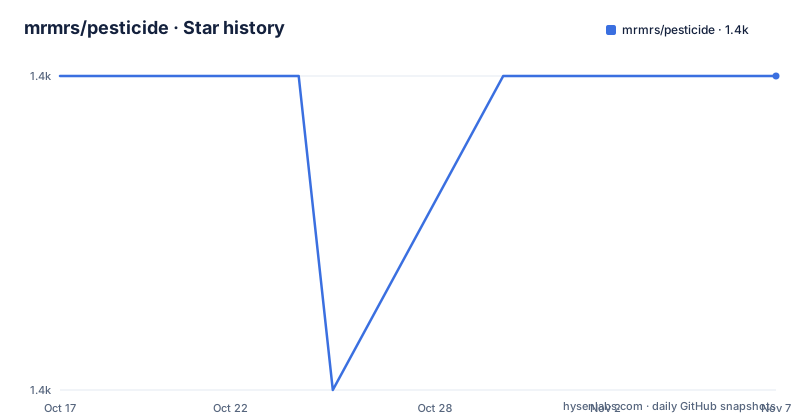
- mrmrs/pesticide1,414 ★ · +0
| Repository | 2026-10-17 | 2026-11-07 |
|---|---|---|
| mrmrs/pesticide | 1.4k | 1.4k |
0 Stars in the last 21 days, measured from the daily GitHub snapshot. Compare with other projects
Editorial analysis
Why Pesticide exposes CSS layout failures
Pesticide addresses a specific front-end debugging problem: locating the boundaries of elements on a page without selecting and inspecting boxes one at a time. Its central idea is unusually direct. Instead of asking a developer to click through Chrome Dev Tools, the stylesheet draws an outline around every element and assigns different colors so adjacent or nested elements can be distinguished.
The second debug layer represents depth through shadows. These two visual signals answer different questions. Outlines show where boxes begin and end, while depth cues can help reveal whether one item appears to sit above or below another. The README also gives developers independent switches for these features through debug variables. That separation matters because an outline may be useful when depth cues obscure the layout being inspected.
The intended audience is developers and designers who already understand CSS and need a temporary diagnostic layer. Pesticide does not analyze the cascade, report invalid declarations, or identify a specific broken property. It supplies visual evidence that helps a developer form the next question. That distinction makes it a companion to browser developer tools rather than a replacement for them.
The project description, "Kill your CSS layout bugs," is shorthand for the practical goal. The documented feature set is narrower: global outlines, depth rendering, distinct colors, preprocessor variants, generated color data, and browser add-ons. Nothing in the README describes automatic bug diagnosis or a report of the CSS rule responsible for a layout defect.
How Pesticide's outlines and depth layers are controlled
Pesticide is distributed as plain CSS and as partials for three preprocessors. The README says that Sass, Less, and Stylus partials can be dropped into an existing include setup. Each partial sets two debug variables at the top. Setting `$pesticide-debug-outline` or its equivalent to `false` disables outlines, while `$pesticide-debug-depth` controls shadows.
That approach keeps the debugging stylesheet inside the same preprocessing path as the application CSS. A team already compiling Sass can consume the Pesticide partial alongside its own styles. A team using Less or Stylus can take the corresponding implementation instead of maintaining an unrelated stylesheet integration.
For vanilla CSS, the documentation recommends either keeping the CSS commented out at the bottom of the application stylesheet or loading `pesticide.css` as a separate request. The latter approach makes activation simple, but it also makes exclusion from a production build an explicit operational responsibility. The README warns not to send it to production.
The repository includes `css/`, `sass/`, `less/`, `stylus/`, `color_table.json`, and `generate_color_table.js`. That layout supports the stated formats and a shared color table generation step. The README does not document scoping the debug CSS to a single component or breakpoint, so users should not assume that partial activation is built in.
Installing Pesticide and enabling the first CSS layer
For a plain HTML and CSS project, the smallest documented route is to load the stylesheet in the document head. The README gives this exact link, which requests `pesticide.css` separately from the page's normal styles.
<link rel="stylesheet" href="pesticide.css">After serving the page with that file available, outlines should become visible across the page. Depth is presented as a separate debug feature. The README does not document a browser menu, keyboard shortcut, or automatic on/off toggle for the plain CSS version, so activation depends on including or excluding the request.
For a Sass workflow, the documentation shows the two controls at the top of a partial. The example disables both features rather than changing the default behavior.
$pesticide-debug-outline: false;
$pesticide-debug-depth: false;
The Less and Stylus versions expose the same two choices in their own syntax. Set only the variable needed for the diagnostic layer under investigation. Keeping one enabled can make nested regions and depth relationships easier to separate without stacking every debug effect at once.
The repository identifies `http://pesticide.io` as its homepage, but the README gives no current installation package, pinned download command, CDN URL, or release asset procedure. Those details should be verified against the distributed file before adding it to a build.
Running the legacy Sass, Less, or Stylus build
Changes to the source can be developed through Gulp. The README's documented setup installs Gulp globally and then installs the package dependencies from the project directory.
cd pesticide
npm install -g gulp
npm install
The project defaults to Sass. A developer working in Less or Stylus must change the `preProcessor` variable at the top of `gulpfile.js` before running the build. The documented example selects Sass:
preProcessor = 'sass';After that setting is correct, the documented startup command runs the default Gulp task through npm:
npm startAccording to the README, that task sets up Browser-sync with live reload, stylesheet compilation, CSSLint, and CSS minification. The `package.json` also exposes scripts named `sass`, `stylus`, `less`, and `minify`. These map to `gulp sass`, `gulp stylus`, `gulp less`, and `gulp minify-css` respectively.
The build dependencies are visibly old. They include `browser-sync` `^1.3.0`, `gulp` `>=3.6.0`, `gulp-sass` `^0.7.2`, and other packages from the early Gulp ecosystem. The README does not state a supported Node.js version, compatibility matrix, or replacement for a current Gulp release system. Consequently, a successful `npm install` and working Gulp tasks on a present-day workstation are separate checks that the repository does not settle.
Generating and replacing Pesticide's color table
Pesticide's default color table is generated and exported for each supported preprocessor. The repository includes `color_table.json`, while `generate_color_table.js` is the named generation source. The documented command regenerates the default table:
gulp generateA custom table can be supplied through the `COLOR_TABLE` environment variable. The command below is the exact form given by the README:
COLOR_TABLE=path/to/custom/table.json gulp generateThis is a real customization path for teams that need different colors, but the README does not specify the JSON schema, validation rules, or expected color format. Developers should inspect `color_table.json` and `generate_color_table.js` before supplying a replacement. They should also check the generated Sass, Less, and Stylus outputs because the README says the table is exported for all three formats.
Generating colors is different from selecting preprocessor variants at runtime. The former changes the data used to produce the styles, while the latter chooses which source format the Gulp workflow compiles. A project that customizes the table may need both changes reviewed, although the README does not prescribe a release procedure for distributing customized output.
Chrome and Firefox delivery options
Pesticide has browser-specific delivery paths in addition to stylesheet integration. The README says the Chrome extension source is included from version 0.2 and links to a Chrome Web Store listing. The top-level repository includes `pesticide_for_chrome/`, which is consistent with that statement. The README also links to a Firefox Add-on.
These delivery options can make temporary activation less dependent on editing application assets, but the README does not state their current supported browser versions, permissions, activation controls, or offline availability. Nor does it provide installation commands. The Chrome Web Store and Firefox Add-ons links are the documented acquisition routes, while repository users interested in extension internals have a source directory to inspect.
The Chrome instructions also include a manual publication note: contributors who change the extension in the repository are told to report an issue and mention `@paulmolluzzo` so the author receives an email. This describes a manual release route rather than an automated publication pipeline.
The repository is not archived, and its last push was on 2026-05-19. However, the only listed release is `0.3.0` from 2014-04-07, while `package.json` identifies the package as version `1.3.1`. The project uses different version surfaces for releases, package metadata, and extensions. That inconsistency deserves attention during adoption, particularly when deciding whether an add-on listing corresponds to the current repository contents.
Where Pesticide falls short as a CSS debugger
The main limitation is scope. Pesticide changes the visual appearance of every element so the developer can inspect boundaries. It does not preserve the page's original pixels, so screenshots, spacing judgments, and visual comparisons will include the debug treatment. This makes it unsuitable as a permanent stylesheet, matching the README's explicit warning not to send it to production.
It also offers little documented filtering. There are no documented controls for targeting a selector, pausing under a breakpoint, excluding fixed or transparent elements, or limiting outlines to a subtree. The available switches turn off outlines or depth as whole features. Developers with large applications may therefore need to edit the generated CSS or isolate a smaller reproduction before the diagnostic layer becomes readable.
Pesticide is the wrong tool when the defect concerns CSS syntax, specificity, inheritance, network delivery, font loading, or runtime state. It also cannot replace responsive viewport testing because the README does not describe device emulation or breakpoint-specific behavior. The tool is most useful after a page loads and something is visibly mispositioned.
Chrome Dev Tools provide the clearest alternative. The README frames Pesticide as faster than clicking through Dev Tools to inspect elements individually. The difference is global visual feedback versus selective inspection: Pesticide colors many elements at once, while Dev Tools let a developer target a particular node and examine its box model. The better choice depends on whether the problem is unclear page-wide overlap or a precise property calculation.
License, maintenance, and adoption constraints
The `package.json` declares the MIT License, and the README includes the MIT permission and warranty text with a 2014 copyright notice. Under that license, copies and substantial portions must retain the copyright and permission notice. This description covers the repository's stated terms and is not legal advice.
The code is approachable because its source is organized by output format and the README exposes generation and development commands. Maintenance is less certain. The last push was on 2026-05-19, but the documented dependency versions and the only listed release date are old. The README does not document a current Node.js support policy, security update process, or migration path for its Gulp 3-era dependencies.
Adoption should therefore distinguish between adopting the CSS output and adopting the source toolchain. A team may be able to inspect and include a generated stylesheet while avoiding the old npm build entirely. A team that wants to regenerate color tables, alter extension code, or maintain preprocessor variants takes on more upgrade work because it inherits the historical package stack and manually coordinated publication steps.
Editorial conclusion
Developers investigating overlapping boxes, unclear element boundaries, or depth relationships should try Pesticide when they need a quick visual layer across a page. Developers who require documented deployment controls or a current diagnostics toolchain should first verify the old dependencies and add-on availability. Under the documented MIT terms, Pesticide can be copied and modified, provided the copyright and permission notice remain with substantial portions of the software.
Frequently asked questions
How do I install and use Pesticide for CSS debugging?
For plain CSS, the README shows loading `pesticide.css` from the HTML head. Sass, Less, and Stylus users can include the relevant partial and control outlines and depth through the documented debug variables.
Can Pesticide outline every element on a page?
Yes. Its stated purpose is to show the outline of every element with different colors, avoiding the need to select elements one by one in browser developer tools.
Does Pesticide support Sass, Less, and Stylus?
Yes. The repository and README provide Sass, Less, and Stylus flavors. Sass is the default Gulp preprocessor, while the `preProcessor` variable must be changed before building another format.
Is Pesticide's debug CSS suitable for production?
No. The README explicitly says not to send it to production because its outlines and depth effects alter the page's presentation.
Can I generate a custom color table for Pesticide?
The README documents `COLOR_TABLE=path/to/custom/table.json gulp generate`. It does not document the custom JSON schema, so the repository's existing `color_table.json` is the available reference for its structure.
Official sources
Add this badge to your README
If you maintain this project, the badge below links readers to this analysis and shows its maintenance status from the daily GitHub snapshot. Paste the markdown into your README; add ?metric=license or ?metric=stars to the image URL for a different field.

[](https://hysenlabs.com/projects/mrmrs-pesticide)Star history chart for your README
[](https://hysenlabs.com/projects/mrmrs-pesticide)Was this useful?