Fluxor for .NET and Blazor: State Management Review
Fluxor is a zero boilerplate Flux/Redux library for Microsoft .NET and Blazor.
At a glance
- What is it?
- Fluxor is an MIT-licensed Flux and Redux library for Microsoft .NET and Blazor. Its stated goal is a shared state model for multiple UI components with less repetitive setup, but the top-level README leaves architecture and upgrade details to separate documentation.
- Who is it for?
- Fluxor is a reasonable candidate for .NET or Blazor applications whose developers want a Flux and Redux model and can follow the project's tutorials. It is a poor fit for applications that need the implementation details to be clear from the README alone.
- Can I use it commercially?
- Yes. MIT is a permissive licence: you can use, modify and sell software built on it, as long as you keep its copyright and licence notices.
- Is it still maintained?
- Yes. The repository last received commits 81 days ago.
- What is it written in?
- Mainly C#, according to GitHub's language statistics.
Answers come from the project's GitHub data, last synced on October 23, 2026, and from our analysis. They are not legal advice.
Star history
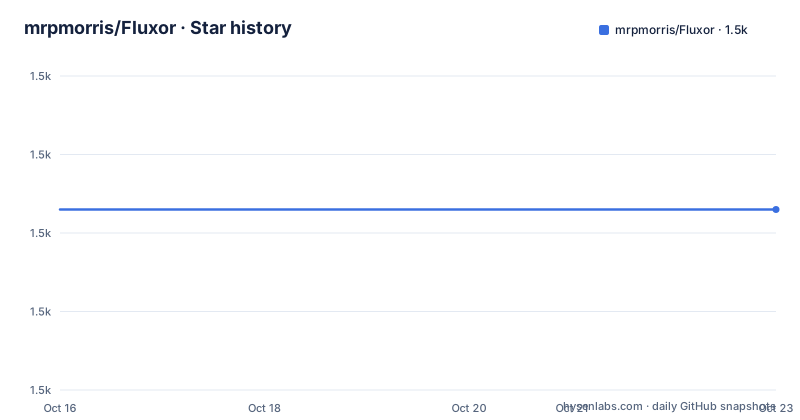
- mrpmorris/Fluxor1,473 ★ · +0
| Repository | 2026-10-16 | 2026-10-23 |
|---|---|---|
| mrpmorris/Fluxor | 1.5k | 1.5k |
0 Stars in the last 7 days, measured from the daily GitHub snapshot. Compare with other projects
Editorial analysis
Fluxor's shared-state goal for .NET and Blazor
Fluxor targets front-end development in Microsoft .NET, with package documentation specifically listing `Fluxor.Blazor.Web` for Blazor. Its stated problem is boilerplate: the project describes the usual overhead of Flux and Redux implementations as overwhelming when a developer is adding even a basic feature. The proposed answer is a "multi-UI, single-state store approach." That means the design goal is not to give every UI component an isolated state container, but to support one application state that can serve several UI surfaces.
The intended audience is therefore a .NET developer or Blazor team that has decided state changes should follow the Flux and Redux model. It is not presented as a general data-fetching package, ORM, component generator, or replacement for every state container in the .NET ecosystem. The README gives no homepage or independent overview of supported application hosts beyond naming Microsoft .NET and offering Blazor-specific packages.
That narrow goal also defines the evaluation boundary. If the problem is duplicated UI state and repetitive feature setup, Fluxor directly addresses that design. If the real requirement is persistence, server synchronization, validation, or transport selection, the top-level README does not identify Fluxor's responsibility for those concerns.
What is visible about Fluxor's architecture
The clearest architectural statement is Fluxor's goal of a single state store shared by multiple UI components. Based on the repository layout, implementation code is under `Source/`, while the ordered tutorials and release history are under `Docs/`. The public repository is organized as a library with documentation shipped alongside it, rather than as a single executable application.
The README does not specify the internal dispatch path, how reducers are registered, when effects execute, how immutable state is enforced, or how a Blazor component subscribes to store changes. It also does not provide a sequence diagram or a minimal code example. Consequently, a prospective adopter cannot use this page to decide whether Fluxor uses a conventional action, reducer, and store architecture internally or whether it adds project-specific abstractions.
The package names reveal a split between the core `Fluxor` package and UI or tooling packages. `Fluxor.Blazor.Web` appears to provide the Blazor Web integration, while `Fluxor.Blazor.Web.ReduxDevTools` is a separate package associated with Redux developer tools. The README does not explain which features belong to the core package, whether developer tools are required, or how that package changes the runtime model. Those distinctions need to be established from `Docs/README.md` and the tutorials before integrating it into a production application.
Installing Fluxor through its NuGet packages
The project directs users to its official NuGet pages rather than giving a package-manager command. Installation should be performed through NuGet, selecting the core package and the Blazor package appropriate to the application. The official package list contains the following entries:
FluxorThe base package is the entry point named by the README. A Blazor Web application would also need to assess the dedicated integration package:
Fluxor.Blazor.WebFluxor also publishes a separate developer-tools package:
Fluxor.Blazor.Web.ReduxDevToolsNo CLI command, package version constraint, namespace, service-registration call, or project-file configuration is included in the top-level README. For that reason, this article does not invent a `dotnet add package` command or an installation snippet. The first authoritative setup instruction is `Docs/README.md`, which the README identifies as an ordered tutorial path. A reader following that path should first establish which of the three packages the selected tutorial requires, then check the package-specific instructions there.
The repository describes both latest releases and prereleases as available through the official NuGet pages. That distinction matters during evaluation: selecting "latest" through an unspecified NuGet workflow could mean a prerelease rather than the newest stable release. The release history at `Docs/releases.md` is the documented place for examining published versions.
A first Blazor use requires the tutorial path
The first documented learning step is `Docs/README.md`, not an example embedded in the root README. Fluxor presents that directory as a numbered series of tutorials, ordered for people who are new to Fluxor or to Flux and Redux generally. Each tutorial has its own `README` explaining how that example was created.
This is a sensible arrangement for a state-management library because registration and component integration cannot be inferred from the package names. A usable first example would need to show where the store is registered, how a feature is connected, how a UI component receives state, and how a change is initiated. The root README does not include those details, so it does not present a first-use example.
For a Blazor application, the relevant starting point is the tutorial that uses `Fluxor.Blazor.Web`. If store inspection is part of the workflow, the documentation should then be checked for the separate `Fluxor.Blazor.Web.ReduxDevTools` package. This package split is the main installation decision visible from the README. It avoids treating all listed packages as mandatory components of every Fluxor project.
Fluxor and conventional state-container alternatives
Fluxor's relevant alternative is a conventional application service or component-local state design in Blazor. The practical difference is architectural rather than a claim about speed. A conventional design can place state directly in components or expose services to the components that need them. Fluxor instead targets a shared Flux and Redux store for multiple UI surfaces, with the stated benefit of reducing repetitive feature setup.
That model can be useful when several components need a common view of application state and when changes must be represented through a predictable state-management pattern. It also imposes a conceptual cost. Developers need to understand Flux and Redux conventions before working through the tutorials, since Fluxor explicitly presents both the library and the approach as new concepts for its audience. The root README points to a video as an introduction but does not document the library's API.
The top-level README is silent on persistence, asynchronous effects, request cancellation, caching, conflict resolution, and serialization. It therefore cannot support a claim that Fluxor is better for offline behavior, server synchronization, or large datasets. Those requirements should be compared against the documented application model rather than inferred from the Flux or Redux label.
Documentation gaps and concrete adoption limits
The clearest limitation is insufficient implementation documentation in the root README. It describes the goal and links to tutorials, but it does not show a complete feature, explain the state-update path, or identify the required setup calls. A developer evaluating Fluxor outside the tutorial path must inspect several files under `Docs/` before making a technical commitment.
The package structure creates another decision point. `Fluxor` is the core library, while `Fluxor.Blazor.Web` targets Blazor Web and `Fluxor.Blazor.Web.ReduxDevTools` represents a distinct tooling option. The README does not state whether packages share version constraints or whether the tools package is appropriate for every hosting model. Copying all three package names into an application would therefore be an unsupported assumption.
Fluxor can also be the wrong tool when a Blazor application has a small, isolated component state model and does not benefit from a shared Flux and Redux store. It is a poor match when the team cannot adopt the Flux and Redux mental model or when direct, framework-supported state mechanisms are simpler. Most importantly, the README gives no evidence for guarantees about performance, scalability, persistence, or production operations, so those cannot be used as adoption arguments from this documentation.
Fluxor's release history and MIT licensing
The repository is not archived. Its last push was on 2026-08-03. Recent releases listed in the repository context are `6.11.0` on 2026-08-03, `6.10.0` on 2026-07-03, and `6.9.0` on 2025-11-24. This establishes recent repository activity and a sequence of releases, but the README does not provide migration notes in its root file.
Upgrade cost must therefore be checked against `Docs/releases.md`, especially for applications that depend on the interfaces and registration patterns taught by the tutorials. The project does not promise API compatibility between versions, nor does the root README identify a supported upgrade path. A version-number comparison alone is not enough to estimate migration work.
Fluxor is distributed under the `MIT` license. The repository includes a `LICENCE` file and links to the MIT license text in its README. This identifies the declared license, but it is not legal advice and does not settle dependency licensing, distribution obligations, or organization-specific compliance questions. Those checks must be performed separately against the selected packages and deployment context.
Editorial conclusion
Fluxor is a reasonable candidate for .NET or Blazor applications whose developers want a Flux and Redux model and can follow the project's tutorials. It is a poor fit for applications that need the implementation details to be clear from the README alone. Before adoption, inspect `Docs/README.md`, verify that the current Blazor hosting model matches the selected `Fluxor.Blazor.Web` package, and confirm from the release notes whether an upgrade changes APIs used by the application.
Frequently asked questions
What problem does Fluxor solve?
Fluxor is designed to provide a multi-UI, single-state store approach for Microsoft .NET and Blazor while reducing the boilerplate associated with implementing basic features in other Flux and Redux approaches.
How do I install Fluxor for a Blazor Web application?
The README directs users to the official NuGet pages and lists `Fluxor`, `Fluxor.Blazor.Web`, and `Fluxor.Blazor.Web.ReduxDevTools`. It does not provide an exact package-manager command, so the setup sequence should come from the linked documentation.
Where can I find Fluxor examples and release information?
The README points new users to `Docs/README.md` for ordered tutorials and to `Docs/releases.md` for release history. Each tutorial has its own `README` explaining how its example was created.
Official sources
Add this badge to your README
If you maintain this project, the badge below links readers to this analysis and shows its maintenance status from the daily GitHub snapshot. Paste the markdown into your README; add ?metric=license or ?metric=stars to the image URL for a different field.

[](https://hysenlabs.com/projects/mrpmorris-fluxor)Star history chart for your README
[](https://hysenlabs.com/projects/mrpmorris-fluxor)Was this useful?