egjs-infinitegrid: masonry, grid and justified layouts with a bounded DOM
A module used to arrange card elements including content infinitely on a grid layout.
At a glance
- What is it?
- Naver's layout module arranges variable size cards in an infinite grid, recycles DOM nodes to keep the element count fixed, and ships framework wrappers for React, Vue, Angular and Svelte.
- Who is it for?
- The pitch of egjs-infinitegrid is not that it can lay out cards, it is that it can lay out an unbounded number of them while holding the DOM element count steady no matter how far you scroll. That claim is what separates it from a CSS column layout or a hand rolled append handler, and it is why the library is 2,363 stars old and still shipping.
- Can I use it commercially?
- Yes. MIT is a permissive licence: you can use, modify and sell software built on it, as long as you keep its copyright and licence notices.
- Is it still maintained?
- Yes. The repository last received commits 9 days ago.
- What is it written in?
- Mainly TypeScript, according to GitHub's language statistics.
Answers come from the project's GitHub data, last synced on November 7, 2026, and from our analysis. They are not legal advice.
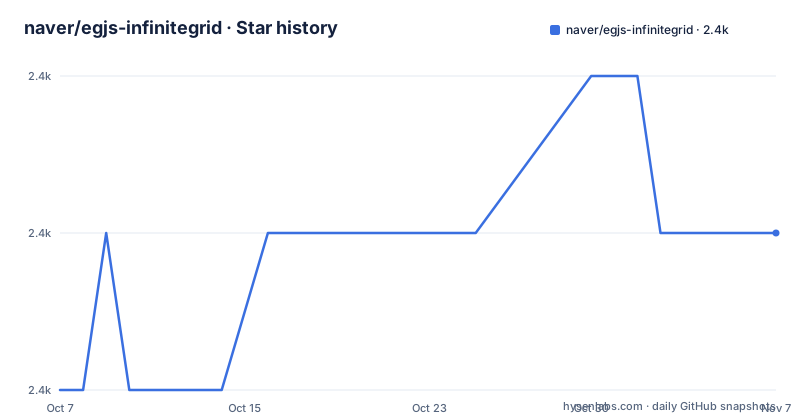
Star history
- naver/egjs-infinitegrid2,363 ★ · +1
| Repository | 2026-10-07 | 2026-11-07 |
|---|---|---|
| naver/egjs-infinitegrid | 2.4k | 2.4k |
1 Stars in the last 31 days, measured from the daily GitHub snapshot. Compare with other projects
Editorial analysis
The guarantee is a fixed number of DOM nodes
Read the summary sentence at the top of the README carefully, because it contains the whole design: the module arranges elements infinitely according to grid type, and it guarantees performance by maintaining the number of DOMs it handles under any circumstance.
That is the hard part of an infinite feed. The naive approach appends a node per item and never removes anything, so a user who scrolls for ten minutes ends up with two thousand live elements and a janky page. Recycle based layouts instead keep a window of nodes, fill them as items scroll out and recycle them as new items scroll in. Doing that while also computing where each item goes in a masonry arrangement is where the work is, and the topics list confirms the concern with entries for `dom-recycle` and `infinite`.
The layout types are named in the package keywords and include `GridLayout`, `JustifiedLayout`, `PackingLayout`, `FrameLayout` and `SquareLayout`, plus masonry, which gets its own class. Justified layout is the one worth calling out: it is the algorithm that makes rows of images fill the full width with a constant height, the way Google Photos and Flickr look, which no amount of CSS columns will give you.
The project is MIT licensed, has 2,363 stars and 95 forks, and was last pushed on 2026-04-14, so it is within an active window from October 2026.
Four framework wrappers and a core package
The README's feature list leads with use it in a framework you like, and the badge row spells out which ones: Angular, React, Vue and Svelte, each with its own README under `packages/`. The topics list adds JavaScript and TypeScript to the mix, and the root package manifest lists TypeScript alongside the four framework names.
The repository is a monorepo built with lerna, which the root `package.json` shows by running `lerna run build` across the packages while ignoring the Angular wrapper and the docs package. The build and publish scripts both take a base package of `@egjs/infinitegrid`, so the core library is the version anchor and the wrappers are versioned against it. Documentation is generated from JSDoc through `jsdoc-to-mdx`, and demos are built separately and deployed to GitHub Pages.
There is one inconsistency worth naming. The four framework wrappers are Angular, React, Vue and Svelte, and the README badges agree with that, but the topics list the misspelled `angluar` alongside `react`, `svelte` and `vue`. The package manifest also carries a legacy `.travis.yml` next to a GitHub Actions badge for a `run-e2e.yml` workflow, so the CI story in the README is newer than the file layout suggests. Neither affects how you use the library; both are signs that the repository has accumulated two eras of tooling.
Five lines to a masonry grid
Installation is a single package, available from npm, jsDelivr, unpkg and cdnjs:
$ npm install --save @egjs/infinitegridThe quick start needs a container element and one constructor call:
import { MasonryInfiniteGrid } from "@egjs/infinitegrid";

const ig = new MasonryInfiniteGrid(".container", { gap: 5 });
From a CDN the same thing runs against the global `InfiniteGrid` namespace, using the bundled file that includes all dependencies:
var ig = new InfiniteGrid.MasonryInfiniteGrid(".container", { gap: 5 });Appending data is where the design shows. You listen for `requestAppend`, work out the next group key from the event, generate your items, and hand them to `append` with that key, then call `renderItems()`:
ig.on("requestAppend", (e) => {
  const nextGroupKey = (+e.groupKey || 0) + 1;

  ig.append(getItems(nextGroupKey, 10), nextGroupKey);
});
ig.renderItems();
The group key is the part to understand. It is how the module orders and identifies a batch of items, and deriving it from the previous value in the handler is the documented pattern. Because you supply the items yourself, the library stays agnostic about where your data comes from, which is what lets it work with a REST endpoint, a GraphQL client or a hardcoded array.
Declarative sizing attributes for images and video
A layout engine cannot place an item whose height it does not know, and card feeds are full of images and video whose dimensions arrive late. The README's answer is a set of data attributes that hand the module the dimensions up front, plus a lazy loading integration.
<div data-grid-width="100" data-grid-height="100">
   <img src="..." />
</div>
With `data-grid-width` and `data-grid-height` present, the element's own size and the sizes of child image and video elements are adjusted automatically until loading finishes. That converts an unsized placeholder into a correctly proportioned card without your component library needing to know anything about the grid.
The lazy loading story is the reverse trick, and it is more interesting. Using the native `loading="lazy"` attribute, or the external form `data-grid-lazy="true"`, changes the rendering order: items render immediately when the attribute is absent, but with lazy loading the module renders them as they load, sequentially, instead of all at once.
<img src="..." loading="lazy" />
<img data-grid-lazy="true" />
So the grid reacts to the browser's own lazy loading rather than competing with it. That matters on the mobile heavy feeds this library targets, since it avoids the case where the layout engine waits on images the browser has not requested yet.
State persistence, dynamic options and a rich API
The remaining feature list is short, and two entries matter for a feed that people scroll around in. The first is state restoration, handled through egjs-persist, a sibling library in the same family, which restores position and active slide. On an infinite grid, scroll position restoration is the hard half: because nodes are recycled, the scroll offset alone will not tell the layout what should be on screen, so a persisted group key is what puts the right items back in the right places.
The second is support for dynamic options, meaning the grid can be reconfigured after construction. `max_width`, `gap` and the grid type can all change at runtime, which matters for responsive breakpoints: a column count that changes on resize should not require tearing down the grid and losing the user's scroll position.
The feature list ends at rich API, which is the least informative entry, so it is worth pointing at the documentation site instead. The README links a demo, an API reference for the `InfiniteGrid` class, and a page for other components in the egjs family. The demo is the more useful of the two for evaluating this library, since layout libraries are visual and a changelog of options tells you far less than seeing justified and packing layouts behave with real images.
Releases every year or two, with the fixes you would expect
The release history has a consistent shape: numbered releases a year or two apart, generated from conventional commits with a comparison link and a release date in the title. The most recent is 4.13.0 on 2025-12-29, and its two changes are instructive. One adds a `useDetachedRecycle` option and fixes loading state and offset; the other fixes the scroll manager's resize handling for relative scroll position.
That second item is the recurring theme in a recycled layout library. Almost every hard bug lives at the boundary between scroll position and window resize, because resizing changes every item's width, which changes every row break, which changes what the module thinks is at a given offset. The previous release, 4.12.0, came in July 2024.
The `useDetachedRecycle` option is also worth understanding as a concept. Recyling a node that is still attached to the document is more efficient than removing and reinserting it, but it constrains when the layout can be recomputed. Making it an option in a later release suggests it trades off against something, most likely correctness in complex resize cases. If you hit layout glitches after resizing, that option is the first thing to look at in the documentation.
The version number being in the fours means this is a mature library with a long compatibility history, so expect the migration notes in `CHANGELOG.md` to matter more when you upgrade than the release notes themselves. The `CONTRIBUTING.md` file and the coverage badge in the README both point to a project with real test infrastructure rather than a handful of manual checks.
Editorial conclusion
The pitch of egjs-infinitegrid is not that it can lay out cards, it is that it can lay out an unbounded number of them while holding the DOM element count steady no matter how far you scroll. That claim is what separates it from a CSS column layout or a hand rolled append handler, and it is why the library is 2,363 stars old and still shipping. Install the core package with npm or take it from a CDN, start from `MasonryInfiniteGrid`, wire `requestAppend` to your data source, and add the `loading="lazy"` or `data-grid-*` attributes if your cards contain images whose size is not known up front.
Frequently asked questions
What is egjs-infinitegrid used for?
It arranges variable size card elements in an infinite grid, so a feed can be scrolled forever without the layout breaking. Supported arrangements include masonry, grid, justified, packing, frame and square layouts.
How do I install and start egjs-infinitegrid?
Install the core package with npm install --save @egjs/infinitegrid, or pull it from jsDelivr, unpkg or cdnjs. Then create an instance against a container selector, for example new MasonryInfiniteGrid(".container", { gap: 5 }), and listen for the requestAppend event to feed it items.
Does egjs-infinitegrid work with React and Vue?
Yes. The repository ships separate wrapper packages with their own READMEs under packages/ for Angular, React, Vue and Svelte, and the core library is written in TypeScript. The root build uses lerna and versions the wrappers against the core package.
How does egjs-infinitegrid handle images that load late?
You can declare the dimensions with data-grid-width and data-grid-height, and the module adjusts the element and its child images and video until loading finishes. Using loading="lazy" or data-grid-lazy="true" changes rendering so items render sequentially as they load rather than all at once.
Official sources
Add this badge to your README
If you maintain this project, the badge below links readers to this analysis and shows its maintenance status from the daily GitHub snapshot. Paste the markdown into your README; add ?metric=license or ?metric=stars to the image URL for a different field.

[](https://hysenlabs.com/projects/naver-egjs-infinitegrid)Star history chart for your README
[](https://hysenlabs.com/projects/naver-egjs-infinitegrid)Was this useful?