webhookd: a Go webhook server that maps a directory of scripts to HTTP endpoints
A minimalist, powerful webhook server designed to easily trigger shell scripts and run external processes via HTTP requests.
At a glance
- What is it?
- webhookd is a small Go server that turns a directory of executable scripts into webhook endpoints, so /github/deploy.sh becomes /github/deploy, with the request turned into environment variables and the script's output streamed back. It has almost no dependencies, maps script exit codes onto HTTP status codes in a deliberately odd way, and ships a non-root Alpine image with a volume for the scripts.
- Who is it for?
- webhookd fits a team that wants to trigger deploy or CI scripts from a git host or a CI event with no code to write, and that is happy with a small Go binary and a directory of scripts as the whole interface. It is the wrong tool if your endpoints need authentication beyond what the header based scheme provides, if you need a guaranteed delivery queue rather than a live HTTP request, and the wrong tool if you need to run untrusted script content.
- Can I use it commercially?
- Yes. MIT is a permissive licence: you can use, modify and sell software built on it, as long as you keep its copyright and licence notices.
- Is it still maintained?
- Yes. The repository last received commits 17 days ago.
- What is it written in?
- Mainly Go, according to GitHub's language statistics.
Answers come from the project's GitHub data, last synced on November 7, 2026, and from our analysis. They are not legal advice.
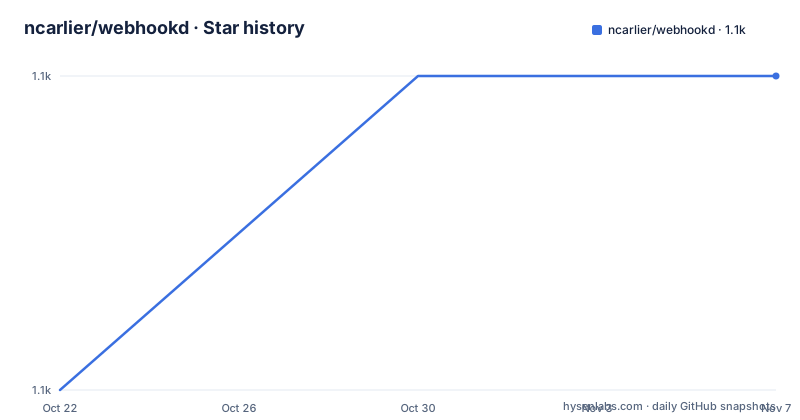
Star history
- ncarlier/webhookd1,104 ★ · +1
| Repository | 2026-10-22 | 2026-11-07 |
|---|---|---|
| ncarlier/webhookd | 1.1k | 1.1k |
1 Stars in the last 16 days, measured from the daily GitHub snapshot. Compare with other projects
Editorial analysis
The directory layout is the routing table
webhookd is a minimalist, powerful webhook server designed to easily trigger shell scripts and run external processes via HTTP requests, and the design decision that defines it is that there is no configuration file describing endpoints. The configuration is a directory tree of executable files.
The structure is documented as an example:
/scripts
|--> /github
  |--> /build.sh
  |--> /deploy.sh
|--> /push.js
|--> /echo.sh
|--> ...
Scripts are executed by default from the ./scripts directory, and you can override that with the WHD_HOOK_SCRIPTS environment variable or the -hook-scripts parameter. The directory structure dictates the webhook URL, so the path http://localhost:8080/<path> maps onto the tree, and the extension can be omitted because webhookd looks for .sh by default, a default that is changed with WHD_HOOK_DEFAULT_EXT or -hook-default-ext.
The flexibility is in the file type. Webhookd supports any executable file type, provided it has execute rights, and a Node.js script needs a shebang line of #!/usr/bin/env node. Sample scripts are in the example folder, including Gitlab and Github integrations. So the push.js in the tree above is not a special case, it is just a script with a different shebang, and the same server serves both.
The result is a service with essentially no configuration surface. You drop a script into a directory and it becomes an endpoint. There is no manifest, no route table, no schema. For a CI or deploy setup where the set of triggers is small and known, that is exactly right, and it also means the endpoint list is whatever happens to be on disk, which is worth keeping in mind if that directory is writable by something else.
The primary language is Go, the licence is MIT, the default branch is master, and the recent releases are v1.22.0 on 2026-06-20, v1.21.0 on 2026-02-03 and v1.20.2 on 2025-05-23. The repository is not archived, with the last push on 2026-06-20.
Three response modes, chosen by request header
How webhookd responds depends on the request headers, and the three modes are the most interesting part of the design.
Server-Sent Events is used when the Accept header is text/event-stream, and it provides real-time, streamed output.
Chunked Transfer Coding is the default mode, used when the X-Hook-Mode header is set to chunked, and it also provides streamed output.
Blocking mode is for when no streaming is required, set with X-Hook-Mode to buffered. The request blocks until the script finishes and returns a summary payload.
The difference matters for how you use it. In the streaming modes the HTTP connection stays open for the lifetime of the script, which is what you want for a long build whose progress you want to watch. In buffered mode the caller gets one response at the end, which is what a git host expects when it posts a delivery and waits for a status code.
The examples make the difference concrete:
$ curl -v --header "Accept: text/event-stream" -XGET http://localhost:8080/foo/bar
# ... output showing data: lines in real time ...
error: exit status 118$ curl -v -XPOST --header "X-Hook-Mode: chunked" http://localhost:8080/foo/bar
# ... output showing data lines immediately ...
error: exit status 118$ curl -v -XPOST --header "X-Hook-Mode: buffered" http://localhost:8080/foo/bar
# HTTP/1.1 418 I m a teapot (The status code)
# ... script output followed by error details...Note that the first two examples use GET and the third uses POST, which shows that the method is not what selects the mode. The headers do.
The default is chunked, and the README calls it the default mode, so a request with no X-Hook-Mode header at all gets streamed chunked output. That is a reasonable default for a webhook receiver, since it lets you see what the script is doing, but it also means an unconfigured caller can hold a connection open for as long as the script runs, which is a property to think about before exposing the port.
Exit code mapping, and the teapot
The exit code mapping only applies in blocking mode, and it is one of the more opinionated choices in the project.
An exit code of 0 gives 200 OK. Exit codes from 1 to 99 give 500 Internal Server Error. Exit codes from 100 to 255 have 300 added to them, resulting in a 4xx or 5xx range.
So 118 becomes 418, which the README explains as an example: an exit status of 118 results in HTTP status 418 I'm a teapot. The teapot is the joke, but the underlying rule is the interesting part, and it is a deliberate way of letting a script control the status code the caller sees without the script needing to know anything about HTTP.
The reason for the split at 100 is that the 100 to 255 range is where a script can express a specific client error. An exit code of 118 plus 300 gives 418, and 404 is reachable with exit code 104, and 400 with exit code 100. So a script that wants to say not found can exit 104 and the webhook will report it as 404 to the caller. That is a neat trick, and it is the sort of thing you either love or have no idea exists.
The mapping does not apply in the streaming modes, where the error is reported in the stream rather than in the status code. In the examples above, the streamed output ends with error: exit status 118 as a line in the stream. So a caller watching a streamed response has to parse the output to learn that the script failed, and a caller using buffered mode learns it from the status code. That asymmetry is the practical difference between the modes.
The one thing worth flagging is that a 1 to 99 exit maps to 500 rather than to a 4xx, which means a script that exits 1 because it could not find a file reports the same thing to the caller as a script that crashed halfway through. The status code is coarse for failures and precise only above 100.
Request data becomes environment variables
The input handling is the part that determines how much you can get out of a script without writing a parser.
Query parameters are converted directly to script variables. HTTP headers are converted following the snake_case convention, so CONTENT-TYPE becomes content_type. The request body is handled by content type: for application/x-www-form-urlencoded the keys and values are mapped to variables, and for text/* or application/json the entire payload is passed as the first script parameter, which is $1.
So a script receives the request through the environment and through its positional arguments, and it does not need to parse anything to find out who called it or with what.
There are also built-in parameters that webhookd adds itself. hook_id is a unique hook ID, auto-incremented. hook_name is the name associated with the webhook call. hook_method is the HTTP request method used. x_forwarded_for is the client IP address, and x_webauth_user is the username if authentication is enabled.
The example output shows all of it working:
$ curl --data @test.json -H 'Content-Type: application/json' http://localhost:8080/echo?foo=bar
# Script output shows variables mapped correctly
Hook information: name=echo, id=1, method=POST
Query parameter: foo=bar
Header parameter: user-agent=curl/...
Script parameters: {"message": "this is a test"}
The x_webauth_user variable tells you there is an authentication mode, with a username associated with the request. If you plan to rely on it you will need to look at the configuration reference in the etc/default/webhookd.env file and the -h output.
Two advanced settings round this out. Timeout control has a global default through WHD_HOOK_TIMEOUT in seconds, with a per-request override through the X-Hook-Timeout header, so a caller can give a long script more room without changing the server configuration. And log retrieval means that while logs stream in real time you can fetch historical output by hook ID at http://localhost:8080/<NAME>/<ID>, with the current execution's ID returned in the X-Hook-Id header, and logs can also be redirected to the server output using WHD_LOG_MODULES=hook.
The container images, and a dependency list that is almost empty
The go.mod file is remarkable for its size. The whole direct dependency list is two modules, go-fed/httpsig and golang.org/x/crypto, with golang.org/x/net, golang.org/x/sys and golang.org/x/text as indirect. There is no web framework, no template engine, no logging library, and no configuration parser. The module requires Go 1.24.0.
That is a real design constraint rather than an accident. A webhook server whose job is to run a script and stream its output does not need much, and every dependency is a dependency that can fail to build or carry a vulnerability. The httpsig dependency is for HTTP message signatures, which is a security feature rather than a convenience, and x/crypto is presumably there for the same reason.
The Dockerfile has three stages, and the two distribution stages are the interesting part.
The slim stage is based on alpine:latest, creates a non-root user with a disabled password, uid 1000 and a gecos of empty, installs bash and gcompat with apk, copies the binary to /usr/local/bin, declares a volume for /scripts, exposes 8080, and runs as the non-root user with a CMD of webhookd. gcompat is there for glibc compatibility, which is what lets a script that expects glibc run on Alpine.
The distrib stage is based on alpinelinux/docker-cli:latest and adds git, openssl, openssh-client, curl, jq, docker-cli-compose and aha on top of the same user setup, plus the docker-entrypoint.sh as the entrypoint. That is the image the README points at for advanced needs such as interacting with the Docker daemon, and the plain ncarlier/webhookd image is described as lightweight for simple scripts. The difference is entirely about what the scripts can do, since a script that needs to run a docker command needs the docker CLI present in the container.
The docker-compose file shows the intended deployment shape. The service is named webhookd, the image is ncarlier/webhookd:latest, restart is always, the port 8080 is published, WHD_HOOK_SCRIPTS is set to /scripts, and ./scripts is mounted on /scripts.
The Go install path is the recommended one for developers, go install github.com/ncarlier/webhookd@latest, and there is a binary download script as well as a gobinaries.com one-liner, and a Debian package repository at packages.azlux.fr whose systemd unit is pre-configured, where starting the service is systemctl start webhookd and custom environment variables go in /etc/webhookd.env.
The build tooling in the Makefile is worth a mention for the check targets. check-style runs go vet and staticcheck, check-criticity runs go-critic with -enableAll, and check-security runs gosec. The build stamps the version into the binary with git describe --always --tags --dirty plus the commit and the build date, using -s -w -buildid= to strip the symbol table.
Editorial conclusion
webhookd fits a team that wants to trigger deploy or CI scripts from a git host or a CI event with no code to write, and that is happy with a small Go binary and a directory of scripts as the whole interface. It is the wrong tool if your endpoints need authentication beyond what the header based scheme provides, if you need a guaranteed delivery queue rather than a live HTTP request, and the wrong tool if you need to run untrusted script content. Before deploying, read the authentication section, because the built-in x_webauth_user variable implies there is an auth mode whose details are not in the README, and decide whether your scripts need the streaming modes at all, since the default chunked mode ties the HTTP connection to the script's lifetime.
Frequently asked questions
How does webhookd decide which script a request runs?
The directory structure of the scripts directory is the routing table, so /github/deploy.sh is reachable at http://localhost:8080/github/deploy. The extension can be omitted because .sh is the default, changeable with WHD_HOOK_DEFAULT_EXT, and the scripts directory itself defaults to ./scripts and is changeable with WHD_HOOK_SCRIPTS or -hook-scripts.
What are the three response modes in webhookd?
Server-Sent Events when the Accept header is text/event-stream, chunked transfer coding as the default when the X-Hook-Mode header is chunked, and blocking mode when X-Hook-Mode is buffered. The streaming modes return output as it is produced while the request is open, and the blocking mode waits for the script to finish and returns a summary payload.
How does webhookd turn a script exit code into an HTTP status?
Only in blocking mode. Exit code 0 gives 200 OK, 1 to 99 gives 500 Internal Server Error, and 100 to 255 has 300 added, so 118 gives 418 I'm a teapot. In the streaming modes the error is reported in the stream instead, as a line reading error: exit status.
How does webhookd pass the request to my script?
Query parameters become environment variables directly, HTTP headers are converted to snake_case names so CONTENT-TYPE becomes content_type, urlencoded bodies are mapped key by key, and text or JSON bodies are passed as the first script parameter. webhookd also adds hook_id, hook_name, hook_method, x_forwarded_for and x_webauth_user.
Official sources
Add this badge to your README
If you maintain this project, the badge below links readers to this analysis and shows its maintenance status from the daily GitHub snapshot. Paste the markdown into your README; add ?metric=license or ?metric=stars to the image URL for a different field.

[](https://hysenlabs.com/projects/ncarlier-webhookd)Star history chart for your README
[](https://hysenlabs.com/projects/ncarlier-webhookd)Was this useful?