ngx-mask covers every Angular form model with one directive
Angular Plugin to make masks on form fields and html elements.
At a glance
- What is it?
- ngx-mask is an Angular input masking library that ships a single standalone directive and a pipe, reaches all three form models through a ControlValueAccessor, and works in zoneless and server rendered applications with no runtime dependency beyond Angular. Its version numbers are tied to the Angular major version, and it also publishes older builds for older Angular releases.
- Who is it for?
- Adopt ngx-mask if you build Angular forms and want masking that behaves the same in Reactive Forms, template-driven forms and Signal Forms, since that consistency is the feature the library is built around and it is what most masking packages get wrong. Do not adopt it for an Angular version below 17 and expect updates, because the documentation says versions for Angular older than v17 will not receive new features or updates.
- Can I use it commercially?
- Yes. MIT is a permissive licence: you can use, modify and sell software built on it, as long as you keep its copyright and licence notices.
- Is it still maintained?
- Yes. The repository last received commits 3 days ago.
- What is it written in?
- Mainly TypeScript, according to GitHub's language statistics.
Answers come from the project's GitHub data, last synced on November 6, 2026, and from our analysis. They are not legal advice.
Star history
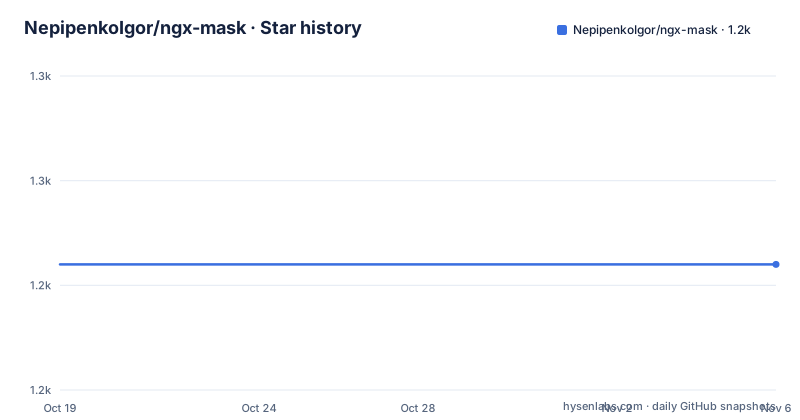
- NepipenkoIgor/ngx-mask1,242 ★ · +0
| Repository | 2026-10-19 | 2026-11-06 |
|---|---|---|
| NepipenkoIgor/ngx-mask | 1.2k | 1.2k |
0 Stars in the last 18 days, measured from the daily GitHub snapshot. Compare with other projects
Editorial analysis
One directive, three form models
The design decision that makes this library different from a masking package is that it does not have three separate integrations. A single standalone directive and a single pipe cover all three form models, Reactive Forms, template-driven and the newer Signal Forms, and they do it through a first-class `ControlValueAccessor`. The significance of ControlValueAccessor is that it is the interface Angular uses to make a custom control participate in a form, so the mask is applied to the form value itself rather than to the DOM element. That means the masked value is what your model holds and what gets submitted, which is the difference between a real form control and a cosmetic overlay on an input. The project also states that it runs cleanly in zoneless and SSR applications, and the current versions have no `NgxMaskModule` at all, since the directive and pipe are standalone.
Configuration comes in two levels, and inputs win
There are two provider functions and a clear precedence rule between them. `provideEnvironmentNgxMask(config?)` is the application-wide configuration, used once in `bootstrapApplication` or `app.config.ts`, or in a root NgModule's `providers`. `provideNgxMask(config?)` is injector-level configuration, used in a component's or feature's `providers` to configure or override the options for that subtree only. The tie-breaker is that directive inputs, such as `[thousandSeparator]`, always override any provider config. So the resolution order runs from the most local to the least local, with the template binding at the top. A feature-level provider can therefore change the behaviour for one part of the application without touching the global configuration, and a single binding can still override both. The project points at the USAGE.md file for the full decision guide, with examples and common pitfalls.
The pattern language covers the usual formats and then some
The feature list is arranged as a grid, and the categories describe what an input mask library is expected to do plus a few things it usually does not. The masking patterns group covers custom patterns and expressions, multiple mask patterns separated by a pipe character, built-in common patterns, and prefix and suffix support. The number formatting group handles thousand separators, decimal markers, negative numbers and leading zeros. Input control covers real-time validation, clearing on a non-match, showing or hiding the mask typing, and keeping character positions. The date and time group has leading zero handling, AM and PM support, custom separators and multiple formats. The customization group adds custom placeholders, special characters, transform functions and custom validation, and the form integration group lists Reactive Forms, the ControlValueAccessor, built-in validation and standalone support. The headline description adds dates and times with validity checking, numbers with thousand separators and decimal precision, IP, CPF and CNPJ, a secure or hidden input, and multi-mask expressions.
Installing means matching your Angular version
The installation section is versioned by Angular release rather than by library release, which is unusual and worth understanding. For Angular 17 and above you install the current package:
# For Angular 17 and above
$ npm install ngx-mask    # Using npm
$ bun add ngx-mask       # Using bun
For older Angular majors there are pinned builds, one per major, with the Angular 16 line on 16.4.2, the Angular 15 line on 15.2.3, the Angular 14 line on 14.3.3, and Angular 13 or 12 on 13.2.2. The package manager note says npm and bun work equally well. The version compatibility policy follows Angular's own official support policy, supporting Active and LTS versions, and the documentation is explicit that versions for Angular older than v17 will not receive new features or updates. The current package version in the manifest is 22.2.3 and the release tags show a v22.2.2 and a v2.8.3 on the same day, which suggests the project ships parallel release lines for different Angular generations.
Setup differs between standalone and NgModule apps
The quick start has two branches, and the difference is only in where the provider goes. In a standalone application you pass the provider function into the application bootstrap:
bootstrapApplication(AppComponent, { providers: [provideEnvironmentNgxMask()] }).catch((err) =>
    console.error(err)
);
and a feature component that wants its own configuration declares the directive in its imports and the injector-level provider in its own providers:
@Component({
    selector: 'my-feature',
    standalone: true,
    imports: [NgxMaskDirective],
    providers: [provideNgxMask()],
})
export class MyFeatureComponent {}
In an NgModule based application the directive and pipe go into both `imports` and `exports` of the module, and the environment provider goes into the module's `providers`. There is a migration section after that, which implies the older module-based API was removed at some point, and the compatibility table for older Angular majors is the thing to check if you are still on an old release.
The build is a modern Angular workspace with a bun bias
The repository is an Angular workspace with a `projects/` directory and an `angular.json`, and the scripts in the manifest show a workflow that has moved to bun. The `ci` script runs lint, the library build, the full test run and the documentation build, and the individual test scripts split into application and library test targets, both running the Angular test runner. End-to-end and component testing go through Cypress, with a `cypress:open` script and a `cypress:bash` script that runs the component suite non-interactively. Linting is split into the Angular linter and a stylelint pass over the SCSS, formatting is Prettier, and there is a separate type-coverage command. Release management uses release-please with its own manifest and config, and the repository keeps a `bun.lock` file, a `context7.json`, and both an `llms.txt` and an `llms-full.txt` that get copied into the published library alongside the README and the licence.
The size and the dependency count are the selling point
The project states that there are no runtime dependencies beyond Angular and roughly 15 KB gzipped, and that you provide it once, bind `mask`, and you are done. That is a real constraint rather than a marketing number, because masking libraries often pull in a formatting library and a date library, and the version compatibility of those becomes your problem. The package manifest confirms the position: the dependencies are the library itself and the Angular peer, with the engines field requiring Node 22.22.3, 24.15.0 or 26.0.0 and above, which is a modern floor and the sort of thing that will decide for you whether the package is usable in your build environment. The licence is MIT, and the project is developed on the `develop` branch with a quality-check workflow, a contributing guide and a code of conduct.
Editorial conclusion
Adopt ngx-mask if you build Angular forms and want masking that behaves the same in Reactive Forms, template-driven forms and Signal Forms, since that consistency is the feature the library is built around and it is what most masking packages get wrong. Do not adopt it for an Angular version below 17 and expect updates, because the documentation says versions for Angular older than v17 will not receive new features or updates. Verify first which version of the package you install matches your Angular major version, that the configuration precedence between directive inputs and provider config is the one you want, and that your build toolchain meets the Node engine requirement before you start.
Frequently asked questions
Which Angular form models does ngx-mask support?
All three: Reactive Forms, template-driven forms and the newer Signal Forms. A single standalone directive and pipe cover them all through a first-class ControlValueAccessor, so the masked value is what the form model holds.
How do I install ngx-mask for Angular 17 and above?
Run `npm install ngx-mask` or `bun add ngx-mask`. For older Angular majors there are pinned builds, with separate versions for Angular 16, 15, 14 and 13 or 12, which do not receive new features or updates.
How do I configure ngx-mask in a standalone Angular application?
Pass `provideEnvironmentNgxMask()` to the application bootstrap in `bootstrapApplication` or `app.config.ts`. For a subtree, use `provideNgxMask()` in that component's providers, and remember that directive inputs always override provider configuration.
What mask formats does ngx-mask support out of the box?
Dates and times with validity checking, numbers with thousand separators and decimal precision, IP addresses, CPF and CNPJ, a secure or hidden input, plus custom patterns, multiple mask patterns, prefixes, suffixes and multi-mask expressions.
Does ngx-mask have any runtime dependencies?
The project states there are no runtime dependencies beyond Angular and that the library is about 15 KB gzipped. The package manifest requires Node 22.22.3, 24.15.0 or 26.0.0 and above.
Official sources
Add this badge to your README
If you maintain this project, the badge below links readers to this analysis and shows its maintenance status from the daily GitHub snapshot. Paste the markdown into your README; add ?metric=license or ?metric=stars to the image URL for a different field.

[](https://hysenlabs.com/projects/nepipenkoigor-ngx-mask)Star history chart for your README
[](https://hysenlabs.com/projects/nepipenkoigor-ngx-mask)Was this useful?