nickspaargaren/no-google: Pi-hole Blocklist Formats and Limits
Completely block Google and its services
At a glance
- What is it?
- nickspaargaren/no-google is a collection of domain, wildcard, host, regex, Unbound, dnsmasq, and RPZ rules intended to block Google services through DNS. It is best suited to Pi-hole users who accept broad service breakage and maintain separate rule lists carefully.
- Who is it for?
- Adopt no-google when you want a broad Google DNS blocklist and can tolerate failures across search, video, mail, analytics, Firebase, and related domains. Do not adopt it unchanged if your network depends on those services or if you need a narrowly scoped allowlist.
- Can I use it commercially?
- Yes. Unlicense is a permissive licence: you can use, modify and sell software built on it, as long as you keep its copyright and licence notices.
- Is it still maintained?
- Yes. The repository last received commits 4 days ago.
- What is it written in?
- Mainly Python, according to GitHub's language statistics.
Answers come from the project's GitHub data, last synced on October 23, 2026, and from our analysis. They are not legal advice.
Star history
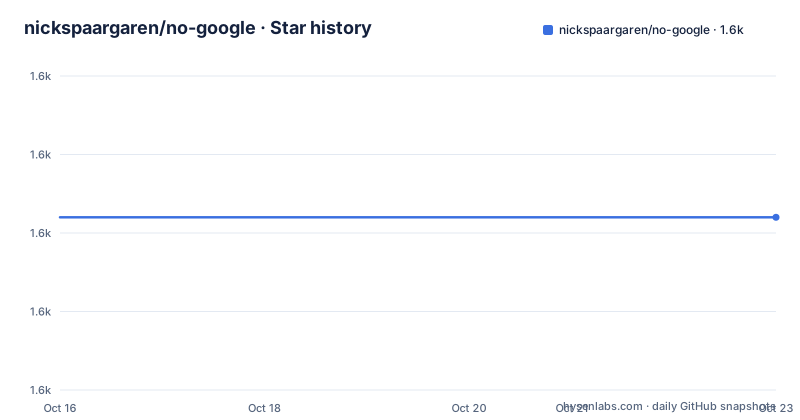
- nickspaargaren/no-google1,602 ★ · +0
| Repository | 2026-10-16 | 2026-10-23 |
|---|---|---|
| nickspaargaren/no-google | 1.6k | 1.6k |
0 Stars in the last 7 days, measured from the daily GitHub snapshot. Compare with other projects
Editorial analysis
What no-google Blocks and Who Should Use It
nickspaargaren/no-google is a blocklist project aimed at removing Google-related domains from DNS resolution rather than running a conventional application proxy. Its stated goal is to block Google and its services, with additional categories for YouTube, short links, proxies, products, mail, fonts, Firebase, DoubleClick, domains, DNS, Android, analytics, and Fiber. The project describes the target as protection from Google's surveillance, but the repository contains filtering data and conversion scripts rather than a privacy proxy or a complete firewall.
The intended users are people operating Pi-hole who want to import a maintained list through the blocklist settings, as well as users of DNS services that support hosts, domain, wildcard, or RPZ rules. The README also states that the list can be used with other advertising or domain blocking programs when they support host or domain filters. NextDNS users can select the list, but the documentation warns that it uses wildcard-domain syntax and may require manual exceptions.
This is an intentionally broad policy. Blocking a domain can affect more than advertising. The list includes Google video, mail, analytics, fonts, Firebase, Android, and DoubleClick-related categories, so an organization cannot assume that only search results will disappear. It is more appropriate for a personal network experiment or a network where the administrator accepts those service restrictions than for a workplace that relies on Google-hosted business systems.
The List Formats Behind the Pi-hole URL
The primary Pi-hole file is a plain blocklist URL. The README also describes the repository as providing several formats: hosts, domains and URLs, wildcard domains, regex, Unbound, dnsmasq, and RPZ. The `convert.py` script reads `pihole-google.txt` and converts that source into the other representations. This means that the selected integration is not just a matter of copying the same syntax into different software. Each DNS blocker has its own accepted format and matching semantics.
For example, the README gives `pihole-google.txt` as the complete Pi-hole blocklist. Smaller category files are available for services such as YouTube, mail, fonts, Firebase, analytics, and Android. The documentation says that combining the main whole filter with the smaller category filters is useless and is not recommended, although smaller filters can be combined. That warning matters because broad and category-specific rules can duplicate the same domains, making the policy harder to inspect.
The regex section is separate from the ordinary blocklist. It includes expressions for Google, Google subdomains, Chrome, AMP, DoubleClick, Firebase, Google Video, Waze, YouTube, and related names. The README specifically warns that two regex filters are not included in the blocklist: `.*[`^.`]l.google.com$` and `.*[`^.`]googlevideo.com$`. The examples indicate why these are difficult to classify: the same host families can serve both advertising and non-advertising content. A user who wants them must review the regex behavior rather than treating them as ordinary entries in the domain list.
Installing the Pi-hole Blocklist and Adding Regex Rules
The README's direct Pi-hole setup is to add the main raw file in the Pi-hole blocklist settings. Add this URL:
https://raw.githubusercontent.com/nickspaargaren/no-google/master/pihole-google.txtAfter Pi-hole loads the list, the relevant Google-related DNS requests should return according to the blocking configuration. The README does not document a rollback command or a specific Pi-hole version requirement, so verify the result in the Pi-hole interface rather than assuming that loading the URL changed every rule successfully.
The README provides a second method for installing the regex filters on a Raspberry Pi Pi-hole server. It points to a modified `pihole-regex` installer and gives this command:
curl -sSl https://raw.githubusercontent.com/nickspaargaren/no-google/master/install.py | python3The script is then executed. The documentation says it should add the listed regex automatically. This approach has a concrete operational difference from adding a Pi-hole URL: it runs a Python installer obtained from the raw repository. Review the script before piping remote code into Python, and inspect Pi-hole's resulting regex configuration afterward. The project does not document a rollback procedure for this installation path.
For a narrower start, use one category URL instead of the complete list. The README gives the category syntax, including the YouTube, mail, fonts, Firebase, and analytics files. Since the documentation does not describe automatic conflict handling or a configuration validator, keep the selected category set explicit.
Generating Unbound, dnsmasq, RPZ, and JSON Outputs
The repository includes `convert.py`, which makes the underlying domain data usable in formats beyond Pi-hole. The README documents these commands:
python3 convert.py pihole
python3 convert.py rpz
python3 convert.py unbound
python3 convert.py dnsmasq
Run `python3 convert.py all` to generate all documented output formats. These commands require access to the repository files and Python 3. The project documentation does not say that a separate package installation is required for these conversion commands.
The Makefile also provides development commands. The following sequence creates a virtual environment and installs the dependencies listed in `requirements.txt`:
make initThe underlying targets use `python3 -m venv .venv`, activate that environment, and run `pip install -r requirements.txt`. The repository lists `black==26.10.0`, `python-whois==0.9.6`, `dnspython==2.7.0`, and `pytest==9.1.1` as requirements. `make info` lists available commands. Other documented targets include `make whois`, `make dnscheck`, `make codestyle-check`, and `make codestyle-fix`.
For server deployments that support Response Policy Zones, the README names `pihole-google-rpz.txt` and states that it uses QNAME triggers with NXDOMAIN actions to block Google domains and subdomains. It says this format works with BIND, Knot, Unbound, and other DNS servers supporting RPZ. That mechanism differs from regex filtering because an RPZ server evaluates policy zones according to DNS rules, rather than depending on a blocker's regular-expression syntax.
DNS Blocking Failure Modes and Platform Boundaries
DNS blocking does not prevent every possible form of Google access. The README's discussion of YouTube advertising identifies the central limitation: video advertising mainly uses a small number of domains, but those domains may also deliver other content. Blocking them at DNS can therefore remove content the user wanted to keep. The project says YouTube advertisements are difficult to block through DNS, so the list should not be treated as a guarantee that every advertisement is removed.
The format also constrains deployment. Pi-hole can consume the documented list directly. NextDNS users must deal with wildcard-domain behavior and may need to whitelist specific services. An RPZ deployment requires a DNS server that supports Response Policy Zones. A browser extension that supports host or domain filters may be able to import the repository's `google-domains` file, but its behavior will still depend on the extension's supported syntax. A plain hosts file, an ad blocker, and an RPZ server are related tools, but they are not interchangeable.
The repository has no GitHub releases. Its last push was on 2026-10-12. The repository is not archived, but users should still treat list content as a network policy rather than a versioned software release. The README does not document a compatibility matrix, automated tests for DNS behavior, a changelog format, or a rollback procedure.
Maintenance, Conversion Scripts, and a Practical Alternative
The last push was on 2026-10-12, so the repository has recent development activity by the available maintenance fact. That fact does not establish how frequently every category is checked or whether every domain entry is current. The repository's own tools provide some maintenance-oriented actions: `make whois` checks domains through the `scripts/domain-check-api.py` script, and `make dnscheck` checks whether domains respond. `make codestyle-check` checks Python formatting with Black.
A real alternative is to use a narrower domain or category list instead of the complete Google policy. The difference is policy scope, not merely file format. The full list is designed to block Google-related services across many categories, while a category URL can limit the impact to one documented group. For DNS platforms that need centralized policy, RPZ is another approach: it expresses blocking as QNAME records with NXDOMAIN actions and can be loaded by BIND, Knot, or Unbound. This differs from a browser extension or hosts-based filter, which may block names in a particular client rather than provide a DNS-wide policy.
The project is released under the Unlicense. That license permits use of the repository's code and data under its terms, but this article does not provide legal interpretation. Review the repository `LICENSE` file before redistributing modified lists or incorporating the converter into another product.
Editorial conclusion
Adopt no-google when you want a broad Google DNS blocklist and can tolerate failures across search, video, mail, analytics, Firebase, and related domains. Do not adopt it unchanged if your network depends on those services or if you need a narrowly scoped allowlist. Verify first that your DNS platform accepts the selected format, review the regex rules separately, and test the affected applications after loading the list.
Frequently asked questions
How do I add no-google to Pi-hole?
Add `https://raw.githubusercontent.com/nickspaargaren/no-google/master/pihole-google.txt` to the Pi-hole blocklist settings. The README also documents category URLs for narrower selections.
Can I use no-google with NextDNS?
Yes. The README says the list is available in NextDNS's domain list selection as “No Google”. Because NextDNS uses wildcard domains, you may need to whitelist specific services.
What does the no-google converter support?
The documented `convert.py` commands support Pi-hole, RPZ, Unbound, dnsmasq, JSON, and an `all` conversion mode. The generated files are intended to match the selected DNS platform.
Official sources
Add this badge to your README
If you maintain this project, the badge below links readers to this analysis and shows its maintenance status from the daily GitHub snapshot. Paste the markdown into your README; add ?metric=license or ?metric=stars to the image URL for a different field.

[](https://hysenlabs.com/projects/nickspaargaren-no-google)Star history chart for your README
[](https://hysenlabs.com/projects/nickspaargaren-no-google)Was this useful?