Nitrogen picks a web server for you with a Makefile target
Nitrogen Web Framework for Erlang (now with websockets!)
At a glance
- What is it?
- Nitrogen is an Erlang web framework for Ajax rich applications built on a pure Erlang technology stack, and the most distinctive thing about it is the choice it offers. The same application can be packaged against Cowboy, Inets, Mochiweb, Webmachine or Yaws, in a slim, a release or a packaged flavour, and the Makefile target is the only thing that changes.
- Who is it for?
- Nitrogen fits a team that is committed to Erlang and wants a web framework where the web server is a deployment decision rather than an architectural one, since the same application runs on five backends and the choice is made in the build. It does not fit a team that wants a modern mainstream stack, because the framework predates most of the current Erlang web ecosystem.
- Can I use it commercially?
- Yes. MIT is a permissive licence: you can use, modify and sell software built on it, as long as you keep its copyright and licence notices.
- Is it still maintained?
- Yes. The repository last received commits 104 days ago.
- What is it written in?
- Mainly Erlang, according to GitHub's language statistics.
Answers come from the project's GitHub data, last synced on November 7, 2026, and from our analysis. They are not legal advice.
Star history
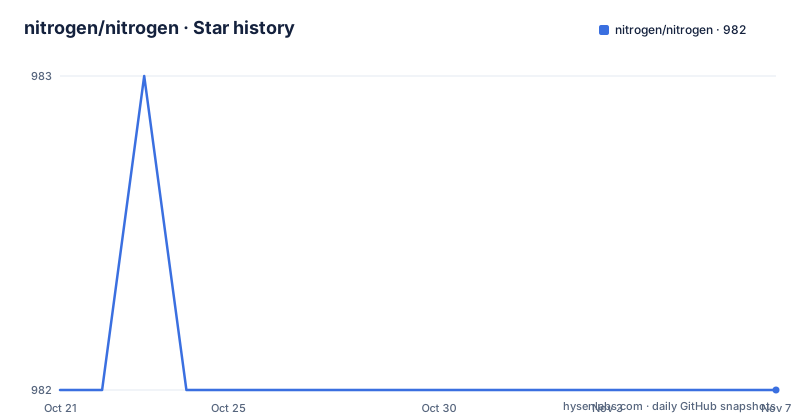
- nitrogen/nitrogen982 ★ · +0
| Repository | 2026-10-21 | 2026-11-07 |
|---|---|---|
| nitrogen/nitrogen | 982 | 982 |
0 Stars in the last 17 days, measured from the daily GitHub snapshot. Compare with other projects
Editorial analysis
A pure Erlang stack
Nitrogen is described as an Erlang-based web framework that lets you develop infinitely scaleable, Ajax-rich web applications using a pure Erlang technology stack, and the project website carries the rest of the documentation. Two phrases in that sentence carry the design. Pure Erlang means the whole stack, the server, the templating, the client side glue, is one language, so there is no foreign function interface to cross and no second runtime to deploy. Ajax-rich means the browser side is not an afterthought, since the framework ships the mechanism for talking to the server without a page reload, and the topics the repository carries include javascript and websockets alongside erlang and webframework, with the project description noting that it now has websockets as well. The scale claim is a claim about the Erlang runtime underneath rather than about the framework, and the interesting engineering is in the packaging rather than in the request handling.
Moving from Nitrogen 2 to Nitrogen 3
The README leads with the upgrade path, and it is worth reading the two warnings before the commands. If you are using a Nitrogen 2 structured project, you run two commands from the root of the project. The first warning is to commit to version control before running it, because it will change your working directory heavily. The second is a statement about the practice itself, that running scripts directly from the internet is dumb, and you should review the script's code before you run it, though if you really want to do it this way the commands are here:
curl -fL -o upgrade_to_nitrogen3.sh https://raw.githubusercontent.com/nitrogen/nitrogen/master/scripts/upgrade_to_nitrogen3.sh
bash upgrade_to_nitrogen3.sh
The first line downloads the upgrade script into your local project directory and the second runs it. The project is unusually candid about the risk of that approach, and the advice that comes out of it is the sensible one, which is to read the script, or better, to do the migration by hand. The version in the Makefile is 3.0.0, so this is the third generation of the framework's layout.
Five web servers, three package shapes
The Makefile is where the design decision becomes visible. The targets are named after the server you want to run and the shape you want, and the help text lists the combinations explicitly, with slim, rel and package variants of each of five servers. For Cowboy there is slim_cowboy, rel_cowboy and package_cowboy, and the same three for Inets, Mochiweb, Webmachine and Yaws. The slim variant is a build against the server's own libraries, the rel variant is a release build, and the package variant produces something you can hand to an operator. Windows release targets exist for Cowboy, Inets, Mochiweb and Webmachine, named with a _win suffix, and the project name can be set on the command line, for example by appending PROJECT=my_project to a target. The number of combinations is the point: five servers times three shapes on Unix, and the application code does not change between them.
The Makefile bootstraps its own rebar3 rules
The build file is unusual in a way that is worth knowing before you run it. It starts by setting the version to 3.0.0 and defaulting the project name to myapp and the prefix to the parent directory. Then it checks whether a file called rebar3.mk exists, and if it does not, it downloads it with curl from a GitHub raw URL, before including it. The comment explains that rebar3.mk adds a rebar3 rule to the Makefile, which is how the Erlang build system gets wired into a make based workflow. The rest of the file is small and explicit. The build target depends on template, and each of those runs a script in the repository, with the template step calling install_templates and the build step calling build_helper. There is an install-helper-script target that installs the helper script from the support/helper_script directory, and an install-vim-script target that sets up vim so that files with a nitrogen modeline are handled properly. The convenience targets and the underlying scripts are both in the tree, so nothing is hidden behind a build tool you cannot read.
Building on each platform
The platform instructions are short. On Linux and macOS the Getting Started guide covers the build, and on FreeBSD you install Erlang, make sure gmake is installed, and use gmake in place of make, with the example being:
$ gmake rel_cowboyOn Windows the instructions live in the repository itself, in the readme under the release overlay for Windows, rather than on the website. The reason for the FreeBSD caveat is the make dialect rather than Erlang, since the build file uses GNU make style conditionals and the BSD make cannot read them, which is the same class of problem that pushes other projects to ship a bootstrap script. The project also has a top level Makefile that can list the available targets to anyone who asks, and the templates directory, together with the install_templates script, is what makes a new project start from a generated skeleton rather than from an empty directory.
Where the code lives, and the state of the project
The contribution note explains something that would otherwise confuse a new contributor. The vast majority of the framework's codebase is in the separate nitrogen_core repository, and the repository you are looking at holds the build system, the templates, the release overlays and the upgrade scripts. The contribution guidelines are described as not strict, just recommendations, and the project keeps the usual set of community files alongside them, with a CHANGELOG.markdown, a TODO.markdown, a THANKS.markdown, a CONTRIBUTING document under a different name and a code of conduct. The build is driven by rebar.config with a Makefile wrapper, and the tree also has an embed directory, a make_plugin directory, a scripts directory, a support directory, a src directory and the rel/ directory that holds the release overlays including the Windows instructions. The licence is MIT. The last push to the repository was on 2026-07-26, the repository is not archived, and no GitHub releases are published, and the build rather than a package index is how you get it.
Editorial conclusion
Nitrogen fits a team that is committed to Erlang and wants a web framework where the web server is a deployment decision rather than an architectural one, since the same application runs on five backends and the choice is made in the build. It does not fit a team that wants a modern mainstream stack, because the framework predates most of the current Erlang web ecosystem. It does not fit a team that wants a permissive dependency tree with no surprises, since the build downloads a Makefile fragment from GitHub on first use. Before you start, read the Getting Started guide on the project site, decide which web server you will run, and note that the majority of the codebase lives in the separate nitrogen_core repository, which is where a contribution to the framework itself actually goes.
Frequently asked questions
What is Nitrogen?
It is an Erlang-based web framework for building infinitely scaleable, Ajax-rich web applications on a pure Erlang technology stack, and the project now includes websocket support alongside its traditional Ajax mechanisms.
Which web servers does Nitrogen support?
Cowboy, Inets, Mochiweb, Webmachine and Yaws, each in a slim, a rel and a package variant, with separate _win targets for Windows, and the project name can be set on the command line with a PROJECT variable.
How do I upgrade a Nitrogen 2 project to Nitrogen 3?
The README gives two commands, downloading the upgrade script into your project and running it, but it warns twice: commit to version control first because the working directory is changed heavily, and review the script's code first because running scripts from the internet is a bad habit.
Why does the Nitrogen Makefile download a file?
It checks for rebar3.mk and fetches it with curl if it is missing, because that file adds the rebar3 rules to the Makefile. The rest of the build runs the scripts in the repository, including install_templates for the template step and build_helper for the build itself.
Is Nitrogen still maintained?
The repository is not archived and the last push was on 2026-07-26, with no GitHub releases published and the version in the Makefile at 3.0.0. Most of the framework's codebase lives in the separate nitrogen_core repository, and the licence is MIT.
Official sources
Add this badge to your README
If you maintain this project, the badge below links readers to this analysis and shows its maintenance status from the daily GitHub snapshot. Paste the markdown into your README; add ?metric=license or ?metric=stars to the image URL for a different field.

[](https://hysenlabs.com/projects/nitrogen-nitrogen)Star history chart for your README
[](https://hysenlabs.com/projects/nitrogen-nitrogen)Was this useful?