WWW SQL Designer: BusyBox httpd in the image, a news section that stops in 2012
WWW SQL Designer, your online SQL diagramming tool
At a glance
- What is it?
- This browser-based ER diagramming tool draws schemas, exports SQL and imports from a live database, and it has been running on the same small idea since a from-scratch rewrite in 2.0. What the repository shows now is a static site with no package manifest, a short BusyBox image with no PHP in it, a library it depends on still hosted on the service it migrated away from, and a news list whose newest dated release is from 2012.
- Who is it for?
- This is a reasonable choice when you want to sketch a schema in a browser tab with no account and no install, and to keep the result as a file you can export. Three things to check.
- Can I use it commercially?
- Yes. BSD-3-Clause is a permissive licence: you can use, modify and sell software built on it, as long as you keep its copyright and licence notices.
- Is it still maintained?
- Activity is slowing. The repository last received commits 8 months ago.
- What is it written in?
- Mainly JavaScript, according to GitHub's language statistics.
Answers come from the project's GitHub data, last synced on November 15, 2026, and from our analysis. They are not legal advice.
Star history
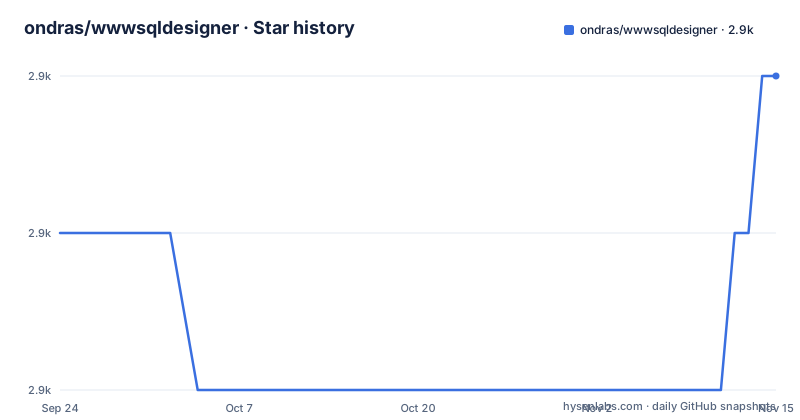
- ondras/wwwsqldesigner2,929 ★ · +1
| Repository | 2026-09-24 | 2026-11-15 |
|---|---|---|
| ondras/wwwsqldesigner | 2.9k | 2.9k |
1 Stars in the last 52 days, measured from the daily GitHub snapshot. Compare with other projects
Editorial analysis
The container is one BusyBox httpd serving a copied directory
The Dockerfile is short enough to read as the deployment description. It starts from busybox:1.37, sets the working directory to /var/www/html, copies the entire repository in, and runs busybox httpd with the foreground flag, verbose output and port 8080. There is no application server, no PHP and no runtime dependency in the image, which means the container gives you the diagram editor and the static assets and nothing else. That matters because one advertised feature, retrieving or importing a schema from an existing database, is described elsewhere on the page, which notes that the CUBRID backend uses PHP, and the repository carries a backend/ directory that the image cannot execute. Both documented install routes end at the same address, http://127.0.0.1:8080: either npm install http-server -g and run http-server in the repository root, or `docker build -t wwwsqldesigner .` followed by `docker run -d -p 127.0.0.1:8080:8080 wwwsqldesigner`.
The container switches to www-data before it copies the files
The Dockerfile sets USER www-data before COPY, so the server runs as that user. COPY without --chown creates files owned by root by default; the server can read them if their permissions permit it. The image has no EXPOSE instruction, but EXPOSE is documentation and is not required for `docker run -p` to publish port 8080. Check file permissions and the actual port mapping if the server cannot serve the site.
The news list ends at version 2.7, released in 2012
The page keeps a reverse-chronological news section, and its newest release entry is version 2.7, described as mainly a bugfix release with several new features, the most notable being localStorage support, dated 3.8.2012 in the European format the section uses. Below that come 2.6 from late 2011 with new translations for pt_BR, sv and ar, VML removed and new visualisation options for showing length and datatype, then 2.5 in 2010, 2.4 and 2.3.x in 2009. So the documented history covers a rewrite and releases from 2009 to 2012, and stops. There are no GitHub releases at all, and the last push to the master branch is dated 2026-03-20. The gap between the newest news entry and the newest commit is the honest measure of what the page tells you, and it is wide.
The library it is built on still points at the service it left
The tool is described as built atop the oz.js JavaScript module, and the link given for it is a code.google.com address. In the same page, the news section records that Google Code is closing down and that the project migrated completely to GitHub. So the project moved off a service it links to, and the dependency's own home is still the retired one. The tree carries a .gitmodules file, and the top level otherwise holds index.html, js/, styles/, locale/, backend/, db/, images/, a license.txt, a Dockerfile and a dropbox-oauth-receiver.html page, with no package.json and no lockfile.
Version 2.0 broke 1.x compatibility and the localization story with it
The oldest news entry is the one that explains the shape of the project. Version 2.0 was a rewrite from scratch with bezier connectors, customization options and localization, and the same entry carries the bad news that it is not backwards compatible with 1.x, so old localizations and XSLT templates will not work with it. The repository still carries a locale/ directory of XML files, and the code style table names a third-party VS Code extension for formatting those files specifically. Later entries add to the same picture: VML removed in 2.6, which was the vector markup that older browsers needed, localStorage support in 2.7, and in 2.3.2 the ability to mark foreign keys between existing table fields.
Two patches and an experimental build live outside the repository
Three pieces of the project's own history are hosted somewhere other than the repository. An optional patch by Wilson Oliveira enables display of field details, and the page is explicit that the code is not ready to be committed while inviting anyone to download a zip from the author's own site. An experimental real-time collaboration version, credited to Bharat Patil, is hosted on a jit.su address. And an experimental clone with deletion of saved designs is a Google Code project reference. All three predate the migration to GitHub, which is the pattern: features that were never folded in stayed where they were put. A reader looking for the field-details behaviour will not find it in the tree, and the page does not say whether any of these still work against the current code.
Formatting is specified as VS Code extensions, including one for locale files
The code style section is a table mapping paths to formatters, and every entry is a specific editor setup rather than a shared config file. index.html uses the VS Code built-in formatter, /js/*.js is indented with four spaces for tabs and formatted with the prettier extension from the VS Code marketplace, /styles/*.css uses one CSS formatter extension, and /locale/*.xml uses a third-party extension for XML. There is no .prettierrc, no .editorconfig and no lint configuration in the top level listing, so the formatting rules live in whichever editor the contributor happens to install. That is workable for a single maintainer and awkward for a reviewer, since a contributor without those formatters has no mechanical way to match the existing style.
Editorial conclusion
This is a reasonable choice when you want to sketch a schema in a browser tab with no account and no install, and to keep the result as a file you can export. Three things to check. Which features you actually need against the delivery method, because importing a schema from an existing database is described, and the page says the CUBRID backend uses PHP, while the Docker image serves static files from busybox httpd with no PHP, so the import may not work in the container. Where the pieces live, since the JavaScript module the tool is built on is still pointed at Google Code and the repository carries a .gitmodules entry, while an optional patch, an experimental real-time build and an experimental clone are hosted outside the repository entirely. And how current it is, since the last push is dated 2026-03-20, there are no GitHub releases, and the newest release in the news section is version 2.7 from 2012.
Frequently asked questions
How do I run WWW SQL Designer locally?
Either install a static server with npm install http-server -g and run http-server in the repository root, or build and run the container with docker build -t wwwsqldesigner . and docker run -d -p 8080:8080 wwwsqldesigner. Both routes are documented as ending at http://127.0.0.1:8080, and the tool itself needs only JavaScript enabled in the browser.
What does the WWW SQL Designer Docker image actually run?
busybox httpd. The Dockerfile starts from busybox:1.37, works in /var/www/html, switches to the www-data user, copies the repository in and runs busybox httpd in the foreground on port 8080. There is no application server or PHP in the image, so it serves the editor as static files.
Can WWW SQL Designer import a schema from an existing database?
Yes, the page says it is possible to retrieve a schema from an existing database, and notes that CUBRID was added both as a backend using PHP and as a datatype definition set. The repository carries a backend/ directory, which is not executable in the BusyBox container described in the Dockerfile.
How is code style handled in the wwwsqldesigner repository?
Through a table of formatters rather than a shared config: index.html uses the VS Code built-in formatter, /js/*.js uses the prettier VS Code extension with four spaces for tabs, /styles/*.css uses a CSS formatter extension, and /locale/*.xml uses a third-party XML extension. No lint or formatter configuration file appears at the top level.
Official sources
Add this badge to your README
If you maintain this project, the badge below links readers to this analysis and shows its maintenance status from the daily GitHub snapshot. Paste the markdown into your README; add ?metric=license or ?metric=stars to the image URL for a different field.

[](https://hysenlabs.com/projects/ondras-wwwsqldesigner)Star history chart for your README
[](https://hysenlabs.com/projects/ondras-wwwsqldesigner)Was this useful?