Rainbow for Swift: Installation and Console Styling
Delightful console output for Swift developers.
At a glance
- What is it?
- Rainbow is a Swift package for adding colors, backgrounds, and text styles to terminal output across Apple platforms, Linux, and Windows. It offers a concise String API alongside builders and batch operations for more complex styling.
- Who is it for?
- Swift developers building terminal-facing applications should evaluate Rainbow when a small, fluent styling API and several color models fit the project. Developers who need predictable output in non-ANSI logs, an exact rendering policy for unsupported colors, or detailed production logging should first check terminal behavior and log-sink requirements.
- Can I use it commercially?
- Yes. MIT is a permissive licence: you can use, modify and sell software built on it, as long as you keep its copyright and licence notices.
- Is it still maintained?
- Yes. The repository last received commits 43 days ago.
- What is it written in?
- Mainly Swift, according to GitHub's language statistics.
Answers come from the project's GitHub data, last synced on November 7, 2026, and from our analysis. They are not legal advice.
Star history
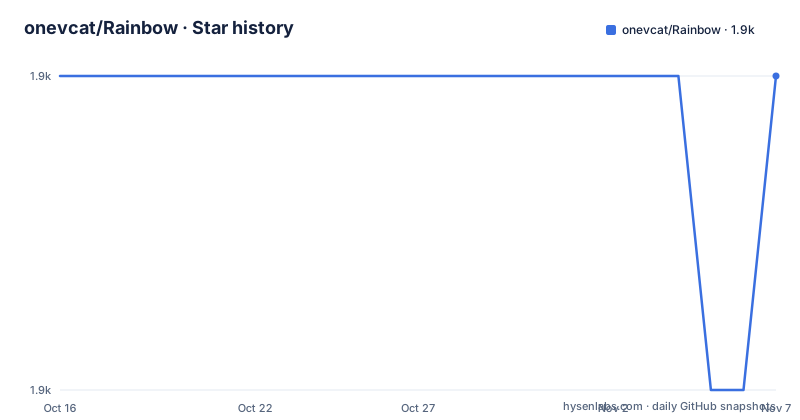
- onevcat/Rainbow1,941 ★ · +0
| Repository | 2026-10-16 | 2026-11-07 |
|---|---|---|
| onevcat/Rainbow | 1.9k | 1.9k |
0 Stars in the last 22 days, measured from the daily GitHub snapshot. Compare with other projects
Editorial analysis
Rainbow's Place in Swift Terminal Output
Rainbow addresses a narrow but recurring problem in Swift console applications: distinguishing log levels, statuses, command results, and other information without manually assembling ANSI escape sequences. It is intended for developers writing software whose output is viewed in a terminal, including command-line tools and cross-platform applications. The package supports text color, background color, and styles such as bold, underline, and blinking.
Its scope is formatting, not log transport or structured logging. Rainbow does not document destinations, log rotation, timestamps, severity storage, or persistence. It changes how existing strings appear in console output. That boundary makes it suitable as a presentation layer beside an existing logger, but it does not replace a logging framework that manages record levels or output targets.
The package is also not limited to the original 16 terminal colors. The README documents named colors, 8-bit colors, 24-bit colors, hexadecimal colors, and HSL colors. Hexadecimal values are approximated with 8-bit colors by default, while callers can explicitly request conversion to 24-bit color when the destination terminal supports it. This range is useful for cross-platform tools, but terminal capability still determines what the user actually sees.
Rainbow String Styling and Nested Output
The normal API extends Swift strings, so common formatting reads as part of the value rather than as a separate rendering operation. A string can receive a named foreground color, a background color, or several styles through chained properties. Rainbow also preserves inner styling during string interpolation, which allows a sentence to contain differently colored fragments inside an outer color.
For example, the README prints plain English strings with `.red`, `.onBlue`, and a combination of `.lightGreen.onWhite`. It also combines foreground color and style through `.cyan.bold.blink`. Clear operations named `.clearColor`, `.clearBackgroundColor`, and `.clearStyles` can remove previously applied formatting from a string.
This fluent design has a clear cost. Chained properties can create multiple intermediate strings when several attributes are combined. Rainbow 4.2.0 added a builder-based alternative in which styling is lazy until `.build()` produces one styled string. The project documentation presents `.styled.red.bold.underline.onBlue.build()` as the optimized form for complex chains. That mechanism matters most when the same formatting pattern appears frequently, especially in loops, though the README does not publish measured results.
Builder, Batch, and Conditional Styling Paths
Rainbow offers two documented paths for applying several attributes. The builder collects a styling expression and calls `.build()` once. The batch API, `.applyingAll(color:styles:)`, applies a foreground color and a set of styles in one operation. The README contrasts both paths with ordinary chaining and recommends them for high-frequency work.
Conditional styling addresses a separate concern. Instead of embedding a ternary expression in an interpolation call, methods named `.colorIf(_:_:)` and `.styleIf(_:_:)` apply attributes only when a Boolean condition is true. The documented log-level example chains separate conditions for error, warning, and information levels. This keeps the decision visible in the styling expression, although the application still owns the level enum and message formatting.
An advanced conditional builder is also mentioned, but the README ends its visible example before showing the complete interface. The safe implementation choice is to follow the visible API rather than infer missing methods or property names. Before adopting that interface in production code, check the current source and tests in `Sources/` and `Tests/` for exact signatures.
Installing Rainbow with Swift Package Manager
The README presents Swift Package Manager as the primary installation route for cross-platform Swift software. In `Package.swift`, add the repository URL as a package dependency, use the version requirement shown below, and declare `Rainbow` as a dependency of the application target.
.package(url: "https://github.com/onevcat/Rainbow", .upToNextMajor(from: "4.0.0"))The target configuration needs `Rainbow` in its dependency list. After saving the manifest, build the package:
swift buildA successful command should complete the normal Swift Package Manager build. The README also links to Rainbow's `RainbowSwift.podspec`, so the repository carries CocoaPods packaging, but it does not provide a CocoaPods installation example. Prefer the documented Swift Package Manager route unless the application already requires a different package workflow.
For a first visual use, the repository includes `RainbowPlayground`. Clone the project, enter its directory, and run the demo:
git clone https://github.com/onevcat/Rainbow.git
cd Rainbow
swift run RainbowPlayground
The README says the demo covers basic colors, backgrounds, styles, 8-bit and 24-bit colors, hex colors, HSL colors, the builder pattern, and practical examples. It is a better first check than assuming that every terminal renders every documented color mode identically.
Terminal Compatibility and Deliberate Rendering Limits
Rainbow's main limitation is the terminal dependency beneath the API. The README explicitly warns that only some terminal emulators support 24-bit true color. Named ANSI colors and 8-bit colors can still appear different depending on terminal configuration, and redirected output may preserve escape sequences even when the final destination is a file or log collector.
The hex-color API is another boundary. Unless 24-bit output is explicitly selected, Rainbow converts a hex color to its nearest approximate `.bit8` value. The documented accepted forms include `"FFF"`, `"#FFF"`, `"FFFFFF"`, `"#FFFFFF"`, and `0xFFFFFF`. This approximation may be appropriate for a terminal UI, but it is not an exact cross-device color representation.
Rainbow can also be the wrong choice when output must remain plain text. The README does not document a global switch for disabling ANSI formatting, and its examples focus on emitting styled strings. If CI logs, machine-readable exports, or downstream parsers require plain values, decide separately whether styling belongs before or after the output boundary. Do not assume that colored strings are safe merely because the application code remains readable.
A direct application-owned ANSI formatter is a practical alternative for a tiny tool that needs only one escape sequence. It avoids a package dependency but makes terminal-mode decisions, resets, and color handling part of the application. Rainbow instead centralizes those concerns behind typed Swift properties, multiple color models, interpolation support, builders, and conditional APIs.
Rainbow Maintenance, Versioning, and MIT License
The repository is not archived. Its last push was on 2026-09-26, shortly before release 4.2.2 on 2026-09-22. Earlier listed releases include 4.2.1 on 2025-12-19 and 4.2.0 on 2025-07-26. These dates indicate recent repository activity, but the README does not publish a support policy for older Swift or platform versions.
The example requires Rainbow's `4.x` line through `.upToNextMajor(from: "4.0.0")`. That means a conforming package manifest may resolve later 4.x releases but should not move automatically to a future major version. Upgrading therefore requires attention to `Package.resolved` in applications that lock dependency versions. The release history also matters when evaluating the newer builder, batch, and conditional APIs documented for the current line.
Rainbow is distributed under the MIT License. The repository includes a `LICENSE` file, and the MIT identifier permits reuse, modification, distribution, and inclusion in larger works under its stated conditions. Projects should preserve the required copyright and license notice when redistributing the package or a covered work. This is a license-compliance note, not legal advice; organizations with distribution policies should review the actual `LICENSE` text themselves.
Repository layout also separates implementation, tests, demonstrations, and release metadata under `Sources/`, `Tests/`, `Playground/`, and support files. `PERFORMANCE_GUIDE.md`, `CHANGELOG.md`, and the test suite are the first places to inspect when validating optimization claims or upgrade compatibility.
Editorial conclusion
Swift developers building terminal-facing applications should evaluate Rainbow when a small, fluent styling API and several color models fit the project. Developers who need predictable output in non-ANSI logs, an exact rendering policy for unsupported colors, or detailed production logging should first check terminal behavior and log-sink requirements. The first project-specific check is a small build with Rainbow as a Swift Package Manager dependency and one styled message in the target terminal.
Frequently asked questions
How do I install Rainbow in a Swift project?
The README documents adding `https://github.com/onevcat/Rainbow` to `Package.swift` with `.upToNextMajor(from: "4.0.0")`, adding `Rainbow` to the target dependencies, and running `swift build`.
Which terminal color formats does Rainbow support?
Rainbow supports named colors, 8-bit colors, 24-bit true color, hexadecimal colors, and HSL colors. Hex colors are approximated with `.bit8` unless the caller explicitly requests conversion to `.bit24`.
Does Rainbow support Linux and Windows?
The README describes Rainbow as cross-platform software for terminal logging on Apple's platforms and Linux, and its platform badge lists macOS, Linux, and Windows.
What is the difference between chained styling and the Rainbow builder?
The README says ordinary chaining can create multiple intermediate strings. The `.styled...build()` path uses lazy evaluation and generates the styled string when `.build()` is called, making it the documented option for complex chains.
Is Rainbow a complete logging framework?
No. Rainbow documents console colors, backgrounds, and text styles, but it does not describe log storage, transport, timestamps, rotation, or structured log records.
Official sources
Add this badge to your README
If you maintain this project, the badge below links readers to this analysis and shows its maintenance status from the daily GitHub snapshot. Paste the markdown into your README; add ?metric=license or ?metric=stars to the image URL for a different field.

[](https://hysenlabs.com/projects/onevcat-rainbow)Star history chart for your README
[](https://hysenlabs.com/projects/onevcat-rainbow)Was this useful?