OWASP Security Shepherd Docker Setup and Training Review
Web and mobile application security training platform
At a glance
- What is it?
- OWASP Security Shepherd is a Java-based training platform for learning web and mobile application security through guided levels. Its Docker deployment is documented, but the visible release history leaves upgrade planning and environment configuration for the operator.
- Who is it for?
- Security Shepherd fits instructors, security awareness programs, and AppSec engineers who want guided web and mobile security practice with per-user progress controls. It should not be selected as a production scanner, used as evidence about an external codebase, or exposed publicly without an operator-defined access policy.
- Can I use it commercially?
- Yes, with conditions. GPL-3.0 is a copyleft licence: if you distribute software that includes it, you must release that software's source code under the same licence. Running it internally without distributing it does not trigger that obligation.
- Is it still maintained?
- Yes. The repository received new commits within the last day.
- What is it written in?
- Mainly Java, according to GitHub's language statistics.
Answers come from the project's GitHub data, last synced on October 23, 2026, and from our analysis. They are not legal advice.
Star history
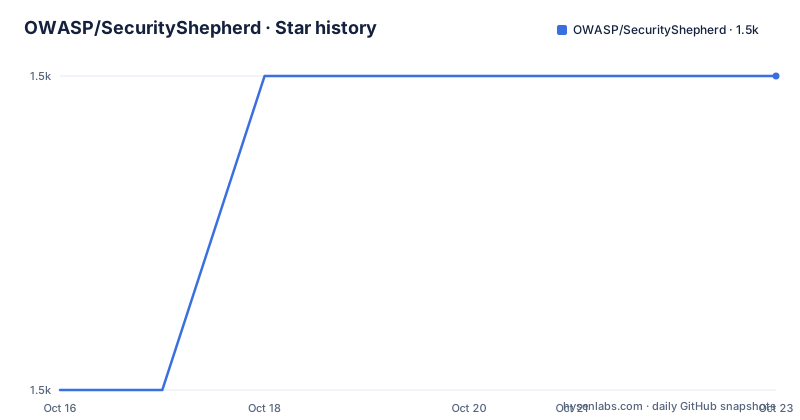
- OWASP/SecurityShepherd1,463 ★ · +1
| Repository | 2026-10-16 | 2026-10-23 |
|---|---|---|
| OWASP/SecurityShepherd | 1.5k | 1.5k |
1 Stars in the last 7 days, measured from the daily GitHub snapshot. Compare with other projects
Editorial analysis
Security Shepherd's Guided AppSec Training Model
OWASP Security Shepherd addresses a specific training problem: application security exercises are often scattered across separate vulnerable applications, external sites, and collections of static guidance. Security Shepherd places more than sixty web and mobile application security levels under one platform, according to the README. The intended audience ranges from AppSec novices to engineers who already have penetration testing experience. That breadth matters because the platform is presented as a structured learning environment rather than a general vulnerability scanner or a collection of disposable attack targets.
The exercises use real vulnerability classes with their harmful impact reduced to protect users and the training environment. The README specifically says that participants do not need to follow a simulated security risk or a predetermined attack vector merely to pass a level. This design gives learners room to work with attack behavior that resembles real application security testing while keeping the surrounding system bounded. It also makes Security Shepherd different from a conventional vulnerable demo application whose purpose ends after one vulnerability class has been demonstrated.
Administrators can control which levels are available and how they appear. The documented layout choices are Open, CTF, and Tournament. Users also receive individual solution keys, which the README identifies as a classroom feature intended to reduce solution sharing. A configurable scoreboard assigns medals and bonus points for early completion, while class groups let administrators examine student progress. Public registration can be disabled and accounts can be created manually when a training environment should be private.
This makes the platform most relevant to instructors, security awareness leads, and training managers who need a controlled application security curriculum. It is also relevant to individual engineers who want guided practice. It is less suitable for organizations seeking a production vulnerability scanner, a CI security gate, or evidence that an external application has been tested.
Tomcat, MariaDB, and MongoDB Deployment Architecture
The repository layout and Docker files show a multi-service Java web application deployment. Maven builds `owaspSecurityShepherd.war`, which is copied into Tomcat as `ROOT.war`. That arrangement makes the application available through the web container rather than requiring a separate application server executable in the documented setup. The `Dockerfile` also writes `database.properties` and `mongo.properties` during the image build, passing relational database and MongoDB connection values from the Compose environment.
The Compose file defines three services. The `db` service is built from `docker/mariadb`, stores its data in the `data` volume, reads `.env`, and exposes the MariaDB container on port `3306`. The `web` service receives a JDBC URI in the form `jdbc:mariadb://${CONTAINER_MARIADB}:3306`, along with `DB_USER` and `DB_PASS`. The application image uses `org.mariadb.jdbc.Driver` by default and a `core` schema, according to the Dockerfile.
A separate `mongo` service provides the data store named `shepherdGames`. Its configuration uses `connectionHost`, `connectionPort`, `connectTimeout`, `socketTimeout`, and `serverSelectionTimeout`. Named volumes preserve MariaDB data, MongoDB data, MongoDB configuration, Tomcat configuration, and Tomcat logs. The `web` service depends on `db`; the Compose declaration does not list `mongo` as a dependency. Operators should therefore account for startup readiness outside Compose if their environment does not bring MongoDB online before the web application needs it.
Tomcat receives HTTP and HTTPS mappings through `$HTTP_PORT:8080` and `$HTTPS_PORT:8443`. The build also patches Tomcat configuration and installs a TLS keystore named by `TLS_KEYSTORE_FILE`. This supports encrypted access, but the README only directs the reader to open `http://localhost`, so the visible tutorial does not explain when the HTTPS mapping should be used or how its keystore is configured.
Docker Installation on an Ubuntu Linux Host
The README provides a complete Docker-oriented setup for an Ubuntu Linux host. These commands install the stated prerequisites, clone the repository, build the WAR and TLS certificate, and start the Docker environment. The repository defaults to the `dev` branch, so a deployment based on `git clone` follows that branch rather than selecting a release tag.
Run the documented prerequisite and repository setup commands first. This places the project in the local `SecurityShepherd` directory and installs `git`, `maven`, `docker`, `docker-compose`, and `openjdk-17-jdk` through the documented `apt install` command.
sudo apt install git maven docker docker-compose openjdk-17-jdk
git clone https://github.com/OWASP/SecurityShepherd.git
cd SecurityShepherd
The README then adds the current user to the Docker group so Docker commands do not have to use `sudo`. Group membership normally takes effect only after the current login session is refreshed, so this command may appear ineffective until the user starts a new session.
sudo gpasswd -a $USER dockerBuild the application before starting Compose. The `docker` Maven profile generates the WAR and HTTPS certificate, while `-DskipTests` prevents the tests from running during this documented build step.
mvn -Pdocker clean install -DskipTestsAfter the Maven build completes, start the database, MongoDB, and web services through the Compose file. The command builds missing images, creates the Docker network, and brings the declared environment up.
docker-compose upSecurity Shepherd is then reached at `localhost`. The README lists `admin` as the initial username and `password` as the initial password, and it states that the application asks the user to update the password after login. It also says environment variables can be configured in the root `.env` file. The repository confirms that both the Compose file and Docker build read values from that file, including database images, container names, mapped ports, credentials, and Tomcat settings.
First Login and Administrative Setup
The first documented action is straightforward: open a browser, navigate to `http://localhost`, sign in with `admin` and `password`, and complete the prompted password update. This path is intended for a local training setup. The README does not describe a separate bootstrap wizard, seed-data import, or first-level enrollment procedure, so those should not be assumed.
After login, the first useful administrative check is whether the intended levels are available to users. Security Shepherd lets administrators select levels and choose among Open, CTF, and Tournament layouts. The README also documents account creation, administrator creation, suspension and unsuspension, bonus and penalty points, class groups, and public-registration controls. Those capabilities make it possible to model either an individual learning path or a managed class.
For a classroom, creating a class group before assigning users would align with the documented progress feature, since administrators can review how a class has progressed. Enabling completion feedback is another explicit option. According to the README, this requires users to submit feedback before a level is marked complete, allowing administrators to collect reports of understanding and review feedback for project improvements.
The initial credentials and open local endpoint should not be treated as a production security configuration. The documentation itself requires changing the password, but it does not describe hardening the Tomcat server, restricting Compose port publication, replacing the database credentials, or exposing Security Shepherd to remote users. Operators deploying it beyond one machine must settle those details before distributing learner accounts.
Classroom Controls, Feedback, and Progress Tracking
Security Shepherd provides administrative controls designed for training cohorts rather than anonymous public access. User-specific solution keys can prevent students from sharing a single answer key, while class groups give administrators a unit for tracking progress. Manual account creation and disabled public registration support a closed environment. The scoreboard introduces competition through medals and bonus points for the first three users to complete a level.
Those features carry policy questions that the software cannot decide for the instructor. Should learners receive hints before or after solving a level? Should a scoreboard be visible to the whole cohort? How should suspension be used? The README documents the controls but does not prescribe these teaching policies. An administrator must define them consistently, especially if the platform is used for assessment rather than informal awareness training.
Feedback adds a second completion gate. Users must complete the configured feedback process before the level is marked complete. That can produce reports of understanding, but it also means the completion state depends on a configured workflow. The visible documentation does not explain whether feedback questions are editable through the interface, who receives submitted responses, or how reports are exported. Those details should be checked before relying on the data for grading or compliance records.
Detailed logging is another documented feature. The README says administrators can inspect descriptive logs when a user misbehaves. It does not specify retention periods, log formats, access controls, or integration with external systems. The logs may help an instructor investigate activity inside the training environment, but the documentation does not establish that they are suitable as a general audit trail.
Release History, Licensing, and Upgrade Boundaries
The repository is not archived, and the last push was on 2026-10-09. The listed releases are much older: `v3.1` on 2018-10-11, `v3.0` on 2015-10-24, and `2.4` on 2015-06-25. This means the repository has recent repository activity without a recent release entry in the listed releases. The distinction matters for adoption because a new branch change may not correspond to a packaged VM, manual installation pack, or documented migration between releases.
The project is licensed under `GPL-3.0`. That identifier indicates the repository's declared license, but it does not by itself answer organization-specific compliance questions. Distributors and integrators would need to examine the actual `LICENSE` file and their deployment and modification practices. No legal conclusion should be inferred from the license label alone.
Upgrading has a visible operational cost because the environment depends on Maven, Java 17, Tomcat, MariaDB, MongoDB, Docker Compose, generated TLS files, and a multi-file `.env` configuration. The documented upgrade procedure is not provided in the visible README. There is also no stated database migration process, release-to-branch mapping, rollback procedure, or list of configuration changes between versions. Based on the documented setup, the cheapest reproducible installation is likely to pin a known repository revision and preserve its matching `.env` file, but that is operational reasoning rather than a documented upgrade recommendation.
The named Docker volumes also matter during upgrades. Replacing the web container does not necessarily remove the database or MongoDB data, but compatibility across application versions cannot be confirmed from the repository layout. An operator needs a separate copy and a tested restoration procedure before changing versions in a class with accumulated progress.
Where Security Shepherd Differs from Standalone Vulnerable Apps
A standalone vulnerable application usually exposes one target and teaches one technology or vulnerability class. Security Shepherd instead combines more than sixty levels, learner accounts, selectable layouts, per-user solution keys, scoring, class grouping, configurable feedback, and administrative logs in one platform. That makes it a better fit when an instructor needs curriculum administration and learner progress rather than a single lab image.
The alternative approach is to assemble separate training targets and manage course material externally. That can provide more control over the exact environment and attack surface, especially for lessons tied to a particular framework or cloud service. It also transfers more work to the instructor: target provisioning, enrollment, answer distribution, progress collection, and feedback all need separate systems.
Security Shepherd is the wrong tool for validating a specific production codebase. The README describes it as a training platform, not a static analyzer, dynamic scanner, or integration test suite. Its intentionally vulnerable exercises and contained environment should not be treated as evidence about an external application's security. Organizations looking only for vulnerability detection should evaluate a tool built for that job instead.
The platform is also unsuitable when there is no policy for handling a deliberately vulnerable training service. The README says harmful impact is reduced, but it does not describe every containment control or network boundary. A public deployment would require the operator to decide who can access it and how its ports, credentials, data, and logging are managed.
Adoption Boundaries for Security Shepherd Operators
Security Shepherd fits instructors, security awareness programs, and AppSec engineers who want guided web and mobile security practice with per-user progress controls. It should not be selected as a production scanner, used as evidence about an external codebase, or exposed publicly without an operator-defined access policy. The available repository activity makes current development worth noting, but the latest listed release is `v3.1` from 2018-10-11, and the visible documentation does not provide an upgrade or rollback procedure.
The first adoption check should be a clean Docker build from a pinned repository revision using the documented `mvn -Pdocker clean install -DskipTests` command and a reviewed root `.env` file. Confirm that Tomcat reaches the intended port, MariaDB and MongoDB retain their named-volume data, and the `admin` password can be changed before creating learner accounts. For an established class, also verify the selected level set, layout, solution-key policy, completion feedback, and scoreboard settings against the training plan.
Editorial conclusion
Security Shepherd fits instructors, security awareness programs, and AppSec engineers who want guided web and mobile security practice with per-user progress controls. It should not be selected as a production scanner, used as evidence about an external codebase, or exposed publicly without an operator-defined access policy. The available repository activity makes current development worth noting, but the latest listed release is `v3.1` from 2018-10-11, and the visible documentation does not provide an upgrade or rollback procedure. The first adoption check should be a clean Docker build from a pinned repository revision using the documented `mvn -Pdocker clean install -DskipTests` command and a reviewed root `.env` file. Confirm that Tomcat reaches the intended port, MariaDB and MongoDB retain their named-volume data, and the `admin` password can be changed before creating learner accounts. For an established class, also verify the selected level set, layout, solution-key policy, completion feedback, and scoreboard settings against the training plan.
Frequently asked questions
How do I install OWASP Security Shepherd with Docker on Ubuntu?
The README instructs Ubuntu users to install the documented prerequisites, clone the repository, run `mvn -Pdocker clean install -DskipTests`, and then run `docker-compose up`. It also says environment values can be set in the root `.env` file.
What are the default login credentials for OWASP Security Shepherd?
The README lists `admin` as the username and `password` as the password for `http://localhost`. It also states that the application prompts the user to update the password after login.
Which databases and application server does OWASP Security Shepherd use in its Docker setup?
The Compose file defines MariaDB and MongoDB services and runs the application in Tomcat. The Docker build installs `owaspSecurityShepherd.war` as `ROOT.war`, configures the MariaDB JDBC connection, and uses `shepherdGames` as the MongoDB database name.
Can OWASP Security Shepherd manage classroom users and progress?
The README documents user creation, administrator creation, suspension, class groups, user-specific solution keys, scoreboards, and class progress review. It also documents disabling public registration and manually creating users for a private training environment.
Official sources
Add this badge to your README
If you maintain this project, the badge below links readers to this analysis and shows its maintenance status from the daily GitHub snapshot. Paste the markdown into your README; add ?metric=license or ?metric=stars to the image URL for a different field.

[](https://hysenlabs.com/projects/owasp-securityshepherd)Star history chart for your README
[](https://hysenlabs.com/projects/owasp-securityshepherd)Was this useful?