passff: a Firefox front end for the pass password store
Read-only mirror of https://codeberg.org/PassFF/passff Pull requests and issues on GitHub cannot be accepted and will be automatically closed.
At a glance
- What is it?
- passff is a browser extension that reads a zx2c4 pass repository directly, so you can look up a credential and have the login form filled from a structured entry instead of a note you have to interpret. It needs three things to work, the pass installation, a small host application, and a graphical pinentry, and each of those has a documented failure mode.
- Who is it for?
- Adopt passff if you already keep credentials in a pass store and want your Firefox logins filled from that store rather than from a browser password manager, and follow the documented order of installing pass, then the host application, then the extension from the Mozilla add-on page.
- Can I use it commercially?
- Yes, with conditions. GPL-2.0 is a copyleft licence: if you distribute software that includes it, you must release that software's source code under the same licence. Running it internally without distributing it does not trigger that obligation.
- Is it still maintained?
- Yes. The repository last received commits 73 days ago.
- What is it written in?
- Mainly JavaScript, according to GitHub's language statistics.
Answers come from the project's GitHub data, last synced on November 7, 2026, and from our analysis. They are not legal advice.
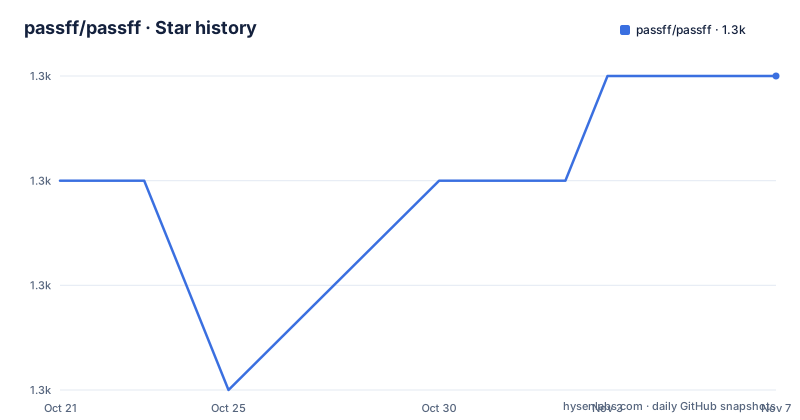
Star history
- passff/passff1,281 ★ · +1
| Repository | 2026-10-21 | 2026-11-07 |
|---|---|---|
| passff/passff | 1.3k | 1.3k |
1 Stars in the last 17 days, measured from the daily GitHub snapshot. Compare with other projects
Editorial analysis
A browser front end for a git-encrypted store
passff is an extension for Mozilla Firefox that manages a zx2c4 pass repository, and its stated purpose is to let you access that repository directly from your web browser. The extension can also fill and submit login forms automatically when it finds a matching password entry.
The design is worth understanding, because it explains the installation steps. pass itself is a command line program, and its repository is a directory of encrypted files managed with git and GnuPG. A browser extension cannot read that, because the decryption needs a passphrase and the signing needs a key pair that belongs to the user rather than to a web page. So the work is split across three pieces, and the extension is only the part you can see.
The compatibility floor is stated plainly: Firefox 50 or newer, or 54 for full support. The project is a Firefox extension only, and the topics list says so.
The distribution picture is also unusual and worth noting at the start. This GitHub repository is a read-only mirror of the project on Codeberg, and the repository description says plainly that pull requests and issues on GitHub cannot be accepted and will be automatically closed. The authoritative home is codeberg.org/PassFF/passff, and the official signed build is on the Mozilla add-on page.
Three pieces that have to be installed in the right order
The installation section lists the requirements, and the order matters.
First, zx2c4 pass has to be installed and set up with a password repository, and the README gives a concrete check: make sure you can execute pass show some-password-name in a terminal before continuing. That check matters because every later failure looks the same from inside the browser, so the fault has to be ruled out at the source first.
Second, the host application, installed from its own git repository at codeberg.org/PassFF/passff-host. The host application's job is to let the extension communicate with pass on your system, and it exists because the extension cannot run a process on the machine itself.
Third, the extension itself, from the Firefox add-on page. Previous releases are available as XPI files from the releases page, but the README says this is strongly discouraged for security reasons, and it is a fair warning: an unsigned or self-built extension is a different trust proposition from one signed by Mozilla and delivered through the add-on store.
So the chain is pass with a working repository, then the bridge, then the browser extension, and the README's advice is to satisfy each link before debugging the next.
The pinentry trap, and the OTP path
The fourth requirement is a graphical pinentry program, which prompts you for your passphrase, and the README says one is probably already installed. If PassFF does not work, it lists the options per platform: pinentry-gtk, pinentry-qt or pinentry-fltk on Ubuntu and Debian, pinentry-qt4 or pinentry-qt on CentOS and RHEL, and pinentry-mac on macOS. If none of those work, you may have to configure GnuPG to use the right pinentry program.
The note that follows is the one to remember. Since the host app runs non-interactively, a console pinentry such as pinentry-ncurses is useless and may render PassFF unusable if it is the default pinentry.
That is a sharp, specific failure mode, and it explains a class of confusing symptoms. The passphrase prompt never appears, the fill does nothing, and the extension looks broken, when the real problem is that a text-mode prompt cannot be displayed in the context the host application runs in.
The last capability in the installation list is one-time-password authentication. PassFF can generate tokens to fill OTP input fields if the pass-otp extension is installed and the key URI is configured in the password file, and the README links the pass-otp project and says to see the examples.
The password file format, and how fields are inferred
This is where the extension earns its keep. If you only want the extension to fill out passwords, you do not need any special format. But if you follow the formats the project expects, the extension can also visit the site's URL and fill the username and other input fields for you.
The preferred scheme is the multi-line format used by the author of pass:
<the_password>
login: <the_login>
url: <the_url>
<other_inputfield_name>: <inputfield_value>
The fallbacks are the interesting part, because they let an existing pass store work without being reformatted. If there are no colons on the second or third line, those lines are assumed to be the username and the URL respectively, unless they are empty. If there is only a single line, or no field matches a login field name, the username is taken from the filename, so example.com/janedoe gives a default username of janedoe.
The URL is derived the same way. If there is no url field but there is a login field, the URL is taken from the filename, assuming a secure protocol, so shopping/example.com gives https://example.com. If there is neither a url nor a login field, the filename becomes the username and the parent directory's name becomes the URL.
The names of the login and url fields are configurable in the preferences, so an existing store that uses different keys can be adapted without editing every file.
Reusing entries, symbolic links and the .meta sidecar
The format supports several ways of not repeating yourself, and they solve different problems.
Symbolic links inside the password store work if the data is identical across entries, with one important constraint: use relative links, because PassFF cannot resolve paths beyond the password store directory.
A second mechanism is the arrow reference. If individual fields are equal across entries, you can store the data in one entry and reference it from others, using the -> syntax followed by a space and a relative or absolute path:
-> /shopping/example.com
login: -> example.com
url: https://example2.com
And a third is the sidecar file. You can create the two entries shopping/example.com and shopping/example.com.meta, and whenever you select the first one in PassFF it automatically appends the contents of the corresponding .meta entry before parsing the multi-line format. That is how you keep the password itself separate from the username, the URL and less sensitive metadata.
The field mechanics round this out. Lines besides the login and URL that match the <other_inputfield_name>: <value> shape can fill input fields other than the password, with the left-hand side matching the input field's name, id, autocomplete or placeholder attribute. The value can be one of PASSFF_FIELD_LOGIN, PASSFF_FIELD_PASSWORD or PASSFF_FIELD_OTP to tell PassFF which field to fill, or PASSFF_OMIT_FIELD to leave one alone. The same keyword works to omit a login name when the credential has only a password, or to omit the password when it has only a login name.
Where passff is the wrong choice
The first wrong-tool case is a browser's built-in password manager. If Firefox's own saved logins, or a separate browser extension, already fills your forms, passff adds a host process, a GnuPG prompt and a second copy of your credentials' metadata in exchange for very little. The value of passff is specifically that the source of truth stays a git repository you control, with its own history and its own encryption, which matters for people who treat the password store as infrastructure rather than as a convenience.
The second is a Chrome, Edge or Safari user. This is a Firefox extension, with a Firefox version floor, and there is no other browser in the README.
The third is a team. pass is a personal tool, with a GnuPG key, a passphrase, a host application on one machine and an extension profile. Sharing a pass store across several people means sharing keys or accepting that every person who needs a credential has to decrypt the whole store, and the README describes nothing about multi-user setups, so a team that needs shared credentials needs a different answer.
There is also a maintenance consideration that the repository itself makes visible. The newest tagged release is 1.17 from May 2024, the project lives on Codeberg, and the GitHub copy is a read-only mirror whose issues and pull requests are closed automatically. Anyone planning to depend on the project should watch the Codeberg repository rather than this one, and expect the extension to be maintained at the pace of a small side project.
GPL-2.0, version 1.17, and a mirror that closes your pull request
The project is licensed under GPL-2.0, with the LICENSE file at the repository root. The release history is 1.17 from 2024-05-08, 1.16 from 2023-12-01 and 1.15 from 2023-08-09, so roughly annual releases, and the last push was on 2026-08-26.
The repository layout shows a modern JavaScript project, with a src/ directory, a docs/ directory, a .gitea/ directory for the Codeberg forge, a .husky/ directory for the commit hooks, an eslint config, a jest config and a prettier configuration.
The package metadata shows the test and lint setup, and the way it is wired is the interesting part. The package is an ES module, the test script runs Jest with the experimental VM modules flag, and lint-staged runs prettier, then eslint with --max-warnings=0 and a fix, then the related tests, for every changed file in src. So a commit runs the formatter, the linter with zero tolerance for warnings, and the tests that touch the files you changed.
The Makefile is the packaging side. It builds an XPI from a set of content files, which are content, _locales, modules, skin, content_script.js and icon.png, together with manifest.json, and it targets bin/$(VERSION)/passff.xpi. The version variable defaults to testing, so a local build is distinguishable from a released one, which is a small courtesy in a project where people are encouraged to build their own copies.
Editorial conclusion
Adopt passff if you already keep credentials in a pass store and want your Firefox logins filled from that store rather than from a browser password manager, and follow the documented order of installing pass, then the host application, then the extension from the Mozilla add-on page. Do not adopt it if your credentials live in a browser's built-in manager, and do not install a console pinentry, because the README says the host application runs non-interactively and a console pinentry such as pinentry-ncurses can render the extension unusable. Before you rely on it, confirm the signed build from the Mozilla add-on page is what you install, since the README strongly discourages previous XPI releases for security reasons.
Frequently asked questions
What does the passff extension need to work?
Three things: zx2c4 pass installed with a password repository, and a check that pass show some-password-name works in a terminal, the PassFF host application installed from its own repository, and the extension itself from the Mozilla add-on page. A graphical pinentry program is also needed, because the host application runs non-interactively.
Why does passff not work with pinentry-ncurses?
The README states that since the host app runs non-interactively, a console pinentry such as pinentry-ncurses is useless and may render PassFF unusable if it is the default pinentry. The suggested alternatives are pinentry-gtk, pinentry-qt or pinentry-fltk on Debian and Ubuntu, pinentry-qt4 or pinentry-qt on CentOS and RHEL, and pinentry-mac on macOS.
What format do passff password entries need?
The preferred multi-line format puts the password first, then login:, url: and any number of other input field lines. If you do not follow it, the extension still fills passwords and infers the username and URL from the file name, for example example.com/janedoe giving the username janedoe and the URL https://example.com.
Can passff fill one-time password fields?
Yes, if the pass-otp extension is installed and the key URI is configured in the password file. In an entry, a field can be set to PASSFF_FIELD_OTP to tell PassFF to fill the token, and PASSFF_OMIT_FIELD to leave a field alone.
Where is the authoritative repository for passff?
On Codeberg, at codeberg.org/PassFF/passff. The GitHub repository is a read-only mirror, and its description states that pull requests and issues on GitHub cannot be accepted and will be automatically closed. The project is GPL-2.0, and the newest release is 1.17 from 2024-05-08.
Official sources
Add this badge to your README
If you maintain this project, the badge below links readers to this analysis and shows its maintenance status from the daily GitHub snapshot. Paste the markdown into your README; add ?metric=license or ?metric=stars to the image URL for a different field.

[](https://hysenlabs.com/projects/passff-passff)Star history chart for your README
[](https://hysenlabs.com/projects/passff-passff)Was this useful?