pftf/RPi4 UEFI Firmware Installation and Hardware Constraints
Raspberry Pi 4 UEFI Firmware Images
At a glance
- What is it?
- pftf/RPi4 publishes installable Raspberry Pi 4 builds of the official EDK2 UEFI firmware. It suits users who need UEFI boot environments on the Pi 4, but kernel support, EEPROM compatibility, and the default 3 GB memory limit require careful review.
- Who is it for?
- Adopt pftf/RPi4 when a Raspberry Pi 4 must boot through an EDK2 UEFI environment and its conservative defaults match the target Linux, Windows, or experimental operating system. Do not adopt it as a general-purpose driver bundle or assume that installing the firmware restores missing GPIO, VPU, SD, or wireless support.
- Can I use it commercially?
- Check first. The repository uses a licence we do not classify automatically, so read its LICENSE file before any commercial use.
- Is it still maintained?
- Yes. The repository last received commits 52 days ago.
- What is it written in?
- GitHub does not report a main language for this repository.
Answers come from the project's GitHub data, last synced on November 7, 2026, and from our analysis. They are not legal advice.
Star history
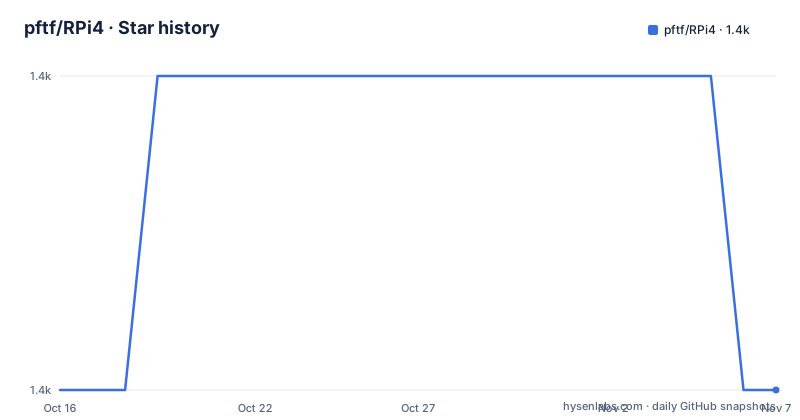
- pftf/RPi41,409 ★ · +0
| Repository | 2026-10-16 | 2026-11-07 |
|---|---|---|
| pftf/RPi4 | 1.4k | 1.4k |
0 Stars in the last 22 days, measured from the daily GitHub snapshot. Compare with other projects
Editorial analysis
Why pftf/RPi4 Adds a UEFI Layer to the Raspberry Pi 4
pftf/RPi4 solves a specific firmware problem: it packages installable builds of the official EDK2 firmware for the Raspberry Pi 4. This gives the board a UEFI environment rather than limiting it to the firmware and boot process supplied by the normal Raspberry Pi software stack. The likely audience includes developers experimenting with UEFI boot loaders, operating systems that expect an EFI firmware interface, and engineers who want access to firmware configuration and the UEFI Shell.
This is an image repository rather than a general Raspberry Pi firmware update. The repository description identifies the contents as Raspberry Pi 4 UEFI firmware images, while the README states that the builds come from the official EDK2 Raspberry Pi 4 platform repository. The published ZIP files contain the `RELEASE` firmware, while a `DEBUG` build is available through GitHub CI artifacts. That distinction matters because the downloadable release is the normal installation source, while the debug artifact is a separate development-oriented path.
The project does not try to supply the complete hardware experience of a desktop computer. The README warns that drivers such as GPIO and VPU may still be absent and may need to come from a third party. It also separates firmware support from kernel support. Linux Ethernet requires kernel 5.7 or later, while SD card and wireless support require kernel 5.12 or later, with the documentation noting that actual peripheral use can still vary.
The RPi4 Firmware Boot Path from Media to EFI
The documented boot path starts with the CPU-embedded Raspberry Pi bootloader reading an SD card or USB partition. A multicoloured screen indicates that this initial bootloader has found readable media. The UEFI firmware then initializes, after which the Raspberry Pi black and white logo appears. At that point, the firmware can expose its setup interface, launch its shell, or search for a UEFI application on removable media.
The firmware archive is not installed in a conventional application directory. It is extracted intact onto a FAT16 or FAT32 partition. The partition can be a regular partition or an ESP, but the Linux partitioning instructions specifically call for an MBR partition table and partition type `0xef`, identified as EFI in the README. The documentation reports that other partition types have caused boot errors. File names and directory names must remain unchanged after extraction, apart from the removable `Readme.md`.
If the boot media contains a UEFI loader at the path below, the firmware can launch it by default when the user does not open firmware setup:
efi/boot/bootaa64.efiThis path describes the boot application expected by the documented startup behavior. It does not imply that the repository provides an operating system loader at that location. The reader must already have a compatible bootloader on the SD card or USB drive. Before startup, `<kbd>Esc</kbd>` opens firmware setup and `<kbd>F1</kbd>` launches the UEFI Shell.
Preparing a Bootable FAT Partition for pftf/RPi4
The installation procedure does not prescribe a command-line imaging tool, so this project cannot be installed safely with a single documented shell command. The README directs users to download the latest archive from the GitHub Releases repository. It then requires an SD card or USB drive with at least one FAT16 or FAT32 partition. On Linux, the documented partitioning choices are an MBR-style table and partition type `0xef`.
After creating and formatting that partition, extract every file from the selected archive onto it. Keep the extracted layout intact. In particular, the instruction not to rename files or directories is important because this is firmware media rather than a collection of optional samples. The included `Readme.md` is the stated exception and can be removed.
For a first boot, insert the prepared SD card or connect the prepared USB drive, then power on the Raspberry Pi. The expected sequence is the multicoloured boot screen followed by the firmware logo. The first useful checkpoint is therefore visible before any operating system loads. If the system does not reach the logo, the partition table, partition type, FAT format, file extraction, or media-writing process becomes more relevant than Linux configuration.
USB and ESP booting have an additional prerequisite. Both require a recent-enough Raspberry Pi Pi EEPROM and recent-enough UEFI firmware. The README points users who encounter this case to the Raspberry Pi EEPROM releases. It does not document firmware rollback, recovery keys, or a command for changing the boot order, so those operations should not be inferred from the installation instructions.
Kernel Support and the Default 3 GB Memory Boundary
The most consequential design choice is the enforced 3 GB RAM limit. According to the README, the limit applies by default even on Raspberry Pi 4 models with 4 GB or 8 GB. It exists because the operating system must patch DMA access to work around a Broadcom SoC hardware bug. The UEFI firmware can disable the limit, but doing so transfers responsibility to software that is adequately patched for that hardware behavior.
For Linux, the README associates this workaround with a recent kernel, generally version 5.8 or later. Ethernet networking has its own stated minimum of kernel 5.7. SD and wireless support require kernel 5.12 or later. These requirements overlap but are not interchangeable: kernel 5.8 satisfies the README's general guidance for the RAM workaround, but it does not by itself meet the stated requirement for SD or wireless support.
For Windows, disabling the limit requires installation of a filter driver, as stated in the README. The setting is reached through `Device Manager`, then `Raspberry Pi Configuration`, then `Advanced Settings`. The additional notes call the same menu location `Advanced Configuration`, so path naming differs slightly within the documentation. The mechanism is clear even though the labels are not perfectly consistent.
This boundary makes the firmware unsuitable for casually disabling the restriction on an unpatched system. It also means that buying a higher-memory Pi 4 does not automatically make all installed memory available under the published configuration. Engineers evaluating multi-gigabyte workloads must examine the operating system's DMA patch or filter driver before changing the setting.
ACPI, Serial Console, and Missing Raspberry Pi Drivers
The published firmware enforces ACPI by default to support Linux boot. Administrators can change that setting through the firmware configuration path under `Raspberry Pi Configuration` and `Advanced Configuration`. This gives the firmware a defined starting point for Linux compatibility, but it also means that firmware policy is part of the system's hardware-access behavior rather than only a matter of selecting a boot device.
Serial support is configured through firmware behavior and `config.txt`. The documentation states that the firmware can detect whether the UART is PL011 or mini UART by checking for the relevant overlay. The default serial baud rate is `115200`. Under Linux, the documented console device is `/dev/ttyAMA0` when using PL011 and `/dev/ttyS0` when using mini UART. This mapping is more useful during troubleshooting than the firmware's broad description of serial support because it tells an operator which device path to expect.
The repository is not a complete replacement for Raspberry Pi operating-system support. The README explicitly places GPIO, VPU, and similar drivers outside the project's scope and warns that they may need third-party providers. UEFI compatibility should therefore not be interpreted as broad peripheral compatibility. A kernel at a sufficient version is a necessary condition for some documented features, not a guarantee that every device is usable. The phrase “your mileage may vary” in the README is especially relevant to SD and wireless access.
Compared with the stock Raspberry Pi boot route, pftf/RPi4 adds firmware configuration, ACPI, EFI application discovery, and a UEFI Shell. It does not add the missing OS drivers or replace the need to match the kernel to the hardware behavior of the Raspberry Pi 4.
Release Packaging, Licensing, and Maintenance Boundaries
The release history contains v1.51 on 2026-03-11, v1.52 on 2026-05-28, and v1.53 on 2026-08-31. The repository's last push was on 2026-09-17. These dates show recent repository activity, but the README does not promise a fixed release schedule or describe a long-term support policy. Users should therefore treat each archive as a versioned firmware image and inspect its accompanying release files rather than assuming compatibility from the repository name alone.
Licensing is split across components rather than covered by one simple archive-wide statement. The `RPI_EFI.fd` firmware is identified as licensed under the current EDK2 license, `BSD-2-Clause-Patent`. Other archive files use the terms described by the Raspberry Pi boot files README. Binary blobs under `firmware/` use the Cypress wireless driver license found in that directory. Repository metadata classifies the top-level license as Other because of this custom arrangement, so the README's component-level terms are the relevant source for understanding what is being redistributed.
The upgrade path is also not fully automated in the documentation. Users can download a newer release and extract it onto prepared media, but the README does not explain how to preserve boot entries, settings, or files between firmware archives. It also does not describe rollback. For systems where firmware changes could affect boot reliability, that omission makes testing the exact archive and retaining a known bootable medium more important than assuming an in-place update procedure.
Editorial conclusion
Adopt pftf/RPi4 when a Raspberry Pi 4 must boot through an EDK2 UEFI environment and its conservative defaults match the target Linux, Windows, or experimental operating system. Do not adopt it as a general-purpose driver bundle or assume that installing the firmware restores missing GPIO, VPU, SD, or wireless support. Verify first that the target kernel meets the documented network and peripheral minimums, that the Pi EEPROM is recent enough for USB or ESP booting, and that the operating system can safely address memory above 3 GB.
Frequently asked questions
How do I install pftf/RPi4 firmware on a Raspberry Pi 4?
Download the latest archive from GitHub Releases, create an MBR-partitioned SD card or USB drive with a FAT16 or FAT32 partition of type `0xef`, and extract all archive files without renaming them. USB and ESP booting also require a recent Raspberry Pi EEPROM.
Can pftf/RPi4 use more than 3 GB of RAM?
The published firmware enforces a 3 GB limit by default, including on models with 4 GB or 8 GB, because the OS must patch DMA access for a Broadcom SoC hardware bug. Linux generally needs kernel 5.8 or later, while Windows requires a filter driver before the limit can be disabled.
Which Linux version is required for SD, wireless, and Ethernet support?
The README requires Linux kernel 5.12 or later for SD or wireless support and kernel 5.7 or later for Ethernet networking. It warns that a sufficient kernel version does not guarantee that every peripheral will be usable.
Where is the UEFI Shell and boot loader located?
Pressing `<kbd>F1</kbd>` after the firmware initializes launches the UEFI Shell. If a compatible UEFI application is present at `efi/boot/bootaa64.efi` on the SD card or USB drive, the firmware runs it by default when no setup action is taken.
Official sources
Add this badge to your README
If you maintain this project, the badge below links readers to this analysis and shows its maintenance status from the daily GitHub snapshot. Paste the markdown into your README; add ?metric=license or ?metric=stars to the image URL for a different field.

[](https://hysenlabs.com/projects/pftf-rpi4)Star history chart for your README
[](https://hysenlabs.com/projects/pftf-rpi4)Was this useful?