TSQuery brings CSS-style selectors to the TypeScript AST
TypeScript AST query library
At a glance
- What is it?
- TSQuery is a port of the ESQuery API to TypeScript, so you can find syntax patterns in a parsed AST with selectors that look like CSS, including attribute conditions, sibling combinators and node class pseudo-selectors. It also ships a set of functions for transforming, replacing and printing the tree, which is what makes it useful as a codemod engine rather than only a search tool.
- Who is it for?
- Adopt TSQuery if you are writing a codemod or a lint rule over TypeScript and want a selector language instead of hand-written AST walks, since the ESQuery syntax is well specified and the match, map, replace and includes functions cover most of what a transformation needs. Do not adopt it for plain text search, since it parses to an AST and a regex will be faster.
- Can I use it commercially?
- Yes. MIT is a permissive licence: you can use, modify and sell software built on it, as long as you keep its copyright and licence notices.
- Is it still maintained?
- Activity is slowing. The repository last received commits 7 months ago.
- What is it written in?
- Mainly TypeScript, according to GitHub's language statistics.
Answers come from the project's GitHub data, last synced on November 7, 2026, and from our analysis. They are not legal advice.
Star history
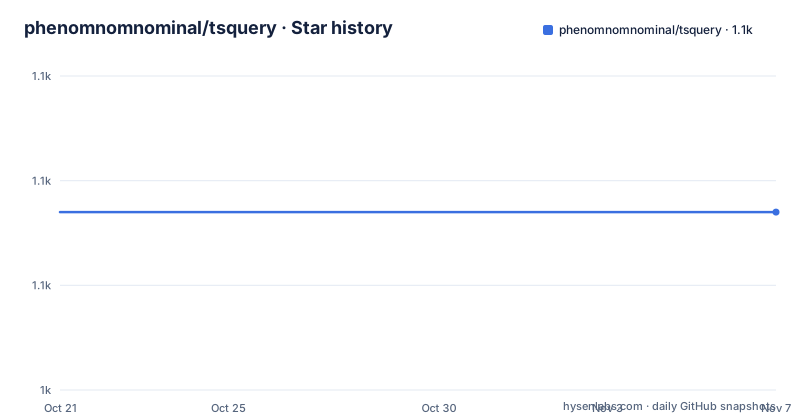
- phenomnomnominal/tsquery1,057 ★ · +0
| Repository | 2026-10-21 | 2026-11-07 |
|---|---|---|
| phenomnomnominal/tsquery | 1.1k | 1.1k |
0 Stars in the last 17 days, measured from the daily GitHub snapshot. Compare with other projects
Editorial analysis
A port of ESQuery, not a new selector language
TSQuery is described as a port of the ESQuery API for TypeScript, and it allows you to query a TypeScript AST for patterns of syntax using a CSS style selector system. The important consequence is that you are learning a language that already exists. ESQuery is the selector engine that eslint uses to match AST nodes, so the selector syntax, the edge cases and the reference implementations are the same ones you may already know from writing eslint rules against a custom selector. A demo for the original ESQuery exists and the documentation notes that it requires JavaScript code rather than TypeScript, and there is a separate TSQuery playground by Uri Shaked. The package itself is `@phenomnomnominal/tsquery`, installed as a dev dependency, and its runtime dependencies are esquery and its type definitions, with TypeScript itself as a peer dependency above version 3.0.
The selector vocabulary
The supported selectors are listed with the CSS specification they mirror. You can match on the AST node type directly, such as `ForStatement`, or use the wildcard `*`. Attributes can be tested for existence, for a value with `[attr="foo"]` or `[attr=123]`, against a regular expression with `[attr=/foo.*/]`, and with conditions such as `[attr!="foo"]`, `[attr>2]`, `[attr<3]`, `[attr>=2]` and `[attr<=3]`. Nested attributes are supported with `[attr.level2="foo"]`, and a field can be targeted with `FunctionDeclaration > Identifier.id`. The structural pseudo-classes are all there: `:first-child`, `:last-child`, `:nth-child(2)` and `:nth-last-child(1)`, though the documentation notes there is no ax+b support in the nth-child forms. The combinators cover descendant, child, following sibling and adjacent sibling, and the logical ones are `:not(ForStatement)`, `:matches([attr] > :first-child, :last-child)` and `:has([name="foo"])`. Finally there is a set of node classes, `:statement`, `:expression`, `:declaration`, `:function` and `:pattern`, which are the ones you reach for when you do not care about the exact node type.
Querying a tree you did not build by hand
The entry point is `ast`, which parses a string of code into an abstract syntax tree you can then query. The worked example in the documentation finds every identifier named Animal, which in the sample code is the identifier in the class declaration and the one in the extends declaration, and it returns two nodes:
import { ast, query } from '@phenomnomnominal/tsquery';

const tree = ast(typescript);
const nodes = query(tree, 'Identifier[name="Animal"]');
console.log(nodes.length); // 2
The `query` function also accepts a raw string of code directly, so `query('const x = 1;', 'Identifier')` works without a separate parse step, and `match` is the same thing with a destructured result. `includes` answers the boolean question instead, checking whether a string or an AST node contains matching nodes, which is what you want in a lint rule. `parse` goes one level lower and parses a selector string into an ESQuery `Selector` object, so you can validate a selector at startup rather than discovering it is wrong when a rule silently matches nothing.
map and replace are the codemod half of the library
The functions that make TSQuery more than a search tool are `map` and `replace`. `map` transforms the nodes within a given node that match a selector, and it can be used for node-based replacement or removal of parts of the input AST, working with the TypeScript factory to create new nodes:
import { factory } from 'typescript';
import { map } from '@phenomnomnominal/tsquery';

const tree = ast('const x = 1;')
const updatedTree = map(tree, 'Identifier', () => factory.createIdentifier('y'));
`replace` is the string-level equivalent, taking code and a replacement callback and returning updated code. The catch is stated in the documentation: the updated code is printed with the TypeScript printer, so you may need to run your own formatter on the output. That is worth internalising before you build a pipeline, because printed output follows the TypeScript printer's formatting rather than your project's style, and a codemod that reformats every file it touches is a codemod nobody wants to merge. `print` is exposed separately for the case where you build a synthetic node with the factory and want it as text.
Project-wide queries through a tsconfig
Two functions work across a whole TypeScript project rather than a single file. `project` gets all the source files included in the TypeScript project described by a given config file, and `files` gets the file paths for the same project, both taking a path to a tsconfig:
import { project, files } from '@phenomnomnominal/tsquery';

const sourceFiles = project('./tsconfig.json');
const filePaths = files('./tsconfig.json');
That is the difference between a codemod library and a codemod tool: with the project functions you can write a script that walks every file in a repository, applies a selector based transformation and writes the results back, which is the shape of most of the automated refactoring tools people reach for. The `files` variant is the cheaper one, useful for a check that only needs to know which files to look at.
The package build and its test setup
The manifest shows a conventional TypeScript library layout. The build script runs clean, compile, lint and test in sequence, so nothing is published that has not been linted and tested. Compilation is plain `tsc` into `dist`, the entry point is `dist/src/index.js` with typings alongside it, and the published files are just `dist/src`. ESLint runs separately over the source and the test directories, Prettier is configured with an eslint-config-prettier to avoid conflicts, and the tests are Jest with ts-jest transforming the TypeScript, with coverage collected from the source directory into a reports directory. There is a debug script that runs Jest under the Node inspector with breakpoints and coverage disabled, which is the sort of detail that suggests the maintainers debug inside the test runner. The version is 6.1.3, the licence is MIT, and there are no GitHub releases, so the published versions live on npm.
Editorial conclusion
Adopt TSQuery if you are writing a codemod or a lint rule over TypeScript and want a selector language instead of hand-written AST walks, since the ESQuery syntax is well specified and the match, map, replace and includes functions cover most of what a transformation needs. Do not adopt it for plain text search, since it parses to an AST and a regex will be faster. Verify first that your TypeScript version is above the peer minimum of 3.0, and remember that output from replace is printed with the TypeScript printer, so you will likely need to run your own formatter over the result.
Frequently asked questions
What is TSQuery?
It is a port of the ESQuery API to TypeScript, allowing you to query a TypeScript AST for syntax patterns using a CSS style selector system. The package is `@phenomnomnominal/tsquery` and it is installed as a dev dependency.
How do I find nodes in a TypeScript AST with TSQuery?
Parse the code with `ast` and pass the tree to `query` with a selector, for example `query(tree, 'Identifier[name="Animal"]')`. `match` does the same and returns a destructured result, and `includes` returns a boolean for use in lint rules.
Can TSQuery rewrite TypeScript code?
Yes. `map` transforms matching AST nodes and can build new ones with the TypeScript factory, and `replace` works at the string level. The output is printed with the TypeScript printer, so you may need to run your own formatter on the result.
Which selectors does TSQuery support?
AST node types, the wildcard, attribute existence, values, regular expressions, comparison conditions, nested attributes, field targeting, first and last child, nth-child and nth-last-child without ax+b support, descendant, child, following sibling and adjacent sibling combinators, negation, matches, has, and node classes such as :statement, :expression, :declaration, :function and :pattern.
What licence is TSQuery released under?
The MIT licence, recorded in the package manifest with the licence file in the repository root. The current version is 6.1.3 and the last push to the master branch was on 2026-04-06.
Official sources
Add this badge to your README
If you maintain this project, the badge below links readers to this analysis and shows its maintenance status from the daily GitHub snapshot. Paste the markdown into your README; add ?metric=license or ?metric=stars to the image URL for a different field.

[](https://hysenlabs.com/projects/phenomnomnominal-tsquery)Star history chart for your README
[](https://hysenlabs.com/projects/phenomnomnominal-tsquery)Was this useful?