phpVirtualBox: a browser front end for VirtualBox on a machine with no display
phpVirtualBox: A Web interface to manage and access VirtualBox machines
At a glance
- What is it?
- phpVirtualBox is a PHP web application that drives Oracle VirtualBox through its web service so you can manage and run virtual machines from a browser, which is how you use VirtualBox on a headless server. It suits a homelab operator, and it requires VirtualBox 7.2 and PHP 8 with a manual service setup step that the documentation does not gloss over.
- Who is it for?
- phpVirtualBox fits an administrator who runs VirtualBox on a headless server and wants to create, start and reach machines from a browser rather than over SSH, because the whole VirtualBox console and manager move behind a web server on the host.
- Can I use it commercially?
- Check first. The repository uses a licence we do not classify automatically, so read its LICENSE file before any commercial use.
- Is it still maintained?
- Yes. The repository last received commits 57 days ago.
- What is it written in?
- Mainly PHP, according to GitHub's language statistics.
Answers come from the project's GitHub data, last synced on November 7, 2026, and from our analysis. They are not legal advice.
Star history
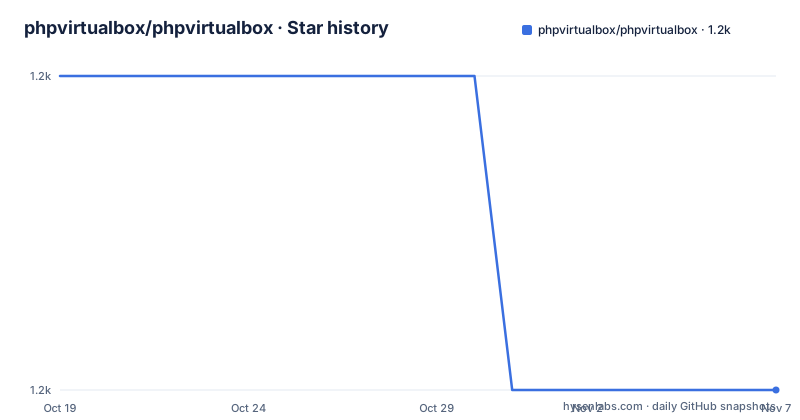
- phpvirtualbox/phpvirtualbox1,156 ★ · -1
| Repository | 2026-10-19 | 2026-11-07 |
|---|---|---|
| phpvirtualbox/phpvirtualbox | 1.2k | 1.2k |
-1 Stars in the last 19 days, measured from the daily GitHub snapshot. Compare with other projects
Editorial analysis
What the web interface actually replaces
phpVirtualBox is a web interface for Oracle VirtualBox, and its purpose is narrow: it gives you the VirtualBox management and console through a browser instead of through the native desktop application.
That sounds like a thin wrapper, and it mostly is, which is why it solves a real problem. VirtualBox is a local application that drives a local hypervisor. On a server with no display, that means either an X forwarding session over SSH, or a separate console such as the one built into the host's management interface, and both are unpleasant for daily work. A web interface moves the UI to a browser you can reach from anywhere, while the virtual machines stay on the host.
The requirements are the whole story of what this project is. PHP 8.X, with older versions not considered. A web server, such as Apache HTTPD or nginx. And VirtualBox 7.2.x.
The VirtualBox version constraint is worth pausing on. This is a project that tracks a specific upstream release, and the release names follow that pattern, with 7.2-3 for VirtualBox 7.2 and 7.2-2 for the same. So the compatibility surface is the VirtualBox 7.2 API, and the project is versioned against it rather than independently.
The roadmap confirms the direction. Ensure feature parity with VirtualBox 7.2 minus Oracle Cloud features, PHP 8.4 compatibility, and jQuery and jQuery UI updates.
That roadmap item is the honest summary of the project. The goal is not to exceed VirtualBox, it is to reach parity with a specific VirtualBox version through a browser, minus the parts of VirtualBox that only make sense on Oracle's own cloud, and to keep the front end libraries current enough to still work in a modern browser.
Installing from the ZIP, and the file you must rename
The installation is a four step process and one of the steps is easy to miss.
First, download the ZIP file from the project site on GitHub, using Code and Download ZIP.
Second, unzip the ZIP file into a folder accessible by your web server.
Third, rename `config.php-example` to `config.php` and edit as needed.
That third step is the one that matters, and the reason is that the project ships the configuration as an example file rather than a live one. It is the same pattern the setup wizard in a compiled application would use, and it has a useful side effect: a fresh checkout cannot accidentally serve with default configuration, because the file the application reads does not exist until you create it.
The wiki is where the detail lives, at the phpvirtualbox wiki on GitHub, and the README points there for more information.
Then there is the post installation step, and it is the one that has caught people out. The default login is admin with the password admin.
The README says it plainly and in bold, and the reason to note it is that a default credential on a web interface that can start virtual machines is a genuine exposure if the install is put on a network before the password is changed. The documentation tells you what the credential is rather than hiding it, and the first thing to do after install is change it.
The password recovery path is a separate file, `recovery.php-disabled`, and the instructions are to rename it to `recovery.php`, navigate to it in your web browser, and follow the instructions presented. The disabled extension is a sensible convention, because the file is not served by default and cannot be triggered accidentally, and the person who renames it is the person who has access to the server filesystem already.
The repository layout matches what a PHP web application of this vintage looks like. There is an `index.html` at the root, a `css/` directory, a `js/` directory, a `languages/` directory for translations, an `images/` directory, an `endpoints/` directory, a `panes/` directory for the interface panels, a `packaging/` directory, and a `vboxinit` entry.
The Docker path, and the host networking detail that trips people
The repository ships a Dockerfile and a docker-compose.yml, and the compose file is one of the most instructive documents in the project because its comments spell out the setup that is easy to miss.
The first step is to get the VirtualBox host-only interface IP used by the Docker machine, and the compose file gives two ways to find it. Either `docker network inspect bridge -f '{{ (index .IPAM.Config 0).Gateway }}'`, or the equivalent using a busybox container running an ip route command piped through grep for the default route and awk to print the third field.
The second step is to start vboxwebsrv on the IP returned from the above command, with `vboxwebsrv -H 192.168.99.1`, or to edit the vboxwebsrv startup config. The third is to edit config.php $location to use the IP. Then `docker-compose up`, and phpVirtualBox should be available at http://localhost.
The reason for all of that is the architecture of VirtualBox's web service. vboxwebsrv is a small process that exposes the VirtualBox API over HTTP, and it is a host process rather than a container process, because it needs to talk to the VirtualBox installation and the kernel's virtualisation interfaces. The container running the PHP application cannot reach the VirtualBox API on its own, so the web service is bound to the host's bridge interface address and the container is told where to find it.
That is why the IP has to be the bridge gateway and not localhost. Inside a container, localhost is the container, and the PHP application would be talking to itself.
The compose file itself is minimal, with one service built from the Dockerfile, port 80 exposed, and the source tree mounted at `/var/www/html`.
The Dockerfile is even more minimal. It is `FROM php:8.4-apache`, installs libxml2 and libxml2-dev, and then runs `docker-php-ext-install soap pdo_mysql`.
Those two extensions are the whole point of the image. The SOAP extension is how the PHP application speaks to the VirtualBox web service, which is a SOAP interface, and pdo_mysql is for the application's own database. The image also sets the PHP version, since 8.4 is the version the roadmap lists for compatibility and the requirement says PHP 8.X with older versions not considered.
Because the compose file mounts the source tree into the container, the development loop is edit on the host, reload in the container, with no image rebuild for a PHP change.
Who maintains it, and what the history tells you
The project history section in the README is unusually informative, and it is worth reading as a signal about what you are adopting.
In October 2025 there was VirtualBox 7.2 support and various bugfixes.
In April 2025 the project was adopted by Anonie Muss, and it was updated from the studnitskiy/phpvirtualbox repository, which tells you there was a fork and a handover.
In October 2024 there was VirtualBox 7.1 support, for x86 hosts only, with no ARM hosts support.
In 2022 it was updated by Bartek Sz. and various contributors.
From 2017 to 2021 it was maintained by Smart Guide Pty Ltd with support from various contributors.
From 2010 to 2015 it was created and maintained by Ian Moore.
So this is a fifteen year old project with a succession of maintainers, and the current version pairs it with VirtualBox 7.2, which is the pairing the release name tells you. The 7.1 era is where the x86 only limitation comes from, and it is recorded rather than glossed.
The licensing is stated in a slightly unusual form. It says FREE, WITHOUT WARRANTY, and that all files of the program are distributed under the terms contained in the LICENSE.txt file in this folder unless otherwise specified in an individual source file, and that by using the software you are agreeing to those terms, and that if you have not received and read the license file, or do not agree with its conditions, please cease using the software immediately and remove any copies you may have in your possession.
The repository's licence field is marked as a custom licence that GitHub cannot classify, and the directory listing shows both a `LICENSE.txt` and a `GPLv3.txt`, so the shipped terms and the upstream GPL text both sit in the tree. The phrase without warranty is a real limitation on what you can expect from the project when something goes wrong, and it is the kind of thing that matters for a tool that starts virtual machines.
Editorial conclusion
phpVirtualBox fits an administrator who runs VirtualBox on a headless server and wants to create, start and reach machines from a browser rather than over SSH, because the whole VirtualBox console and manager move behind a web server on the host. Skip it if the machine has a display and you are happy with the native VirtualBox application, and skip it if you need ARM host support, since the project history records that VirtualBox 7.1 support was for x86 hosts only with no ARM hosts support. Before you install, read the Docker compose notes, because vboxwebsrv has to be started on the host's network interface and the config.php location has to point at that IP. The last push was on 2026-09-11 and the current release is 7.2-3 for VirtualBox 7.2.
Frequently asked questions
What is phpVirtualBox?
It is a PHP web application that provides a web interface for Oracle VirtualBox, letting you manage and access VirtualBox machines through a browser, and it requires PHP 8.X, a web server and VirtualBox 7.2.x.
How do I install phpVirtualBox from the ZIP file?
Download the ZIP from GitHub with Code and Download ZIP, unzip it into a folder your web server can serve, then rename config.php-example to config.php and edit it as needed. The wiki has the longer instructions.
What is the default login for phpVirtualBox?
The default username and password are admin and admin, so the password should be changed before the interface is reachable from a network. Password recovery is done by renaming recovery.php-disabled to recovery.php and visiting it in a browser.
Why does the phpVirtualBox Docker setup need a specific host IP?
The VirtualBox web service, vboxwebsrv, runs on the host and has to be started on the host-only interface address, and config.php $location has to point at that same IP, because inside a container localhost is the container rather than the host.
Which PHP extensions does the phpVirtualBox Docker image need?
The image is based on php:8.4-apache and runs `docker-php-ext-install soap pdo_mysql`, with soap being how the application talks to the VirtualBox web service and pdo_mysql for the application's own database.
Official sources
Add this badge to your README
If you maintain this project, the badge below links readers to this analysis and shows its maintenance status from the daily GitHub snapshot. Paste the markdown into your README; add ?metric=license or ?metric=stars to the image URL for a different field.

[](https://hysenlabs.com/projects/phpvirtualbox-phpvirtualbox)Star history chart for your README
[](https://hysenlabs.com/projects/phpvirtualbox-phpvirtualbox)Was this useful?