react-archer: React Arrows Between DOM Elements
🏹 Draw arrows between React elements 🖋
At a glance
- What is it?
- react-archer is a TypeScript React library for drawing configurable arrows between DOM elements. It fits interfaces that need visual relationships, but it does not replace layout or graph-editing systems.
- Who is it for?
- Adopt react-archer when you need explicitly defined connectors between existing React elements and can supply stable element IDs and relation data. Do not choose it as a replacement for a layout engine or a general graph editor.
- Can I use it commercially?
- Yes. MIT is a permissive licence: you can use, modify and sell software built on it, as long as you keep its copyright and licence notices.
- Is it still maintained?
- Yes. The repository last received commits 155 days ago.
- What is it written in?
- Mainly TypeScript, according to GitHub's language statistics.
Answers come from the project's GitHub data, last synced on November 7, 2026, and from our analysis. They are not legal advice.
Star history
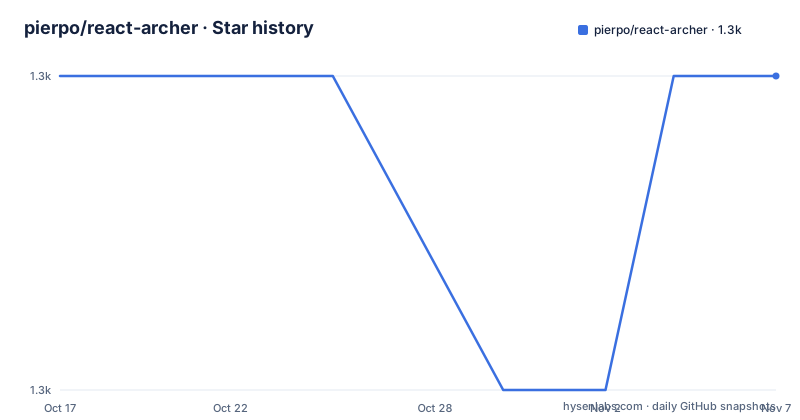
- pierpo/react-archer1,345 ★ · +0
| Repository | 2026-10-17 | 2026-11-07 |
|---|---|---|
| pierpo/react-archer | 1.3k | 1.3k |
0 Stars in the last 21 days, measured from the daily GitHub snapshot. Compare with other projects
Editorial analysis
What react-archer solves in a React interface
react-archer addresses a specific visual problem: connecting one React-rendered DOM element to another with an arrow. The library is for developers building interfaces where an arrow communicates a relationship, direction, sequence, or dependency. The README example connects named boxes through relations, including a relation from `root` to `element2`, and another from `element2` to `element3`. The elements can contain ordinary React markup, so the arrow layer does not require the connected content to be a special diagram component.
The library does not solve the surrounding layout problem by itself. The example says that layout is omitted, and the documented API centers on `ArcherContainer`, `ArcherElement`, IDs, anchors, labels, and relation styling. That means the caller remains responsible for placing elements in a useful arrangement. A dashboard may already have positioned cards, while an editor may maintain movable nodes. In both cases, react-archer can describe the connectors after the application has arranged the nodes.
This makes the project more suitable than a static SVG illustration for interfaces whose elements change position. The README describes arrows between DOM elements, and the repository includes examples named `DragAndDrop.tsx`, `DynamicElements.tsx`, `Interactive.tsx`, and `AnchorOffsets.tsx`. Those names indicate that the project addresses cases beyond a static pair of boxes, although the README does not document each example's full behavior.
It is also not a general-purpose graph editor. There is no documented node palette, automatic edge creation interface, zoom and pan system, or routing engine in the README. The library is closer to a React connector layer that accepts application-controlled element identities and relations.
The component and relation model
The public example imports `ArcherContainer` and `ArcherElement` from `react-archer`. The container establishes the context in which connected elements participate. Each `ArcherElement` receives an `id`, and a relation identifies another element through `targetId`. The relation can also select `sourceAnchor` and `targetAnchor`, add a `label`, and provide a `style` object.
This design makes the data flow explicit. React content is declared first, then the relationship is declared as data. In the README example, `root` targets `element2` with `sourceAnchor: 'bottom'` and `targetAnchor: 'top'`. The direction and placement of the connector are therefore controlled by relation properties rather than inferred from arbitrary child order. `element2` then targets `element3`, while `element4` targets `root`. A target element does not need to define a reciprocal relation in that example.
The package metadata lists `resize-observer-polyfill` as a runtime dependency and `react-fast-compare` as another dependency. Those dependencies suggest that the library includes support for measuring or comparing changing element data, but the README does not expose the internal implementation details. It would be inaccurate to claim a particular SVG structure, recalculation schedule, or rendering algorithm from the repository entries alone.
The architecture is nevertheless clear at the application boundary. React owns the connected DOM elements, `ArcherContainer` groups them, `ArcherElement` assigns identities, and relations determine which pairs receive arrows. That is a more controlled integration surface than a diagram package that creates its own canvas and node model.
Installing react-archer and drawing the first connector
The README gives npm and Yarn installation commands. Choose the command that matches the package manager used by the host application, then add the import and define a small set of connected elements.
npm install react-archer --saveFor a Yarn project, the documented command is:
yarn add react-archerThe following example creates one arrow from `root` to `element2`. The relation selects the bottom of the source and the top of the target, while the style makes the line dashed.
import { ArcherContainer, ArcherElement } from 'react-archer';

const boxStyle = { padding: '10px', border: '1px solid black' };

const App = () => (
  <ArcherContainer strokeColor="#6366f1">
    <ArcherElement
      id="root"
      relations={[
        {
          targetId: 'element2',
          sourceAnchor: 'bottom',
          targetAnchor: 'top',
          style: { strokeDasharray: '5,5' },
        },
      ]}
    >
      <div style={boxStyle}>Root</div>
    </ArcherElement>

    <ArcherElement id="element2">
      <div style={boxStyle}>Element 2</div>
    </ArcherElement>
  </ArcherContainer>
);
The reader should see a React application containing two connected boxes and a styled arrow between them. The README also documents a full example with additional relations and labels. The package metadata declares React and `@types/react` peer dependencies for React 18 and React 19, so the host application's dependency versions should be checked before installation.
Anchors, labels, and relation styling
Anchor selection is one of the clearest controls in the documented API. A relation can use anchors such as `bottom` and `top`, allowing an arrow to leave one side of a source and arrive at another side of its target. The repository includes `example/AnchorOffsets.tsx`, which indicates that offset handling is represented in the project, but the README does not specify the available offset properties or their coordinate semantics.
Labels are defined as relation data. The example uses `label: 'Arrow 2'` on a relation, while `example/CustomLabels.tsx` and `example/StartMarkers.tsx` suggest that labels and markers are configurable aspects of the library. The README does not document custom label rendering or marker APIs, so those examples should be consulted before assuming that every SVG feature is exposed through a particular prop.
Styling is applied through relation-level `style`. The documented example uses `{ strokeDasharray: '5,5' }`. Container-level configuration includes `strokeColor`, which sets a shared visual property in the example. This separation suggests that broad stroke defaults can live on the container while individual relations can refine their appearance. It does not establish that all styling attributes are supported. The API reference is the appropriate place to verify the exact option names.
The repository includes `StyledRelations.tsx`, `StraightLines.tsx`, `AngleLines.tsx`, and `CircleEnds.tsx`. These files provide a practical catalog of visual cases, but their contents are not included in the README. They should be read before selecting a connector style for a production interface.
When react-archer is the wrong choice
The main limitation is that the caller must supply the relationship model. If elements are added, removed, reordered, or dragged, the application needs to keep `id` values and `targetId` values consistent. The README does not document automatic ID generation, relation validation, or recovery from a missing target. A relation pointing to an element that is not currently rendered should therefore be treated as an application-level case that needs verification.
The library also does not provide a complete graph canvas in the documented surface. It does not arrange nodes, calculate an optimal route, provide editing handles, or define how an application should persist a diagram. A project that needs automatic layout should pair react-archer with a layout or interaction system rather than expecting the arrow definitions to solve that work.
Visual density can expose another boundary. The API is relation-based, but the README does not state a limit for the number of connectors or describe collision handling between multiple arrows. The project should not be selected on the assumption that it will route many crossing edges in the way a dedicated diagramming tool might.
For static documentation decoration, a plain SVG line can be simpler. For a node editor, a library that supplies node models, edge creation, selection, and viewport controls may be a better fit. react-archer is most appropriate when the application already owns those decisions and only needs the connector layer.
Maintenance, licensing, and upgrade cost
The repository is not archived. Its last push was on 2026-06-05, and the repository lists `v5.1.0` on 2026-06-05, `v5.0.0` on 2026-05-29, and `v4.4.0` on 2024-05-07. That release history shows a recent major-version transition followed by a patch release, but it does not explain the migration requirements for applications upgrading from v4 to v5.
The package is released under the MIT license. The repository includes a `LICENSE` file, and `package.json` also declares `"license": "MIT"`. The package metadata exposes CommonJS and ES module entry points, plus TypeScript declarations. Consumers should compare their import style and React peer dependency versions with the package metadata before upgrading.
Maintenance work is visible in the repository's contributor commands. The README lists formatting, linting, typechecking, unit tests, and Cypress end-to-end tests as project checks. It also states that the example app is a Vite playground used for local development and end-to-end tests. Consumers do not need to run that contributor workflow to use the library, but application teams should account for browser or layout behavior when evaluating upgrades. The README does not document a formal release policy or long-term support window.
Checking repository examples before adoption
The repository layout provides several focused examples that are more useful for evaluation than the basic README snippet alone. `DragAndDrop.tsx` and `DynamicElements.tsx` are relevant when positions or element membership change. `Interactive.tsx` is relevant when arrows must coexist with user interaction. `MiddleAnchor.tsx`, `AnchorOffsets.tsx`, and `AngleLines.tsx` cover placement details, while `StraightLines.tsx`, `StyledRelations.tsx`, `StartMarkers.tsx`, and `CircleEnds.tsx` cover visual output.
The examples should be treated as references for supported usage, not as a complete API specification. The README points readers to the online documentation for the API reference and troubleshooting pages, and it does not reproduce the full prop list or describe browser-specific constraints. That distinction matters for adoption: the basic example confirms how to create a relation, while the example directory indicates the kinds of layout and styling cases the project is designed to explore.
A practical adoption check is therefore narrow and concrete. First, confirm that React 18 or React 19 is available in the host application. Next, verify that the application can keep stable IDs and update relations when nodes move. Finally, inspect the documentation and examples for the exact behavior needed for missing elements, dynamic updates, labels, anchors, and styling. This sequence avoids treating a connector example as evidence that the library also supplies layout and graph-editing behavior.
Editorial conclusion
Adopt react-archer when you need explicitly defined connectors between existing React elements and can supply stable element IDs and relation data. Do not choose it as a replacement for a layout engine or a general graph editor. Verify first that your React version matches the declared peer dependencies, then confirm the documentation's anchor, label, styling, and update behavior for the interaction you need.
Frequently asked questions
How do I install react-archer?
The README documents `npm install react-archer --save` for npm projects and `yarn add react-archer` for Yarn projects. The package declares React and `@types/react` peer dependencies for React 18 and React 19.
How do I draw an arrow between two React elements?
Place the elements inside `ArcherContainer`, give each `ArcherElement` an `id`, and add a relation to the source element with the target element's `targetId`. The README example also shows `sourceAnchor`, `targetAnchor`, `style`, and `label` relation options.
Does react-archer automatically arrange the elements?
The README does not document automatic arrangement. It describes arrows between DOM elements and provides examples with application-owned React markup, so layout and node positioning remain responsibilities of the host application.
Official sources
Add this badge to your README
If you maintain this project, the badge below links readers to this analysis and shows its maintenance status from the daily GitHub snapshot. Paste the markdown into your README; add ?metric=license or ?metric=stars to the image URL for a different field.

[](https://hysenlabs.com/projects/pierpo-react-archer)Star history chart for your README
[](https://hysenlabs.com/projects/pierpo-react-archer)Was this useful?