PINRemoteImage: one task per image, GCD underneath, and an async-only API
A thread safe, performant, feature rich image fetcher
At a glance
- What is it?
- PINRemoteImage is Pinterest's Objective-C image downloader and cache for iOS, built on GCD. This look covers its task model, the opt-in features that need extra setup, and the places where the API forces your hand.
- Who is it for?
- PINRemoteImage fits iOS apps that load many remote images and want de-duplicated downloads, off-main-thread decoding and progressive JPEG blur from a few lines of category code. It is a weaker fit if you need synchronous image access, WebP without adding Google's library, or a regular release cadence: the newest tag is 3.0.4 from May 2024.
- Can I use it commercially?
- Yes. Apache-2.0 is a permissive licence: you can use, modify and sell software built on it, as long as you keep its copyright and licence notices.
- Is it still maintained?
- Yes. The repository last received commits 2 days ago.
- What is it written in?
- Mainly Objective-C, according to GitHub's language statistics.
Answers come from the project's GitHub data, last synced on November 26, 2026, and from our analysis. They are not legal advice.
Star history
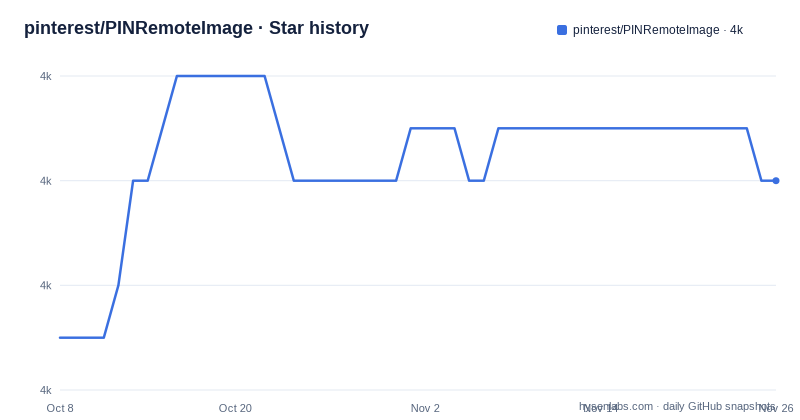
- pinterest/PINRemoteImage4,026 ★ · +3
| Repository | 2026-10-08 | 2026-11-26 |
|---|---|---|
| pinterest/PINRemoteImage | 4k | 4k |
3 Stars in the last 49 days, measured from the daily GitHub snapshot. Compare with other projects
Editorial analysis
Download and processing tasks make duplicate requests collapse into one
PINRemoteImageManager is described as an image downloading, processing and caching manager built around the idea of download and processing tasks. If several calls ask for the same image, the work happens one time, unless the item has left the cache in the meantime. For a feed where the same avatar appears in many cells, this means you do not need your own in-flight request table.
The manager is backed by GCD and is safe to access from multiple threads at once. Images are decoded off the main thread so animation performance is not affected. The README sells this as non-deadlocking, which is a claim about the design rather than something a reader can verify from the text alone.
Nothing is synchronous, so a cache hit still arrives through a completion
None of the exposed methods allow synchronous access. You cannot ask the manager for an image and get a UIImage back on the same line. The one concession is that completions are called on the calling thread when the item is already in the memory cache.
That has a direct consequence for layout code. If you need the image size before you can lay out a cell, you must wait for the callback or carry the size from your own data, because there is no blocking call to fall back on. The category on a view looks like a single line of code, and the main download example is exactly that:
let imageView = UIImageView()
imageView.pin_setImage(from: URL(string: "https://pinterest.com/kitten.jpg")!)
The Objective-C twin is pin_setImageFromURL: on a UIImageView.
Progressive JPEG blur is switched on per view, not globally
For slow connections the library supports progressive JPEGs and adds a blur to progressive scans before returning them. You turn that on for each view before setting the URL:
let imageView = UIImageView()
imageView.pin_updateWithProgress = true
imageView.pin_setImage(from: URL(string: "https://pinterest.com/progressiveKitten.jpg")!)
In Objective-C the property is setPin_updateWithProgress:YES. A view you forget to flag will simply wait for the full image. The feature also only helps when the server actually serves a progressive JPEG, so a plain baseline file gains nothing from the flag.
WebP needs Google's library and GIFs need a different view class
PNG and JPG work out of the box. WebP decoding works only if Google's library is available, and the installation notes say CocoaPods users who want WebP add the PINRemoteImage/WebP subspec. If you skip it, a .webp URL will not decode, and the README shows no fallback.
GIFs and animated WebP are supported through PINAnimatedImageView. A GIF set on a plain UIImageView will not animate as the README frames it, so the view type matters:
let animatedImageView = PINAnimatedImageView()
animatedImageView.pin_setImage(from: URL(string: "http://pinterest.com/flyingKitten.gif")!)
The built-in categories cover UIImageView, PINAnimatedImageView and UIButton. Any other view needs its own category written against the PINRemoteImageCategoryManager protocol.
Memory and disk limits are set by casting the cache to PINCache
Cache sizing is not a property on the manager. The README reaches into the cache object and casts it, and the comment on that line carries a condition: the cache is a PINCache as long as you have not overridden defaultImageCache.
// cache is an instance of PINCache as long as you haven't overridden defaultImageCache
PINCache *cache = (PINCache *)[[PINRemoteImageManager sharedImageManager] cache];
The memory cost limit is counted in pixels, sized as roughly one hundred 600x600 images. The disk limit is set with setByteLimit at about 50 MB, and the age limit with setAgeLimit at 30 days. If you replace the default cache, that cast is wrong and the limit code needs rewriting. The README gives no guidance on tuning these numbers for your own screen sizes.
Retina scale works only when the URL says _2x or _3x
There are two documented ways to get high resolution images. If the URL contains an _2x. or _3x. postfix, the library handles it automatically and returns the image at the right scale. If you cannot control the URL, you attach a completion handler, read UIScreen.mainScreen.scale and rebuild the image with imageWithCGImage:scale:orientation:.
The second route is manual work in every call site. A server that serves one oversized file with no postfix leaves you with an image treated at scale 1 until your handler fixes it. Authentication is similarly hands-on: you set an authentication challenge block on the shared manager and call the completion with the default handling constant or your own credential.
Releases are sparse, and the build tooling is pinned to current Xcode
The GitHub releases show 3.0.2 and 3.0.3 within a day of each other in October 2020, then 3.0.4 on 2024-05-15. The last push to the master branch was on 2026-10-30, so commits continue after the newest tag. If you install from a release, you do not get that later work.
The Makefile runs tests against the iPhone 17 simulator, builds with carthage build --no-skip-current --use-xcframeworks, lints with pod lib lint --allow-warnings, and refuses to build the example project below Xcode 16, citing Swift 5.9. Package.swift, a Cartfile and a podspec sit in the root, so CocoaPods, Carthage and Swift Package Manager are all possible. The README subtitle says for iOS, yet the Examples folder also holds Example-Mac and Example-tvOS projects.
Editorial conclusion
PINRemoteImage fits iOS apps that load many remote images and want de-duplicated downloads, off-main-thread decoding and progressive JPEG blur from a few lines of category code. It is a weaker fit if you need synchronous image access, WebP without adding Google's library, or a regular release cadence: the newest tag is 3.0.4 from May 2024. Confirm the WebP subspec and your Xcode version before you commit to it.
Frequently asked questions
What is PINRemoteImage?
PINRemoteImage is an Objective-C image downloader, processor and cache manager from Pinterest, described as thread safe and performant. It is backed by GCD.
Does PINRemoteImage support WebP and GIF images?
Yes, with conditions. WebP decoding needs Google's library, which CocoaPods users get through the PINRemoteImage/WebP subspec, and GIFs display through PINAnimatedImageView.
Can PINRemoteImage return an image synchronously?
No. None of its exposed methods allow synchronous access, though completions run on the calling thread when the item is in the memory cache.
What is the latest PINRemoteImage release?
The newest release is 3.0.4, published on 2024-05-15. It is released under the Apache-2.0 license.
Official sources
Add this badge to your README
If you maintain this project, the badge below links readers to this analysis and shows its maintenance status from the daily GitHub snapshot. Paste the markdown into your README; add ?metric=license or ?metric=stars to the image URL for a different field.

[](https://hysenlabs.com/projects/pinterest-pinremoteimage)Star history chart for your README
[](https://hysenlabs.com/projects/pinterest-pinremoteimage)Was this useful?