Querybook runs a web notebook, a query worker, a scheduler and three data stores through Docker Compose
Querybook is a Big Data Querying UI, combining collocated table metadata and a simple notebook interface.
At a glance
- What is it?
- Querybook is Pinterest's open source query UI that mixes SQL notebooks with table documentation. The one-line make setup hides a stack of MySQL, Redis, Elasticsearch, a web server, a worker and a scheduler, which is what you actually operate.
- Who is it for?
- Querybook suits a data team that already runs Presto, Hive, Snowflake or a similar engine and wants shared notebooks, scheduled queries and table documentation in one web app. It is a heavier commitment than a SQL client, because the Docker Compose file starts MySQL, Redis and Elasticsearch next to the application.
- Can I use it commercially?
- Yes. Apache-2.0 is a permissive licence: you can use, modify and sell software built on it, as long as you keep its copyright and licence notices.
- Is it still maintained?
- Yes. The repository last received commits 24 days ago.
- What is it written in?
- Mainly TypeScript, according to GitHub's language statistics.
Answers come from the project's GitHub data, last synced on November 26, 2026, and from our analysis. They are not legal advice.
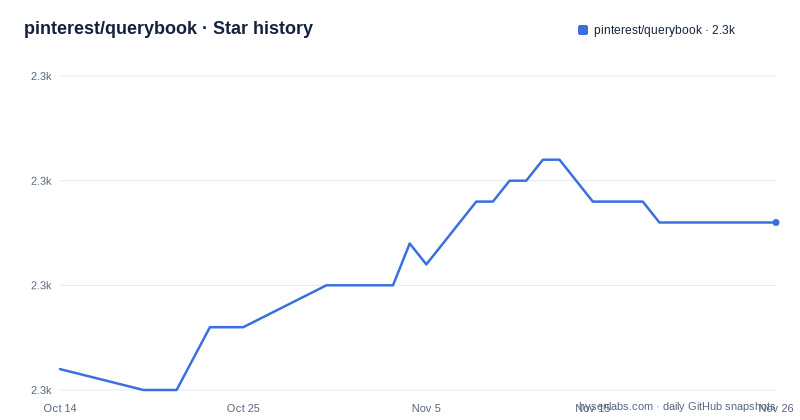
Star history
- pinterest/querybook2,303 ★ · +7
| Repository | 2026-10-14 | 2026-11-26 |
|---|---|---|
| pinterest/querybook | 2.3k | 2.3k |
7 Stars in the last 43 days, measured from the daily GitHub snapshot. Compare with other projects
Editorial analysis
DataDocs combine queries, rich text and charts in one notebook
Querybook is described in its README as a Big Data IDE for discovering, creating and sharing data analyses, queries and tables. The unit of work is the DataDoc, a notebook that holds rich text, queries and charts together, so an analysis and its explanation sit in the same page.
The query editor offers autocompletion and a hovering tooltip. The package.json dependencies include CodeMirror packages for SQL, Python and Liquid, which is where that editing surface comes from. Scheduling and charting inside a DataDoc are what the README says you use to build dashboards, so a notebook can become a recurring report without leaving the tool.
Live query collaboration is also listed, meaning several people can work in the same document at once. The README gives no detail on conflict handling, so test how two editors behave before you promise a team that feature.
Table documentation and lineage come from past query runs
A second half of Querybook is a table catalogue. You add documentation to tables, and the README says lineage, sample queries, frequent users and search ranking are derived from past query runs. That means the metadata gets better as people use the tool, and a fresh install starts with little of it.
The metastore integrations fetch schema and table information for metadata enrichment. The README lists three: Hive Metastore, Sqlalchemy Inspect and AWS Glue Data Catalog. If your catalogue lives in none of those, the table browser has less to show, and the README names no other source.
The repository holds a `demo/demo_data.db` file, which is an example data set you can use to look around without connecting a real warehouse. The README does not describe what is inside it, so open it before you rely on it for a demo.
make is the whole quick start, and Docker is the only prerequisite
The Getting started section asks for Docker before anything else. The quick setup is to pull the repository and run:
makeThen visit http://localhost:10001 when the build completes. The port comes from the `PORT` variable in `docker-compose.yml`, which defaults to 10001 through `'${PORT:-10001}:${PORT:-10001}'`, and `APIPORT` defaults to 3000.
The README points to `docs_website/docs/setup_guide/overview.mdx` for fuller installation notes. It also separates configuration into infrastructure settings, in `docs_website/docs/configurations/infra_config.mdx`, and general settings, in `general_config.mdx`.
Because the build runs inside Docker, the first run downloads base images and compiles the front end with webpack. The README gives no timing for that and no minimum memory figure, so allow time and check your machine before you hand it to a new colleague.
The Compose file starts a web server, a worker and a scheduler on MySQL, Redis and Elasticsearch
The development `docker-compose.yml` defines three Querybook services sharing one image named `querybook-dev:latest`: `web`, `worker` and `scheduler`. Each depends on `mysql`, `redis` and `elasticsearch`, and each waits until those report healthy. The web command is `./querybook/scripts/bundled_docker_run_web --initdb --initweb`, the worker runs `./querybook/scripts/runservice worker -c 5`, and the scheduler is a third service of its own.
That is six or more containers for what looks like one web page. The file mounts your working directory into `/opt/querybook` to sync live code changes, and `HOT_RELOAD` defaults to true, so this setup is aimed at development and trying the tool out.
The repository also ships `helm/` and `k8s/` directories for Kubernetes and a `uwsgi.ini` for the production server. The README itself does not walk through a production deployment, so follow the linked setup guide for that.
The Dockerfile pins Python 3.10 and Node 18
The Dockerfile starts from `python:3.10-bookworm` and installs Node 18 from the NodeSource repository. It also installs `libsasl2-dev`, `libldap2-dev`, `libssl-dev` and `build-essential`, the last of which it comments as needed for uwsgi. Yarn comes from a global npm install, and the file sets up a yarn cache folder.
Python dependencies come from `requirements/base.txt`. When the build argument `PRODUCTION` is true, it adds `requirements/prod.txt`, and a comma separated `EXTRA_PIP_INSTALLS` argument installs further requirement files by name. That is the hook for adding drivers for engines that are not in the base image.
The `package.json` declares `"node": ">=18.0.0"` in its engines field and shows version 3.42.1 for the package, while the most recent GitHub release in the list is v3.41.4 from April 2025. The last push to the repository was on 16 September 2026.
Engines, login methods and result storage are an explicit list
The README names the supported pieces rather than gesturing at them. Query engines include Presto, Hive, Druid, Snowflake, Big Query, MySQL, Sqlite and PostgreSQL, with a link to a longer list on the project site. Authentication covers user and password, LDAP and OAuth through Google Cloud, Okta, GitHub or Auth0.
Query results can be stored in a database such as MySQL or Postgres, in S3, in Google Cloud Storage, or in a local file. Exports go to Google Sheets or through a Python export. Notifications about finished queries and DataDoc invitations go out by email or Slack.
The consequence is that a SAML-based single sign-on setup or a Teams notification is not on the README's list, so check the linked documentation before assuming it. The repository holds a `plugins/` directory, which suggests an extension point, though the README does not explain how plugins are written.
Contributing, frontend scripts and where to ask questions
Contribution rules live in `CONTRIBUTING.md`, and the repository also carries a `CODE_OF_CONDUCT.md`, `SECURITY.md`, `ADOPTERS.md`, `AGENTS.md` and `CLAUDE.md`. For front end work, `package.json` defines `yarn`-run scripts: `dev` runs `webpack serve --mode=development --open --hot`, `test` runs `jest`, `lint` runs eslint over the TypeScript files, `tsc-check` runs `tsc --noEmit`, and `storybook` serves component stories on port 6006.
The README links a Slack workspace for community questions and a DeepWiki page for the repository. The license is Apache-2.0, and the project site at https://www.querybook.org carries the full documentation and feature highlights.
If you plan to contribute, expect to run both a Python backend and a TypeScript front end, since the two are built from the same repository with `webpack.config.js` on the JavaScript side and `requirements/` on the Python side.
Editorial conclusion
Querybook suits a data team that already runs Presto, Hive, Snowflake or a similar engine and wants shared notebooks, scheduled queries and table documentation in one web app. It is a heavier commitment than a SQL client, because the Docker Compose file starts MySQL, Redis and Elasticsearch next to the application. Before adopting it, run make, open http://localhost:10001, and confirm that your query engine and authentication method are among the integrations the README lists.
Frequently asked questions
What is Querybook and what is it used for?
Querybook is a Big Data IDE for discovering, creating and sharing data analyses, queries and tables. It combines DataDoc notebooks with documentation for tables.
how to use querybook
Install Docker, pull the repository, run make, and visit http://localhost:10001 when the build completes. The README links a setup guide and configuration pages for more detail.
what is querybook
Querybook is a Big Data Querying UI from Pinterest that pairs a simple notebook interface with collocated table metadata. It is licensed under Apache-2.0.
Official sources
Add this badge to your README
If you maintain this project, the badge below links readers to this analysis and shows its maintenance status from the daily GitHub snapshot. Paste the markdown into your README; add ?metric=license or ?metric=stars to the image URL for a different field.

[](https://hysenlabs.com/projects/pinterest-querybook)Star history chart for your README
[](https://hysenlabs.com/projects/pinterest-querybook)Was this useful?