Teletraan deployment system architecture and setup
Teletraan is Pinterest's deploy system.
At a glance
- What is it?
- Teletraan is Pinterest's Java-centered deployment system for coordinating artifact delivery across large fleets of hosts. It offers staged and continuous deployment, rollback, deployment comparison, notifications, and metrics, but it is not a container orchestrator.
- Who is it for?
- Teletraan fits organizations that already publish build artifacts, define application-specific deploy scripts, and can install a deploy agent on every target host. It is a poor fit for teams seeking native container deployment or a turnkey release platform.
- Can I use it commercially?
- Yes. Apache-2.0 is a permissive licence: you can use, modify and sell software built on it, as long as you keep its copyright and licence notices.
- Is it still maintained?
- Yes. The repository last received commits 7 days ago.
- What is it written in?
- Mainly Java, according to GitHub's language statistics.
Answers come from the project's GitHub data, last synced on October 23, 2026, and from our analysis. They are not legal advice.
Star history
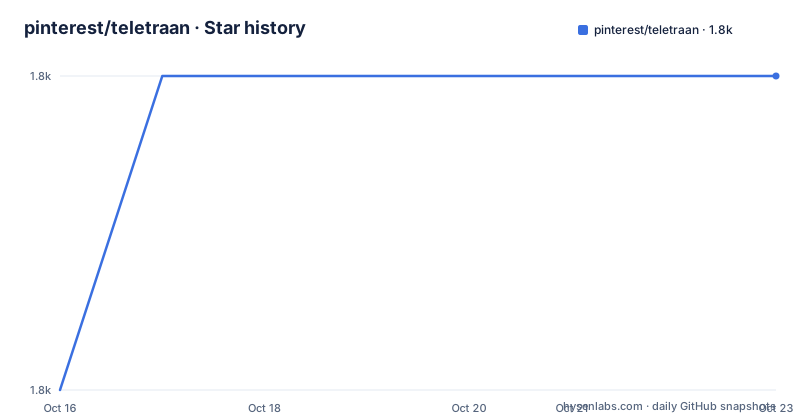
- pinterest/teletraan1,841 ★ · +1
| Repository | 2026-10-16 | 2026-10-23 |
|---|---|---|
| pinterest/teletraan | 1.8k | 1.8k |
1 Stars in the last 7 days, measured from the daily GitHub snapshot. Compare with other projects
Editorial analysis
Teletraan's host-based deployment boundary
Teletraan solves a specific coordination problem: moving a published build artifact from a build pipeline to a large fleet of machines while keeping the deployment state visible and controllable. The README identifies Pinterest engineers as its primary audience and states that Teletraan has been used in production for many years across thousands of internal services and tens of thousands of hosts. Those figures describe Pinterest's deployment context, not a performance claim for this repository.
The design is intentionally narrower than a general release platform. Teletraan focuses on deployment rather than source compilation, artifact production, or container scheduling. Its documented capabilities include zero-downtime deployment, rollback, staging, continuous deployment, commit details, deployment comparison, email or Slack notifications, and metrics. The practical benefit is a common control layer for repeated host deployments, with application teams still deciding how a particular artifact is installed.
That boundary matters. A team can adopt the orchestration model without handing its build process entirely to Teletraan. However, successful use depends on infrastructure work around the service. The target estate must be prepared for the deploy agent, every deployable application must provide deploy scripts, and the build pipeline must publish artifacts to Teletraan.
Teletraan artifact, agent, and script flow
The README defines an integration path with three visible components. First, a deploy agent runs on every host. Second, deploy scripts live in application code. Third, the build pipeline publishes the build artifact to Teletraan at the end of each build. This separates artifact creation from deployment execution: Teletraan receives a built result, then coordinates deployment work through the host-side integration.
The repository layout supports a multi-component implementation. `deploy-service/` contains the Java service area, `deploy-agent/` represents the host-side component, and `deploy-board/` is the developer-facing interface. Additional entries include `deploy-sentinel/`, `cicd/`, documentation, tools, and Vagrant-related files. The Compose file also connects `deploy-board` to `deploy-service`, showing that the board is a separate process rather than code embedded in the deployment service.
The README calls Teletraan a flexible building block for an existing release workflow. It does not document a single universal pipeline command that can package any repository and deploy it unchanged. Application behavior remains in deploy scripts. This makes the model suitable for organizations with established release conventions, but it also means adoption is not complete until those scripts and agents are present.
Running Teletraan through the repository Compose file
The repository supplies a Docker Compose definition, but the README directs users to the linked Quickstart Guide for setup. The available configuration defines `deploy-board`, `deploy-service`, and `mysql`. It maps `deploy-board` to host port `8888`, `deploy-service` to ports `8080` and `8082`, and `mysql` to port `3306`. It also configures service-to-service URLs and initializes MySQL from SQL directories mounted into the container.
The dashboard is started with the following command recorded in `docker-compose.yml`:
command: "python /opt/deploy-board/manage.py runserver 0.0.0.0:8888"The backend starts through the service's own runner and YAML configuration:
command: "/opt/deploy-service/teletraanservice/bin/run.sh -c /opt/deploy-service/teletraanservice/bin/server.yaml"The board receives `TELETRAAN_SERVICE_URL=http://deploy-service:8080`, while the service receives `TELETRAAN_DASHBOARD_URL=http://deploy-board:8888` and `TELETRAAN_DB_HOST=mysql`. The Quickstart Guide is the documented path for a complete local launch and initial workflow.
For contributors, the README does give a concrete preparation step. From a checked-out `teletraan` directory, it installs the pre-commit hooks with:
cd teletraan
pip install pre-commit
pre-commit install
This prepares the local checkout for subsequent commits. It does not deploy an application or complete the Teletraan installation.
Connecting the first application deployment
A first real use starts outside the dashboard. The build process creates an artifact, application-specific deploy scripts define how that artifact should be handled, and a deploy agent is installed on each target host. Once those conditions are met, the README directs the team to the Integration with Teletraan wiki page for the detailed workflow.
The ordering should be treated as a dependency chain rather than a menu. Without a published artifact, Teletraan has nothing identified for deployment. Without deploy scripts, it has no application-specific procedure for applying one. Without a host agent, the target does not have the component needed to execute the deployment workflow.
The README's native capabilities cover zero-downtime deployment, rollback, staging, and continuous deployment. It also documents deployment comparison, commit details, state notifications through email or Slack, and metrics. These features should be evaluated against the exact release process after the basic artifact and agent path is working. The documentation does not describe a dry-run mode, approval policy, credential workflow, or rollback command, so none should be assumed.
Why Teletraan is not a container orchestrator
The clearest limitation is container support. The README explicitly says that Teletraan does not support container-based deployment. It suggests using Teletraan Deploy Scripts to invoke `docker` or `docker-compose`, which leaves container execution inside the application's deployment contract. That arrangement differs from a platform that schedules workloads, manages container images, reconciles desired state, or treats containers as first-class deployment objects.
This design is also an operational cost. Every host needs a deploy agent, each application needs deploy scripts, and the build pipeline needs an artifact-publication step. The payoff is control over application-specific deployment logic, but the adopter owns that logic and its compatibility with each service.
A real alternative is a container platform that consumes container images directly. Its deployment unit is an image and its runtime configuration, and scheduling is handled as part of the platform model. Teletraan instead coordinates artifacts through agents and scripts. The correct comparison depends on the release unit: teams already deploying artifacts to hosts can use Teletraan's model, while teams seeking native container lifecycle management will find a material boundary here. The README provides no detailed comparison with a named alternative.
Maintenance signals and Apache-2.0 adoption cost
The repository is not archived, and its last push was on 2026-10-14. That is recent activity, but the available release history contains only `v1.0.0` and `v1.0.1`, both dated 2016-01-22. The repository layout therefore shows ongoing repository activity without evidence of a recent release cadence. Documentation for upgrade procedures, migration paths, database schema changes, and supported Java versions is not included in the README.
The database definition also deserves review before adoption. `docker-compose.yml` uses `mysql:5.5` and mounts a persistent directory at `/tmp/.data/deploydb`. It enables an empty MySQL password through `MYSQL_ALLOW_EMPTY_PASSWORD: "yes"`. This configuration is part of the repository setup, not evidence of a production security posture. Operators would need to assess how this file relates to their own database and access controls.
Teletraan is distributed under the `Apache-2.0` license. The repository includes a `LICENSE` file. The license permits use and modification under its terms, but this review does not interpret legal obligations or provide legal advice. The direct maintenance burden is integration work: host agents, scripts, artifact publishing, service configuration, database operation, and verification of release compatibility.
Editorial conclusion
Teletraan fits organizations that already publish build artifacts, define application-specific deploy scripts, and can install a deploy agent on every target host. It is a poor fit for teams seeking native container deployment or a turnkey release platform. Before adoption, verify the documented Quickstart Guide against the current host agent, build artifact, deploy script, and notification requirements, then inspect the repository's MySQL 5.5 Compose configuration. The concrete adoption boundary is Teletraan's host-agent and script contract, not container support.
Frequently asked questions
Does Teletraan support container-based deployment?
No. The README says Teletraan does not support container-based deployment yet. It suggests using Teletraan Deploy Scripts to call `docker` or `docker-compose`.
What does an application need before using Teletraan?
The application must provide deploy scripts, the build process must publish build artifacts to Teletraan, and a deploy agent must run on every target host.
Can Teletraan roll back a deployment?
Yes. Rollback is listed as one of Teletraan's supported deployment capabilities, although the README does not document the exact rollback command.
Which services are defined in the repository's Docker Compose setup?
The Compose file defines `deploy-board`, `deploy-service`, and `mysql`. The board uses port `8888`, the service exposes ports `8080` and `8082`, and MySQL uses port `3306`.
Official sources
Add this badge to your README
If you maintain this project, the badge below links readers to this analysis and shows its maintenance status from the daily GitHub snapshot. Paste the markdown into your README; add ?metric=license or ?metric=stars to the image URL for a different field.

[](https://hysenlabs.com/projects/pinterest-teletraan)Star history chart for your README
[](https://hysenlabs.com/projects/pinterest-teletraan)Was this useful?