EasyMosdns replaces your Mosdns directory, not just its config
An easy script for the Mosdns basic functions, enabling you to set up a pollution-free DNS server that supports ECS in just a few minutes.
At a glance
- What is it?
- EasyMosdns is a repository of Mosdns configuration files rather than a server: it swaps a whole working directory for a config.yaml tuned to mainland China networks, hosts, ECS lists and light ad filtering. Its best asset, the split API that answers remote clients, runs outside the code and carries a request limit.
- Who is it for?
- EasyMosdns fits a home router, a soft router image or one Linux box that already runs Mosdns and wants mainland aware ECS answers without writing plugins. It fits poorly as a shared resolver, and the piece that keeps remote answers unpolluted is a hosted API with a request limit.
- Can I use it commercially?
- Yes, with conditions. GPL-3.0 is a copyleft licence: if you distribute software that includes it, you must release that software's source code under the same licence. Running it internally without distributing it does not trigger that obligation.
- Is it still maintained?
- Yes. The repository last received commits 1 day ago.
- What is it written in?
- Mainly Shell, according to GitHub's language statistics.
Answers come from the project's GitHub data, last synced on October 22, 2026, and from our analysis. They are not legal advice.
Star history
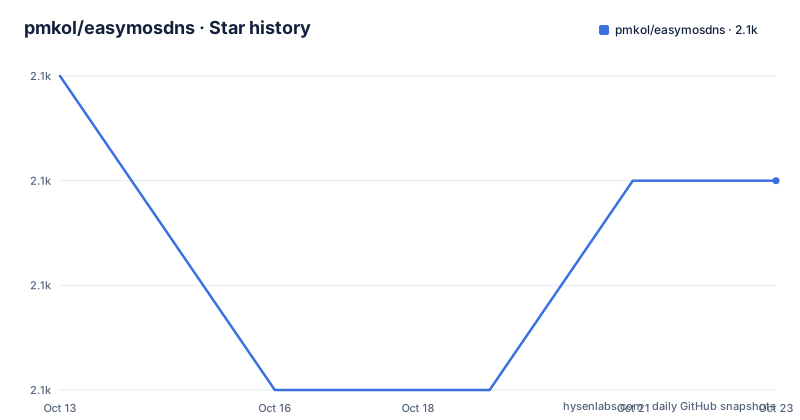
- pmkol/easymosdns2,065 ★ · -1
| Repository | 2026-10-13 | 2026-10-22 |
|---|---|---|
| pmkol/easymosdns | 2.1k | 2.1k |
-1 Stars in the last 9 days, measured from the daily GitHub snapshot. Compare with other projects
Editorial analysis
A config tree that replaces the whole Mosdns directory
The tree holds seven top level entries and no server binary, almost all of them configuration: README.md, config.yaml, ecs_cn_domain.txt, ecs_noncn_domain.txt, hosts.txt and rules/. The language tab says Shell, yet nearly all of the weight sits in YAML and two update scripts. Installing therefore begins on a machine that already runs Mosdns, at version 4.5.3 or Mosdns-x, with its working directory at /etc/mosdns and its config.yaml copied somewhere safe first. Note the ports under the `protocol: udp` and `protocol: tcp` listeners before touching anything, because the bundle assumes UDP and TCP 53.
Stop and remove the running service:
mosdns service stop
mosdns service uninstall
Those two lines sit next to notes that soften them. One says a Mosdns whose working directory is already /etc/mosdns needs no uninstall at all, another says `mosdns service restart` is enough once the files are in place. The walkthrough and its own notes do not agree, so on a machine you care about keep the backup copy.
The bundle comes from the project mirror rather than from GitHub:
wget https://mirror.apad.pro/dns/easymosdns.tar.gz
tar xzf easymosdns.tar.gz
mv /etc/mosdns /etc/mosdns.old
mv easymosdns /etc/mosdns
That rename is the entire backup mechanism. Reinstall the service against the new tree and start it:
mosdns service install -d /etc/mosdns -c config.yaml
mosdns service start
`service is running` is the only success message the page names. When the binary sits outside /usr/local/bin and /usr/bin, the same start can be issued directly:
/usr/local/bin/mosdns start --as-service -d /etc/mosdns -c config.yamlFinish by opening UDP53, TCP53, TCP80, TCP443 and TCP853. No upgrade or revert command is documented, so moving /etc/mosdns.old back by hand is the whole rollback path.
Three fast_forward plugins decide where a query leaves
Every answer leaves through one of three `fast_forward` blocks in config.yaml, and each is plain YAML you edit by hand. LAN traffic goes to `forward_local`:
  - tag: forward_local
    type: fast_forward
    args:
      upstream:
        - addr: "223.5.5.5"
        - addr: "119.29.29.29"
Both entries are queried at the same time, so a name one resolver drops can still come back from the other. The page warns that carrier DNS does not support ECS, which is why this pair is aimed at internal networks.
WAN clients reach `forward_remote`, and its shipped pair is the least ECS capable part of the file:
  - tag: forward_remote
    type: fast_forward
    args:
      upstream:
        - addr: "tcp://208.67.220.220:5353"
          enable_pipeline: true
          #socks5: "127.0.0.1:1080"
        - addr: "udpme://8.8.8.8"
`enable_pipeline: true` is an assumption about your upstream, and the page says to set it to false when you are unsure. More awkward for the ECS claim: OpenDNS does not accept a specified subnet, so an operator who needs that on WAN clients has to uncomment the `socks5:` line and route that resolver through a proxy. The feature the project is named for needs extra wiring on the default WAN path.
The split API answering remote clients lives elsewhere
Remote queries try the EasyMosdns API before falling back to GoogleDNS and OpenDNS on timeout:
  - tag: forward_easymosdns
    type: fast_forward
    args:
      upstream:
        - addr: "https://mosdns.apad.pro/api-query"
          bootstrap: "223.6.6.6"
          #dial_addr: "ip:port"
The `bootstrap:` entry exists because the API hostname must resolve before that API can answer, and `dial_addr:` lets you pin an endpoint address once you know it.
Two constraints sit around that block. The page states the bundled API has a request limit and asks that its rules not be modified nor called from outside this project. The component that keeps remote answers unpolluted is a service you do not control, and it can throttle you. The same page points donors at a build with no request limit and DoT, DoQ, DoH and DoH3 support, which places a paid tier between the open code and the better upstream. The last push to the repository was on 2026-10-05, while the newest published artifact is easymosdns-v3.5-2 dated 2025-06-30, so commits have landed on this tree for well over a year without a new artifact.
The data behind that split refreshes through two commands, one direct and one through a CDN:
/etc/mosdns/rules/update/etc/mosdns/rules/update-cdnBoth are plain scripts under rules. The page schedules the CDN variant through `crontab -e`:
0 5 * * * /etc/mosdns/rules/update-cdnECS selection uses two lists and four match prefixes
Two text files decide which names get which subnet. `/etc/mosdns/ecs_cn_domain.txt` forces local ECS so a domain is answered the way a mainland client would see it. `/etc/mosdns/ecs_noncn_domain.txt` pins a specified subnet for names without a nearby mainland CDN node, github.com being the example given.
Both files accept four prefixes, one entry per line:
domain:google.com
full:google.com
keyword:google.com
regexp:.+\.google\.com$
`domain:` matches the name and its subdomains. `full:` matches only the exact name. `keyword:` matches anything containing the string, which is how `keyword:google.com` also catches www.google.com.hk. `regexp:` uses the Go standard engine and is the widest of the four, with the most room for a mistake that stays hidden in a resolver running for months. No validator for either file is documented, so a typo here fails quietly until a client resolves the wrong region.
hosts.txt puts the domain before the address
Host overrides live in `/etc/mosdns/hosts.txt`, and the layout is the reverse of a normal hosts file:
dns.google 8.8.8.8 8.8.4.4 2001:4860:4860::8888Domain first, addresses after, several addresses per line, IPv6 accepted. That is a genuine gain over the system file, which allows one address per name. It also means an old /etc/hosts copied into this path is not the same data in a new place, because the columns swap, and no import converter is documented. Anything you add here wins over what the resolver would have returned, so keep the list short and factual.
Caching ships in two sizes with Redis switched off
Caching is two `cache` blocks that treat LAN and WAN clients differently:
  - tag: cache_lan
    type: cache
    args:
      size: 8192
      #redis: "redis://127.0.0.1:6379/0"
      lazy_cache_ttl: 86400
      cache_everything: true
      lazy_cache_reply_ttl: 1
`cache_wan` differs on the two numbers that shape behaviour: `size: 131072` against 8192, and `lazy_cache_reply_ttl: 5` against 1, with `compress_resp: true` on the WAN block. A LAN client can be handed a cached record almost immediately while a remote client may wait longer for the same answer, and both hold entries for a day under `lazy_cache_ttl: 86400`. That split is the mechanism behind the claim of switching cache rules by scenario, expressed as two hardcoded blocks rather than a policy.
Redis persistence is present and disabled. The same `#redis:` line is commented in both blocks, and enabling it means removing the comment from each one and running a Redis service on the default port 6379 at database 0. Edit one block and not the other and you get half persistent caching.
DoH and DoT listeners ship commented out in config.yaml
Encrypted entry points exist in the file but arrive disabled. DoH binds loopback only:
      - protocol: http
        addr: "127.0.0.1:9053"
        url_path: "/dns-query"
        get_user_ip_from_header: "X-Forwarded-For"
An nginx front end is suggested, and the sample trusts the client address header from every source:
  server {
    ...
    location /dns-query {
	  set_real_ip_from 0.0.0.0/0;
    real_ip_header X-Forwarded-For;
    proxy_pass http://127.0.0.1:9053/dns-query;
    }
  }
Since mosdns reads that same `X-Forwarded-For` value as the query's user IP, the pairing is sound behind a reverse proxy you control and wrong the moment the listener is reachable directly, because the header then carries whatever the client typed. Check what can reach the front end before enabling this pair.
DoT follows the same pattern on a public port with your own certificate:
      - protocol: tls
        addr: "0.0.0.0:853"
        cert: "/etc/mosdns/yourdomain.cert"
        key: "/etc/mosdns/yourdomain.key"
Plain UDP and TCP move the same way, through the `addr:` value in the listener block:
      - protocol: udp
        addr: "0.0.0.0:8053"
      - protocol: tcp
        addr: "0.0.0.0:8053"
Those are exactly the port values the pre-install checklist asks you to write down.
Ad blocking, IPv4 preference and fixed ECS are one line each
Ad filtering is a conditional branch keyed on `query_is_ad_domain`:
        - if: query_is_ad_domain
          exec:
            - black_hole
            - ttl_1h
            - _return
Changing `black_hole` to `forward_local` turns the filter into a plain lookup while `ttl_1h` and `_return` stay put. The filtering is described as light and whitelist editable, so read that block as a starter list rather than a wall.
IPv6 shaping runs through `- _prefer_ipv4`, which appears three times in the file. Commenting all three lines stops the blocking of `TYPE65` and of IPv6 answers for non mainland clients, while pure IPv6 domains remain reachable. Specified ECS is one plugin named `ecs_global`, shipped with `auto: false`, `ipv4: "168.95.1.0"`, `ipv6: "2001:b000:168::"` and `force_overwrite: true`. Pointing those subnets at your own public range switches the feature off entirely, a detail stated in a single line, and proxy clients are told to choose the subnet nearest their exit address.
One last fact about reuse: the tree is GPL-3.0, and the page asks only that you credit EasyMosdns when you build on the source.
Editorial conclusion
EasyMosdns fits a home router, a soft router image or one Linux box that already runs Mosdns and wants mainland aware ECS answers without writing plugins. It fits poorly as a shared resolver, and the piece that keeps remote answers unpolluted is a hosted API with a request limit. Read /etc/mosdns/config.yaml before installing, check who can reach the 9053 listener, and keep /etc/mosdns.old, because no rollback command exists. Trial it on a spare machine first: the whole change is one directory rename, one service install and one config.yaml to read.
Frequently asked questions
Does EasyMosdns ship a mosdns binary, or do I install Mosdns first?
Mosdns has to be installed and working first. The checklist asks for version 4.5.3 or Mosdns-x with its working directory at /etc/mosdns and its config.yaml backed up, because the bundle replaces that whole directory rather than merging into it.
What happens to my existing Mosdns configuration after the install?
The directory is renamed to /etc/mosdns.old and the extracted bundle takes its place, then the service is reinstalled against config.yaml. No rollback or upgrade command is documented, so the .old directory holds the only copy of your previous tree.
Can I point EasyMosdns at my own split API instead of the bundled one?
Yes, the addr line in the forward_easymosdns plugin can name another service, but you have to confirm the replacement actually performs mainland aware splitting. The bundled API carries a request limit and is not meant to be called from outside this project.
Which firewall ports does EasyMosdns need after setup?
The page lists UDP53, TCP53, TCP80, TCP443 and TCP853. DoH and DoT arrive commented out, so 80, 443 and 853 only matter once you enable those listeners.
How do I turn off ad filtering and the IPv6 blocking in EasyMosdns?
Replace black_hole with forward_local in the query_is_ad_domain branch, and comment out all three - _prefer_ipv4 lines to stop blocking non mainland IPv6 answers. Both edits sit in /etc/mosdns/config.yaml.
Does EasyMosdns still answer IPv6 only domains?
Yes. By default it blocks TYPE65 requests and IPv6 answers for non mainland clients while keeping pure IPv6 domain requests intact, so an IPv6 only name stays reachable unless you comment out the _prefer_ipv4 lines.
Official sources
Add this badge to your README
If you maintain this project, the badge below links readers to this analysis and shows its maintenance status from the daily GitHub snapshot. Paste the markdown into your README; add ?metric=license or ?metric=stars to the image URL for a different field.

[](https://hysenlabs.com/projects/pmkol-easymosdns)Star history chart for your README
[](https://hysenlabs.com/projects/pmkol-easymosdns)