preconstruct makes the dev build behave like the published one
🎁 Dev and build your code painlessly in monorepos
At a glance
- What is it?
- preconstruct is a MIT licensed build tool for JavaScript libraries, built on rollup, whose central promise is that in dev mode your code behaves the way it will in production, including for packages linked inside a monorepo. It adds multiple entrypoints per package, walks you through configuration with a CLI, and insists that a build happens before anything is published.
- Who is it for?
- preconstruct suits a team publishing several JavaScript packages from one repository, especially a pnpm workspace, who are tired of the gap between what runs in development and what runs after publishing. It does not suit an application, since it is a library publishing tool, and it is not a good fit if you would rather configure rollup by hand and keep full control of the output.
- Can I use it commercially?
- Yes. MIT is a permissive licence: you can use, modify and sell software built on it, as long as you keep its copyright and licence notices.
- Is it still maintained?
- Yes. The repository last received commits 16 days ago.
- What is it written in?
- Mainly TypeScript, according to GitHub's language statistics.
Answers come from the project's GitHub data, last synced on November 7, 2026, and from our analysis. They are not legal advice.
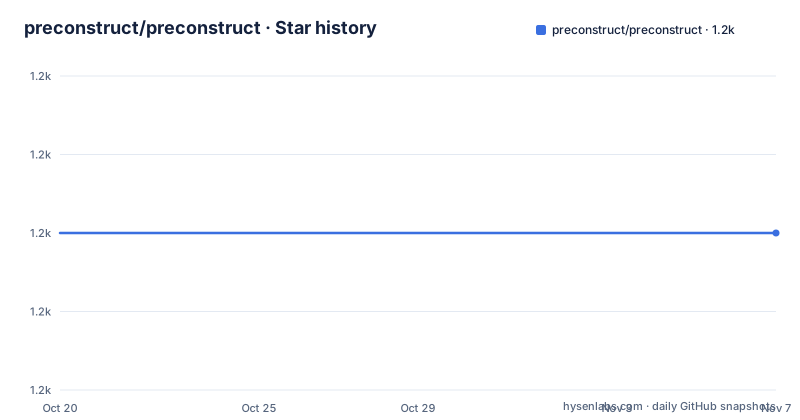
Star history
- preconstruct/preconstruct1,190 ★ · +0
| Repository | 2026-10-20 | 2026-11-07 |
|---|---|---|
| preconstruct/preconstruct | 1.2k | 1.2k |
0 Stars in the last 18 days, measured from the daily GitHub snapshot. Compare with other projects
Editorial analysis
The gap between dev and published is the real target
preconstruct describes itself as a tool to dev and build your code painlessly in monorepos, and the first item of its feature list is the one that matters: in dev mode, your code behaves the same as it will in production, including locally linked in monorepos.
That sentence describes a specific and common failure. A monorepo where package A imports package B has two ways to link it. The published form resolves through node_modules and the package's entry point, while the local form often points straight at the source file, or at a build output that is stale because nobody rebuilt. The two behave differently, and the difference only shows up after publishing, in a consumer's install, which is the worst place to find it.
preconstruct's answer is to make the local case use the same entry point structure as the published case, so the import graph a developer exercises is the import graph a consumer gets. Everything else in the tool follows from that goal.
The remaining features are the ones a monorepo needs once the dev and published shapes agree. Add multiple entrypoints to your packages for publishing, so a package can ship more than one import path without a second build setup. A CLI that helps you walk through setup and making changes to your configs, because the configuration is the part that is fiddly. It works with different kinds of JavaScript monorepos, and it also works for single package repos, which is a deliberate widening of the audience.
The audience is a team publishing more than one package, or one package with more than one entrypoint, who want the build conventions to be handled rather than configured. The sponsorship comes from Thinkmill, and the README credits microbundle as a large inspiration, with rollup described as doing the really hard stuff that makes preconstruct possible, and bolt as a source of utilities.
Init writes the config, dev rewrites the imports
The getting started instructions assume a familiar layout. You have a source file at src/index.js, or src/index.ts, or you are using pnpm workspaces and have packages with src/index.js or src/index.ts. Then the setup is two commands:
pnpm add --save-dev @preconstruct/cli
pnpm preconstruct init
The init command is the one that reads your workspace and writes the configuration, and the CLI is what the feature list calls out for walking you through setup and making changes to your configs.
The dev command is the other half of the workflow, and the README is specific about it. If you are in a monorepo, you should also run pnpm preconstruct dev and add it to a postinstall script, "postinstall": "preconstruct dev", that runs preconstruct dev so that you can import your code without having to rebuild your project every time you make changes.
The postinstall part is the detail worth noticing, because it is where the dev and published shapes are kept in agreement. The postinstall hook runs when dependencies are installed, which is exactly when a linked package in the workspace needs to be set up so that importing it resolves the way it will once published.
So the intended daily loop is that you never rebuild during development. You edit source, the dev setup makes the import resolve correctly, and the build happens at the end when you are about to publish.
Build produces flat bundles using your own Babel config
Before you publish packages to npm, run preconstruct build, and the README explains the two things that follow from that. Preconstruct will use your Babel config, and it builds flat bundles, so you need to configure Babel with the transforms you want.
The Babel pass-through is the design decision that matters most for an adopter. preconstruct does not ask you to learn a second transform pipeline or to describe your build in its own schema. It uses rollup for the bundling, the project says, and takes your existing Babel configuration for the syntax and type transforms, so a project that already has a babel.config.js in a monorepo keeps working with the settings it already has.
The flat bundles are the output shape. A flat bundle is one file per entrypoint with the module structure flattened into it, which is what makes the published package able to expose several entrypoints while still being straightforward for a bundler in the consuming application to consume.
The repository's own configuration shows the knobs in practice. The root package.json carries a preconstruct section listing the packages it applies to, packages/*, with two exclusions for packages named next and hook, an exports block setting importConditionDefaultExport to default, and an experimental block whose name includes the warning that it will change in a patch, carrying an importsConditions flag. The naming of that field is itself a design opinion, since a flag called WILL_CHANGE_IN_PATCH tells you it is not a stable interface, which is an honest way to ship something unfinished.
The publishing rule exists because broken publishes are expensive
There is a strongly worded recommendation in the README, and it is about the order of operations rather than about a feature.
The recommendation is to make a single script in your package.json that runs both build and publish, to stop broken publishes, with the example "release": "preconstruct build && pnpm publish:packages". If you are in a single-package repo, the same thing can be done by running preconstruct build in a prepare or prepublishOnly script.
The reasoning is straightforward and worth stating because it explains the whole tool. If publishing does not build, then a package can be published with stale or unbuilt output, and the failure appears in the consumer's install rather than in your pipeline. A single script removes the possibility of the two steps being separated, and the prepare and prepublishOnly hooks do the same thing for the single package case through npm's own lifecycle.
The multiple entrypoints feature fits here too. Because a package can declare several entrypoints, and each becomes a published import path with its own flat bundle, the decision about what a package exposes is a configuration decision rather than a restructure of the source tree.
For a team already doing this well, with a hand written rollup config and a careful release script, preconstruct is redundant. For a team that has been bitten by a broken publish, it is a small guard rail with a reasonable price.
The repository is itself a monorepo built with preconstruct
The project dogfoods its own tool, and the repository layout is a worked example for anyone setting one up.
It is a pnpm workspace with [email protected] as the package manager, and the root package is a private monorepo package named @preconstruct/monorepo at version 0.0.65, which is a version number that exists to satisfy a workspace check rather than to be published. The packages/ directory holds the published packages, the site/ directory holds the documentation site with its own start and build scripts, and the build/ directory holds a vendored copy of the CLI that the root script invokes directly, at node ./build/node_modules/@preconstruct/cli/bin.js.
The postinstall script is the interesting line, because it shows the recommended pattern in full: manypkg check && pnpm --dir build install --ignore-workspace && pnpm preconstruct dev. The manypkg check runs first and validates that the workspace packages follow the expected conventions, which is the kind of check that catches a misconfigured package before it becomes a broken publish.
The rest of the tooling is conventional and worth noting because it shows what a project of this kind ends up needing. Jest for the tests, ESLint over tsx, ts and js files, Prettier for formatting, knip for finding unused files and exports, and Changesets for releases, with the release script running pnpm build && changeset publish and a changes directory that holds the pending change entries. The main branch is recorded in the manypkg configuration as the default branch.
For a reader setting up their own monorepo, the sequence is the useful part. Check the workspace, install, run dev, and let the postinstall hook do the rest.
Where it fits, and where it does not
The fit is narrow but real. preconstruct is for a team that publishes JavaScript packages, especially from a monorepo, and that wants the conventions handled. It explicitly also works for single package repos, so the threshold is not the monorepo, it is the publishing.
It is the wrong tool for an application. Nothing in the feature list is about running a server, bundling an app, or serving a site, and the whole workflow is oriented around npm publish and the import shape a consumer sees. A team building a web application with one package and no consumers of its code has nothing to gain from the conventions here.
The second wrong-tool case is a team that has already invested in a hand written rollup configuration. preconstruct's value is that it removes the configuration, and if your configuration is already correct and tested, removing it is not a benefit. The migration cost is real, since the tool imposes a layout, a src/index entry point, a preconstruct block in package.json and a Babel step in the build.
The maintenance picture is the final consideration. The recent releases of the CLI are 2.9.0 from 2026-08-18, 2.8.13 from 2026-05-06 and 2.8.12 from 2025-03-27, and the repository is not archived with the last push on 2026-08-18. The licence is MIT.
The experimental flags are worth one more mention, because they set the expectation for anyone planning to depend on this. A field literally named ___experimentalFlags_WILL_CHANGE_IN_PATCH is a contract with yourself, and a team that has built a release pipeline on top of it should be watching for the version where it changes.
Editorial conclusion
preconstruct suits a team publishing several JavaScript packages from one repository, especially a pnpm workspace, who are tired of the gap between what runs in development and what runs after publishing. It does not suit an application, since it is a library publishing tool, and it is not a good fit if you would rather configure rollup by hand and keep full control of the output. Verify first that your packages follow the layout it expects, with a source entry at src/index.js or src/index.ts, and that the Babel configuration you rely on produces the transforms you want, because preconstruct passes your Babel config through to the bundle it builds.
Frequently asked questions
What does preconstruct do?
It is a build tool for JavaScript libraries, built on rollup, whose main promise is that in dev mode your code behaves the same as it will in production, including for packages linked inside a monorepo. It also supports multiple entrypoints per package, provides a CLI for setup, and works with different kinds of JavaScript monorepos as well as single package repos.
How do I set up preconstruct in a project?
Assuming your source lives at src/index.js or src/index.ts, add the CLI with pnpm add --save-dev @preconstruct/cli and run pnpm preconstruct init. In a monorepo you should also run pnpm preconstruct dev and add it to a postinstall script so the dev setup is applied whenever dependencies are installed.
How do I publish packages with preconstruct?
Run preconstruct build before publishing, since preconstruct uses your Babel config and builds flat bundles. The README strongly recommends a single script that runs both build and publish, for example "release": "preconstruct build && pnpm publish:packages", and in a single package repo you can run preconstruct build in a prepare or prepublishOnly script instead.
Does preconstruct need a monorepo?
No. The feature list says it also works for single package repos. The requirement is that you publish a package with a source entry point at src/index.js or src/index.ts.
Which build tool does preconstruct use under the hood?
Rollup. The README credits rollup with doing the really hard stuff that makes preconstruct possible, and notes that preconstruct uses your Babel config for the transforms, so Babel has to be configured with what you want.
Official sources
Add this badge to your README
If you maintain this project, the badge below links readers to this analysis and shows its maintenance status from the daily GitHub snapshot. Paste the markdown into your README; add ?metric=license or ?metric=stars to the image URL for a different field.

[](https://hysenlabs.com/projects/preconstruct-preconstruct)Star history chart for your README
[](https://hysenlabs.com/projects/preconstruct-preconstruct)Was this useful?