BotsApp: a WhatsApp userbot you link by scanning a QR code
Your personal assistant, on WhatsApp! The most user friendly userbot for the platform!
At a glance
- What is it?
- A Node.js and TypeScript WhatsApp userbot that attaches to your own account through the linked devices QR flow. The interesting part is what the project admits about hosting, versions, and its own licensing.
- Who is it for?
- BotsApp suits one person who wants a personal chat assistant and group manager running on a machine they control, and who is comfortable linking a real WhatsApp account to a third party program. It is a poor fit for anything that needs a hosted endpoint, a stable release line, or a test suite, because the deployment story is explicitly unfinished and the version tags disagree with each other.
- Can I use it commercially?
- Yes, with conditions. GPL-3.0 is a copyleft licence: if you distribute software that includes it, you must release that software's source code under the same licence. Running it internally without distributing it does not trigger that obligation.
- Is it still maintained?
- Yes. The repository last received commits 167 days ago.
- What is it written in?
- Mainly TypeScript, according to GitHub's language statistics.
Answers come from the project's GitHub data, last synced on November 15, 2026, and from our analysis. They are not legal advice.
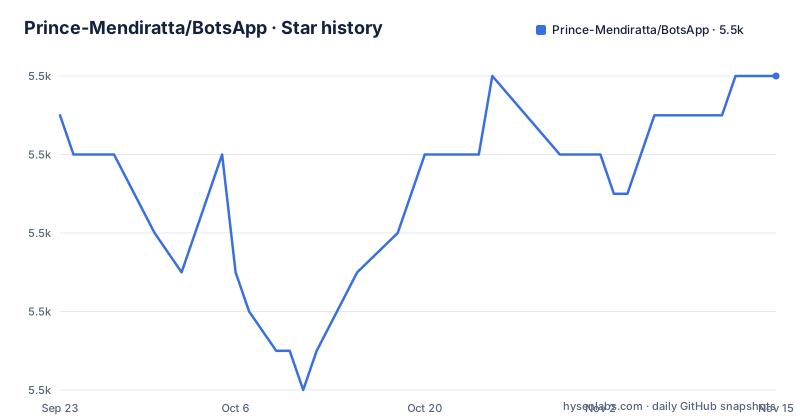
Star history
- Prince-Mendiratta/BotsApp5,528 ★ · +1
| Repository | 2026-09-23 | 2026-11-15 |
|---|---|---|
| Prince-Mendiratta/BotsApp | 5.5k | 5.5k |
1 Stars in the last 53 days, measured from the daily GitHub snapshot. Compare with other projects
Editorial analysis
The bot attaches to a real account through the linked devices QR flow
BotsApp is not a business API client and it does not sit on a phone number you buy. It is a userbot: it joins the multi device scheme the same way the WhatsApp app does, and you approve it yourself. The setup path is a QR scan, reached from the three dots in the top right corner of WhatsApp under Linked devices, then LINK A DEVICE, then Continue. Once linked, you land on a form where settings and permissions for the bot are chosen, and submitting it starts the account. Verification is done from inside the chat, where the .alive command answers if the bot came up. A paired integration message also lands on the WhatsApp account. The technical base is the Baileys library, pinned in the dependency list at @whiskeysockets/baileys ^6.4.1, which is the layer that speaks the multi device protocol. Alongside it sit sequelize ^6.7.0 with sqlite3 ^5.0.2 and pg ^8.7.1 for storage, and a batch of single purpose clients for translation, text to speech, lyrics, dictionary lookups, image work through jimp, and YouTube download through ytdl-core ^4.11.2.
The project states plainly that only local deployment works
This is the single most important line for anyone evaluating the project, and it appears in bold near the top of the deployment section: only local deployment is working for now. The multi device bot can only be used locally, and the tutorial that claims setup in less than three minutes is attached as a video for exactly that case. The hosted route described first, which is described as the easiest way, sends you to the project website, asks you to create a Heroku account with an email address, and gives you a Deploy BotsApp button in the sidebar. That path assumes a shared host, which is the thing the project just told you is not working. The manual Heroku button is marked as not working as well, so the two hosted routes are both described as broken. What remains is your own machine, reached either through Docker or through a plain Node install. In other words, there is no supported way to run this as a service, no persistent host to point other people at, and no uptime story to plan around.
The Docker tarball and the release list point at different versions
The quickest local path downloads a tarball rather than cloning, and the tag it names is v2.0.0-beta.
wget -O BotsApp.tar.gz https://github.com/Prince-Mendiratta/BotsApp/archive/refs/tags/v2.0.0-beta.tar.gz
tar -xvzf BotsApp.tar.gz
cd BotsApp-2.0.0-beta
docker build -t botsapp .
docker run --rm --name botsapp botsapp
The published release list stops well behind that. It ends at v1.1.0 from December 2021, preceded by v1.0.1 in November 2021 and v1.0.0 in the same month. So a beta tag is what the install instructions hand you while the newest named release is two versions behind in a different line. The container is a thin wrapper. The Dockerfile starts from a published image, copies the tree into the working directory, reinitialises a git repository inside it, fetches the multi-device branch, hard resets onto it, and installs dependencies before running npm start. Because the build pulls its source from a branch rather than from your tarball, the directory you unzipped is effectively discarded in favour of whatever that branch holds at build time. You still scan a QR at least once after the container starts.
Deleting two files is the documented cure for a QR that will not scan
When a local run refuses to link, the project offers one remedy, and it is destructive in a way worth understanding before you type it. The stored session and the database both live next to the code as files, and removing them forces a clean pairing.
rm -rf BotsApp.db session.data.json
npm start
BotsApp.db and session.data.json are the files the README says to remove to get the QR code again. Deleting both means the next start has no saved session, so the QR flow begins from zero and you have to scan with the phone again. There is no mention of any way to keep the session and still recover, and no mention of a command that dumps the current session or rotates it. The same consequence applies to the Docker route, where the container is started with --rm, so the container itself is thrown away on exit and the linked state has to be recreated next time.
npm start compiles the project before it runs it, with a 512 MB ceiling
The start script is doing two jobs, and the second one is where the memory setting lives.
"start": "tsc && node --max-old-space-size=512 --optimize_for_size dist/BotsApp.js"TypeScript is compiled on every start rather than being prebuilt, so a machine with a slow disk pays the compile cost each time the bot comes up. The output lands in dist/, and the entry point there is BotsApp.js, even though the package manifest still names main.js, while the tree carries both BotsApp.ts and BotsApp.js at the top level. The old space size flag caps the V8 heap at 512 MB and optimize_for_size biases the compiler toward smaller output, both of which point at a runtime expected to stay lean while media work happens elsewhere. The install path that matches this is short, and it asks for ffmpeg, nodejs, and npm to be present first.
git clone https://github.com/Prince-Mendiratta/BotsApp.git
cd BotsApp
yarn
npm start
That path takes the default branch, which is multi-device, and yarn is what the Dockerfile also uses even though yarn.lock is the only lockfile in the tree.
The repository is GPL-3.0 while the package manifest says ISC
Two different licenses sit in the same tree. The project is filed under GPL-3.0, the LICENSE file is the GNU General Public License, and the copyright line reads 2021 to 2022 by Prince Mendiratta. The package.json, however, carries "license": "ISC" next to the author name. For anyone building on top of this, the two are not interchangeable: the GPL places conditions on redistribution of derivative work, while ISC is a short permissive grant with almost none. Anyone redistributing a modified BotsApp has to decide which one governs, and the manifest is the file most build tooling reads first. The same tree also spreads responsibility across a listed group, with one project lead developer, four core developers, and one moderator named in the contributor table, and the copyright years stop at 2022 while the branch has seen later commits. Support channels are a WhatsApp group link and two Telegram links.
What the project cannot do, stated by the project itself
Several limits are on the record rather than inferred. Hosting is out, because both the Heroku button and the website deployment flow are marked as not working and only local deployment is claimed. Batch reliability is unaddressed, since there is no test script in the package manifest at all: the test entry is a stub that prints an error and exits with status 1, so nothing in the repository checks that a command still works after a change. Version tracking is loose, with a beta tag in the install path, a release line that stopped in 2021, and copyright text that stops in 2022. And the legal position is a single paragraph that deserves reading before any link: the code is stated to be in no way affiliated with, authorized by, maintained by, sponsored by, or endorsed by WhatsApp or any affiliate, it is described as independent and unofficial software, and the note ends with use at your own risk. Linking a personal account to it is the risk that paragraph refers to.
Editorial conclusion
BotsApp suits one person who wants a personal chat assistant and group manager running on a machine they control, and who is comfortable linking a real WhatsApp account to a third party program. It is a poor fit for anything that needs a hosted endpoint, a stable release line, or a test suite, because the deployment story is explicitly unfinished and the version tags disagree with each other. Before running it, confirm the branch you are on, decide which version tag you actually want, read the unofficial-software notice, and remember that linking the account hands the bot your chat session.
Frequently asked questions
What is the Bots app?
BotsApp is a WhatsApp userbot written in Node.js and TypeScript, described as a personal chat assistant and group manager. It attaches to your own account by scanning a QR code through the Linked devices menu, and the default branch is multi-device.
Is there a WhatsApp bot app available?
BotsApp is one, and it runs on your own machine rather than as a hosted service. The project states that only local deployment is working for now, and offers both a Docker route and a plain Node route using ffmpeg, nodejs, npm, yarn, and npm start.
Is a WhatsApp bot free?
The code is published under the GNU General Public License and the local route runs on hardware you already own, so nothing in the repository describes a paid tier for the software itself. The website route asks you to create a Heroku account with an email address first, and that path is marked as not working.
Official sources
Add this badge to your README
If you maintain this project, the badge below links readers to this analysis and shows its maintenance status from the daily GitHub snapshot. Paste the markdown into your README; add ?metric=license or ?metric=stars to the image URL for a different field.

[](https://hysenlabs.com/projects/prince-mendiratta-botsapp)Star history chart for your README
[](https://hysenlabs.com/projects/prince-mendiratta-botsapp)Was this useful?