Publify self-hosted Rails publishing: setup and constraints
A self hosted Web publishing platform on Rails.
At a glance
- What is it?
- Publify is a self-hosted Rails publishing platform built around a multi-user blog engine, short messages, themes, plugins, and multilingual content. Its documented setup is straightforward, but the stated Ruby and Rails versions require careful verification before adoption.
- Who is it for?
- Publify fits organizations and individual publishers that want to operate their own Rails-based blog with themes, widgets, plugins, short messages, and multilingual content. It is a poor fit for operators who need a modern documented runtime, a turnkey static-site workflow, or hosting support without substantial deployment work.
- Can I use it commercially?
- Yes. MIT is a permissive licence: you can use, modify and sell software built on it, as long as you keep its copyright and licence notices.
- Is it still maintained?
- Yes. The repository received new commits within the last day.
- What is it written in?
- Mainly Less, according to GitHub's language statistics.
Answers come from the project's GitHub data, last synced on October 23, 2026, and from our analysis. They are not legal advice.
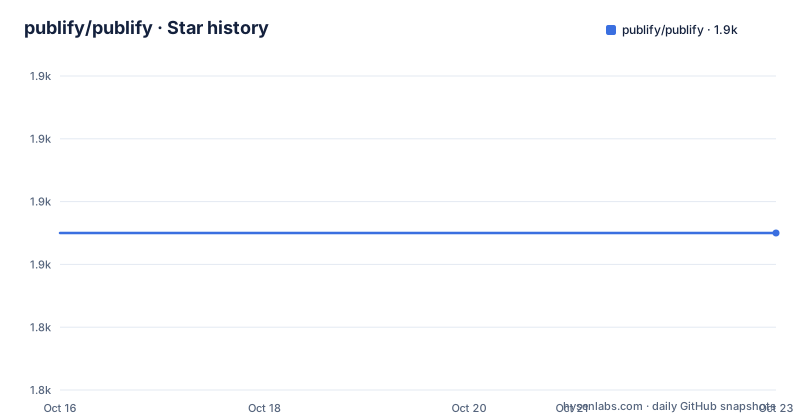
Star history
- publify/publify1,855 ★ · +0
| Repository | 2026-10-16 | 2026-10-23 |
|---|---|---|
| publify/publify | 1.9k | 1.9k |
0 Stars in the last 7 days, measured from the daily GitHub snapshot. Compare with other projects
Editorial analysis
Publify's publishing model and intended users
Publify addresses the problem of running a publication on infrastructure controlled by its publisher rather than relying on a hosted blogging service. Its primary component is a classic multi-user blogging engine, which makes it relevant to independent publishers, small editorial teams, and site owners who need more control over presentation and hosting than a hosted platform generally exposes. The README describes Publify as web publishing software and says it has existed since 2004, although that history should not be confused with a guarantee that its current deployment requirements are current.
The project follows IndieWeb principles that the README summarizes as self-hosting a website and publishing on your own site while syndicating content elsewhere. Publify also includes a small message system connected to Twitter. That combination makes it more than a conventional long-form article editor, although the README does not describe the delivery behavior of the Twitter connection or the current state of Twitter API access. Any adopter would need to confirm that integration independently.
This is aimed at people who can operate a Ruby on Rails application. Installation requires a CRuby version, a database engine, a compatible JavaScript runtime for asset compilation, ImageMagick, and a server environment. That requirement rules out Publify as a frictionless application for someone seeking a fully managed blog. The platform offers visible publishing controls and hosting ownership, but it transfers application, database, secrets, assets, and upgrade responsibility to the operator.
Blog, content filters, themes, and extension boundaries
The documented feature set centers on a conventional Rails blog with several extension points. Text filters include Markdown, SmartyPants, conversion of @mentions into links, and conversion of #hashtags into links. These filters affect how submitted text becomes rendered content, giving authors formatting and automatic linking without requiring direct HTML work. The README does not document escaping rules, filter ordering, or behavior for malformed Markdown, so those details require examination in the application code and configuration.
Themes can replace the public presentation of the site, while the widget system and plugin API extend the interface beyond core blog posts. Separate wiki resources exist for sidebar plugins and in-page plugins. This distinction suggests two extension locations, but the README does not show their interfaces, loading order, permission model, or compatibility guarantees. A custom theme also creates an upgrade obligation because a deployment that modifies presentation may need changes when Publify changes the templates or view contracts it depends on.
The project lists multilingual publishing and says Publify is translated into English, French, German, Danish, Norwegian, Japanese, Hebrew, Simplified Chinese, Mexican Spanish, Italian, Lithuanian, Dutch, Polish, and Romanian. The wording "more or less translated" is important. It signals uneven translation coverage without identifying missing strings or locales. Publishers requiring a complete, audited interface in a particular language should inspect that locale rather than relying on the aggregate feature description.
Publify also advertises advanced SEO capabilities. The README does not enumerate metadata controls, sitemap behavior, canonical URL handling, structured data, or integration with analytics, so the depth of the SEO tooling cannot be judged from the available documentation. Likewise, multi-user roles are mentioned, but the README does not explain invitation, authorization, moderation, or password-reset workflows.
Local installation with the documented Rails stack
The local installation tutorial targets CRuby 2.5, 2.6, or 2.7, Rails 5.2.x, and one of MySQL, PgSQL, or SQLite3. It also requires a JavaScript installation compatible with asset compilation and ImageMagick for `mini_magick`. Installers should verify those components against their host operating system before downloading the archive. The repository structure includes `config/`, `db/`, `app/`, `themes/`, and standard Rails files such as `config.ru`, but the README does not provide a container image or a single installer script.
After downloading a stable release, rename `database.yml.yourEngine` to `database.yml`, then add the database name, login, and password. The documented commands install dependencies, create and populate the database, migrate it, compile assets, and start the Rails server:
$ bundle install
$ rake db:setup
$ rake db:migrate
$ rake assets:precompile
$ rails server
The tutorial says the application can then be opened at `127.0.0.1:3000`. A first real use begins by creating or seeding the initial application account through the running web interface, although the README does not document the exact first-screen fields or setup sequence. It would be inaccurate to promise a particular registration path beyond the multi-user blogging capability listed in the README.
The `master` branch is available for cloning, but the project explicitly warns that random things may be broken and does not recommend running it in production. Stable releases are the appropriate documented choice for evaluation. The listed releases include Publify 11.0.0 on 2026-10-04, Publify 10.0.1 on 2024-06-28, and Publify 10.0.0 on 2023-06-30.
Server deployment and secret management
For a conventional server, the README says to use the operator's preferred installation method, with Capistrano given as an example. This is intentionally open-ended. Publify does not present a single production provisioning sequence, web-server configuration, backup procedure, or deployment checklist in the available instructions. The minimum stated server environment variable is `SECRET_KEY_BASE`.
Secrets should come from the deployment environment rather than being embedded in application files. The README mentions that a web server may allow `SECRET_KEY_BASE` to be configured, or suggests considering a tool such as `dotenv`. It does not recommend a specific `.env` file format or loading policy, so there is no project-specific dotenv configuration to reproduce here. Operators must also arrange database connectivity, persistent uploads, asset serving, process supervision, HTTPS termination, and backups, none of which are fully specified by the local tutorial.
The Heroku instructions expose more deployment boundaries. File uploads require Amazon S3 and four Heroku configuration values:
heroku config:set PROVIDER=AWS
heroku config:set AWS_ACCESS_KEY_ID=<your_aws_access_key_id>
heroku config:set AWS_SECRET_ACCESS_KEY=<your_aws_secret_access_key>
heroku config:set AWS_BUCKET=<your_aws_bucket_name>
These commands select the documented storage provider and supply credentials through Heroku config vars. The deployment also removes `mysql2` and `sqlite3`, selects a Ruby version, adds `pg` and `rails_12factor`, creates a `Procfile`, and runs migrations and seeds after deployment. These are manual application changes rather than a platform-specific automation package supplied by Publify. Production operators should therefore treat hosting setup as project work, not a one-command installation.
Maintenance status and the upgrade cost of custom deployments
The repository is not archived, and the last push was on 2026-10-04. Publify 11.0.0 was also released on 2026-10-04, following Publify 10.0.1 from 2024-06-28. Those dates indicate recent repository activity around version 11, but they do not establish compatibility with every installation or dependency in the older local setup instructions.
The README continues to document CRuby 2.5 through 2.7 and Rails 5.2.x. This mismatch deserves direct attention in an adoption decision. A release can be recent while its documented runtime remains old. The available documentation does not state whether the commands in the local tutorial were updated for Publify 11.0.0, whether additional compatibility changes are required, or how migrations should be handled across the gap from Publify 10 to Publify 11.
Upgrades also affect custom themes and plugins. A site using Publify's widget system, plugin API, custom themes, or translated content has more code and content state to verify than a default installation. The repository includes `CHANGELOG.md`, but its contents are not included here, so this review cannot identify migration notes or breaking changes. Operators should treat the release notes, database migrations, theme compatibility, and plugin behavior as concrete upgrade gates. The MIT license permits use and modification of the licensed software, but license compliance and responsibility for third-party dependencies remain separate from technical upgrade work.
Where Publify differs from static-site and managed platforms
Publify differs from a static-site generator because the repository and instructions describe a running Rails application with a database, server process, asset compilation, and configurable storage. A static generator normally produces files for deployment to a hosting service, while Publify expects an application runtime and persistent database. The README does not offer a static export, so it should not be treated as a drop-in replacement for that approach.
It also differs from a managed blogging service. Publify provides ownership of hosting and a broad set of application features, but it does not provide the convenience of a vendor-controlled control plane. The deployment guide delegates server installation to the preferred method and requires operators to supply secrets and database configuration. The Heroku path still requires S3, Gemfile changes, a `Procfile`, application commits, and explicit migration commands.
This trade-off may suit a publisher who wants a self-hosted Rails application and accepts responsibility for operations. It may not suit a writer who primarily needs local files, reproducible builds, and deployment to object storage or a CDN. The decision should follow the publishing model and operational capacity, not the age or feature count of either platform.
Editorial conclusion
Publify fits organizations and individual publishers that want to operate their own Rails-based blog with themes, widgets, plugins, short messages, and multilingual content. It is a poor fit for operators who need a modern documented runtime, a turnkey static-site workflow, or hosting support without substantial deployment work. Verify the exact dependency compatibility, database configuration, secret management, upload storage, and upgrade path before committing a production instance.
Frequently asked questions
Which Ruby and Rails versions does the Publify installation documentation require?
The local installation section lists CRuby 2.5, 2.6, or 2.7 and Ruby on Rails 5.2.x. It also requires MySQL, PgSQL, or SQLite3, a compatible JavaScript installation, and ImageMagick.
How do I configure a database when installing Publify locally?
Rename `database.yml.yourEngine` to `database.yml`, then add the database name, login, and password. The README then directs you to run `bundle install`, `rake db:setup`, `rake db:migrate`, `rake db:seed`, and `rails server`.
Can Publify use Amazon S3 for file uploads on Heroku?
Yes. The Heroku instructions configure `PROVIDER=AWS`, `AWS_ACCESS_KEY_ID`, `AWS_SECRET_ACCESS_KEY`, and `AWS_BUCKET` as Heroku config vars. They explicitly say S3 storage must be configured for blog file uploads.
Is running Publify from the master branch recommended for production?
No. The README explicitly says running the `master` branch in production is not recommended and warns that random things may be broken there. It directs users toward the latest stable release for normal installation.
Does Publify support custom themes, plugins, and multilingual publishing?
The README lists custom themes, a widgets system, a plugin API, and multilingual publishing. It also links to separate wiki resources for sidebar plugins and in-page plugins, but does not document plugin compatibility or translation completeness.
Official sources
Add this badge to your README
If you maintain this project, the badge below links readers to this analysis and shows its maintenance status from the daily GitHub snapshot. Paste the markdown into your README; add ?metric=license or ?metric=stars to the image URL for a different field.

[](https://hysenlabs.com/projects/publify-publify)Star history chart for your README
[](https://hysenlabs.com/projects/publify-publify)Was this useful?