PyTables for Hierarchical Scientific Datasets
A Python package to manage extremely large amounts of data
At a glance
- What is it?
- PyTables provides Python access to large hierarchical datasets through HDF5 and NumPy. It suits scientific and operational workloads that need fixed-field records and arrays rather than relational database semantics.
- Who is it for?
- Adopt PyTables for large, consistently typed scientific records, simulation output, monitoring data, and other HDF5-oriented workloads. Do not choose it as a direct replacement for a relational database or for transactional query processing.
- Can I use it commercially?
- Yes. BSD-3-Clause is a permissive licence: you can use, modify and sell software built on it, as long as you keep its copyright and licence notices.
- Is it still maintained?
- Yes. The repository last received commits 3 days ago.
- What is it written in?
- Mainly Python, according to GitHub's language statistics.
Answers come from the project's GitHub data, last synced on November 6, 2026, and from our analysis. They are not legal advice.
Star history
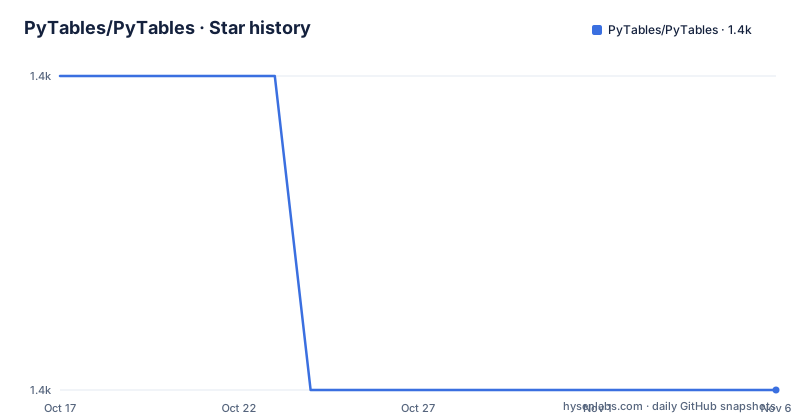
- PyTables/PyTables1,375 ★ · -1
| Repository | 2026-10-17 | 2026-11-06 |
|---|---|---|
| PyTables/PyTables | 1.4k | 1.4k |
-1 Stars in the last 20 days, measured from the daily GitHub snapshot. Compare with other projects
Editorial analysis
PyTables' HDF5 Storage Model
PyTables addresses the storage requirements of applications that produce large collections of structured data. The README identifies scientific computation, data acquisition, simulation software, network monitoring, router traffic measurements, and centralized system logs as representative workloads. These applications commonly generate repeated observations that must remain compact on disk and accessible from Python.
The package sits on HDF5 and NumPy. Its object-oriented Python interface exposes hierarchical storage objects, while Cython-generated C extensions handle performance-sensitive code. Based on the repository layout, PyTables is a compiled Python package with native dependencies, not a pure-Python file format implementation. That has direct consequences for installation, platform packaging, and upgrades.
Its organizing principle is hierarchy. A file can contain groups and nested datasets rather than one undifferentiated record collection. This suits measurements that naturally divide by experiment, sensor, date, simulation run, or another application-defined category. HDF5 supplies the underlying storage format, while PyTables supplies Python objects and higher-level record and array operations.
PyTables is therefore narrower than a general-purpose document store or relational database. Its target is structured numerical and record-oriented data whose access pattern is compatible with HDF5. The project description does not position arbitrary Python objects, flexible JSON documents, or transactional records as its primary use case.
Fixed Tables and Flexible Array Containers
A PyTables table represents records whose fields share one structure. Each field has a fixed length, and all values in that field use the same data type. For homogeneous scientific data, this predictable layout avoids interpreting an unpredictable Python object for every record. The README connects the fixed layout to efficient storage and lower CPU and I/O demands for large generated datasets.
That model works well for repeated measurements containing positions, timestamps, identifiers, categories, or numeric results with consistent types. It is a poor match for rows whose columns change according to the row, unless the application normalizes those differences before storage. A table should not be treated as a schema-free list of Python dictionaries.
PyTables also supports arrays, enlargeable arrays, and variable-length arrays. These containers cover cases that a fixed-field table cannot model cleanly. An enlargeable array is relevant to acquisition processes that receive data over time, while variable-length arrays represent values whose extent differs between entries. Choosing among them is part of the data-model decision rather than a minor API preference.
Repository examples cover basic arrays, enlargeable arrays, table columns, attributes, nested objects, enums, links, indexes, and file nodes. The `examples/` directory therefore provides the documented route for learning the API after installation. The README does not include a complete copy-and-run application example, so it would be misleading to invent one here.
Blosc Compression and Chunk Layout
PyTables includes support for the Blosc compressor. According to the README, Blosc targets high compression speed while retaining useful compression ratios. Reducing transferred bytes can improve I/O when the storage path has limited bandwidth, although the result depends on the dataset and access pattern.
The README states that PyTables can reduce space usage by three to five times or more in some cases, particularly when the data is compressible. That is a project statement, not a universal ratio. Different numerical data can have very different redundancy, so an adopting engineer should evaluate representative files instead of turning the stated range into a capacity assumption.
Chunk configuration is equally important. The repository includes `examples/direct-chunk-shape.py` and `examples/direct-chunking.py`, while the user documentation links chunk-size tuning to I/O optimization. This shows that chunk geometry is part of the storage interface. A dataset shape that works for sequential simulation output may be inefficient for random point access, because chunk selection affects how much neighboring data must be read.
The README also documents optional support for LZO and bzip2. Blosc is mandatory in the installation description, but the project bundles Blosc sources, so users do not always need a separate system package. Compression availability must still be checked when building custom binaries or packaging PyTables with an existing HDF5 stack.
Installing PyTables and Running Its Tests
The README gives a direct pip installation for the PyPI package named `tables`. Run this command in the environment where the package is needed:
python3 -m pip install tablesThe command should install the importable `tables` package corresponding to PyTables. The current `pyproject.toml` declares `requires-python = ">=3.11"`, so confirm the target environment meets that requirement before proceeding.
A source build has additional native requirements. The README names a recent HDF5 C library, Zlib, NumPy, and Numexpr. It specifies HDF5 2.1 or above. On a Debian-based Linux system where the HDF5 development package is missing, the documented installation command is:
sudo apt install libhdf5-serial-devThat command installs the development library rather than PyTables itself. A source build can also involve Cython and compression libraries because `pyproject.toml` declares `setuptools >= 77.0.0`, `numpy >= 2`, `Cython >= 3.2`, and `blosc2 >= 3.2.0` among its build requirements.
After installation, the README gives this test command:
python3 -m tests.test_allIt invokes the project's test suite rather than an example dataset operation. The repository includes an `examples/` directory for first API exploration. Start there after the install and test commands, selecting the container that matches the application data instead of treating every example as required setup.
Release Cadence and Native Upgrade Cost
The repository is not archived. Its last push was on 2026-10-15, so the project is receiving repository changes. Recorded releases include v3.11.1 on 2026-03-07, v3.11.0 on 2026-02-21, and v3.10.2 on 2025-01-04.
An upgrade is not limited to replacing a Python-only package. PyTables combines HDF5, NumPy, Cython-generated extensions, and compression libraries. The build configuration also distinguishes bundled Blosc sources from external library use, and `setup.py` includes logic for inspecting the installed HDF5 version. Packagers may therefore need to review wheel availability, native libraries, and platform-specific linkage rather than relying only on `pip` resolving Python dependencies.
The project uses the BSD-3-Clause license. The package metadata points to `LICENSE.txt` and the files under `LICENSES/`. Organizations still need to review those files and their own distribution policies when incorporating the package. This is a licensing inventory point, not legal advice.
The main operational cost appears during dependency changes and file compatibility work. The README does not document a rollback procedure for a failed PyTables upgrade, so applications with long-lived HDF5 files should establish file compatibility requirements before changing versions. That gap makes release validation part of adoption rather than an afterthought.
Why PyTables Does Not Replace an RDBMS
The README explicitly states that PyTables is not a relational database replacement. That boundary defines the intended role. PyTables targets large multidimensional datasets and categorized portions of a relational data store, while fixed tables and arrays preserve an HDF5-oriented data model.
A relational database organizes records through keys, constraints, relationships, and queries. PyTables instead emphasizes homogeneous fields, arrays, hierarchy, chunks, and compression. Repository examples for indexes and multiprocess access show that those topics are present, but the project does not describe itself as delivering the full transaction and query semantics expected from an RDBMS.
This distinction is especially important when requirements include ad hoc joins, transactional multi-record updates, flexible row schemas, or application concurrency centered on database sessions. The README does not identify those as PyTables design goals. Selecting it solely because a dataset is large would overlook the difference between scientific array storage and relational record management.
An alternative approach is to keep transactional metadata and records in a relational database, then store bulky multidimensional payloads through an HDF5-oriented interface. The README explicitly allows PyTables to categorize portions of a cluttered relational database. That division of responsibility is more consistent with the project's stated purpose than presenting PyTables as a complete replacement.
Adoption Boundaries for Large Data Workflows
PyTables is a sensible candidate when the application produces large arrays or repeated fixed-type records and when the file benefits from hierarchy. Simulation output, acquisition data, scientific measurements, packet traffic records, and structured logs align with those characteristics. Python users also gain direct interaction with HDF5 storage rather than writing a complete low-level HDF5 workflow themselves.
It is the wrong choice when the application is fundamentally relational. Do not infer transaction support, ad hoc joins, or flexible record schemas from the word "Table"; the documented table has fixed fields and uniform field types. A workload whose primary problem is relationship management belongs in a database designed for that model.
The first technical check is compatibility with `requires-python = ">=3.11"` and the available HDF5 installation. The second is a representative storage test covering expected data shapes, compression, and read patterns. PyTables documentation explicitly points to chunk tuning, so deployment planning should include a realistic chunk configuration rather than accepting defaults without examination.
The final judgement is concrete: PyTables fits large HDF5-backed numerical and record datasets when Python 3.11 or newer and the required native stack are available, while applications centered on relational transactions should keep that role in an RDBMS.
Editorial conclusion
Adopt PyTables for large, consistently typed scientific records, simulation output, monitoring data, and other HDF5-oriented workloads. Do not choose it as a direct replacement for a relational database or for transactional query processing. Verify Python 3.11 or newer, the native HDF5 setup, and the selected chunk and compression settings first.
Frequently asked questions
What is PyTables used for?
PyTables manages hierarchical datasets and extremely large amounts of data. The README lists scientific applications, simulations, data acquisition, network monitoring, traffic measurements, and system logs as examples.
How do I install PyTables?
The README documents installing the PyPI package `tables` with `python3 -m pip install tables`. Source compilation also requires components including HDF5, Zlib, NumPy, and Numexpr.
Is PyTables a relational database replacement?
No. The README explicitly says PyTables is not designed as a relational database replacement. It is intended for hierarchical and multidimensional datasets and for categorized portions of a relational database.
Which compression does PyTables support?
The README states that PyTables supports Blosc out of the box and documents optional LZO and bzip2 support. It also says PyTables includes Blosc sources.
Official sources
Add this badge to your README
If you maintain this project, the badge below links readers to this analysis and shows its maintenance status from the daily GitHub snapshot. Paste the markdown into your README; add ?metric=license or ?metric=stars to the image URL for a different field.

[](https://hysenlabs.com/projects/pytables-pytables)Star history chart for your README
[](https://hysenlabs.com/projects/pytables-pytables)Was this useful?