Radix UI website, a Next.js site that documents the components and ships the design system
Website and documentation for Radix.
At a glance
- What is it?
- The radix-ui website repository is the source of radix-ui.com, the documentation site for the Radix component library. It is a Next.js application that also functions as a reference implementation, with the Radix themes and colors packages as real dependencies, a generated search index, a markdown build step, and a Cloudflare worker behind the deployed version.
- Who is it for?
- Adopt this repository as a reference if you are building a documentation site for a component library and want to see how the search index, the markdown pipeline and the code examples are put together, and skip it if you want the Radix components themselves, because the packages come from npm and this repository only holds the site.
- Can I use it commercially?
- Yes. MIT is a permissive licence: you can use, modify and sell software built on it, as long as you keep its copyright and licence notices.
- Is it still maintained?
- Yes. The repository last received commits 31 days ago.
- What is it written in?
- Mainly TypeScript, according to GitHub's language statistics.
Answers come from the project's GitHub data, last synced on November 7, 2026, and from our analysis. They are not legal advice.
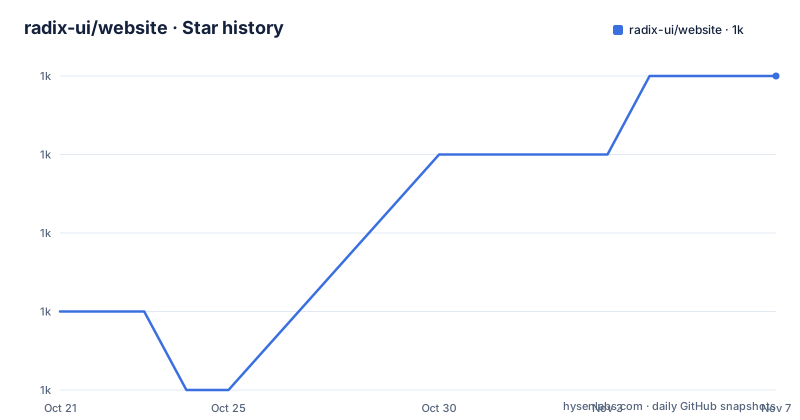
Star history
- radix-ui/website1,043 ★ · +3
| Repository | 2026-10-21 | 2026-11-07 |
|---|---|---|
| radix-ui/website | 1k | 1k |
3 Stars in the last 17 days, measured from the daily GitHub snapshot. Compare with other projects
Editorial analysis
A documentation site that is also a design system reference
The repository is described as the website and documentation for Radix, and the README describes the site in one line as everything you need to build a design system, website or web app, with components, colors, icons, templates and an extensive design system, free and open source. The distinction that matters for a reader is that the site is a consumer of the component library rather than its home. The package list shows @radix-ui/themes at 3.3.0, @radix-ui/colors at 3.0.0 and @radix-ui/react-icons at 1.3.2 as ordinary dependencies, along with the umbrella radix-ui package at 1.5.0. So when the documentation shows a component, the site is rendering the same package you would install. That makes the site more than prose: it is a live reference implementation, and the layout, the theming and the colour choices on screen are the library in use rather than a picture of it.
pnpm devThe build is three stages, and the order matters
The scripts show a build that is not a single command, and the ordering is the interesting part. The build script runs build:search, then next build, then build:markdown, and finally check:export. The search index is generated first, by a TypeScript script that runs under tsx, so the index exists before the pages that consume it are compiled. The markdown step runs after the Next.js build, and the export check runs last to verify the result. The dev script follows the same logic, running build:search before next dev, so the search works in development too. The reason to notice this is that it is the difference between a site that ships stale search and one that does not. The deploy target is wrangler deploy and the preview target sets a NEXT_PUBLIC_SITE_ENV of preview before running wrangler dev, which tells you the site is deployed to Cloudflare rather than to a Vercel-style host, and that the code branches on the environment at build time.
"dev": "pnpm build:search && next dev",
"build": "pnpm build:search && next build && pnpm build:markdown && pnpm check:export",
"deploy": "wrangler deploy",
"preview": "NEXT_PUBLIC_SITE_ENV=preview wrangler dev"
Search, and the markdown pipeline behind it
The search stack is the part of the dependency list that tells you most about how the site is put together. The autocomplete comes from the Algolia autocomplete core and its Algolia preset, and the indexing itself is local rather than hosted: minisearch is the search engine, and scripts/build-search-index.ts is the script that produces the index the autocomplete queries. Alongside that sits a markdown toolchain that is more substantial than a blog would need: gray-matter for front matter, mdx-bundler for the MDX content, rehype for the HTML side, hast-util-select, hast-util-to-html and hast-util-to-string for working with the tree, mdast-util-to-string for the markdown tree, prismjs with prism-react-renderer and refractor for syntax highlighting, and github-slugger for anchor generation. The presence of a build:markdown script and a separate markdown build step suggests the documentation content is authored as MDX and compiled to a form the site can ship.
minisearch
gray-matter
mdx-bundler
rehype
hast-util-to-html
prismjs
refractor
github-slugger
The dependency list as a description of the stack
Read as a whole, the dependency list describes a site that is comfortable with modern React tooling rather than minimal. React and React DOM are at 19.2.7 and Next at 16.2.7, with the radix-ui umbrella package and the themes package providing the component layer. StackBlitz is present, which is how the interactive code examples in the documentation are run in the browser rather than shown as static snippets. colorjs.io is there for colour manipulation, which is what a site documenting a colour system needs, and next-themes handles light and dark switching. There is a @radix-ui/react-icons package at a specific version, so the icon set is pinned rather than floated. eslint and prettier are not the formatting tools here, which is a small but real signal about the project's tooling: lint and format are handled by oxlint and oxfmt, with their own configuration files at the root, and prettier is present but as a dependency rather than as the primary formatter.
"lint": "oxlint",
"format": "oxfmt --write .",
"typecheck": "tsc --noEmit",
"test": "node --import tsx --test worker/*.test.ts"
The worker, and the tests that live there
There is a worker/ directory at the top of the tree, a wrangler.jsonc configuration, and a test script that runs node with the tsx loader over the worker test files. That combination tells you the deployment is not a plain Next.js server: there is a Cloudflare worker component with its own tests, and the test runner is Node's built-in test runner rather than jest or vitest. The scripts/ directory holds the three build scripts the pipeline depends on, and the data/ directory holds the content, while components/, app/, pages/, types/, utils/ and public/ make up the site itself. The presence of both an app/ and a pages/ directory is worth noting, because it means the site is in the middle of the Next.js app router transition rather than wholly on one side of it, which has consequences for how you add a new page.
app/
pages/
components/
data/
scripts/
types/
utils/
worker/
Accessibility and the topics the project claims
The topic list attached to the repository is short and telling: accessibility, component library, design system, documentation, radix-ui, react, ui and ui components. Accessibility is the first entry, and that is the claim the library makes rather than a property of the website. The point of a documentation site for a component library is that the examples are the contract, so a component demonstrated here is a component that has to work with a keyboard, with a screen reader and with a focus ring, and the site is the place where that is demonstrated. The other topics describe the scope: a component library, a design system, documentation and React. The site is also where the colours, the icons and the templates live as material rather than as separate products, which is why the README lists them together with the components.
accessibility
design system
documentation
radix-ui
react
Who maintains it, and the licence
The authors section lists five people, and two of them are annotated with an affiliation, Benoit Grelard and Colm Tuite, both marked WorkOS. The copyright line at the bottom of the project page is Copyright 2022-present WorkOS, which tells you the ownership arrangement: this is the documentation and marketing site of a company, not a community project, even though the site and the components are MIT licensed and the code is public. That has a practical consequence for anyone who wants to reuse the site itself. The repository is MIT, so you can fork it and run your own documentation site on the same stack without asking. The documentation content, however, is about Radix components and their usage, and the parts that describe other people components carry their own terms, so the reusable part is the machinery and the parts that need attention are the examples.
MITEditorial conclusion
Adopt this repository as a reference if you are building a documentation site for a component library and want to see how the search index, the markdown pipeline and the code examples are put together, and skip it if you want the Radix components themselves, because the packages come from npm and this repository only holds the site. Verify three things before you fork it: that your own content pipeline can live with the three-stage build the scripts impose, since the search index and the markdown output are generated before the Next.js build runs; that the site still works on the Next.js version pinned here, since the framework is at 16 and the pages directory suggests a mix of app and pages routing; and the content licensing question, because the site itself is MIT while the documentation covers third party components whose licences are their own.
Frequently asked questions
What is the radix-ui website repository?
It is the source of radix-ui.com, the website and documentation for Radix, a Next.js project bootstrapped with create-next-app. The site covers components, colors, icons, templates and design system material, and it consumes the Radix packages as ordinary dependencies.
How do I run the Radix UI website locally?
Run `pnpm dev`, which first generates the search index and then starts the development server. Open http://localhost:3000 in your browser to see the result.
What does the build process of the Radix UI site do?
The build script generates the search index with a TypeScript script under tsx, runs the Next.js build, then runs a markdown build, and finally runs an export check. The dev script runs the search index step before starting the dev server so search works in development.
Where is the Radix UI site deployed?
The package scripts use wrangler deploy for deployment and wrangler dev for the preview build, with the NEXT_PUBLIC_SITE_ENV variable set to preview. There is a wrangler.jsonc configuration and a worker/ directory with its own tests run through the Node test runner.
Official sources
Add this badge to your README
If you maintain this project, the badge below links readers to this analysis and shows its maintenance status from the daily GitHub snapshot. Paste the markdown into your README; add ?metric=license or ?metric=stars to the image URL for a different field.

[](https://hysenlabs.com/projects/radix-ui-website)Star history chart for your README
[](https://hysenlabs.com/projects/radix-ui-website)Was this useful?