rss-parser: a small RSS to object library that also works in a browser
A lightweight RSS parser, for Node and the browser
At a glance
- What is it?
- A lightweight library for turning RSS XML into JavaScript objects, with a single Parser instance, promise and callback APIs, custom field extraction with renaming and flags, and a passthrough to the underlying XML and HTTP layers. The browser build is a pre-bundled file in the dist folder, and the README is explicit that some feeds cannot be fetched from a browser at all.
- Who is it for?
- rss-parser suits a Node service that ingests a handful of feeds and wants objects rather than XML, especially one that needs to reach fields the library does not model, because the customFields mechanism with renaming and the keepArray flag is unusually capable.
- Can I use it commercially?
- Yes. MIT is a permissive licence: you can use, modify and sell software built on it, as long as you keep its copyright and licence notices.
- Is it still maintained?
- Yes. The repository last received commits 75 days ago.
- What is it written in?
- Mainly JavaScript, according to GitHub's language statistics.
Answers come from the project's GitHub data, last synced on November 7, 2026, and from our analysis. They are not legal advice.
Star history
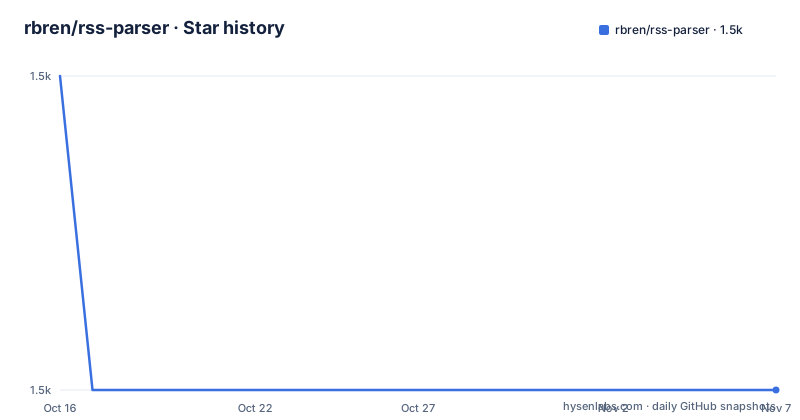
- rbren/rss-parser1,530 ★ · -1
| Repository | 2026-10-16 | 2026-11-07 |
|---|---|---|
| rbren/rss-parser | 1.5k | 1.5k |
-1 Stars in the last 22 days, measured from the daily GitHub snapshot. Compare with other projects
Editorial analysis
One parser, two entry points, two calling styles
rss-parser is a small library for turning RSS XML feeds into JavaScript objects. The repository description calls it a lightweight RSS parser for Node and the browser.
There are two ways in. `parser.parseURL` fetches a feed over HTTP, and `parser.parseString` parses an XML string you already have. Both callbacks and Promises are supported, so the library fits either a callback codebase or an async one.
The Node example is the shortest form of the API:
let Parser = require('rss-parser');
let parser = new Parser();

(async () => {

  let feed = await parser.parseURL('https://www.reddit.com/.rss');
  console.log(feed.title);

  feed.items.forEach(item => {
    console.log(item.title + ':' + item.link)
  });

})();
The `new Parser()` step is a v3 requirement rather than a v2 one, and it is the visible consequence of moving configuration from call options to a constructor.
The upgrade section lists the other v3 changes. `parseFile` is no longer available, which the README gives as the reason, better browser support. Options are now passed to the Parser constructor. `parsed.feed` is now just `feed`, so the top-level object was removed. And `feed.entries` is now `feed.items`, which the README says is to better match the RSS XML.
The renames are all improvements in their own right, and the `items` one in particular removes a translation step in every consumer that used the word entries for what the XML calls items.
The output shape, and the normalisation behind it
The README points at a full example output in the test directory, and shows the shape of a parsed Reddit feed.
The top level has `feedUrl`, `title`, `description` and `link`, and then `items`, each with `title`, `link`, `pubDate`, `creator`, `content`, `contentSnippet`, `guid`, `categories` and `isoDate`.
The notes under that example are the part that tells you what the library actually did to the XML, and they are a short list of normalisation decisions.
The `contentSnippet` field strips out HTML tags and unescapes HTML entities, so you have a plain text version of a content field that is otherwise HTML. The `dc:` prefix is removed from all fields, so a Dublin Core element becomes a plain key. Both `dc:date` and `pubDate` are available in ISO 8601 format as `isoDate`, which means you get one date field regardless of which convention the feed used. If `author` is specified but not `dc:creator`, then `creator` is set to `author`, with a link to the article explaining the convention. And Atom's `updated` becomes `lastBuildDate` for consistency.
That last one is worth flagging because it is a lossy merge of two different specifications. An Atom feed's `updated` and an RSS feed's `lastBuildDate` do not mean exactly the same thing, and flattening them means a consumer cannot tell which one it got. The trade is a simpler output shape, and for a feed reader that is usually the right call.
The categories field is an array, which is where the keepArray flag in the custom fields options comes in later.
Custom fields, renaming, and the two flags
The customFields option is the mechanism for reaching fields the library does not return by default, and it is more capable than the name suggests.
The basic form is a list of field names per level:
let parser = new Parser({
  customFields: {
    feed: ['otherTitle', 'extendedDescription'],
    item: ['coAuthor','subtitle'],
  }
});
To rename a field, you pass an array with two items in the format `[fromField, toField]`, so `['dc:coAuthor', 'coAuthor']` moves the Dublin Core creator into the same key the library uses for the standard one.
And to pass flags, you provide an object as the third array item. There are two flags today. `keepArray`, false by default, set to true returns all the values for fields that can have multiple entries. `includeSnippet`, also false by default, adds an additional field, `${toField}Snippet`, with the HTML stripped out.
So a full entry looks like:
let parser = new Parser({
  customFields: {
    item: [
      ['media:content', 'media:content', {keepArray: true}],
    ]
  }
})
The `media:content` case is the one that shows why keepArray exists. A media enclosure is a repeated element, and without the flag you get one value where the feed had several. The includeSnippet flag is the same idea as the built-in `contentSnippet`, generalised to your custom fields, which is the detail that makes the option coherent rather than a one-off.
TypeScript generics, and the compile error as documentation
The TypeScript section is where the library's typing story is told, and it is a good one.
You set a type to control the custom fields, with a generic feed type and a generic item type:
import Parser from 'rss-parser';

type CustomFeed = {foo: string};
type CustomItem = {bar: number};

const parser: Parser<CustomFeed, CustomItem> = new Parser({
  customFields: {
    feed: ['foo', 'baz'],
    //            ^ will error because `baz` is not a key of CustomFeed
    item: ['bar']
  }
});
The comment is the point. Declaring the custom fields as a generic parameter means the list of field names is checked against the type, and a typo in the field name is a compile error rather than an undefined at run time. The library documents this by showing the mistake in the example.
The types then flow through the parse result, so `feed.foo` is a string and `item.bar` is a number, and the second example in that section shows the values arriving with the right types when the feed is read.
The package manifest confirms the typing setup with a `types` field pointing at `index.d.ts` at the repository root, so the declarations ship with the package rather than being generated at build time. The engine requirement is Node 18 or newer.
For a library whose job is turning loosely typed XML into objects, this is the difference between a parser you trust and one you sprinkle with casts.
Passing through to XML and HTTP
Two escape hatches let you change the behaviour of the layers underneath without forking the library.
The first is XML. The library uses xml2js to parse XML, and you can pass xml2js's own options by specifying `options.xml2js`:
let parser = new Parser({
  xml2js: {
    emptyTag: '--EMPTY--',
  }
});
The emptyTag option is a good example, because xml2js by default represents an empty element in a way that can be awkward, and setting it to a marker string makes empty values explicit in the output rather than ambiguous.
The second is HTTP, and there are four separate controls. `timeout` sets the milliseconds to wait before the request times out, with a default of 60 seconds. `headers` lets you set request headers, which is how you identify yourself to a feed server. `maxRedirects` changes the redirect limit, and `parseURL` follows up to five redirects by default.
And there is a request passthrough. The library uses the Node http and https modules to do requests, and you can pass those modules' own options through.
That last one is the most flexible and the least obvious. It is how you would set a custom agent for connection pooling, or adjust TLS behaviour, or pass a socket option, without the library needing to know about any of it.
There is also a `defaultRSS` option for feeds that do not contain an `<rss>` tag with a version attribute, in which case you can pass the version to assume, for example `defaultRSS: 2.0`. That is a real robustness feature, because a feed missing its version attribute would otherwise fail to parse.
The browser build, and the CORS wall
The Web section is short and it contains the most important limitation in the whole README.
The library recommends using a bundler such as webpack, but it also provides pre-built browser distributions in the `dist/` folder. If you use the pre-built distribution you need a polyfill for Promise support. The repository has a `webpack.config.js` and a `scripts/build.sh`, and the `dist/` directory is in the tree.
The browser example uses callbacks, and it opens with a note that some RSS feeds cannot be loaded in the browser due to CORS security, and that the way around it is to use a proxy. The example points at a public CORS proxy service, and prefixes the feed URL with it.
That is the whole browser story, and it is worth being blunt about it. The library will parse a feed in a browser, but whether the browser will let you fetch it is decided by the feed server's CORS policy, and the library cannot change that. A public CORS proxy works and is also a third party in the middle of every request, which for a browser extension or a page that fetches feeds a user is reading is a privacy consideration rather than a technical detail.
The other two things a browser user should know are the Promise polyfill requirement for the pre-built bundle, and that the `dist/` files are built artefacts checked into the repository rather than published to a CDN with a pinned version, so you are serving whatever was built when the release was made.
The package also carries a `bower.json` at the root, a leftover from the era when browser consumers installed packages with Bower, which is a small sign of how long the project has been running.
Where rss-parser is the wrong choice
The first wrong case is a browser application reading arbitrary feeds. The CORS wall is the feed server's policy, and the workarounds are a proxy you operate or a service you trust with your users' requests. If the feeds you need are first-party or already send permissive CORS headers, this objection does not apply, and the library is fine.
The second wrong case is a project that needs the full Atom or JSON Feed vocabulary. The output notes describe an Atom feed's `updated` folded into `lastBuildDate`, which tells you the primary model is RSS and that Atom support is a compatibility layer rather than a first-class one. A feed reader that needs to distinguish a feed's `updated` from its `lastBuildDate` will not get that here.
The third is a project that needs to control the HTTP client. The passthrough gives you the http and https module options, but the library decides to use those modules. A project on a modern fetch-based stack, or one that needs HTTP/2 or a specific agent, will find that the request layer is not swappable.
The fourth is a high-volume ingestion job. The library is small and the parsing is a straightforward xml2js pass, but a pipeline pulling thousands of feeds a minute wants concurrency control and a cache, and neither is here. The timeout is a global option rather than a per-request one, which is a limitation for a multi-tenant fetcher.
The fifth is anyone who has not checked what the library does to their fields. The normalisation is sensible and documented, but a consumer that depends on the `dc:` prefix, or on `feed.entries`, or on `author` and `creator` staying distinct, will find the defaults have already collapsed those distinctions.
Editorial conclusion
rss-parser suits a Node service that ingests a handful of feeds and wants objects rather than XML, especially one that needs to reach fields the library does not model, because the customFields mechanism with renaming and the keepArray flag is unusually capable. It does not suit a browser application that wants to read arbitrary third-party feeds, because the CORS restriction is the feed server's policy and not something the library can fix, and it does not suit a project that needs Atom or JSON Feed features beyond what the output notes describe. Before adopting it, check the `customFields` options for the fields you actually need, and if you are upgrading from v2, read the v3 breaking changes, since the parser instance and the output shape both changed.
Frequently asked questions
How do I install and use rss-parser?
Install it with `npm install --save rss-parser`, create a `new Parser()`, and call `parseURL` for a feed address or `parseString` for an XML string. Both callbacks and promises are supported.
How do I read an RSS field the parser does not return?
Use the `customFields` option, listing the extra field names per level under `feed` and `item`. You can rename with a `[fromField, toField]` pair, and pass flags as a third item, currently `keepArray` for repeated values and `includeSnippet` for a stripped-HTML variant.
What changed in rss-parser v3?
You need to construct a `new Parser()` before calling `parseString` or `parseURL`, `parseFile` was removed for better browser support, options are now passed to the constructor, `parsed.feed` is now just `feed`, and `feed.entries` is now `feed.items`.
Can rss-parser run in a browser?
Yes, with caveats. The README recommends a bundler but also ships pre-built browser distributions in the `dist/` folder, which need a Promise polyfill, and it notes that some feeds cannot be fetched in the browser because of CORS, so a proxy is needed for those.
What Node version does rss-parser require?
Node 18 or newer. The package manifest sets the `engines` field to `>=18` and the version to 3.13.0, with the typings shipped alongside as `index.d.ts`.
Official sources
Add this badge to your README
If you maintain this project, the badge below links readers to this analysis and shows its maintenance status from the daily GitHub snapshot. Paste the markdown into your README; add ?metric=license or ?metric=stars to the image URL for a different field.

[](https://hysenlabs.com/projects/rbren-rss-parser)Star history chart for your README
[](https://hysenlabs.com/projects/rbren-rss-parser)Was this useful?