react-chartjs-2 keeps the Chart.js version decision in peerDependencies
React components for Chart.js, the most popular charting library
At a glance
- What is it?
- react-chartjs-2 is a thin set of React components around Chart.js, written in TypeScript and published as ESM and CommonJS bundles with declarations emitted separately. The decisions that shape a project are all in its package manifest rather than its documentation: which Chart.js versions are accepted, that the wrapper ships nothing but a dist folder, and that publishing runs the test suite first.
- Who is it for?
- Adopt react-chartjs-2 when you have already chosen Chart.js and want its components rather than a second charting library, and verify first that your Chart.js version satisfies the peer range, which starts at 4.1.1 even though the quickstart recommends 4.0.0. Chart.js is a peer dependency; installation behavior depends on the package manager and version, so explicitly declare a compatible version in your project.
- Can I use it commercially?
- Yes. MIT is a permissive licence: you can use, modify and sell software built on it, as long as you keep its copyright and licence notices.
- Is it still maintained?
- Yes. The repository last received commits 2 days ago.
- What is it written in?
- Mainly TypeScript, according to GitHub's language statistics.
Answers come from the project's GitHub data, last synced on November 22, 2026, and from our analysis. They are not legal advice.
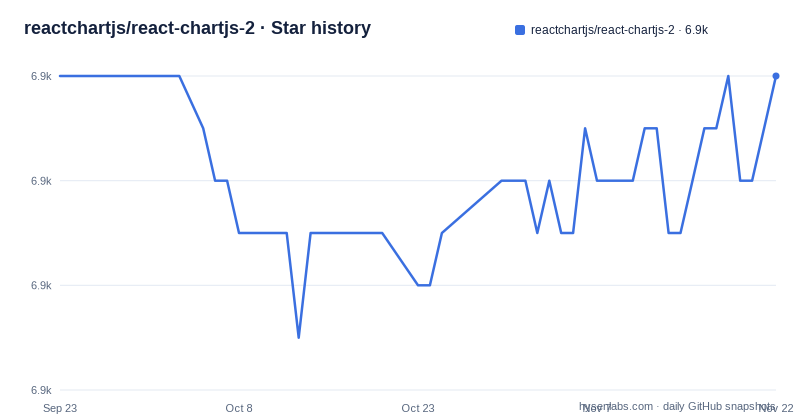
Star history
- reactchartjs/react-chartjs-26,940 ★ · +0
| Repository | 2026-09-23 | 2026-11-22 |
|---|---|---|
| reactchartjs/react-chartjs-2 | 6.9k | 6.9k |
0 Stars in the last 60 days, measured from the daily GitHub snapshot. Compare with other projects
Editorial analysis
peerDependencies is where the Chart.js version gets decided
The install lines name two packages, not one, and the reason is in the manifest: chart.js is a peer dependency, so the wrapper does not bring a charting engine with it.
pnpm add react-chartjs-2 chart.js
# or
yarn add react-chartjs-2 chart.js
# or
npm i react-chartjs-2 chart.js
Explicitly declare a compatible Chart.js version in your project. Some package managers, including npm 7 and later, install peer dependencies automatically, while others may require you to add them.
The quickstart recommends `chart.js@^4.0.0`. The peer dependency in package.json asks for `^4.1.1`. The prose also claims support for Chart.js v4 and v3, while the manifest's range covers neither v3 nor 4.0.x. Those are three slightly different statements of the same constraint, and the one that binds you is the manifest: on a v3 project, the package manager will report an unmet peer.
The practical effect is that upgrading this wrapper can surface as a peer warning rather than as a breaking change, and the fix is a Chart.js upgrade. Check the peer range before you take a minor bump, not after.
The package ships dist, the repository entry points at src
The manifest makes a distinction worth knowing. In the repository, the exports field is `./src/index.ts`, so following the manifest inside a checkout lands you on TypeScript source. The published package looks different: `files` contains only `dist`, and the publishConfig replaces the entry points with `./dist/index.js` for import, `./dist/index.cjs` for require, and `./dist/index.d.ts` for types.
So the module you develop against and the module you ship are not described by the same fields. A deep import written against a path that exists in the checkout will not resolve from the published package, because only `dist` is published.
The package is also marked `"type": "module"` and `"sideEffects": false`, which is what lets a bundler drop imports it cannot see used. Tree shaking is the reason a wrapper this small can be cheap in a bundle, and the root of the repository carries a bundle size badge.
For a team, the practical rule is that anything resolved against the source tree has to be re-checked against the built artifact, and a clean install from the registry is the only reliable way to know what your users will load.
Rollup writes the JavaScript, tsc only emits the types
The build is two toolchains with two jobs.
"build": "rollup -c && pnpm emitDeclarations"Rollup produces the runtime output, both the ESM bundle and the CommonJS one referenced by the publishConfig, driven by `rollup.config.js` at the root. The declarations come from a separate step, `tsc --emitDeclarationOnly`, which reads `tsconfig.json` and writes `.d.ts` files without emitting JavaScript.
That split has consequences for a contributor. A type error that would fail a normal tsc build shows up in the declaration step, while a bundling problem shows up in the rollup step, and the two report differently. `vite.config.js` sits alongside them for the tooling that runs the tests and the sandbox examples, so the repo has a third config file serving a third job.
For a consumer the outcome is that the typings are generated rather than hand written. When an IntelliSense signature disagrees with what renders, the declaration output is the place to look before assuming the component's props are untyped.
Publishing runs lint and unit tests before it packs anything
The prepublish hook is a chain rather than a single command.
pnpm test && pnpm build && del ./package && clean-publishThat script name is `"prepublishOnly"`, and it means the full check runs before anything is uploaded: `pnpm test` is itself `pnpm test:lint && pnpm test:unit`, so eslint across `src`, `stories`, `sandboxes` and `test` comes first, then `vitest run --coverage`. Only after the build succeeds is the staging directory removed with `del ./package`, and `clean-publish` rewrites the manifest into its published form. A matching `postpublish` removes the same directory again.
Two things follow. You cannot push a release from a tree that fails lint or tests, which is a good default for a library whose whole job is to be a stable dependency. And the `package` directory is a scratch copy that exists only during publishing, so anything you find there describes the published artifact and nothing else.
The test command has siblings the publishing path does not use: `test:size` runs size-limit, `test:typings` runs tsd, and `test:unit:watch` runs vitest in watch mode. Only lint and unit tests gate the release.
Bundle weight is tracked as a budget, with size-limit
Among the package scripts is a size check wired to a configuration file at the root.
pnpm test:size`size-limit` reads `.size-limit.json`, and the README carries a badge that reports the minified and gzipped size of the published package from bundlephobia. Combined with `"sideEffects": false`, this is a library that treats its own byte weight as something to be held down rather than something to be discovered after release.
That matters because the wrapper is small by design and its cost is mostly the dependency it does not bundle. Because chart.js is a peer dependency, the size figure a bundler reports for your application depends on which Chart.js features you import, not on react-chartjs-2 alone. A size regression investigation that only looks at the wrapper will find nothing.
The other guard rails are in the commit pipeline: `.commitlintrc.json`, `.czrc`, `.simple-release.json` and the `commit` script running cz, plus `.simple-git-hooks.json` and `.nano-staged.json` for hooks and staged formatting.
Storybook runs on port 6006 and stories are lint targets
Component work happens in Storybook rather than in an examples app.
pnpm start:storybookThat script runs `storybook dev -p 6006 --ci`, and the `--ci` flag is what stops Storybook from opening a browser on start, which matters in a container. There is a matching `build:storybook` script that sets `NODE_ENV=production` before building, and the configuration lives in the `.storybook/` directory.
The interesting detail is that `stories/` is not a side project. The lint script covers `src`, `stories`, `sandboxes` and `test` together, and `sandboxes/` is linted alongside them.
For a reader, this tells you where the behaviour questions get answered. `stories/` is the closest thing to a documented example set inside the repository, and the website under `website/` is the published documentation, with pages for components, examples, an FAQ, working with datasets, working with events, and a migration guide for v4.
The newest tag is from October 2025 while master moved days ago
The release history is `v5.3.1` on 2025-10-27, `v5.3.0` on 2025-01-01 and `v5.2.0` on 2023-01-09. The last push to the default branch, `master`, was on 2026-10-29.
That is a gap worth naming precisely. Work continues on the branch, roughly a year of it between the newest tag and now, and the published package is still 5.3.1. So the version your dependency resolver reports and the code on master are not the same thing, and a bug fixed on master is not in any published version yet.
The licence is MIT, and the root carries both `LICENSE` and `LICENSE.md`, with the copyright line naming Jeremy Ayerst and the year 2020. Two licence files is a small inconsistency, so read the one your compliance tooling picks up rather than assuming they are identical.
A wrapper's real cost is that the version matrix is now yours
Set against another charting library for React, the difference in approach is narrow and worth stating plainly. Chart.js is a canvas drawing library with its own object model, options and plugin system. React has a component model with its own lifecycle and reconciliation. This project sits between them and does one thing: it renders Chart.js from React props and keeps the chart instance in step with them.
That boundary is the design. It means you keep Chart.js's documentation, its configuration and its plugin ecosystem, and you get React-shaped props. It also means the number of moving parts doubles, because a mismatch between a React prop change and Chart.js's update path shows up as a chart that does not redraw rather than as a type error.
Where the repository cannot help you is the version matrix. It states which Chart.js range it accepts, recommends a different minimum in its quickstart, and claims support for a major version that the peer range excludes. Everything else about compatibility is yours to verify: which Chart.js you have, whether the events and dataset pages cover the case you are building, and whether the major version you are on still has the migration path you expect.
Editorial conclusion
Adopt react-chartjs-2 when you have already chosen Chart.js and want its components rather than a second charting library, and verify first that your Chart.js version satisfies the peer range, which starts at 4.1.1 even though the quickstart recommends 4.0.0. Chart.js is a peer dependency; installation behavior depends on the package manager and version, so explicitly declare a compatible version in your project. The wrapper ships only a dist folder, so anything that depends on the source entry, on deep imports or on tree shaking assumptions needs checking against the published package rather than the repository. Before pinning, note that the newest tag is v5.3.1 from 2025-10-27 while the default branch received commits on 2026-10-29.
Frequently asked questions
how to install react chartjs 2
Install it alongside chart.js, because chart.js is a peer dependency and is not pulled in for you: pnpm add react-chartjs-2 chart.js, or the yarn and npm equivalents. The quickstart recommends chart.js@^4.0.0, while the package manifest declares a peer range starting at chart.js ^4.1.1.
how to use react chartjs 2
Import the component you need from the package and pass your data as a prop, for example import { Doughnut } from 'react-chartjs-2' followed by <Doughnut data={...} />. The repository has a sandboxes/ directory, and the project publishes component and example pages on react-chartjs-2.js.org.
what is react chartjs 2
It is a set of React components for Chart.js, written in TypeScript, MIT licensed and published as both ESM and CommonJS bundles with type declarations emitted separately by tsc. Its own package description is simply React components for Chart.js.
Can I use chart.js with React?
Yes, through this wrapper: chart.js is declared as a peer dependency at ^4.1.1, so you install it in your project and render it through the exported React components. The wrapper declares itself side-effect free and ships only a dist folder, with the ESM entry at ./dist/index.js, the CommonJS entry at ./dist/index.cjs and types at ./dist/index.d.ts.
Official sources
Add this badge to your README
If you maintain this project, the badge below links readers to this analysis and shows its maintenance status from the daily GitHub snapshot. Paste the markdown into your README; add ?metric=license or ?metric=stars to the image URL for a different field.

[](https://hysenlabs.com/projects/reactchartjs-react-chartjs-2)Star history chart for your README
[](https://hysenlabs.com/projects/reactchartjs-react-chartjs-2)Was this useful?